
IRRADIO IR-SIGMA PLUS
IRRADIO IR-SIGMA PLUS Wireless Headphones User Manual
Model: IR-SIGMA PLUS | Brand: IRRADIO
מָבוֹא
Thank you for choosing the IRRADIO IR-SIGMA PLUS Wireless Headphones. This comprehensive set includes wireless + Bluetooth headphones and a wireless receiver, designed to enhance your experience with movies, series, concerts, sports events, and gaming sessions. This manual provides detailed instructions for setup, operation, maintenance, and troubleshooting to ensure optimal performance and longevity of your device.
מה יש בקופסה
Upon unpacking your IRRADIO IR-SIGMA PLUS, please ensure all components are present:
- IRRADIO IR-SIGMA PLUS Wireless Headphones
- מקלט אלחוטי
- כבל טעינה (USB-C)
- כבל אודיו (שקע 3.5 מ"מ)
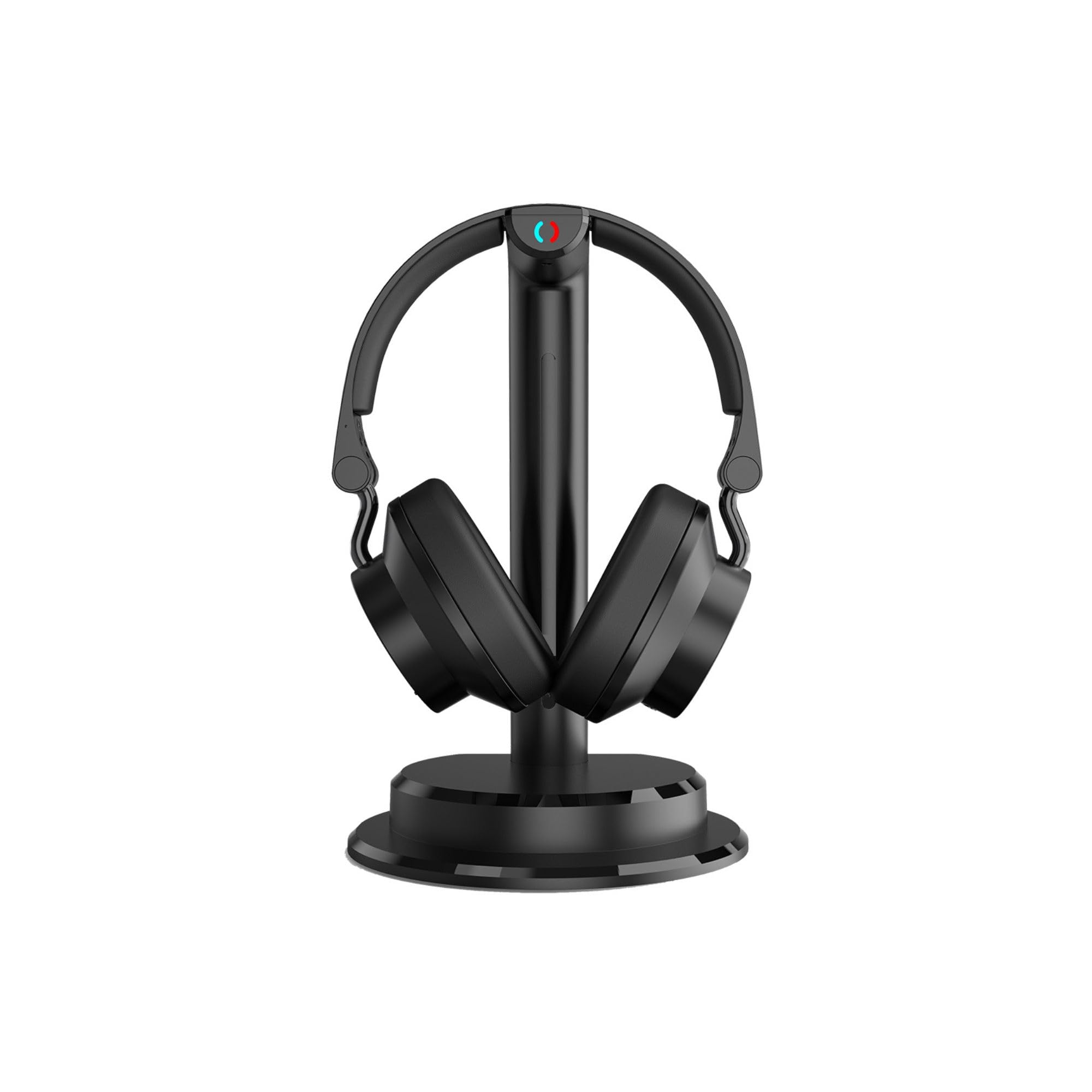
Image: The IRRADIO IR-SIGMA PLUS wireless headphones resting on their charging stand, showcasinהעיצוב השחור והחלקלק.
המוצר נגמרview
תכונות מפתח
- קישוריות כפולה: 2.4 GHz wireless for stable, low-latency audio up to 30 meters, and Bluetooth V5.3 for mobile devices.
- אודיו סוחף: 40mm wide-band speakers with a frequency response of 60Hz–20kHz for powerful and detailed sound.
- Selective Equalization: Three dedicated sound profiles (Film, Music, Spoken) to optimize audio for different content.
- Adjustable Audio Balance: Fine-tune volume balance between left and right channels for personalized listening.
- Shared Listening: Connect multiple compatible IRRADIO headphones to the same source for a shared audio experience.
- אפשרות קווית: Use with the included 3.5mm audio jack cable for wired connection.
- חיי סוללה ארוכים: Up to 4.5 hours of continuous use, with a quick 1-2 hour charging time via USB-C.
- תאימות רב-תכליתית: Analog and digital inputs (Toslink/SPDIF) for seamless connection to TVs, projectors, smartphones, tablets, and laptops.
רכיבי ובקרות אוזניות
Familiarize yourself with the various parts and controls of your IR-SIGMA PLUS headphones for ease of use.

תמונה: צד view of the IRRADIO IR-SIGMA PLUS headphones, showing the earcups and headband design.

תמונה: גב view of the IRRADIO IR-SIGMA PLUS headphones, highlighting the adjustable headband and earcup pivot points.

Image: The IRRADIO IR-SIGMA PLUS headphones on their stand, with visual callouts for USB Type-C power, 466g net weight, and 2.4GHz & Bluetooth V5.3 wireless connectivity.

Image: A close-up of the IRRADIO IR-SIGMA PLUS headphones, emphasizing the 40mm wide-band speakers and their frequency response of 60Hz-20kHz for powerful and detailed sound.
הגדרה
1. טעינה ראשונית
Before first use, fully charge your IRRADIO IR-SIGMA PLUS headphones.
- חברו את כבל הטעינה USB-C המצורף לשקע הטעינה באוזניות.
- חבר את הקצה השני של כבל ה-USB-C לספק כוח USB תואם (לא כלול) או ליציאת USB של מחשב.
- נורית חיווי הטעינה תידלק. טעינה מלאה אורכת בדרך כלל 1-2 שעות.
- Once fully charged, the indicator light may change color or turn off. Disconnect the cable.

Image: The IRRADIO IR-SIGMA PLUS headphones on their stand, with text indicating integrated Lithium-ion 3.7V battery, wireless transmission distance up to 30m, charging time of 1-2 hours, and a usage duration of 4:30 hours.
2. חיבור המקלט האלחוטי
The wireless receiver allows for 2.4 GHz low-latency audio transmission from your TV or other audio sources.
- For TVs with Optical (Toslink/SPDIF) Output: Connect the optical cable (not included) from your TV's optical output to the optical input on the wireless receiver.
- For TVs/Devices with Analog (3.5mm or RCA) Output: Connect the 3.5mm audio cable (included) or an RCA to 3.5mm adapter (not included) from your TV's audio output to the 3.5mm input on the wireless receiver.
- Connect the wireless receiver to a power source using its USB power input.
3. Pairing Headphones with Receiver (2.4 GHz Wireless)
The headphones and receiver should automatically pair when both are powered on.
- Power on the wireless receiver.
- Power on the IR-SIGMA PLUS headphones by pressing and holding the power button.
- The indicator lights on both devices will show their connection status. A solid light typically indicates a successful connection.
- אם הצימוד נכשל, עיין בסעיף פתרון בעיות.
4. Bluetooth Pairing (for mobile devices)
To connect your headphones to a smartphone, tablet, or laptop via Bluetooth:
- Ensure the headphones are powered on and not connected to the 2.4 GHz receiver.
- Activate Bluetooth pairing mode on the headphones (refer to the specific button combination in your quick start guide, usually holding the power button longer or a dedicated Bluetooth button). The indicator light will flash, indicating pairing mode.
- On your device, go to Bluetooth settings and search for "IRRADIO IR-SIGMA PLUS".
- Select the headphones to pair. Once connected, the indicator light on the headphones will become solid.
הוראות הפעלה
הפעלה/כיבוי
- כדי להפעיל, לחץ והחזק את לחצן ההפעלה עד שנורית החיווי נדלקת.
- כדי לכבות, לחץ והחזק את לחצן ההפעלה עד שנורית החיווי תכבה.
בקרת עוצמת הקול
- Use the volume up (+) and volume down (-) buttons on the headphones to adjust the listening level.
- You can also adjust the source device's volume.
מצבי שוויון
The IR-SIGMA PLUS offers three distinct equalization profiles. Press the EQ button (if available, or refer to your quick start guide for button assignment) to cycle through them:
- מצב סרט: Enhances dialogue clarity and cinematic sound effects.
- מצב מוזיקה: מספק אודיו מקצועי מאוזןfile suitable for various music genres.
- Spoken Mode: Optimizes for clear voice reproduction, ideal for podcasts, audiobooks, or news.
Audio Balance Adjustment
Adjust the balance between the left and right audio channels to suit your hearing preferences. Refer to your quick start guide for the specific controls, typically dedicated L/R balance buttons or a combination with volume controls.
Shared Listening (Multi-User)
To enable shared listening with additional compatible IRRADIO headphones:
- Ensure the primary headphones are connected to the wireless receiver.
- Power on the additional compatible IRRADIO headphones and put them into pairing mode for the 2.4 GHz receiver.
- The receiver will automatically detect and connect to multiple headphones.
- Up to several users can listen simultaneously to the same content.

Image: The IRRADIO IR-SIGMA PLUS headphones on their stand, with text stating "Listen to your favorite music, watch a movie or enjoy a concert at full volume even at night, without disturbing anyone."
תַחזוּקָה
Proper care and maintenance will extend the life of your IRRADIO IR-SIGMA PLUS headphones.
- ניקוי: Use a soft, dry cloth to clean the headphones and receiver. Do not use abrasive cleaners, solvents, or harsh chemicals.
- אִחסוּן: כאשר אינן בשימוש, יש לאחסן את האוזניות במקום קריר ויבש, הרחק מאור שמש ישיר וטמפרטורות קיצוניות.
- טיפול בסוללה: כדי לשמר את חיי הסוללה, הימנעו מפריקה מלאה של האוזניות לעתים קרובות. טען אותן באופן קבוע, גם אם אינן בשימוש למשך פרקי זמן ממושכים.
- הימנע מלחות: Do not expose the headphones or receiver to water or excessive moisture.
- טפל בזהירות: הימנעו מהפלת האוזניות או מחשיפתן לפגיעות חזקות.
פתרון בעיות
If you encounter issues with your IRRADIO IR-SIGMA PLUS headphones, refer to the following common problems and solutions:
| בְּעָיָה | סיבה אפשרית | פִּתָרוֹן |
|---|---|---|
| No sound from headphones (2.4 GHz) |
|
|
| No sound from headphones (Bluetooth) |
|
|
| איכות שמע ירודה או הפרעות |
|
|
| אוזניות לא נטענות |
|
|
מפרטים
| תכונה | פְּרָט |
|---|---|
| מותג | IRRADIO |
| שם הדגם | IR-SIGMA PLUS Set Cuffia TV 2,4GHz + BT |
| מספר דגם | 141901050 |
| צֶבַע | שָׁחוֹר |
| מיקום אוזניים | מעל האוזן |
| טכנולוגיית קישוריות | אלחוטי (2.4GHz, בלוטות') |
| גרסת בלוטות' | 5.3 |
| טווח בלוטות' | עד 30 מטרים (ללא הפרעה) |
| שקע אוזניות | 3.5mm Jack and USB-C |
| סוג מנהל התקן שמע | מנהל התקן דינמי |
| טווח תדרים | 60Hz–20kHz |
| סוג סוללה | Integrated Lithium-ion 3.7V |
| חיי סוללה (ממוצע) | 4.5 שעות |
| זמן טעינה | 1-2 שעות (דרך USB-C) |
| מִשׁקָל | 466 גרם |
| שיטת בקרה | לַחְצָן |
| מכשירים תואמים | Smartphone, Tablet, Laptop, Televisions |
| שימושים ספציפיים | Video games, Music, Movies & TV, Sports events |
מידע על אחריות
Based on the product information provided, there is no explicit product warranty ("Garanzia prodotto: NO"). Please refer to the retailer's return policy for details on returns or exchanges within the applicable period.
תְמִיכָה
For further assistance or inquiries regarding your IRRADIO IR-SIGMA PLUS headphones, please visit the official IRRADIO brand store or webאֲתַר.
Ask a question about this manual
Ask about setup, troubleshooting, compatibility, parts, safety, or missing instructions. Manuals+ will review the question and use this page’s manual context to help answer it.