
1. הקדמה
This manual provides essential information for setting up, operating, and maintaining your ASUS AiO V470 Series All-in-One PC. Please read this guide thoroughly before using your device to ensure proper function and longevity.

Image: ASUS V470 AiO PC showcasing its minimalist design and thoughtful functionality.
2. מה בקופסה
ודא שכל הפריטים נמצאים באריזה:
- ASUS AiO V470 All-in-One PC
- מקלדת אלחוטית
- עכבר אלחוטי
- מתאם מתח
- תיעוד (מדריך התחלה מהירה, כרטיס אחריות)
3. התקנה
3.1 פריקה ומיקום
- Carefully remove the All-in-One PC and accessories from the packaging.
- Place the PC on a stable, flat surface with adequate ventilation around the unit.
- Ensure the area is free from direct sunlight, heat sources, and excessive dust.
3.2 חיבור ציוד היקפי
- חיבור חשמל: Connect the power adapter to the DC-in port on the back of the PC, then plug the power cord into a wall outlet.
- מקלדת ועכבר אלחוטיים: Insert batteries into the wireless keyboard and mouse. The devices are pre-paired; if not, follow the instructions provided with the peripherals for pairing.
- מכשירים חיצוניים: Connect any external devices such as printers, external hard drives, or additional monitors to the appropriate ports.
4. רכיבים ויציאות
Familiarize yourself with the various ports and components of your ASUS AiO V470 PC.

תמונה: מפורט view of the I/O ports for connectivity.
4.1 Side I/O Ports
- חריץ מנעול קנסינגטון: For securing your device with a compatible lock.
- שקע אודיו משולב 3.5 מ"מ: לחיבור אוזניות או אוזניות עם מיקרופון.
- יציאת USB 2.0 Type-A: For connecting USB 2.0 compatible devices.
4.2 Back I/O Ports
- יציאת DC-in: לחיבור מתאם החשמל.
- יציאת RJ45 Gigabit Ethernet: עבור חיבור רשת קווית.
- HDMI In 1.4 Port: For connecting external video sources to use the AiO as a monitor.
- HDMI Out 1.4 Port: לחיבור צג חיצוני.
- יציאת USB 3.2 דור 1 מסוג C: להעברת נתונים במהירות גבוהה וחיבור מכשירים תואמים מסוג Type-C.
- 3x USB 3.2 Gen 1 Type-A Ports: For connecting high-speed USB 3.2 compatible devices.
5. הוראות הפעלה
5.1 הפעלה/כיבוי
- הפעלה: Press the power button located on the bottom right side of the display.
- כיבוי: In Windows, click Start > Power > Shut down. Alternatively, press and hold the power button for 4 seconds to force a shutdown (use only when necessary).
5.2 תכונות תצוגה
Your ASUS AiO V470 features a high-quality display designed for clarity and comfort.
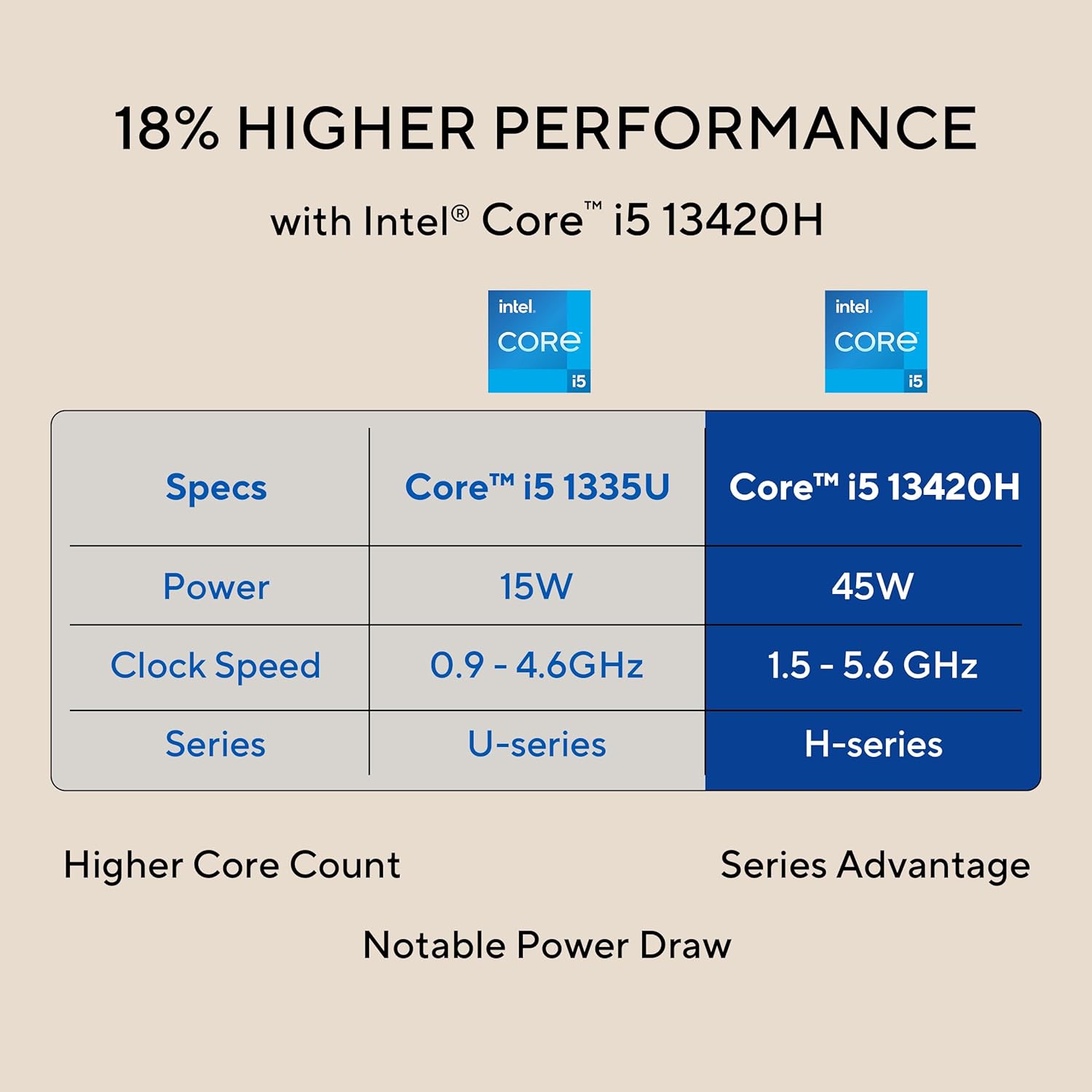
Image: The 27-inch FHD NanoEdge display with TÜV Rheinland-certified eye care.
- 27.0-inch FHD (1920 x 1080) Display: Provides clear and vibrant visuals.
- Anti-glare: מפחית השתקפויות לנוחות viewing.
- קצב רענון של 100 הרץ: Offers smoother motion for an enhanced visual experience.
- TÜV Rheinland-certified Eye Care: Designed to reduce blue light emissions and flicker for eye comfort during extended use.
5.3 תכונות מצלמה ושמע
The integrated camera and audio system enhance your communication and multimedia experience.

Image: Retractable camera for privacy and security features.
- Retractable 1080p HD Camera: Push to hide the camera for instant privacy.
- ביטול רעשים של בינה מלאכותית: Reduces background noise during video calls and recordings for clearer audio.
- 5W x 2 Speakers with Dolby Atmos: Delivers immersive and high-quality sound.

Image: Advanced and immersive sound experience with integrated speakers.
5.4 קישוריות
Your AiO PC offers robust connectivity options.
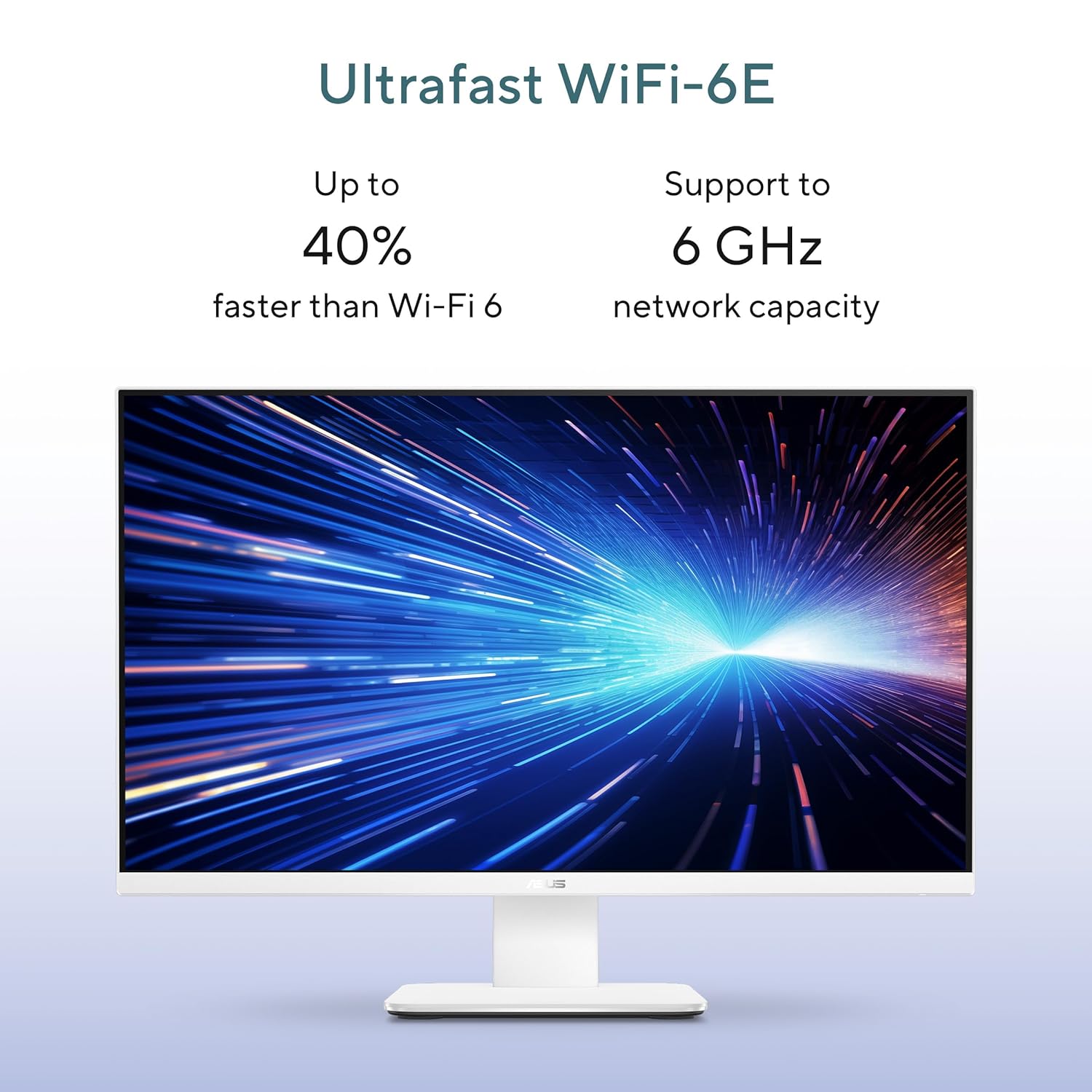
Image: Ultrafast Wi-Fi 6E for high-speed wireless connectivity.
- Wi-Fi 7: לגישה אלחוטית לאינטרנט במהירות גבוהה.
- Gigabit-Ethernet: לחיבורי רשת קוויים יציבים ומהירים.
- בלוטות': For connecting wireless peripherals like headphones and speakers.
6. תחזוקה
Proper maintenance ensures the longevity and optimal performance of your ASUS AiO V470 PC.
- ניקוי התצוגה: השתמשו במטלית רכה ונטולת סיבים המיועדת במיוחד למכשירים אלקטרוניים.ampen the cloth slightly with water or a screen cleaner, then gently wipe the screen. Avoid harsh chemicals.
- ניקוי השלדה: Use a soft, dry cloth to wipe down the exterior. For stubborn marks, a slightly damp ניתן להשתמש במטלית, ולאחר מכן במטלית יבשה.
- אוורור: ודאו שפתחי האוורור אינם חסומים כדי למנוע התחממות יתר. בדקו באופן קבוע הצטברות אבק ונקו בעדינות בעזרת אוויר דחוס במידת הצורך.
- עדכוני תוכנה: עדכנו את מערכת ההפעלה ומנהלי ההתקנים שלכם כדי להבטיח אבטחה וביצועים.
- גיבוי נתונים: גבה באופן קבוע נתונים חשובים לכונן חיצוני או לאחסון ענן.
7. פתרון תקלות
סעיף זה עוסק בבעיות נפוצות שאתה עשוי להיתקל בהן.
7.1 אין כוח
- Ensure the power adapter is securely connected to the PC and the wall outlet.
- ודא ששקע הקיר תקין על ידי חיבור מכשיר אחר.
- בדוק את מתאם החשמל לאיתור נזקים גלויים.
7.2 בעיות תצוגה
- If the screen is blank, ensure the PC is powered on and not in sleep mode.
- If using an external video source via HDMI In, ensure the correct input is selected (refer to your PC's on-screen display settings).
- Adjust brightness settings in Windows.
7.3 התקנים היקפיים לא מגיב
- For wireless keyboard/mouse, check battery levels and ensure they are within range.
- For wired devices, ensure they are properly connected to the correct USB ports.
- נסה לחבר את ההתקן ההיקפי ליציאת USB אחרת.
8. מפרטים
Detailed technical specifications for your ASUS AiO V470 PC.

Image: Key performance specifications including processor, memory, and storage.
| תכונה | מִפרָט |
|---|---|
| מעבד | Intel Core i5-13420H (2.1 GHz, up to 4.6 GHz, 8 cores, 12 threads, 12MB Cache) |
| מַעֲרֶכֶת הַפעָלָה | Windows 11 Home |
| לְהַצִיג | 27.0-inch FHD (1920 x 1080), 16:9, 300nits, 100Hz, Anti-glare, TÜV Rheinland-certified Eye Care |
| גרָפִיקָה | גרפיקת Intel UHD משולבת |
| זֵכֶר | זיכרון RAM של 16GB DDR5 |
| אִחסוּן | כונן SSD בנפח 1TB מסוג M.2 NVMe PCIe 4.0 |
| מַצלֵמָה | Retractable 1080p HD Camera |
| שֶׁמַע | 5W x 2 Speakers, AI Noise Cancellation, Dolby Atmos |
| קישוריות אלחוטית | Wi-Fi 7, בלוטות' |
| קישוריות קווית | RJ45 ג'יגה-אתרנט |
| יציאות I/O | 1x USB 2.0 Type-A, 3x USB 3.2 Gen 1 Type-A, 1x USB 3.2 Gen 1 Type-C, 1x HDMI In 1.4, 1x HDMI Out 1.4, 1x 3.5mm Combo Audio Jack, 1x DC-in, 1x Kensington Lock Slot |
| מידות (ב x D x H) | 61.3 x 1.7 x 44.7 ס"מ |
| מִשׁקָל | 9 קילוגרם |
| ציוד היקפי כלול | Wireless Keyboard, Wireless Mouse |
9. אחריות ותמיכה
Your ASUS AiO V470 PC comes with comprehensive warranty and support services.

Image: ASUS 4A Guarantee and support contact details.
9.1 מידע אחריות
This genuine ASUS AiO PC includes a 1-year Global Warranty ו- Onsite Domestic Warranty from ASUS. The warranty covers manufacturing defects and does not cover physical damage. To activate your warranty, please register your product on the official ASUS webאֲתַר.
9.2 תמיכת לקוחות
For product-related queries or immediate assistance, please contact ASUS support:
- מספר חינמי: 1800-2090365 (Monday - Saturday, 09:00 AM - 06:00 PM)
- אֶלֶקטרוֹנִי: rc_india@asus.com
- Service Center Information: Visit the ASUS support website for an extensive network of over 180 service centers across India: https://www.asus.com/in/support/Service-Center/India