
1. הקדמה
This manual provides essential information for the safe and efficient use of your Samsung Full HD Smart TV 27" UE27F6000FU. Please read these instructions carefully before using the product and retain them for future reference. This television features a Hyper Real Processor, HDR and Pur Color technology for enhanced visuals, a Smart Experience with Tizen OS, OTS Lite and Adaptive Sound for immersive audio, and a SlimLook Design.
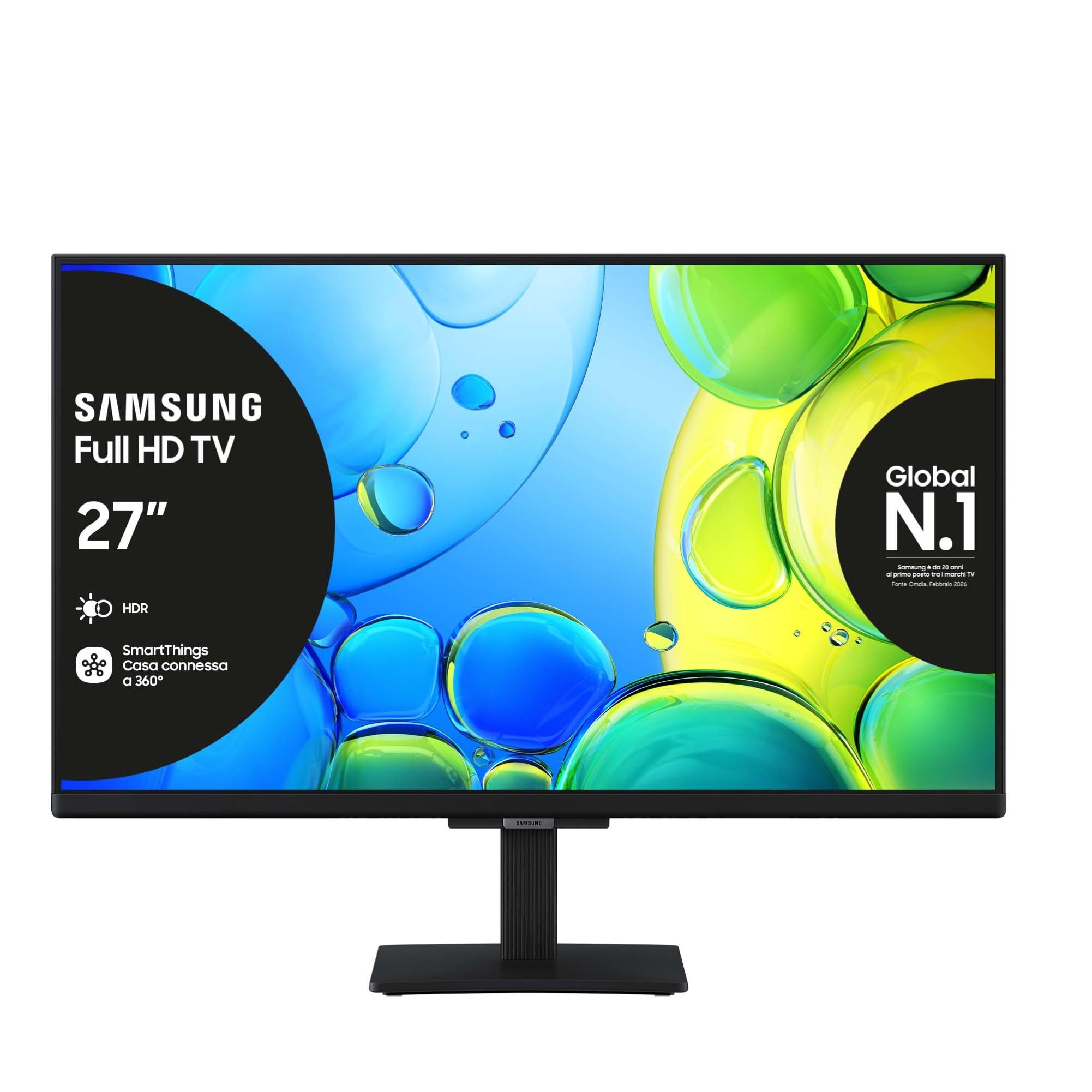
תמונה 1.1: חזית view of the Samsung Full HD Smart TV 27" UE27F6000FU.
2. מידע בטיחות
יש להקפיד תמיד על אמצעי זהירות בסיסיים בעת שימוש בטלוויזיה זו כדי להפחית את הסיכון לשריפה, התחשמלות ופציעה. אין לחשוף את הטלוויזיה לגשם או לחות. אין לפתוח את הטלוויזיה.asing; refer all servicing to qualified personnel. Ensure proper ventilation and avoid placing the TV near heat sources. Use only the power cord supplied with the unit.
3. תכולת החבילה
ודא שכל הפריטים נמצאים בקופסה:
- Samsung Full HD Smart TV (UE27F6000FU)
- שְׁלַט רָחוֹק
- כבל חשמל
- מדריך הוראות (מסמך זה)
4. התקנה
4.1 חיבור המעמד או התקן התלייה לקיר
Carefully place the TV face down on a soft, flat surface. Attach the stand according to the diagrams in the separate quick setup guide, ensuring all screws are tightened securely. For wall mounting, use a VESA-compatible wall mount (200 x 200 mm) and follow the wall mount manufacturer's instructions. Ensure the TV is securely fastened to prevent accidental falls.

Image 4.1: The SlimLook Design of the TV, suitable for stand or wall mounting.
4.2 חיבור חשמל והתקנים חיצוניים
Connect the power cable to the TV's power input and then to a wall outlet. For external devices such as Blu-ray players, game consoles, or soundbars, use the HDMI ports. USB devices can be connected to the USB port for media playback or software updates.
4.3 הגדרה ראשונית וחיבור רשת
Upon first power-on, the TV will guide you through the initial setup process. This includes language selection, channel scanning, and network configuration. You can connect to the internet via Wi-Fi or an Ethernet cable for access to smart features and online content.
5. הוראות הפעלה
5.1 שלט רחוק מעלview
The included remote control allows you to navigate the TV's menus, change channels, adjust volume, and access smart features. Familiarize yourself with the buttons for power, volume, channel, input selection, and the Smart Hub button.
5.2 פונקציות טלוויזיה בסיסיות
- הפעלה/כיבוי: לחץ על לחצן ההפעלה בשלט הרחוק.
- בקרת עוצמת הקול: השתמש בכפתורי הגברת/הנמכת עוצמת הקול.
- בחירת ערוץ: השתמשו בלחצני הערוצים למעלה/למטה או בלוח המקשים המספרי.
- מקור קלט: Press the Source button to select between HDMI, TV, and other connected devices.
5.3 הגדרות תמונה וקול
Access the TV's settings menu to customize picture modes (e.g., Standard, Dynamic, Movie), brightness, contrast, and color settings. For audio, adjust sound modes, balance, and utilize features like OTS Lite and Adaptive Sound for an optimized listening experience.

Image 5.1: Pur Color technology provides a wide spectrum of colors for optimal picture quality.

Image 5.2: HDR technology enhances contrast and detail in both bright and dark scenes.

Image 5.3: OTS Lite provides object tracking sound for a more dynamic audio experience.

Image 5.4: Adaptive Sound Pro automatically optimizes audio based on content and environment.

Image 5.5: Q-Symphony allows the TV speakers and a compatible soundbar to operate simultaneously for richer sound.
6. תכונות חכמות
6.1 Samsung Tizen OS and Smart Hub
Your TV runs on Samsung's Tizen operating system, providing a user-friendly interface. The Smart Hub is your gateway to a world of content, including streaming apps like Netflix, Disney Plus, Prime Video, and YouTube, as well as live TV channels.

Image 6.1: The Smart Hub provides easy access to a wide range of entertainment content.
6.2 מרכז גיימינג
The Gaming Hub consolidates your gaming experience, allowing you to access cloud gaming services and connected consoles directly from your TV. Enjoy a seamless gaming experience with optimized picture and sound settings.

Image 6.2: The Gaming Hub offers a centralized platform for all your gaming needs.
6.3 שילוב SmartThings
Connect and control compatible smart home devices using the SmartThings app on your TV. Manage lighting, thermostats, and other smart appliances for a connected home experience.

Image 6.3: SmartThings allows integrated control of your smart home devices.
6.4 עוזר קולי
The TV supports multiple voice assistants, including Amazon Alexa and Google Assistant, allowing you to control your TV and search for content using voice commands.

Image 6.4: The TV is secured by Knox, providing robust security for your smart features and personal data.
7. תחזוקה
7.1 ניקוי הטלוויזיה
כדי לנקות את המסך, נגבו אותו בעדינות בעזרת מטלית רכה ונטולת סיבים. במקרה של סימנים עקשניים, נגבו אותו קלות.ampen the cloth with water or a specialized screen cleaner. Avoid using harsh chemicals or abrasive materials. Clean the TV frame and stand with a dry, soft cloth.
7.2 עדכוני תוכנה
Ensure your TV's software is up to date for optimal performance and security. You can check for and install updates through the TV's settings menu, typically found under 'Support' or 'Software Update'.
8. פתרון תקלות
אם נתקלת בבעיות עם הטלוויזיה שלך, עיין בשלבי פתרון הבעיות הנפוצים הבאים:
| בְּעָיָה | פִּתָרוֹן |
|---|---|
| אין כוח | בדוק אם כבל החשמל מחובר היטב הן לטלוויזיה והן לשקע בקיר. ודא שהשקע תקין. |
| אין תמונה / תמונה מעוותת | Verify the correct input source is selected. Check cable connections to external devices. Try a different HDMI cable. Adjust picture settings. |
| אין סאונד | Check the volume level and mute status. Ensure external audio devices (soundbar, receiver) are properly connected and powered on. |
| השלט רחוק לא עובד | החלף את הסוללות. ודא שאין חסימות בין השלט לטלוויזיה. |
| בעיות חיבור לרשת | Restart your router and modem. Re-enter Wi-Fi password. Try connecting via Ethernet cable if Wi-Fi fails. |
If the problem persists, please refer to the Samsung support webאתר או צור קשר עם שירות הלקוחות.
9. מפרטים
Key technical specifications for the Samsung Full HD Smart TV 27" UE27F6000FU:
- שם הדגם: UE27F6000FU
- גודל מסך: 27 אינץ'
- טכנולוגיית מסך: LED
- הַחְלָטָה: Full HD (FHD)
- קצב רענון: 50 Hz (100 Hz Motion Enhancement)
- מעבד: Hyper Real Processor
- שיפור תמונה: HDR, Pur Color, Contrast Enhancer
- מצב פלט אודיו: לְהַקִיף
- Integrated Surround Sound Format: OTS Lite
- Speaker Description: Built-in speaker with 3D surround technology and adaptive sound
- מַעֲרֶכֶת הַפעָלָה: טיזן
- קישוריות: בלוטות', אתרנט, HDMI (3 יציאות), USB (יציאה אחת), Wi-Fi
- תכונות חכמות: Smart Hub, Gaming Hub, SmartThings, Multiple Voice Assistants (Amazon Alexa, Google Assistant)
- תקן הרכבה VESA: 200 x 200 מ"מ
- מידות מוצר (עם מעמד): 61.3 ס"מ (עומק) x 20.1 ס"מ (רוחב) x 46.9 ס"מ (גובה)
- משקל פריט: 3.5 קילוגרם
- צֶבַע: שָׁחוֹר
- שנת דגם: 2025
10. אחריות ותמיכה
10.1 מידע אחריות
This Samsung Smart TV comes with a 2-year manufacturer warranty. Please retain your proof of purchase for warranty claims. The warranty covers manufacturing defects under normal use conditions.
10.2 תמיכת לקוחות
לסיוע נוסף, תמיכה טכנית או שירות אחריות, אנא בקרו באתר התמיכה הרשמי של סמסונג website or contact their customer service department. You can find contact details and FAQs on their webאֲתַר.