
1. הקדמה
This user manual provides comprehensive instructions for the setup, operation, and maintenance of your Mortal Q8 Android 14 4K TV Stick. The Mortal Q8 transforms any television with an HDMI port into a smart entertainment system, offering access to a wide range of streaming services and applications in 4K Ultra HD resolution. Please read this manual carefully before using the device to ensure optimal performance and safety.
2. תכולת החבילה
ודא שכל הפריטים נמצאים בחבילה שלך:
- Mortal Q8 Android 14 4K TV Stick
- Remote Control with Voice Command
- כבל חשמל USB
- כבל מאריך HDMI (אם כלול)
- מדריך למשתמש (מסמך זה)
3. המוצר נגמרview
The Mortal Q8 TV Stick is a compact device designed for seamless streaming. It features an HDMI connector for direct plug-in to your TV and is controlled by an ergonomic remote with integrated voice command capabilities.

Figure 3.1: Mortal Q8 Android TV Stick and its accompanying remote control. The stick is black with a blue indicator light, and the remote is black with dedicated buttons for popular streaming services and a Google Assistant button.
3.1 תכונות עיקריות
- מערכת הפעלה אנדרואיד 14: Provides a fluid and modern user interface with access to the Google Play Store.
- 4K Ultra HD Streaming: Supports high-resolution video playback for a detailed viewניסיון.
- קישוריות WiFi 6: Offers faster speeds and improved network stability for uninterrupted streaming.
- Chromecast משולב: Allows easy casting of content from mobile devices to your television.
- Voice Control Remote: Ergonomic remote with a dedicated voice command button for intuitive navigation and search.
- אפליקציות מותקנות מראש: Direct access to popular streaming platforms such as Netflix, Prime Video, and YouTube.

Figure 3.2: The Mortal Q8 TV Stick and remote, highlighting key features like Android 14, 4K video decoding, WiFi 6, and Bluetooth 5.0. Icons for Netflix, YouTube, Google Play, Prime Video, and TikTok are also shown.
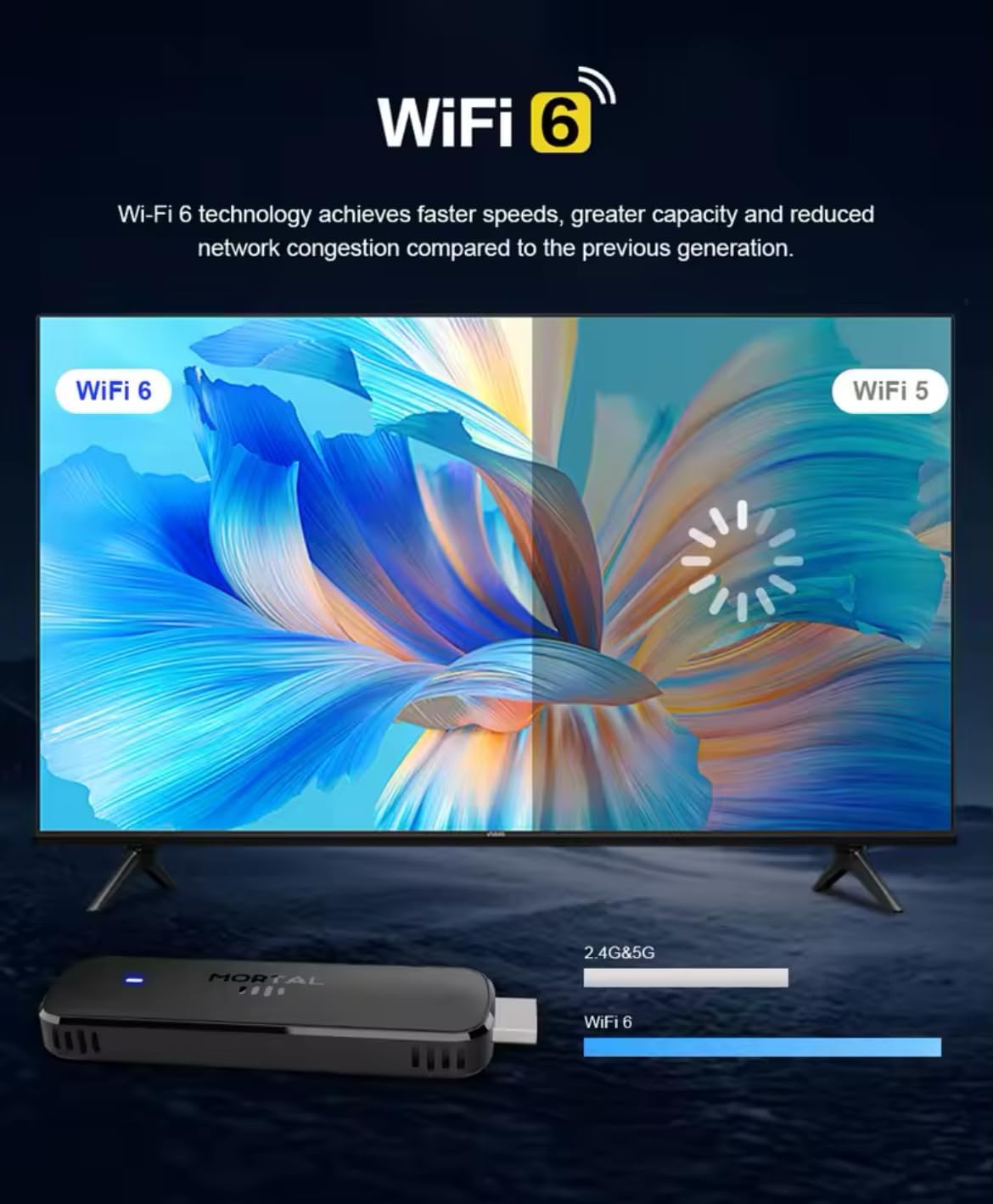
Figure 3.3: Illustration demonstrating the enhanced speed and stability of WiFi 6 technology compared to WiFi 5, with the Mortal Q8 TV Stick supporting dual-band 2.4G/5G connectivity.
4. מדריך התקנה
Follow these steps to set up your Mortal Q8 TV Stick:
- חבר את סטיק הטלוויזיה: Plug the Mortal Q8 TV Stick directly into an available HDMI port on your television. If space is limited, use the HDMI extension cable (if provided).
- הפעל את המכשיר: Connect the USB power cable to the TV Stick and then to a USB port on your TV or a wall adapter (not always included). Ensure the device receives sufficient power.
- בחר כניסת HDMI: Turn on your television and use your TV remote to select the correct HDMI input source where the Mortal Q8 is connected.
- התאם את השלט הרחוק:
- Insert two AAA batteries (not included) into the remote control.
- Follow the on-screen instructions to pair the remote with your TV Stick. This usually involves holding down specific buttons on the remote until a pairing confirmation appears.
- חיבור רשת:
- Once the device boots up, navigate to the Wi-Fi settings.
- Select your home Wi-Fi network from the list and enter the password. The Mortal Q8 supports WiFi 6 for optimal performance.
- כניסה לחשבון גוגל: Sign in with your Google account to access the Google Play Store and synchronize your settings and applications.
- עדכוני מערכת: Check for and install any available system updates to ensure your device has the latest features and security patches.
5. הוראות הפעלה
5.1 ניווט בממשק
Use the directional pad and select button on your remote control to navigate through the Android TV interface. The home button will always return you to the main screen.

Figure 5.1: The Mortal Q8 TV Stick connected to a television, showing the Android TV home screen with various streaming applications like Kodi, HBO Go, Hulu, Netflix, Prime Video, and YouTube.
5.2 Using Voice Control (Google Assistant)
לשלט הרחוק יש כפתור ייעודי עבור Google Assistant. לחצו על כפתור זה ודברו לתוך השלט כדי:
- חפש סרטים, תוכניות טלוויזיה או סרטונים.
- Open applications (e.g., "Open YouTube").
- Control playback (e.g., "Pause," "Play," "Fast forward").
- Ask questions or get information.

Figure 5.2: An illustration of using the "Ok Google" voice command feature on the Mortal Q8 TV Stick remote to open applications like YouTube, with the response displayed on the TV screen.
5.3 הזרמת תוכן
Access your favorite streaming services directly from the home screen or by downloading new apps from the Google Play Store. The Mortal Q8 supports 4K Ultra HD resolution for compatible content.

Figure 5.3: The Mortal Q8 TV Stick and remote in front of a television displaying vibrant 4K Ultra HD content, emphasizing the device's capability to deliver high-resolution visuals.
5.4 שימוש ב-Chromecast Built-in
The integrated Chromecast feature allows you to cast content from your compatible mobile devices (phones, tablets) or computers directly to your television screen. Look for the Cast icon ▶ in supported applications on your mobile device.

Figure 5.4: An image illustrating the Chromecast built-in feature of the Mortal Q8 TV Stick, showing content being streamed from a smartphone to the television screen.
6. תחזוקה
- ניקוי: Use a soft, dry cloth to clean the TV Stick and remote control. Do not use liquid cleaners or abrasive materials.
- אִחסוּן: כאשר המכשיר אינו בשימוש למשך תקופות ממושכות, יש לאחסן אותו במקום קריר ויבש, הרחק מאור שמש ישיר וטמפרטורות קיצוניות.
- עדכוני תוכנה: בדוק והתקן באופן קבוע עדכוני מערכת כדי להבטיח ביצועים ואבטחה מיטביים.
7. פתרון תקלות
| בְּעָיָה | פתרון אפשרי |
|---|---|
| אין חשמל/המכשיר לא נדלק | Ensure the USB power cable is securely connected to both the TV Stick and a power source. Try a different USB port or wall adapter. |
| אין אות על מסך הטלוויזיה | Verify the TV Stick is fully inserted into the HDMI port. Select the correct HDMI input source on your television. Try a different HDMI port. |
| השלט רחוק לא מגיב | Check the batteries and replace them if necessary. Ensure the remote is paired with the TV Stick (refer to setup instructions). Remove any obstructions between the remote and the device. |
| בעיות חיבור Wi-Fi | Restart your Wi-Fi router. Re-enter the Wi-Fi password on the TV Stick. Ensure the device is within range of your router. |
| אפליקציות איטיות או קורסות | Close unused applications. Clear the cache of the problematic app in settings. Restart the TV Stick. Ensure sufficient storage space is available. |
8. מפרטים
| תכונה | פְּרָט |
|---|---|
| שם הדגם | Q8 |
| מַעֲרֶכֶת הַפעָלָה | אנדרואיד 14.0 |
| הַחְלָטָה | 4K Ultra HD |
| קישוריות | WiFi 6 (2.4G/5G Dual-band), Bluetooth 5.0, HDMI, USB |
| תכונות מיוחדות | Chromecast Built-in, Voice Control (Google Assistant) |
| שירותי אינטרנט נתמכים | Google Play, HBO Go, Hulu, Kodi, Netflix, Prime Video, YouTube |
| סוג בקר | שְׁלַט רָחוֹק |
| גורם צורה | מַקֵל |
| צֶבַע | שָׁחוֹר |
| מכשירים תואמים | Monitor, Projector, Television, HDMI Screen |

Figure 8.1: A visual summary of the Mortal Q8 TV Stick's specifications, including 2GB+8GB memory, 4K video decoding, Allwinner H313 Quadcore processor, Android 14, and 2.4G/5.8G Dual WiFi.
9. אחריות ותמיכה
למידע על אחריות ותמיכה טכנית, אנא עיין בתיעוד המצורף לרכישה שלך או צור קשר עם הקמעונאי. שמור את הוכחת הרכישה שלך לצורך תביעות אחריות.