
1. הקדמה
This manual provides essential information for setting up, operating, maintaining, and troubleshooting your GIGABYTE AORUS Elite 16 BWH gaming laptop. The AORUS Elite 16 BWH is designed for high-performance gaming and demanding applications, featuring an Intel Core Ultra 9 processor, NVIDIA GeForce RTX 5070 laptop GPU, a 16-inch WQXGA 165Hz display, and Windows 11 Pro.
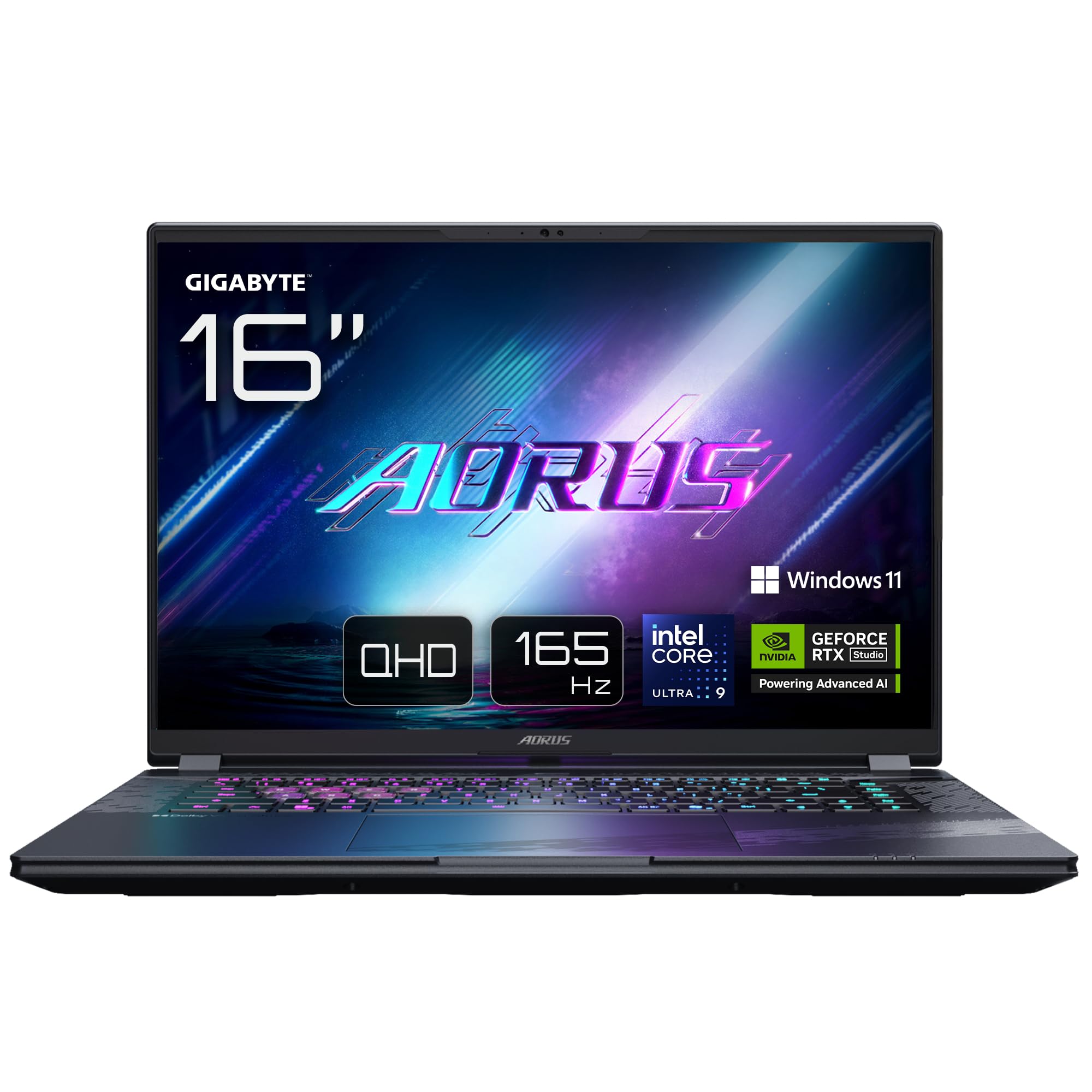
Image: The GIGABYTE AORUS Elite 16 BWH gaming laptop, showcasing its open display and keyboard.
2. התקנה
2.1 פתיחת הקופסה ובדיקה ראשונית
הוצא בזהירות את המחשב הנייד ואת כל האביזרים מהאריזה. ודא שכל הרכיבים המפורטים בסעיף "מה בקופסה" קיימים ולא ניזוקו.
- GIGABYTE AORUS ELITE 16 BWHC3FRC65SP Laptop
- מתאם חשמל וכבל
- תיעוד (מדריך זה, כרטיס אחריות)
2.2 חיבור חשמל
Connect the power adapter to the laptop's power input port and then plug the power cable into an electrical outlet. It is recommended to fully charge the battery before initial use.
2.3 הפעלה ראשונה
Press the power button to turn on the laptop. Follow the on-screen instructions to complete the Windows 11 Pro setup process, including language selection, network connection, and user account creation.
2.4 Connecting Peripherals and Network
The laptop features various ports for connecting external devices and networks.
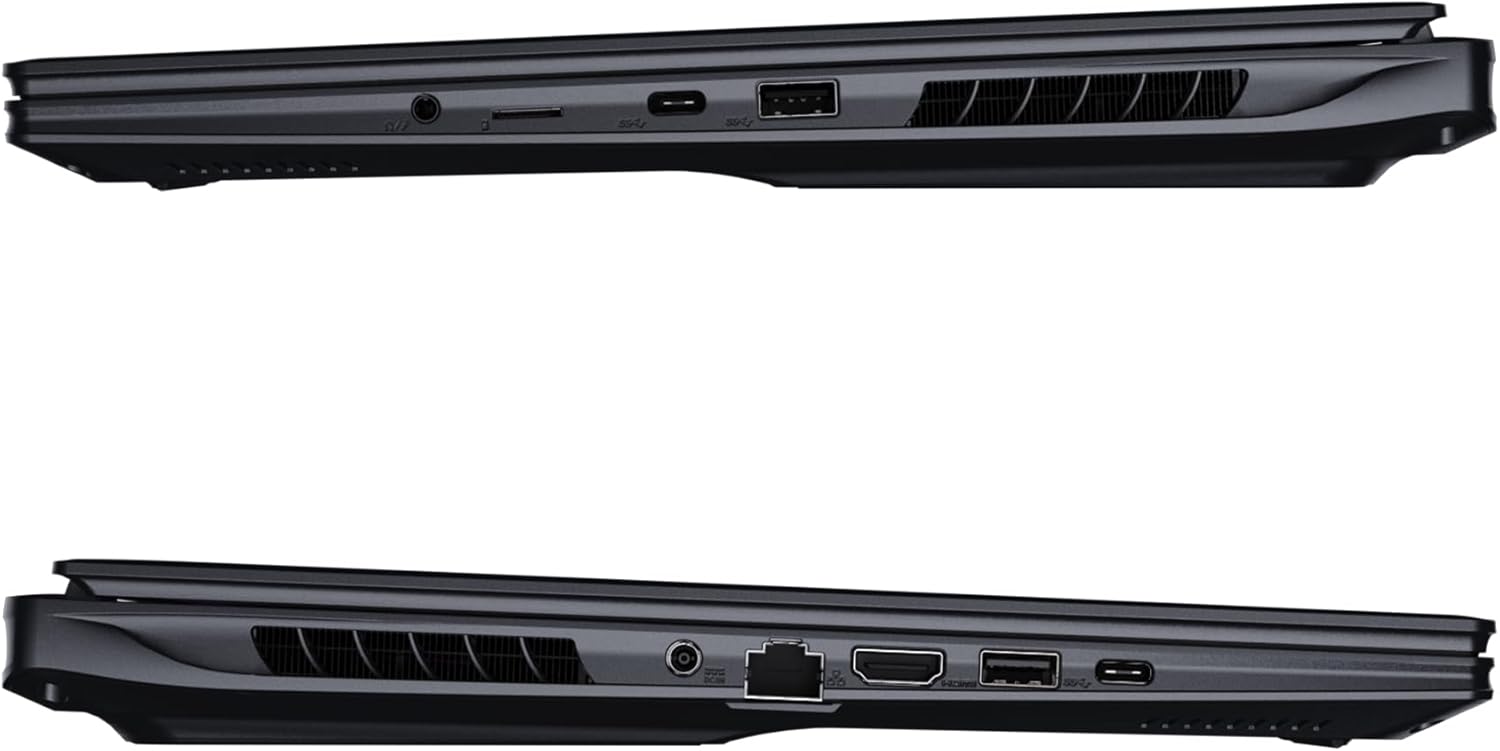
תמונה: צד view של המחשב הנייד הממחיש את היציאות הזמינות לקישוריות.
- יציאות USB: חברו התקני USB כגון עכברים, מקלדות או אמצעי אחסון חיצוניים.
- יציאת HDMI: Connect to an external display or TV.
- יציאת Thunderbolt 4: להעברת נתונים במהירות גבוהה ופלט תצוגה.
- יציאת אתרנט: עבור חיבור רשת קווית.
- שקע אוזניות: לפלט שמע לאוזניות או רמקולים חיצוניים.
- Wi-Fi 7: Connect to wireless networks via the integrated Wi-Fi 7 module.
- Bluetooth 5.4: התאם עם מכשירים התומכים ב-Bluetooth.
3. הפעלת המחשב הנייד
3.1 תכונות תצוגה
Your AORUS Elite 16 BWH features a 16-inch WQXGA (2560x1600) IPS display with a 165Hz refresh rate and 16:10 aspect ratio, offering a wide viewing experience. It supports Dolby Vision for enhanced visual quality and is Pantone validated for color accuracy.

Image: The laptop's 16:10 aspect ratio display, highlighting its IPS panel and Pantone validation.
3.2 מקלדת ומשטח מגע
The laptop is equipped with a backlit keyboard for comfortable typing in various lighting conditions and a responsive touchpad for navigation.
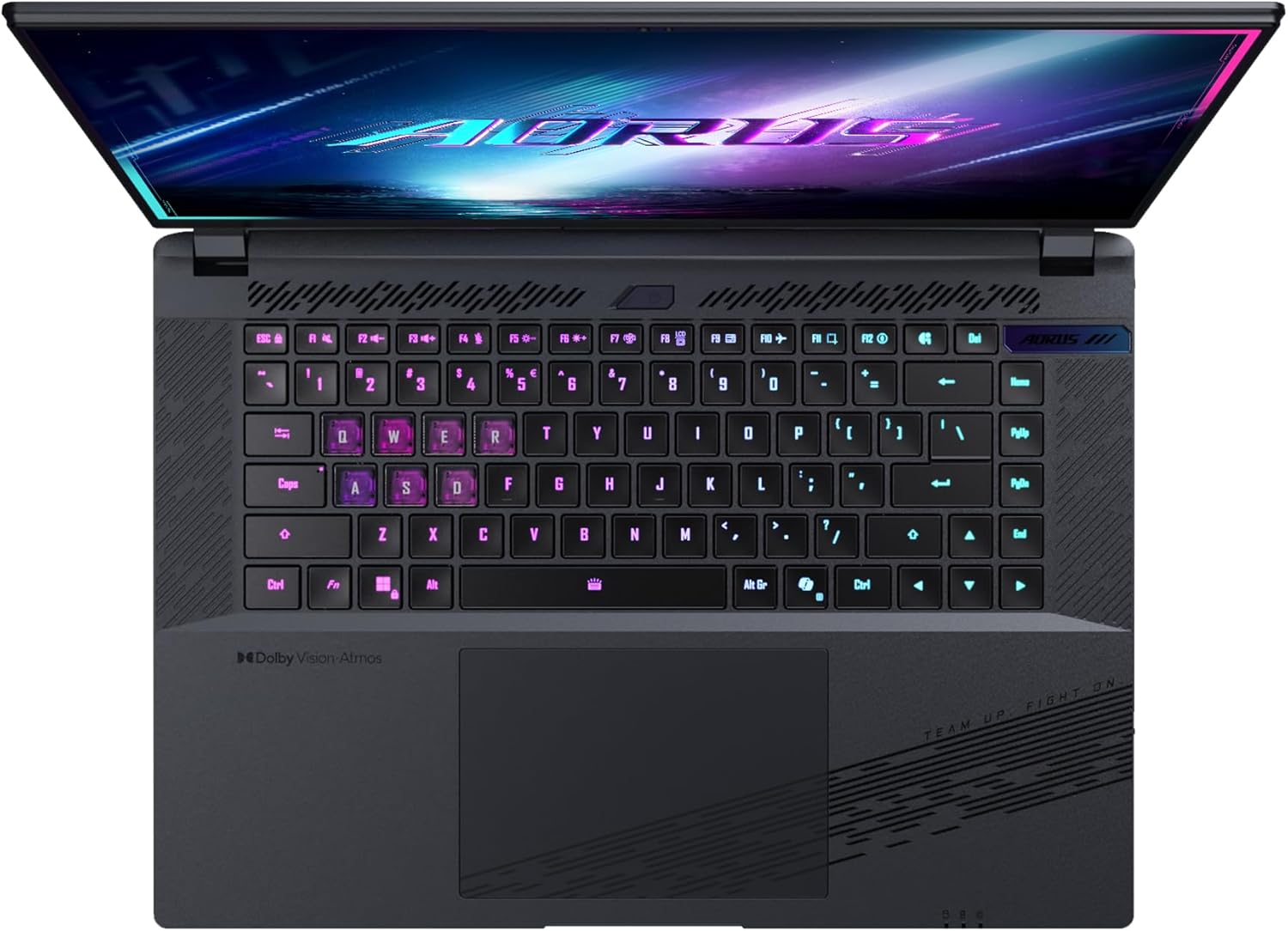
תמונה: מלמעלה למטה view של מקלדת המחשב הנייד, הצגהasing its backlit keys.
The keyboard also features a dedicated Copilot Key for quick access to AI functionalities in Windows 11.

Image: Close-up of the keyboard, highlighting the Copilot Key for AI features.
3.3 מערכת שמע
Experience immersive audio with Dolby Atmos support and integrated 2W speakers. The laptop also includes a built-in microphone for communication.

Image: Visual representation of Dolby Atmos and Dolby Vision audio and visual enhancements.
3.4 תכונות ביצועים
The AORUS Elite 16 BWH is powered by an Intel Core Ultra 9 processor with an integrated NPU for AI acceleration and an NVIDIA GeForce RTX 5070 laptop GPU, ensuring high performance for gaming and demanding tasks. It also features Advanced Optimus with DDS Technology for optimized graphics performance.

תמונה: מפורט view of the Intel Core Ultra 9 processor chip.
תמונה: מפורט view of the NVIDIA GeForce RTX 50 Series laptop GPU chip.
3.5 GiMATE AI Agent
Utilize GiMATE, your personal AI agent, to optimize performance, manage smart cooling, enhance privacy, control power settings, and improve audio and voice functionalities.

Image: GiMATE AI Agent interface showing various optimization features.
4. תחזוקה
4.1 מערכת קירור
The laptop features the WINDFORCE Infinity cooling system to maintain optimal temperatures during intensive use. Ensure the vents are clear of obstructions to allow proper airflow.

Image: Representation of the WINDFORCE Infinity cooling system.
4.2 ניקוי
השתמשו במטלית רכה ונטולת סיבים כדי לנקות את המסך והמשטחים החיצוניים. במקרה של סימנים עקשניים,ampשטפו את המטלית מעט במים או בתמיסת ניקוי מסכים. הימנעו מכימיקלים חזקים.
4.3 טיפול בסוללה
כדי להאריך את חיי הסוללה, הימנעו מטמפרטורות קיצוניות ואל תשאירו את המחשב הנייד טעון במלואו או ריק לחלוטין למשך פרקי זמן ממושכים.
4.4 עדכוני תוכנה
Regularly update your Windows operating system, drivers, and GIGABYTE software to ensure optimal performance and security.
5. פתרון תקלות
5.1 בעיות חשמל
- המחשב הנייד לא נדלק: Ensure the power adapter is securely connected and the outlet is functional. Check the battery charge level.
- סוללה אינה נטענת: Verify the power adapter and cable are not damaged. Try a different outlet.
5.2 בעיות תצוגה
- אין תצוגה: Connect an external monitor to check if the issue is with the laptop's screen. Ensure the laptop is powered on.
- תצוגה מהבהבת או מעוותת: עדכן את מנהלי ההתקן של הכרטיס הגרפי. בדוק את חיבורי כבלי הצג אם אתה משתמש בצג חיצוני.
5.3 בעיות קישוריות
- Wi-Fi לא מתחבר: בדוק אם ה-Wi-Fi מופעל בהגדרות Windows. הפעל מחדש את הנתב והמחשב הנייד.
- מכשיר בלוטות' לא מתחבר: Ensure the device is in pairing mode and within range. Update Bluetooth drivers.
5.4 בעיות ביצועים כלליות
- ביצועים איטיים: Close unnecessary applications. Check for malware. Ensure sufficient free disk space.
- התחממות יתר: Ensure cooling vents are clear. Use the laptop on a hard, flat surface.
לבעיות מורכבות יותר, עיינו בתמיכה של GIGABYTE webאתר או צור קשר עם שירות הלקוחות.
6. מפרטים
| תכונה | פְּרָט |
|---|---|
| מותג | ג'יגאבייט |
| שם הדגם | AORUS ELITE 16 BWHC3FRC65SP |
| גודל מסך | 16 אינץ' |
| צֶבַע | אָפוֹר |
| גודל דיסק קשיח | 2000 GB (2x 1TB SSD Gen4) |
| דגם מעבד | Intel Core Ultra 9 275HX |
| גודל זיכרון RAM מותקן | 32 GB DDR5 |
| מַעֲרֶכֶת הַפעָלָה | Windows 11 Pro |
| תכונה מיוחדת | Backlit Keyboard, Memory Card Slot |
| תיאור כרטיס מסך | מוּקדָשׁ |
| מעבד גרפי | NVIDIA GeForce RTX 5070 |
| Hard Disk Technology | SSD |
| משקל פריט | 2300 גרם |
| Webcam Capability | Yes (Frontal) |
| גודל זיכרון RAM של כרטיס המסך | 8 GB GDDR6 |
| זיכרון RAM מקסימלי נתמך | 64 ג'יגה-בייט |
| תכולת האנרגיה של הסוללה | 99 Watt-hours (Lithium-polymer, 4 cells) |
| קישוריות | Bluetooth 5.4, Ethernet (10/1000 Mbit/s), HDMI (1 port), Thunderbolt 4 (1 port), USB 3.2 Gen 2 (2 ports), Wi-Fi 7 (802.11.be) |
| מהירות המעבד | 2.7 GHz (Max 5.4 GHz) |
| מספר מעבדים | 24 |
| רזולוציית מסך | 2560 x 1600 פיקסלים (WQXGA) |
| סוג תצוגה | IPS LCD |
| תכונות אודיו | Dolby Atmos, 2x 2W Integrated Speakers, Integrated Microphone |
7. מידע על אחריות
Your GIGABYTE AORUS Elite 16 BWH laptop comes with a אחריות מוגבלת לשנה. This warranty covers manufacturing defects and hardware malfunctions under normal use. Please retain your proof of purchase for warranty claims. For detailed terms and conditions, refer to the warranty card included with your product or visit the official GIGABYTE webאֲתַר.
8. תמיכה
For technical assistance, driver downloads, and further product information, please visit the official GIGABYTE support webאתר. תוכלו למצוא שם גם שאלות נפוצות ופורומים קהילתיים.
- ג'יגהבייט הרשמי Webאֲתַר: www.gigabyte.com
- שֵׁירוּת לָקוֹחוֹת: Refer to your regional GIGABYTE webאתר לפרטי יצירת קשר מקומיים.