
1. הוראות בטיחות חשובות
Please read all instructions carefully before using the projector and retain this manual for future reference. Improper use may result in electric shock, fire, or other hazards.
- אין לחסום את פתחי האוורור. יש לוודא מרווח מספיק סביב המקרן לזרימת אוויר תקינה.
- אל תחשוף את המקרן לגשם או לחות כדי למנוע שריפה או התחשמלות.
- הימנע מלהסתכל ישירות לתוך עדשת המקרן כאשר ה-lamp דולק, מכיוון שהאור הבהיר עלול לגרום נזק לעיניים.
- השתמש רק בתוספות/אביזרים שצוינו על ידי היצרן.
- נתק את המקרן מהחשמל במהלך סופות ברקים או כאשר אינו בשימוש למשך תקופות ארוכות.
- אל תנסה לתקן מוצר זה בעצמך. יש לפנות לכל טיפול וטיפול באנשי שירות מוסמכים.
2. מדריך התקנה
2.1 מה בקופסה
ודא שכל הפריטים נמצאים בחבילה:
- HOMPOW Mini Projector
- שְׁלַט רָחוֹק
- מתאם מתח
- כבל HDMI
- מדריך למשתמש
- תעודת אחריות

Image: The HOMPOW Mini Projector shown with its remote control, power adapter, and HDMI cable.
2.2 הגדרה ראשונית
2.2.1 חיבור מתח
- חבר את מתאם החשמל לשקע החשמל של המקרן.
- חבר את מתאם החשמל לשקע חשמל מתאים.
2.2.2 Placement and Focus
מקם את המקרן על משטח יציב ושטוח. לקבלת תצוגה אופטימלית viewing, place it perpendicular to the projection surface (wall or screen).
- מרחק הקרנה: The recommended projection distance ranges from 3.49 feet to 7.26 feet.
- גודל תמונה: This allows for an image size between 40 inches and 120 inches.
- התאמת מיקוד: סובבו את טבעת המיקוד שעל עדשת המקרן עד שהתמונה תיראה ברורה וחדה.

Image: Visual comparison demonstrating the clarity of 1080P Full HD supported resolution versus 480P.
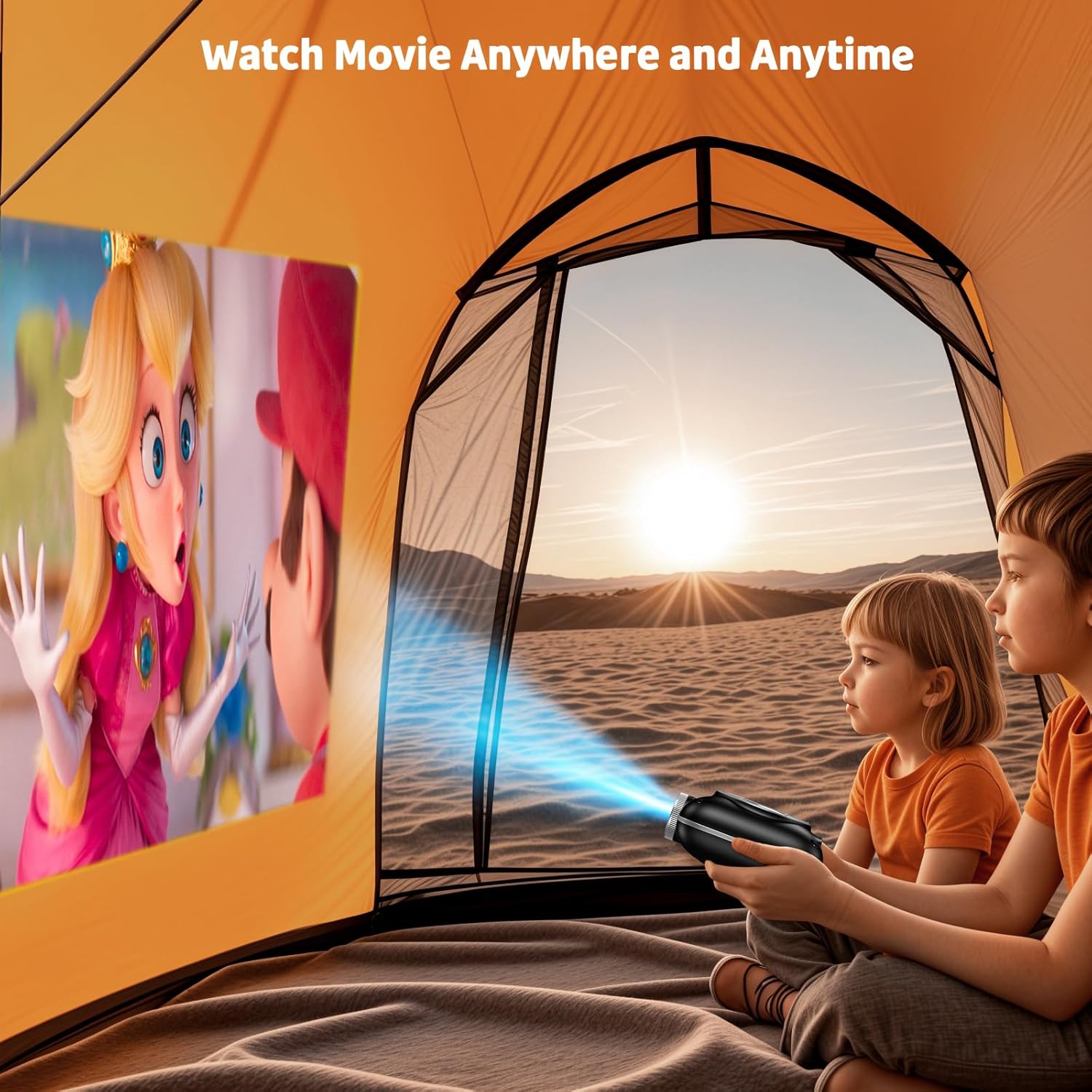
Image: The compact projector projecting a movie inside a tent, highlighting its portability for outdoor use.
3. הוראות הפעלה
3.1 הפעלה/כיבוי
Press the power button on the projector or the remote control to turn the device on or off. The projector features an auto-off timer for convenient screen time management.
3.2 קישוריות
The HOMPOW Mini Projector offers multiple connectivity options:
- יציאת HDMI 2.0: Connect to laptops, TV sticks, gaming consoles (PS4, PS5), and other HDMI-enabled devices using the included HDMI cable.
- יציאת USB 2.0: חבר כונני USB להפעלת מדיה.
- Two-Way Bluetooth 5.1: Connect external Bluetooth speakers for enhanced audio or use the projector as a Bluetooth speaker to play music from your phone.

Image: The projector highlighting its wireless connectivity features, including WiFi and Bluetooth.

Image: A visual guide illustrating how to connect various devices such as smartphones, tablets, TV sticks, laptops, PS3/PS4, headphones, and USB drives to the projector.
3.3 שיקוף מסך
כדי לשקף את מסך הטלפון החכם או הטאבלט שלך:
- עבור טלפונים אנדרואיד: Use a Micro USB/Type-C to HDMI adapter (sold separately).
- עבור מכשירי אייפון/אייפד: Use a Lightning to HDMI adapter (sold separately).
- For Streaming Services: Plug in a TV stick (sold separately) for Netflix/Hulu and other HDCP-compliant streaming platforms.
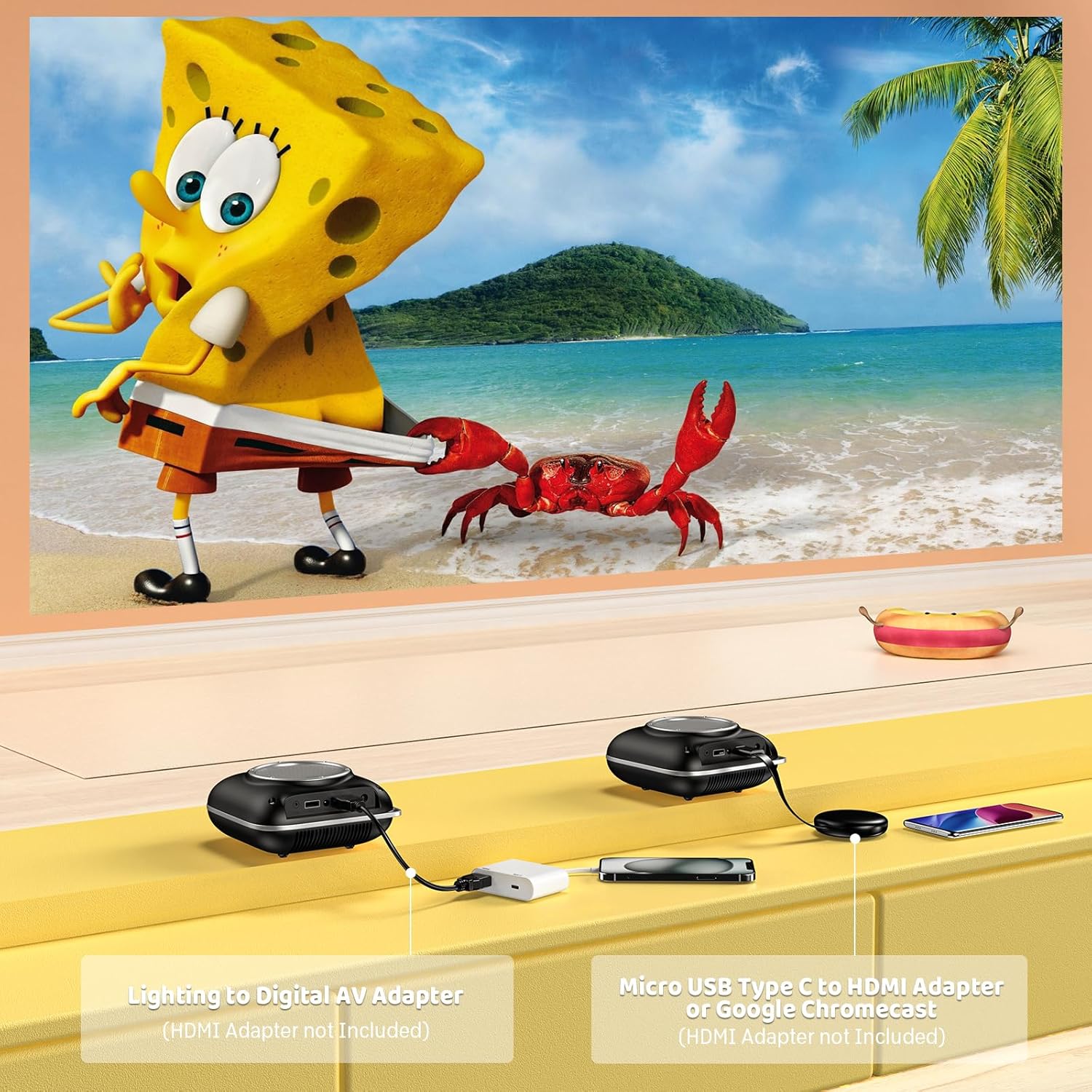
Image: Instructions for connecting mobile devices to the projector using Lightning to Digital AV Adapter for iOS and Micro USB Type-C to HDMI Adapter or Google Chromecast for Android.
3.4 פלט שמע
The projector features built-in 5W high-powered stereo speakers. For enhanced sound, utilize the bidirectional Bluetooth 5.1 to connect to external Bluetooth speakers or headphones.

Image: Diagram showing the projector's two-way Bluetooth functionality, allowing connection to an external speaker or functioning as a Bluetooth speaker for a phone.
3.5 Projection Size and Zoom
The projector supports a projection size from 40 to 120 inches. Use the 50%-100% zoom function to adjust the image size without moving the projector.

Image: A visual representation of the 50%-100% zoom function, showing how the projected image size can be adjusted.
4. תחזוקה
4.1 ניקוי
- עֲדָשָׁה: השתמשו במטלית רכה ונטולת סיבים המיועדת במיוחד לעדשות אופטיות. אין להשתמש בחומרי ניקוי שוחקים.
- חִיצוֹנִי: נגבו את החלק החיצוני של המקרן בעזרת מטלית רכה ויבשה. הימנעו משימוש בכימיקלים חזקים או ממסים.
- אוורור: ודאו שפתחי האוורור נקיים מאבק ופסולת כדי למנוע התחממות יתר.
4.2 אחסון
כאשר המקרן אינו בשימוש, יש לאחסן אותו במקום קריר ויבש, הרחק מאור שמש ישיר וטמפרטורות קיצוניות. יש להשתמש באריזה המקורית או במארז מגן כדי למנוע הצטברות אבק ונזק.
5. פתרון תקלות
עיין בטבלה שלהלן לקבלת בעיות נפוצות ופתרונותיהן.
| לְהַנפִּיק | סיבה אפשרית | פִּתָרוֹן |
|---|---|---|
| אין תמונה מוקרנת | חשמל לא מחובר, מקור קלט שגוי, מכסה עדשה מותקן. | Check power connection, select correct input source (HDMI/USB), remove lens cap. |
| תמונה מטושטשת | Focus not adjusted, projector too close/far. | Adjust the focus ring, ensure projector is within optimal projection distance (3.49-7.26 ft). |
| אין קול | Volume too low, external speaker not connected, audio format unsupported. | Increase volume, connect Bluetooth speaker, check audio format compatibility. |
| שיקוף מסך לא עובד | Incorrect adapter, device compatibility issue. | Ensure correct HDMI adapter for your phone (Micro USB/Type-C for Android, Lightning for iOS). |
| התחממות יתר של המקרן | אוורור חסום, שימוש ממושך. | Ensure clear space around vents, allow projector to cool down if used for extended periods. |
6. מפרט טכני
| תכונה | פְּרָט |
|---|---|
| מותג | HOMPOW |
| דֶגֶם | B0F43PY223 |
| רזולוציה מקורית | 1280 x 720 (720P) |
| רזולוציה נתמכת | 1920 x 1080 (1080P Full HD) |
| טכנולוגיית קישוריות | HDMI, USB 2.0, Bluetooth 5.1 (Two-Way) |
| סוג תצוגה | CRT (as per specification, typically LCD for mini projectors) |
| יחס ניגודיות | 10000:1 |
| גודל הקרנה | 40 - 120 אינץ' |
| מרחק זריקה | 3.49 - 7.26 Feet |
| חיי הפעלה של מקור אור | 50000 שעות |
| רמקול מובנה | 5W High-Powered Stereo Speakers |
| פונקציית זום | 50%-100% |
| מידות (L x W x H) | 4.9 אינץ' x 4.9 אינץ' x 2.1 אינץ' |
| מִשׁקָל | 0.7 קילוגרם |
| צריכת חשמל | 30 וואט |
| כרך ידtage | 110 וולט |
7. אחריות ותמיכה
7.1 מידע אחריות
The HOMPOW Mini Projector comes with:
- A 30-day replacement window.
- 2-year repair coverage.
אנא שמור את הוכחת הרכישה שלך עבור תביעות אחריות.
7.2 תמיכת לקוחות
For any questions, troubleshooting assistance, or warranty inquiries, please contact HOMPOW customer support. We offer 24/7 assistance to ensure stress-free ownership.
Contact information can typically be found on the HOMPOW official webהאתר או כרטיס האחריות המצורף לחבילה שלך.