
מָבוֹא
The 1MORE P20 USB-C Wired Earphones are designed to provide a high-quality audio experience with powerful sound, clear call quality, and ergonomic comfort. This manual provides essential information for setting up, operating, maintaining, and troubleshooting your earphones.

Image: The 1MORE P20 USB-C Wired Earphones, showcasing their sleek black design and the Hi-Res Audio certification.
הגדרה
1. בחירת והתאמה של קצה האוזניים
For optimal sound quality and comfort, select the ear tips that best fit your ears. The earphones come with various sizes of silicone ear tips. Gently insert the earphones into your ear canals at a 45° angle until they feel secure and comfortable. A proper seal is crucial for effective acoustic isolation and bass response.
2. התחברות למכשיר שלך
The 1MORE P20 earphones feature a USB-C connector for direct plug-and-play compatibility. Simply plug the USB-C connector into the USB-C port of your smartphone, tablet, iPad, or other compatible digital device. No additional drivers or software are typically required.
הוראות הפעלה
1. השמעת שמע
Once connected, your device should automatically recognize the earphones. Begin playing audio from your preferred application. The earphones support Hi-Res Stereo Audio for a detailed and immersive listening experience.
2. בקרת עוצמת הקול
The in-line remote control allows you to adjust the volume. Use the '+' button to increase volume and the '-' button to decrease volume. Short press the center button to play/pause music or answer/end calls.
3. ניהול שיחות
The earphones are equipped with an advanced MEMS microphone and AI ENC noise suppression technology for clear voice capture during calls. To answer an incoming call, short press the center button. To end a call, short press the center button again. To reject a call, long press the center button.
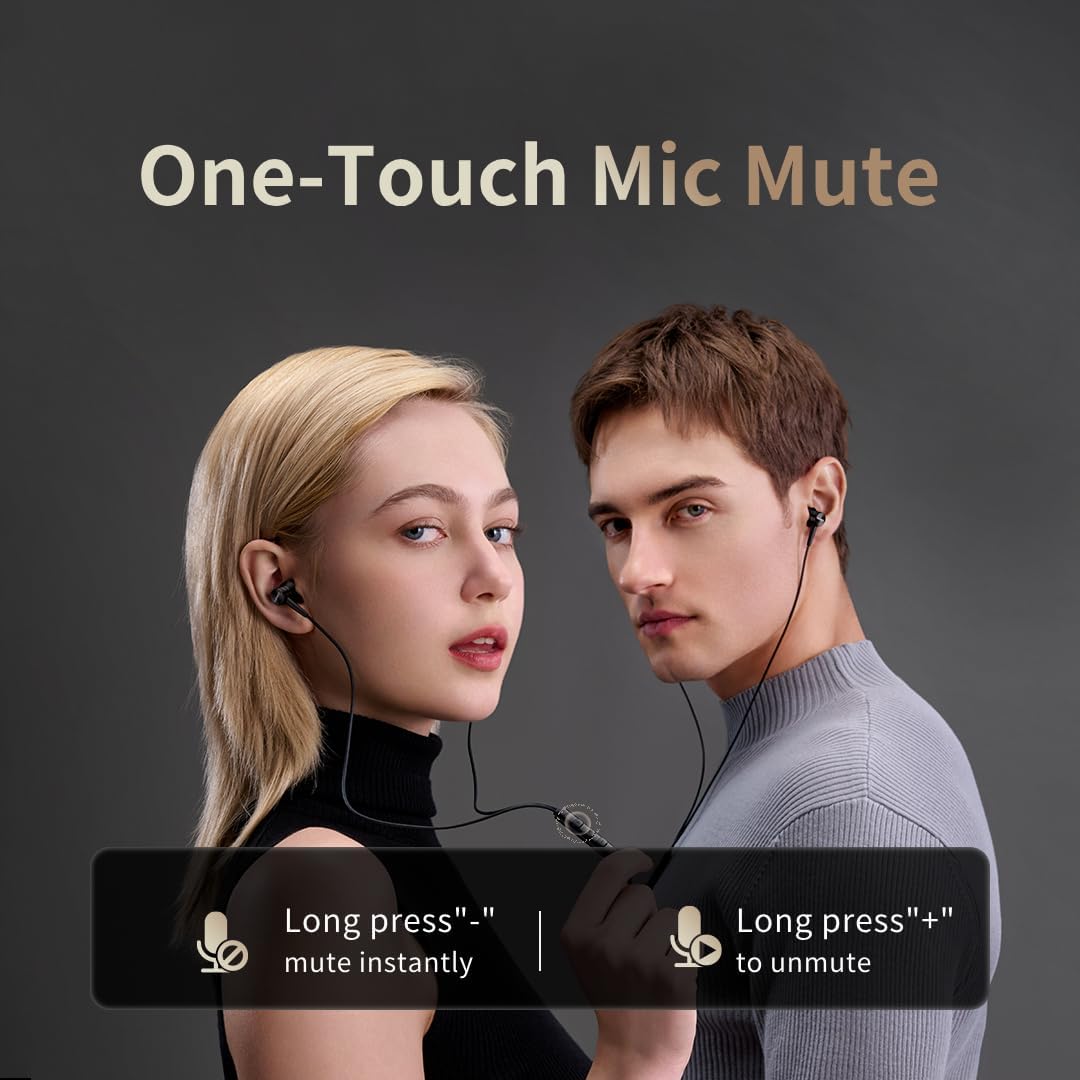
Image: Illustration of the one-touch microphone mute function. Long press '-' to mute instantly, long press '+' to unmute.
4. פונקציית השתקת מיקרופון
To instantly mute the microphone during a call, long press the '-' button on the in-line remote. To unmute, long press the '+' button.
תַחזוּקָה
1. ניקיון
- נקו באופן קבוע את קצות האוזניים בעזרת מטלית רכה ויבשה כדי להסיר שעוות אוזניים ופסולת.
- Wipe the earphone bodies and cable with a slightly damp מטלית ואז יבש היטב.
- אין להשתמש בכימיקלים קשים או בחומרים שוחקים לניקוי.
2. אחסון
כאשר אינן בשימוש, יש לאחסן את האוזניות במקום נקי ויבש, רצוי בנרתיק מגן, כדי למנוע הסתבכות ונזק לכבל או לדרייברים.
פתרון בעיות
- אין צליל:
- ודא שמחבר ה-USB-C מחובר במלואו למכשיר.
- Check the volume level on both your device and the earphone remote.
- בדוק את האוזניות עם מכשיר אחר כדי לשלול בעיות ספציפיות למכשיר.
- איכות סאונד ירודה:
- Ensure ear tips provide a proper seal in your ear canal. Try different sized ear tips.
- Clean any debris from the earphone nozzles.
- בדוק אם איכות מקור השמע גבוהה.
- המיקרופון לא עובד:
- Ensure the microphone is not muted (check the mute function using the in-line remote).
- בדוק את הגדרות המיקרופון במכשיר המחובר שלך.
- Ensure the USB-C connection is secure.
מפרטים

תמונה: פיצוץ view illustrating the 10mm Diamond-Like Carbon (DLC) dynamic driver, responsible for the powerful and compact sound.
| תכונה | מִפרָט |
|---|---|
| שם הדגם | P20 Black EU |
| טכנולוגיית קישוריות | חוטי |
| שקע אוזניות | USB-C |
| מיקום אוזניים | בתוך האוזן |
| גורם צורה | בתוך האוזן |
| עַכָּבָּה | 32 אוהם |
| טווח תדרים | 20 הרץ - 40,000 הרץ |
| סוג מנהל התקן שמע | Dynamic (10mm DLC Diaphragm) |
| בקרת רעש | Active Noise Suppression (AI ENC for microphone) |
| שיטת בקרה | כפתור לחיצה |
| מכשירים תואמים | Phone, Tablet, iPad |
| רמת עמידות במים | לא עמיד במים |
| חומר פנימי | אֲלוּמִינְיוּם |

Image: A woman enjoying music with the 1MORE P20 earphones, highlighting the Hi-Res Audio capability and immersive sound.
אחריות ותמיכה
For warranty information or technical support, please refer to the official 1MORE webאתר או צרו קשר ישירות עם שירות הלקוחות שלהם. שמרו את קבלת הרכישה שלכם לצורך תביעות אחריות.