
KEFEYA S5 PRO
KEFEYA 15.6" Portable Monitor S5 PRO Instruction Manual
דגם: S5 PRO
מָבוֹא
This manual provides detailed instructions for the KEFEYA 15.6" Portable Monitor S5 PRO. This device is designed to expand your laptop's display capabilities, offering a versatile multi-screen setup for enhanced productivity and entertainment. It features a 1080P FHD IPS display with 120% sRGB color gamut, a magnetic 10,000 mAh power bank, and broad compatibility with various operating systems and devices.
מה יש בקופסה
אנא בדקו את תכולת החבילה בעת פתיחת הקופסה:
- Monitor (SS Monitor) *1
- Power Bank *1
- מתאם מתח * 1
- כבל מסוג C לסוג C *2
- HDMI to Type-C Cable *1
- USB-A to Type-C Cable *1
- USB Flash Disk *1 (Contains drivers and user manual)
- תיק נשיאה *1
- User Manual *1 (This document)
- מדריך התחלה מהירה *1
- קופסה * 1

Figure 1: Contents of the KEFEYA Portable Monitor package.
הגדרה
Follow these steps to set up your KEFEYA Portable Monitor:
- פרק את הצג: הסר בזהירות את כל הרכיבים מהאריזה.
- מיקום: The monitor features an autonomous stand. For laptops between 13 and 17 inches, the monitor attaches securely. Laptops under 14.2 inches can be used without additional clamps. The chassis pivots 180° for flexible positioning.
- חבר את בנק הכוח: The magnetic 10,000 mAh power bank attaches to the back of the stand. Ensure the POGO PIN male and female connectors are perfectly aligned for proper power delivery. This provides 5-6 hours of wireless dual-screen operation. The power bank can also be removed for separate charging of mobile phones or tablets.
- התחבר למכשיר שלך:
- חיבור USB-C: For devices with a full-featured USB-C port (supporting video and power), use one of the provided Type-C to Type-C cables. This single cable can transmit video, audio, and power.
- חיבור HDMI: For devices with an HDMI output, use the provided HDMI to Type-C cable. You may also need to connect a USB-A to Type-C cable for power if your HDMI port does not supply sufficient power.
- התקנת דרייבר: The monitor is designed for plug-and-play convenience. However, if you encounter any display issues, especially with specific operating systems or older devices, use the provided USB flash disk to install necessary drivers.
- הפעלה ראשונית: Press the multi-function button to power on the monitor.
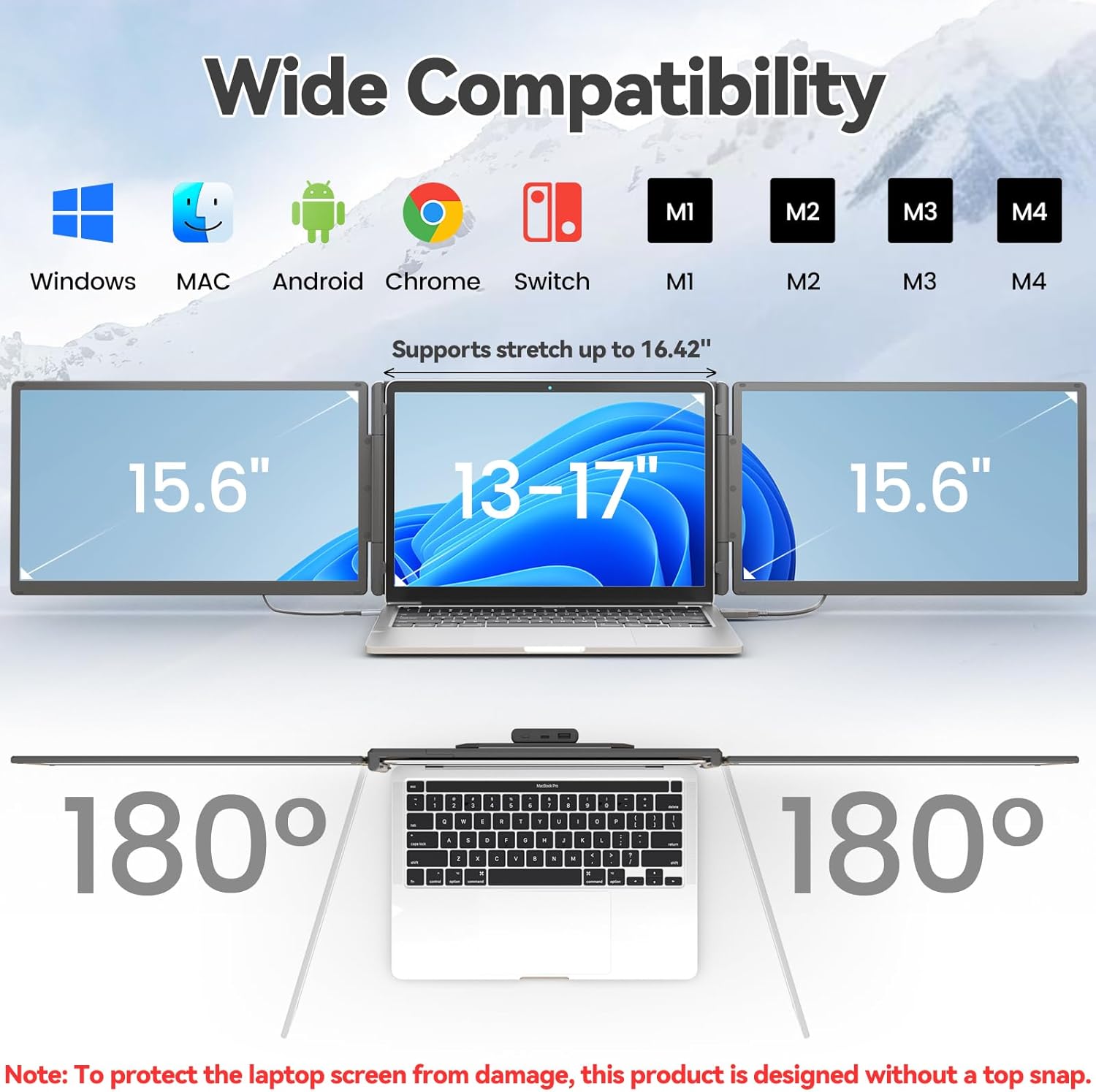
Figure 2: The monitor supports various devices and offers 180° rotation for flexible viewזוויות.

Figure 3: Attaching the magnetic power bank to the monitor stand.

איור 4: מעלview of the ports (Type-C1, Type-C2, USB-C with PD) and multi-function button on the monitor.
הוראות הפעלה
The KEFEYA Portable Monitor offers various display modes and adjustable settings to optimize your viewניסיון.
מצבי תצוגה
The monitor supports the following display configurations:
- מצב הרחבה: Extends your laptop's desktop across multiple screens, allowing for increased workspace and multitasking.
- Duplication (Mirror) Mode: Duplicates your laptop's display onto the portable monitor, ideal for presentations or sharing content.
- מצב דיוקן: The monitor can be rotated 180° to be used in portrait orientation, beneficial for coding, document viewing, or specific creative tasks.
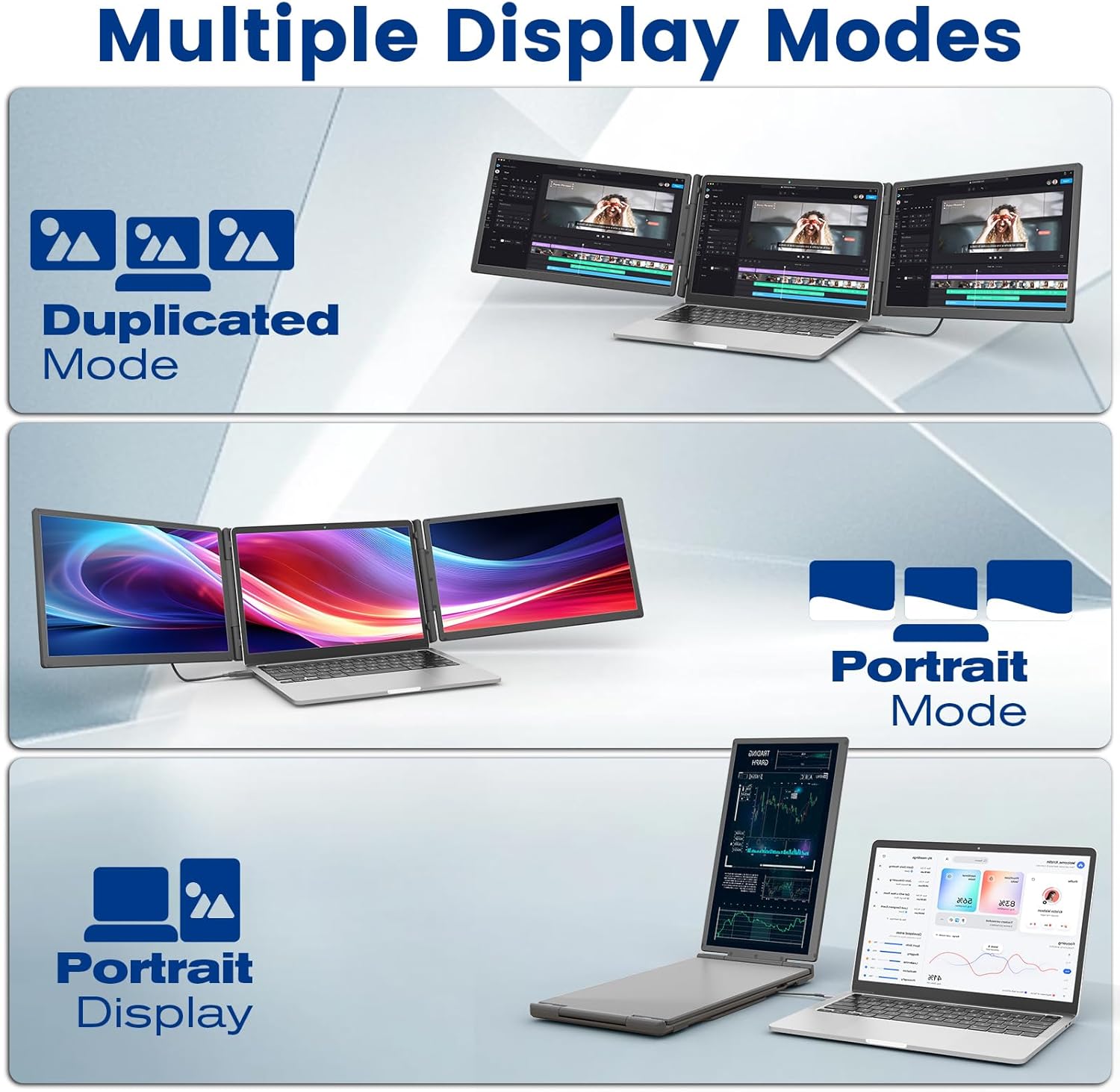
Figure 5: Illustration of Duplicated, Extended, and Portrait display modes.

איור 6: דוגמהamples of using the monitor for multiple tasks like web programming, video conferencing, and online shopping.
התאמת הגדרות
The multi-function buttons on the monitor allow for precise control over display parameters:
- בְּהִירוּת: התאם את בהירות המסך לסביבה שלך.
- Tint/Color: Fine-tune color settings for optimal visual accuracy.
- כֶּרֶך: Control the volume of the integrated speakers.
The monitor also features advanced low blue light technology, anti-glare design, and flicker-free operation for a comfortable viewניסיון.
שימוש בבנק כוח
The integrated 10,000 mAh power bank provides 5-6 hours of battery life for the monitor, reducing reliance on your laptop's battery. It can also be detached and used as a standalone power source for other USB-powered devices.

Figure 7: Details of the power bank, including its capacity display and ports (Type-C, USB-A).
תַחזוּקָה
To ensure the longevity and optimal performance of your KEFEYA Portable Monitor, follow these maintenance guidelines:
- ניקוי המסך: השתמש במטלית רכה ונטולת סיבים המיועדת במיוחד למכשירים אלקטרוניים. נגב קלותampen the cloth with water or a screen-cleaning solution. Avoid harsh chemicals, alcohol, or abrasive materials.
- ניקוי ה-Casing: נגב את החלק החיצוני עם מטלית רכה ויבשה.
- אִחסוּן: When not in use, store the monitor in its provided carrying bag to protect it from dust and scratches. Avoid placing heavy objects on top of the monitor.
- תנאים סביבתיים: Keep the monitor away from extreme temperatures, direct sunlight, and high humidity.
- טיפול בכבלים: Handle cables gently. Avoid bending or twisting them sharply, which can damage the internal wires.
פתרון בעיות
If you encounter issues with your KEFEYA Portable Monitor, refer to the following common problems and solutions:
| בְּעָיָה | סיבה / פתרון אפשרי |
|---|---|
| אין תצוגה / מסך שחור |
|
| Unstable Connection / Screen Flickering |
|
| Drivers Not Working / System Bugs |
|
| Monitor Does Not Stay Firmly Attached |
|
| Poor Image Quality / Incorrect Colors |
|
מפרטים
| תכונה | פְּרָט |
|---|---|
| מותג | KEFEYA |
| מספר דגם | S5 PRO |
| גודל מסך | 15.6 אינץ' |
| סוג תצוגה | IPS |
| הַחְלָטָה | 1920 x 1080 פיקסלים (FHD 1080p) |
| יחס גובה-רוחב | 16:9 |
| סולם צבעים | 120% sRGB |
| בְּהִירוּת | 300 nits (cd/m²) |
| יחס ניגודיות | 1000:1 |
| זמן תגובה | 2 מילישניות |
| קצב רענון | 60 הרץ |
| משטח המסך | Matte, Anti-glare |
| קישוריות | USB Type C (x2), USB Type A, HDMI |
| תכונות מיוחדות | 120% sRGB, Anti-glare screen, Energy efficiency, Blue light filter, Built-in speakers, Magnetic 10,000 mAh Power Bank |
| מידות (L x W x H) | 39.1 x 21.5 x 3.3 סנטימטרים |
| תְאִימוּת | Windows, Chrome, Android, Mac (M1/M2/M3/M4), Linux, Dex, PS4/5, Xbox |
אחריות ותמיכה
KEFEYA offers a one-year warranty for this product. Our customer service team is available 24 hours a day, 7 days a week, 365 days a year to assist you.
For questions regarding compatibility, installation assistance, or if you find any missing accessories, please contact us using the contact information provided inside the product packaging. Our professional team will provide prompt assistance.
For the latest information and support resources, please visit our official website or refer to the contact details in your Quick Start Guide.
Ask a question about this manual
Ask about setup, troubleshooting, compatibility, parts, safety, or missing instructions. Manuals+ will review the question and use this page’s manual context to help answer it.