
LEVOIT LPF-R432S-AUS
Levoit Standing Smart Fan User Manual
Model: LPF-R432S-AUS
1. הקדמה
Thank you for choosing the Levoit Standing Smart Fan. This fan is designed to provide powerful, even cooling and air circulation for various room sizes, offering advanced features like smart control, multiple operating modes, and adjustable oscillation. Please read this manual thoroughly before use and retain it for future reference.
2. מידע בטיחות
הערות חשובות:
- The fan direction automatically resets to default upon power-on.
- The fan's housing may become warm during use. This is normal and complies with safe temperature standards.
- Always place the fan on a stable, level surface.
- Do not insert fingers or foreign objects into the grille when the fan is operating.
- נתקו את המאוורר מהחשמל לפני ניקוי או ביצוע כל תחזוקה.
3. המוצר נגמרview
תכונות עיקריות:
- Powerful 1,451 CFM airflow for large rooms.
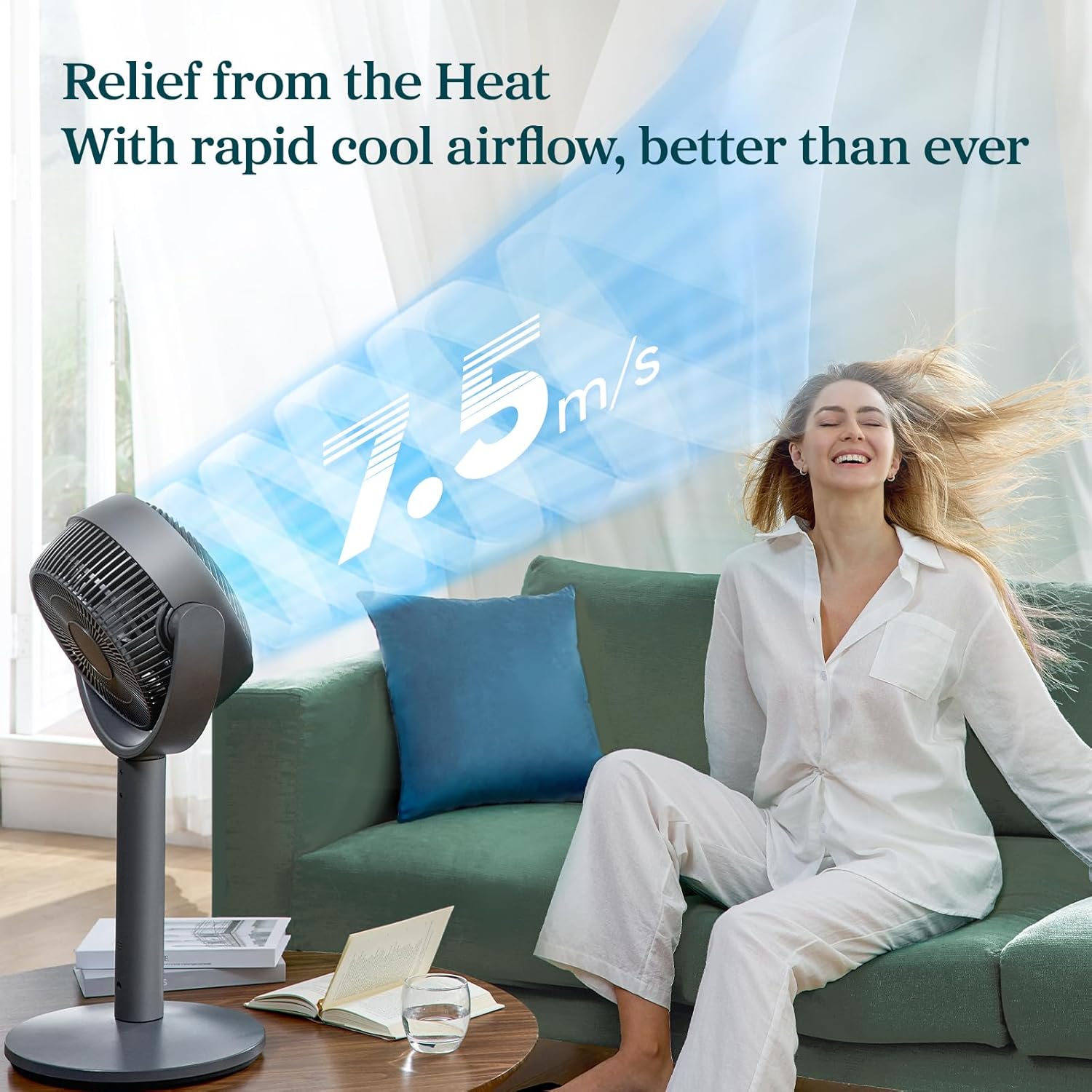
- 12 fan speeds with a maximum wind speed of 7.5 m/s.
- Air throw distance up to 98 ft for wide coverage.
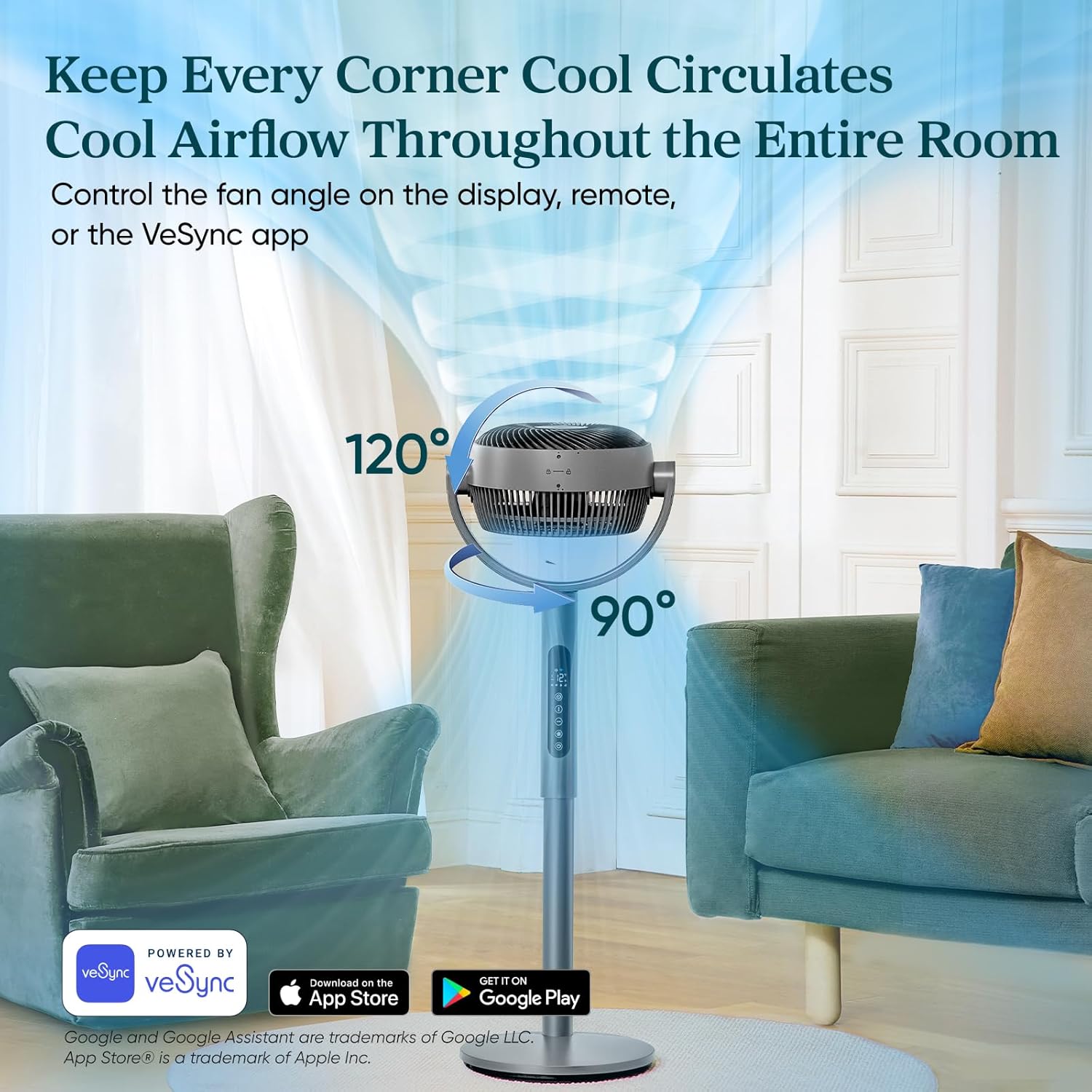
- Auto 120° vertical and 90° horizontal oscillation.
- Quiet operation with noise levels as low as 20dB in Sleep Mode.
- Smart control via VeSync app and voice assistants.
- Adjustable height for 2-in-1 pedestal and tabletop use.
- פונקציית טיימר 12 שעות.
רכיבים ובקרות:




4. התקנה
The Levoit Smart Fan offers versatile 2-in-1 functionality, allowing it to be used as both a pedestal fan and a tabletop fan. Assembly is straightforward and requires no special tools.
הוראות הרכבה:
- פרוק את כל הרכיבים וודא שכל החלקים קיימים.
- To assemble as a pedestal fan, securely attach the main fan body to the extension pole and then to the base. Ensure all connections are firm.
- For tabletop use, detach the extension pole and connect the main fan body directly to the base.
- הנח את המאוורר על משטח יציב וישר.
- חבר את מתאם החשמל לשקע חשמל מתאים.
5. מצבי הפעלה
The Levoit Smart Fan features four distinct operating modes to suit your cooling needs:
- מצב רגיל: התאם אישית את זרימת האוויר עם 12 הגדרות מהירות (1=עדין, 12=עוצמתי).
- מצב לסביבה: Automatically adjusts fan speed based on room temperature to save energy. Speed increases by 1 level if temperature rises by 2°F, and decreases by 1 level if temperature drops by 2°F.
- מצב טורבו: Designed for rapid air circulation, especially effective when used with air conditioning. The fan automatically starts oscillating and operates at fan speed 12.
- מצב שינה: מותאם לכל סוגי השינהtages. The display turns off after 5 seconds, selection tones are disabled, and fan speed auto-adjusts based on nighttime temperature changes for quiet operation (as low as 20dB).
6. בקרת תנודות
The fan offers adjustable oscillation to circulate air throughout the entire room:
- תנודה אנכית: Up to 120° automatically.
- תנודה אופקית: Up to 90° automatically.
Control fan angles using the display panel, the included remote controller, or the VeSync app.
7. פונקציית טיימר
Set a timer for the fan to automatically turn off after a specified duration, up to 24 hours. This feature can be controlled via the display, remote, or the VeSync app.
8. VeSync App & Voice Control
For enhanced control and smart features, download the VeSync app. With the app and compatible third-party voice assistants (e.g., Amazon Alexa, Google Assistant), you can:
- Effortlessly switch between Normal, Eco, Turbo, and Sleep modes.
- Set timers up to 24 hours.
- Choose between 12 fan speeds.
- Adjust oscillation angles.
9. תחזוקה
Regular cleaning ensures optimal performance and longevity of your fan. The fan is fairly easy to wipe down and clean.
- נתק תמיד את המאוורר לפני הניקוי.
- השתמש רך, דamp מטלית לניגוב המשטחים החיצוניים.
- אין להשתמש בחומרי ניקוי שוחקים או בכימיקלים קשים.
- For detailed cleaning of the fan blades, refer to the specific instructions in the full product manual (if applicable).
10. פתרון תקלות
If you encounter any issues with your Levoit Smart Fan, please refer to the following common troubleshooting tips:
- מאוורר לא נדלק: Ensure the power cord is securely plugged into a working outlet. Check if the power button on the fan or remote has been pressed.
- זרימת אוויר חלשה: Increase the fan speed setting. Ensure the fan grille is not obstructed by dust or debris.
- תנודה לא עובדת: Verify that the oscillation function is enabled via the control panel, remote, or VeSync app.
- מאוורר משמיע רעש חריג: Check for any foreign objects caught in the fan blades. Ensure the fan is placed on a stable, flat surface to prevent vibrations.
- השלט רחוק לא עובד: Replace the remote control battery (1 12V battery included). Ensure there are no obstructions between the remote and the fan.
- VeSync app connectivity issues: ודא שרשת ה-Wi-Fi שלך יציבה ושהמאוורר נמצא בטווח קליטה. פעל בקפידה אחר הוראות הצימוד של האפליקציה.
For further assistance, please contact Levoit Customer Support.
11. מפרטים
| מִפרָט | עֵרֶך |
|---|---|
| מותג | LEVOIT |
| שם הדגם | מאוורר סירקולטור חכם Levoit |
| מספר דגם של פריט | LPF-R432S-AUS |
| UPC | 810123675661 |
| מידות המוצר | 12.5" D x 14.5" W x 43.7" H |
| משקל פריט | 12.7 פאונד |
| מקס Airflow | 1451 CFM |
| Max Air Throw | 98 רגל |
| מהירות רוח מרבית | 24.6 רגל/שנייה (7.5 מ"ש) |
| רמת רעש מינימלית | 20 dB |
| מספר מהירויות | 12 |
| תְנוּדָה | Auto 120° Vertical + 90° Horizontal |
| שָׁעוֹן עֶצֶר | עד 24 שעות |
| מקור כוח | מנוע DC |
| מהtage | 30 וואט |
| רכיבים כלולים | Remote, Power Adapter |
| סוללות | סוללה אחת של 12 וולט (כלולה) |
12. אחריות ותמיכה
The Levoit Standing Smart Fan comes with a 2-year warranty, as mentioned in customer reviews. For warranty claims, technical support, or any questions regarding your product, please contact Levoit Customer Support directly. Refer to the product packaging or the official Levoit webאתר לקבלת פרטי הקשר העדכניים ביותר.
שביעות הרצון שלך היא בראש סדר העדיפויות שלנו.
Ask a question about this manual
Ask about setup, troubleshooting, compatibility, parts, safety, or missing instructions. Manuals+ will review the question and use this page’s manual context to help answer it.