
1. הקדמה
This manual provides detailed instructions for the installation, operation, and maintenance of your ANNKE AU-DT81DX200-V1 4K 8-Channel Digital Video Recorder (DVR). This DVR is designed for security surveillance systems, offering 4K (8MP) high-definition live viewing and recording capabilities. It features advanced H.265+ video compression, AI human/vehicle detection, and supports various camera types for flexible integration.

Image 1.1: The ANNKE 4K 8CH DVR connected to a display, illustrating its 4K Ultra HD video capability.
2. תכולת החבילה
Verify that all items listed below are included in your package. If any items are missing or damaged, contact ANNKE customer support.
- 1x ANNKE 4K 8CH DVR with 2TB Hard Drive
- 1x 5.9 ft/1.8 m HDMI Cable
- 1x 3.2 ft/1 m Ethernet Cable
- 1x מתאם חשמל
- 1x עכבר USB
- מדריך למשתמש אחד (מסמך זה)
- 1x Wall Sticker

Image 2.1: Visual representation of all components included in the ANNKE 4K 8CH DVR package.
3. מערכת נגמרהview
The ANNKE AU-DT81DX200-V1 DVR is a hybrid 5-in-1 system, supporting various camera technologies. It can operate in two primary modes:
- מצב DVR: Supports up to 8 BNC (TVI/AHD/CVI/CVBS) cameras and an additional 4 IP cameras.
- NVR Mode: Can be configured to support up to 12 IP cameras exclusively.
This flexibility allows for integration with existing analog systems while providing options for future IP camera expansion.
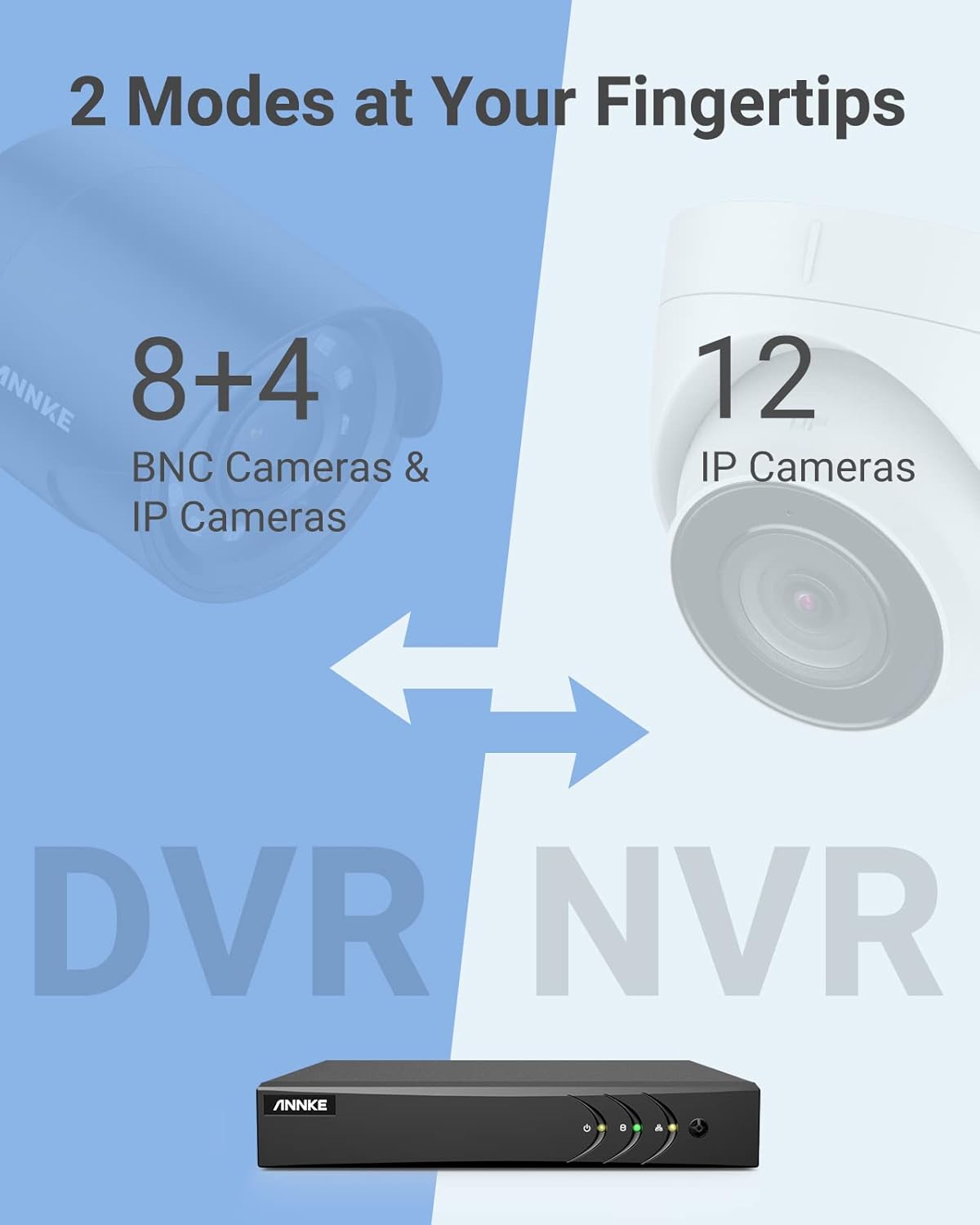
Image 3.1: Illustration of the DVR's dual operational modes, supporting both BNC and IP cameras or IP cameras exclusively.
4. מדריך התקנה
4.1 מבנה פיזי
- חיבור מצלמות: Connect your security cameras to the BNC video input ports on the back of the DVR. For IP cameras, connect them to your network switch/router, and ensure the DVR is also connected to the same network via the Ethernet cable.
- חבר את המסך: Connect a monitor to the DVR's HDMI or VGA output port using the provided HDMI cable or a VGA cable (not included).
- חיבור עכבר USB: חבר את עכבר ה-USB לאחת מיציאות ה-USB במכשיר ה-DVR.
- חבר חשמל: חבר את ספק הכוח לכניסת החשמל של ה-DVR ולאחר מכן חבר אותו לשקע חשמל. ה-DVR יופעל אוטומטית.
4.2 תצורה ראשונית
עם האתחול הראשון, ה-DVR ידריך אותך דרך אשף ההתקנה הראשוני. פעל לפי ההנחיות שעל המסך כדי:
- Set up a strong password for the administrator account.
- קבע את הגדרות הרשת (מומלץ DHCP לרוב המשתמשים).
- הגדר תאריך ושעה.
- Scan and add IP cameras if applicable.
5. הפעלת ה-DVR
5.1 בשידור חי View
לאחר ההגדרה הראשונית, ה-DVR יציג את השידור החי view from connected cameras. Use the USB mouse to navigate the interface. Right-click to access the main menu.
5.2 הקלטה
The DVR is pre-configured for continuous recording. You can customize recording schedules, motion-triggered recording, or alarm-triggered recording via the main menu under הקלטה > תזמון.
5.3 השמעה
כדי לחזורview foo מוקלטtage:
- מהחיים view, לחץ לחיצה ימנית ובחר השמעה.
- Select the desired camera(s) and date.
- Use the timeline to navigate through recordings. Events (like motion detection) are often marked on the timeline for quick access.

Image 5.1: The DVR's playback interface, demonstrating how to locate and review אירועים מתועדים על ציר זמן.
6. תכונות מתקדמות
6.1 זיהוי בני אדם/רכבים באמצעות בינה מלאכותית
The DVR incorporates deep learning-based motion detection 2.0, which can differentiate between human and vehicle movements. This significantly reduces false alarms caused by environmental factors such as leaves or light changes.
- תְצוּרָה: Enable and configure AI detection for each analog channel via the main menu under AI > Motion Detection 2.0.
- Smart Events: Supports line crossing and intrusion detection for specific areas.
- התראות: Configure the DVR to send app push notifications, email alerts, or trigger a buzzer when human or vehicle motion is detected.
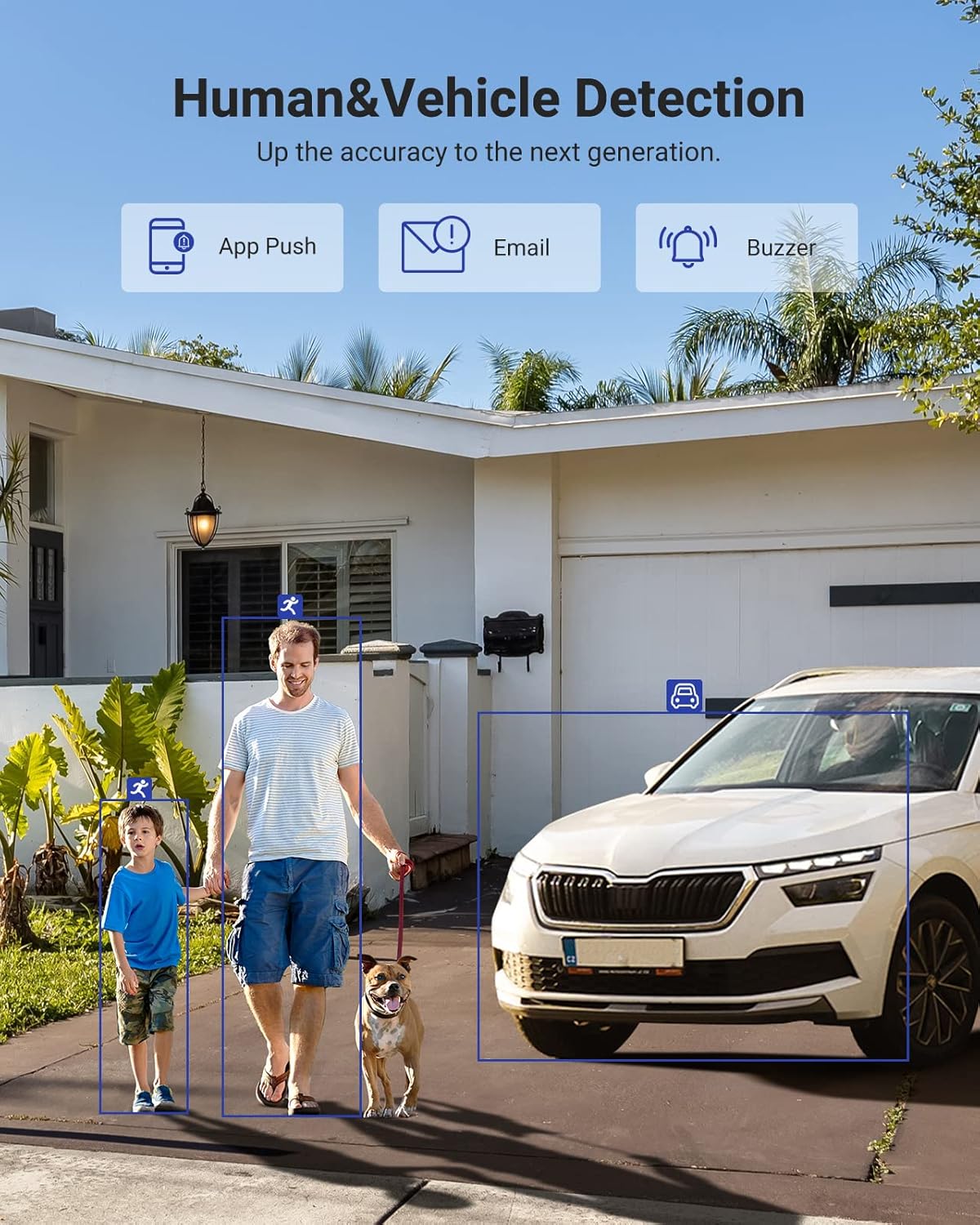
Image 6.1: Visual demonstration of the AI human and vehicle detection capability, showing how the system identifies and distinguishes between people and vehicles.
6.2 גישה מרחוק
Access your DVR remotely from anywhere using the ANNKE Vision App or a web דפדפן.
- ANNKE Vision App: Download the app from the App Store (iOS) or Google Play Store (Android). Register an account and add your DVR by scanning the QR code or entering its serial number.
- Web דפדפן: Access the DVR's web ממשק על ידי הזנת כתובת ה-IP שלו ב-a web דפדפן במחשב שלך.
- תְאִימוּת: The system is compatible with various devices including smartphones, tablets, laptops, and personal computers. It also supports integration with Alexa for voice control.

Image 6.2: Remote access via the ANNKE Vision App, showing compatibility with mobile devices and Alexa.
7. ניהול וידאו
דחיסת וידאו 7.1 H.265+
The DVR utilizes advanced H.265+ video compression technology. This technology significantly reduces file sizes, saving up to 80% of storage space compared to H.264 compression, while maintaining video quality. This allows for longer recording durations on the same 2TB hard drive.

Image 7.1: Comparison illustrating the storage efficiency of H.265+ compression versus H.264.
8. תאימות
The ANNKE AU-DT81DX200-V1 is a versatile 5-in-1 hybrid DVR, designed to be compatible with a wide range of security cameras:
- HD TVI Input: Supports 8 MP@15 fps, 5 MP@20 fps, 3K@20 fps, 4 MP@30 fps.
- AHD Input: Supports 5 MP@20 fps, 4 MP@30 fps, 1080p@25 fps, 1080p@30 fps.
- HD CVI Input: Supports 4 MP@30 fps, 4 MP@25 fps, 1080p@25 fps, 1080p@30 fps.
- קלט CVBS: Supports PAL/NTSC standards.
- IPC Input: Supports up to 8MP IP cameras.
This broad compatibility ensures that the DVR can integrate with both older analog cameras and modern IP cameras, providing a flexible upgrade path for existing surveillance systems.

Image 8.1: The DVR's compatibility with various camera technologies, including TVI, CVI, AHD, and IP cameras.
9. מפרטים
| תכונה | מִפרָט |
|---|---|
| מותג | אנקה |
| מספר דגם | AU-DT81DX200-V1 |
| טכנולוגיית קישוריות | חוטי |
| רזולוציית לכידת וידאו | 4K (8MP) |
| מספר ערוצים | 8 (Analog) + 4 (IP) or 12 (IP) |
| דחיסת וידאו | H.265 Pro+/H.265 Pro/H.265/H.264+/H.264 |
| Supported Camera Types | TVI, AHD, CVI, CVBS, IPC |
| תכונות AI | Human Detection, Vehicle Detection, Line Crossing, Intrusion Detection |
| קיבולת אחסון זיכרון | 2 TB HDD (Up to 10 TB supported) |
| גישה מרחוק | ANNKE Vision App, Web דפדפן |
| מכשירים תואמים | מצלמות, מחשבים ניידים, מחשבים אישיים, סמארטפונים, טאבלטים |
| מקור כוח | חשמלי עם כבלים |
| צֶבַע | שָׁחוֹר |
| מידות פריט | 17.13 x 12.4 x 3.86 אינץ' |
10. תחזוקה
תחזוקה שוטפת מבטיחה ביצועים אופטימליים ואורך חיים של מערכת ה-DVR שלכם.
- ניקוי: Keep the DVR free from dust. Use a soft, dry cloth to clean the exterior. Do not use liquid cleaners.
- אוורור: ודאו שה-DVR ממוקם באזור מאוורר היטב כדי למנוע התחממות יתר. אין לחסום את פתחי האוורור.
- עדכוני קושחה: בדקו מעת לעת את רשמי ANNKE website for firmware updates. Keeping your DVR's firmware updated can improve performance, add new features, and enhance security.
- גיבוי נתונים: גבה באופן קבוע קבצי וידאו חשוביםtagלהתקן אחסון חיצוני.
- בריאות הכונן הקשיח: The DVR's menu may offer options to check the health status of the installed hard drive. Monitor this periodically.
11. פתרון תקלות
סעיף זה עוסק בבעיות נפוצות שאתה עשוי להיתקל בהן עם ה-DVR שלך.
- אין פלט וידאו:
- Check HDMI/VGA cable connections to both the DVR and the monitor.
- ודא שהצג מוגדר למקור הקלט הנכון.
- Verify the DVR is powered on (power indicator light should be active).
- אין תצוגת מצלמה:
- Check camera power supply and video cable connections.
- For IP cameras, ensure they are on the same network as the DVR and properly added in the DVR's camera management settings.
- Verify camera compatibility with the DVR (refer to Section 8).
- גישה מרחוק לא עובדת:
- ודא שה-DVR מחובר לאינטרנט.
- Check network settings on the DVR (e.g., DHCP enabled, correct IP address).
- Verify the ANNKE Vision App is updated to the latest version.
- Ensure the DVR is properly added to your ANNKE Vision account.
- אזעקות תנועה שווא:
- Adjust the sensitivity of motion detection in the DVR settings.
- Utilize the AI Human/Vehicle Detection feature (Section 6.1) to filter out irrelevant movements.
- Define specific detection zones to exclude areas with frequent non-threatening movement.
If you continue to experience issues, please contact ANNKE customer support.
12. אחריות ותמיכה
ANNKE products typically come with a limited warranty. Please refer to the warranty card included in your package or visit the official ANNKE webבאתר לקבלת תנאי אחריות מפורטים הספציפיים לאזורך.
For technical support, product inquiries, or warranty claims, please contact ANNKE customer service through their official website or the contact information provided in your product documentation. Have your model number (AU-DT81DX200-V1) and purchase details ready when contacting support.
ANNKE Official Webאֲתַר: www.annke.com