1. הקדמה
Thank you for choosing the YEAHBOX Sonic Boom MAX Bluetooth Speaker. This powerful portable speaker is designed to deliver an immersive audio experience with its 300W peak output, massive bass, and dynamic RGB lighting. Built with IPX66 waterproof rating, it's perfect for both indoor and outdoor use. This manual provides detailed instructions on how to set up, operate, and maintain your speaker to ensure optimal performance and longevity.

2. מה בקופסה
Upon unboxing your Sonic Boom MAX speaker, please ensure all the following items are present:
- YEAHBOX Sonic Boom MAX Bluetooth Speaker
- מדריך להתחלה מהירה
- תעודת אחריות
- Charging Cable (not explicitly listed but implied for a battery-powered device)
3. תכונות מוצר
The Sonic Boom MAX is equipped with advanced features for an unparalleled audio experience:
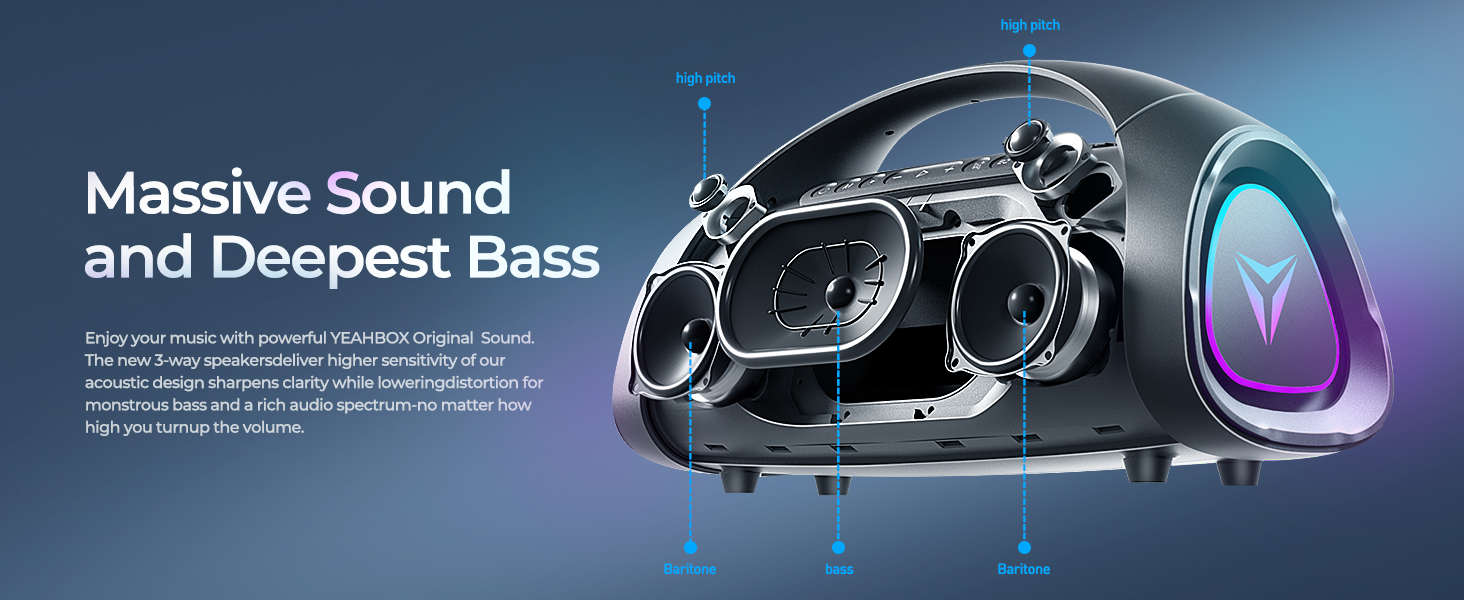
- 300W Peak / 200W RMS Deepest Dynamic Bass: Delivers extreme dynamic and powerful bass and treble for an immersive listening experience.
- תאורת RGB דינמית: Adjustable lighting that syncs with music, creating a vibrant atmosphere.
- חיי סוללה מורחבים: Built-in 30000mAh high-capacity battery for hours of playback.
- טכנולוגיית Bluetooth מתקדמת: Bluetooth 5.3 for stable connection and extended range.
- Exclusive One-Button BASS Function: Instantly enhance bass for a more impactful sound.
- TWS Pairing Function: Connect two speakers for a larger, more immersive stereo soundstage.
- Multiple EQ Sound Effects: Customize sound to different music styles.
- Built-in DSP Dynamic Sound Chip: Enhances sound quality and performance.
- 3-Way Crossover System: Features a 100W RMS subwoofer, dual 40W RMS midrange drivers, and dual 10W RMS tweeters for Hi-Fi audio.
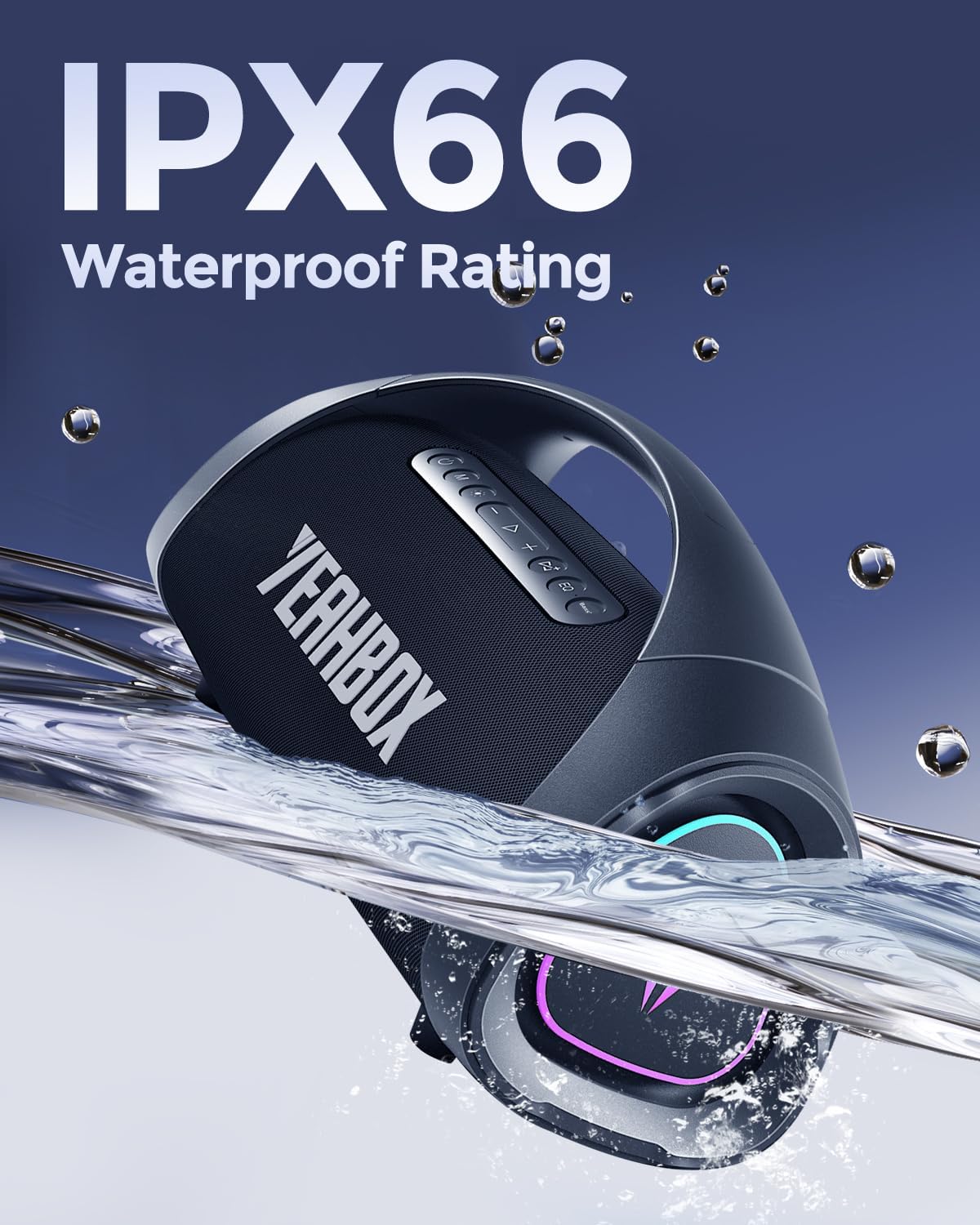
- דירוג עמיד למים IPX66: Provides protection against powerful water jets and dust.

4. התקנה
4.1 טעינת הרמקול
Before first use, fully charge your Sonic Boom MAX speaker.
- Connect the charging cable to the speaker's charging port and a compatible power source.
- טעינה מלאה אורכת כ-8 שעות.
- The speaker provides up to 12 hours of battery life on a single charge, depending on usage and volume levels.

4.2 זיווג בלוטות '
To connect your device to the speaker via Bluetooth:
- Power on the Sonic Boom MAX speaker. It will automatically enter Bluetooth pairing mode.
- במכשיר שלך (סמארטפון, טאבלט וכו'), הפעל את Bluetooth וחפש מכשירים זמינים.
- Select "Sonic Boom MAX" from the list of devices.
- לאחר החיבור, הרמקול יציין צימוד מוצלח.
The speaker uses Bluetooth 5.3 technology, providing a stable connection up to 18 meters (approximately 59 feet).
צימוד 4.3 TWS (סטריאו אלחוטי אמיתי)
For an enhanced stereo experience, you can pair two Sonic Boom MAX speakers together:
- Ensure both Sonic Boom MAX speakers are powered on and not connected to any other Bluetooth device.
- On one speaker, press and hold the TWS pairing button (refer to button layout in Operating Instructions).
- הרמקולים יחפשו ויתחברו זה לזה באופן אוטומטי.
- Once paired, connect your device to one of the speakers via Bluetooth as described in Section 4.2. Both speakers will now play audio in stereo.

5. הוראות הפעלה
5.1 פונקציות כפתורים
The Sonic Boom MAX speaker features intuitive button controls on its top panel.
| כפתור/בקרה | פוּנקצִיָה |
|---|---|
| כפתור הפעלה | Press and hold to Power ON/OFF. Short press to check battery status. |
| הגברת עוצמת הקול (+) | הגדל את הווליום. |
| להנמיך קול (-) | הורד נפח. |
| הפעל/השהה | Play or pause audio playback. Answer/End calls. |
| לחצן בס | Press to activate/deactivate the exclusive One-Button BASS function. |
| כפתור EQ | Cycle through multiple EQ sound effects. |
| כפתור אור | Change or turn ON/OFF dynamic RGB lighting modes. |
| כפתור TWS | Press and hold to initiate TWS pairing (see Section 4.3). |
5.2 תאורת RGB דינמית
The speaker features dynamic RGB lighting that can be customized to enhance your listening experience. Use the dedicated Light Button to cycle through various lighting modes or turn the lights off. The lighting can sync with the rhythm of your music.
5.3 אפקטים קוליים של EQ
Tailor your audio to different genres or preferences using the multiple built-in EQ sound effects. Press the EQ Button to switch between modes such as Pop, Rock, Classical, Jazz, and more, optimizing the sound profile עבור התוכן שלך.
6. תחזוקה
To ensure the longevity and optimal performance of your Sonic Boom MAX speaker, follow these maintenance guidelines:
- ניקוי: השתמש רך, דamp cloth to wipe the speaker's surface. Avoid using harsh chemicals or abrasive cleaners.
- עמידות במים: While the speaker is IPX66 waterproof, avoid submerging it in water for extended periods. Ensure all port covers are securely closed before exposure to water.
- אִחסוּן: יש לאחסן את הרמקול במקום קריר ויבש, הרחק מאור שמש ישיר וטמפרטורות קיצוניות.
- טיפול בסוללה: For best battery health, avoid fully discharging the battery frequently. If storing for a long time, charge the battery to about 50% every few months.
7. פתרון תקלות
If you encounter any issues with your Sonic Boom MAX speaker, refer to the following common problems and solutions:
| בְּעָיָה | פתרון אפשרי |
|---|---|
| הרמקול לא נדלק. | ודא שהסוללה טעונה. חבר למקור חשמל ונסה שוב. |
| לא ניתן לבצע צימוד דרך בלוטות'. |
|
| אין צליל או עוצמת קול נמוכה. |
|
| צימוד TWS נכשל. |
|
| נורות RGB לא עובדות. | Press the Light Button to cycle through modes or turn them on. |
8. מפרטים
Detailed technical specifications for the YEAHBOX Sonic Boom MAX Bluetooth Speaker:
| תְכוּנָה | פְּרָט |
|---|---|
| שם הדגם | Sonic Boom Max3 |
| מותג | יאבוקס |
| סוג רמקול | Woofer, Portable Bluetooth Speaker |
| רמקול כוח פלט מרבי | 300 וואט (שיא) |
| הספק יציאה RMS | 200 וואט (RMS) |
| Subwoofer RMS | 100 וואט |
| Midrange Drivers RMS | Dual 40 Watts |
| Tweeters RMS | Dual 10 Watts |
| טכנולוגיית קישוריות | בלוטות' 5.3, עזר, USB |
| טכנולוגיית תקשורת אלחוטית | בלוטות' |
| טווח בלוטות' | 18 מטר |
| רמת עמידות במים | IPX66 (עמיד למים) |
| קיבולת סוללה | 30000 mAh (4 x 12V batteries included) |
| חיי סוללה | 12 שעות |
| זמן טעינה | 8 שעות |
| מידות המוצר | 20" D x 10.5" W x 8.2" H |
| משקל פריט | 21.1 פאונד |
| חוֹמֶר | פּלָסטִי |
| מצב פלט שמע | סטריאו |
| יחס אות לרעש | 79 dB |
| תגובת תדר | 20 KHz (Upper limit, typical for full range) |
| שיטת בקרה | כפתור, אפליקציה |
| רכיבים כלולים | Quick Start Guide, Warranty Card |
9. אחריות ותמיכה
YEAHBOX is committed to providing high-quality products and excellent customer service.
- אַחֲרָיוּת: The product comes with a Limited Warranty. Please refer to the included Warranty Card for specific terms and conditions.
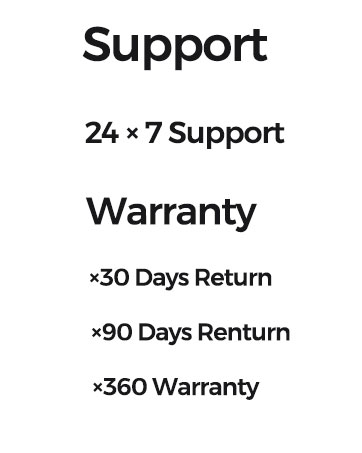
- החזרות: Enjoy a 30-day return policy and a 90-day return period for certain conditions.
- תוכניות הגנה מורחבות: Additional protection plans are available for purchase, including 2-Year and 3-Year options, and a Complete Protect plan.
- תמיכת לקוחות: YEAHBOX offers 24x7 customer support. For assistance, please visit the official YEAHBOX store on Amazon or contact their customer service directly.
למידע נוסף ותמיכה, בקר באתר YEAHBOX Store on Amazon.
10. מידע בטיחות חשוב
Please read and follow these safety precautions to prevent damage to the speaker or injury to yourself:
- אין לחשוף את הרמקול לטמפרטורות קיצוניות (חמות או קור).
- אין לפרק, לתקן או לשנות את הרמקול בעצמך. פעולה זו תגרום לביטול האחריות.
- הרחק את הרמקול מלהבות פתוחות או ממקורות חום.
- השתמשו רק בכבל הטעינה ובמתאם החשמל שצוינו.
- הימנעו מהאזנה ממושכת בעוצמות גבוהות כדי למנוע נזק לשמיעה.
- הרחק מהישג ידם של ילדים.