
1. הקדמה
Welcome to the world of boAt Nirvana Zenith Pro TWS Earbuds. These earbuds are designed to provide a superior audio experience with advanced features such as Hybrid Adaptive Active Noise Cancellation, Spatial Audio, and Hi-Res Audio with LDAC support. This manual will guide you through the setup, operation, and maintenance of your new earbuds.
2. מה בקופסה
- boAt Nirvana Zenith Pro TWS Earbuds
- נרתיק טעינה
- אוזניות נוספות (בגדלים שונים)
- כבל טעינה מסוג USB מסוג C
- מדריך למשתמש

Image: boAt Nirvana Zenith Pro TWS Earbuds and Charging Case in Platinum Gold.
3. התקנה ושימוש ראשון
3.1 טעינה ראשונית
Before first use, fully charge your earbuds and charging case. Connect the USB Type-C cable to the charging port on the case and a power source. The LED indicator on the case will show charging status.
3.2 צימוד עם המכשיר שלך
- פתחו את מארז הטעינה. האוזניות ייכנסו אוטומטית למצב צימוד.
- בטלפון החכם או במכשיר אחר התומך ב-Bluetooth, עבור אל הגדרות Bluetooth.
- חפש 'boAt Nirvana Zenith Pro' in the list of available devices.
- בחר בו כדי להתחבר. לאחר החיבור, תשמע הנחיה קולית.

Image: Earbuds resting in their open charging case, indicating readiness for Bluetooth pairing.
4. הוראות הפעלה
4.1 פקדי מגע
The boAt Nirvana Zenith Pro features intuitive touch controls on each earbud. Specific functions can be customized via the boAt Hearables App.
| פְּעוּלָה | פוּנקצִיָה |
|---|---|
| נגיעה אחת (שמאל/ימין) | השמעה/השהיה של מוזיקה, מענה/סיום שיחה |
| לחיצה כפולה (ימינה) | המסלול הבא |
| לחיצה כפולה (שמאלה) | המסלול הקודם |
| לחיצה משולשת (שמאל/ימין) | הפעל את עוזר הקולי |
| לחיצה ארוכה (שמאלה/ימינה) | החלפת מצב ANC/Ambient |
4.2 Active Noise Cancellation (ANC) & Ambient Mode
The earbuds feature 50dB Hybrid Adaptive ANC to minimize external noise, allowing for an immersive listening experience. Ambient Mode allows you to hear your surroundings while still enjoying your audio.

Image: Graphic demonstrating the effectiveness of 50dB Hybrid Adaptive Noise Cancellation.
4.3 אודיו מרחבי
Experience a theater-like sound from all directions with boAt Spatial Audio, co-tuned by filmmaker Imtiaz Ali. This feature provides a 360-degree immersive audio experience.
Video: Filmmaker Imtiaz Ali discussing the co-tuning of Spatial Audio for an immersive experience.

Image: Visual representation of Spatial Audio creating a 360-degree sound field around the listener.
אודיו 4.4 ברזולוציה גבוהה עם LDAC
The Nirvana Zenith Pro supports Hi-Res Audio powered by the LDAC codec, ensuring high-quality sound transmission and a rich listening experience through its 12mm drivers.

תמונה: מפורט view of the 12mm audio drivers, highlighting Hi-Res Audio and LDAC compatibility.
4.5 boAt Hearables App Compatibility
Unlock Pro Mode and customize your listening experience with the boAt Hearables App. Adjust EQ modes, customize touch functions, control ANC settings, and receive software updates.

Image: Screenshot of the boAt Hearables App, showing various settings and customization options.
הורד את האפליקציה כאן: boAt Hearables App
4.6 קישוריות מרובת נקודות
Connect and switch seamlessly between two devices simultaneously. For example, watch a movie on your tablet and answer an incoming call on your phone without manually reconnecting.
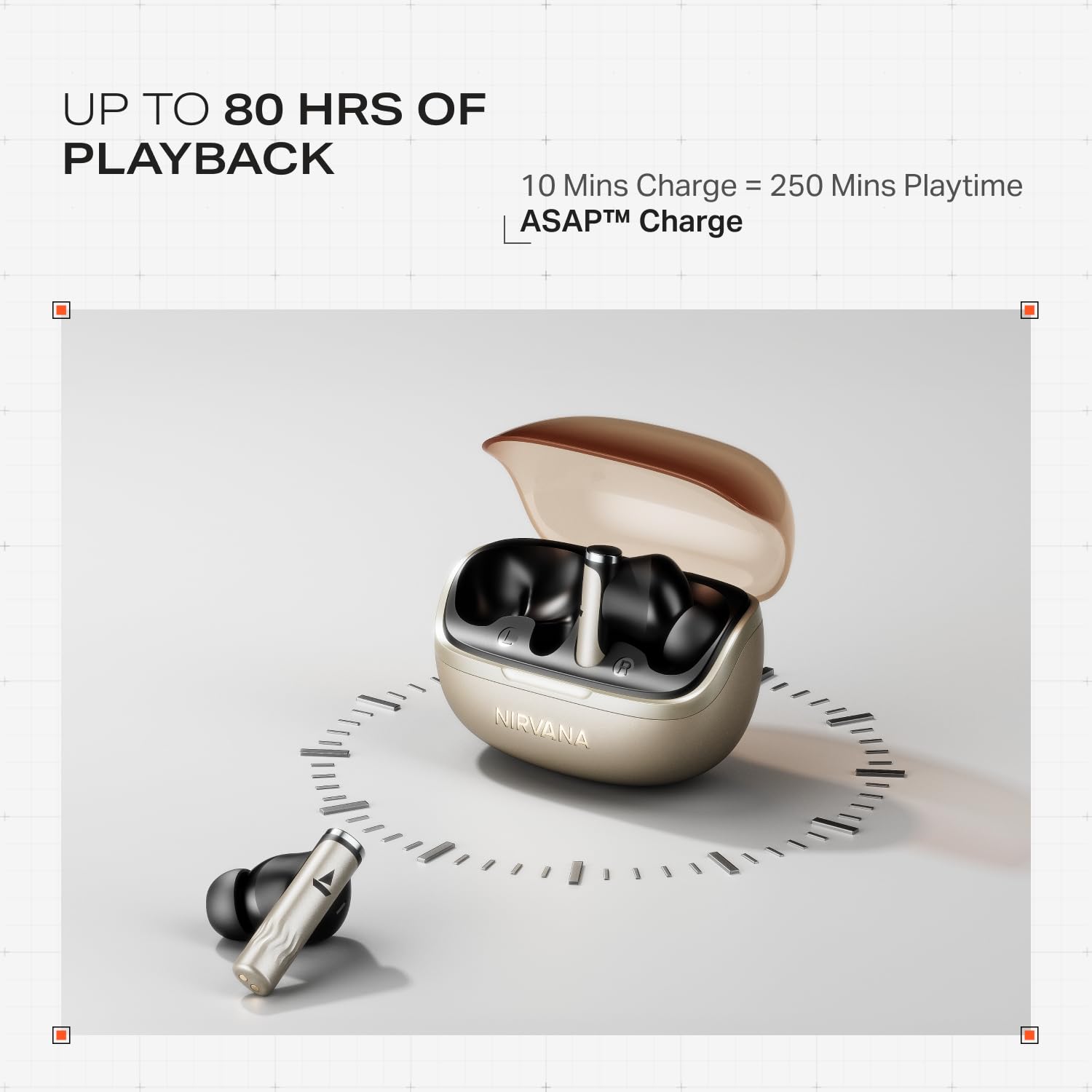
Image: Illustration of multipoint connectivity, with earbuds linked to both a smartphone and a tablet.
4.7 זיהוי בתוך האוזן
The earbuds automatically pause playback when removed from your ears and resume when placed back in, providing a seamless listening experience.

Image: Diagram showing an earbud in an ear, with text indicating 'Plug-in to Play' and 'Plug-Out to Pause'.
4.8 Beast Mode (Low Latency)
Activate Beast Mode for an ultra-low latency of 60ms, ideal for gaming to ensure synchronized audio and visuals.

Image: A smartphone displaying a racing game, with earbuds positioned nearby, illustrating the Beast Mode for low-latency gaming.
4.9 Google Fast Pair Service
Enjoy quick and effortless pairing with Android devices using Google Fast Pair Service, allowing for instant connection upon opening the case.

Image: A smartphone displaying a Google Fast Pair notification, prompting connection to the Nirvana Zenith Pro earbuds.
5. טעינה וסוללה
The earbuds offer up to 80 hours of total playtime with the charging case. The ASAP Charge feature provides 250 minutes of playtime after just 10 minutes of charging.
- חיי סוללה: עד 80 שעות (עם מארז טעינה)
- חיוב בהקדם האפשרי: 10 minutes charge = 250 minutes playtime
- זמן טעינה מלא: Approximately 110 minutes for earbuds and case.

Image: Visual representation of the earbuds and charging case, highlighting 80 hours of playback and ASAP Charge capabilities.
6. תחזוקה וטיפול
- ניקוי: Regularly clean the earbuds and charging contacts with a soft, dry cloth. Avoid using harsh chemicals.
- אִחסוּן: אחסן את האוזניות בתיק הטעינה שלהן כאשר אינן בשימוש כדי להגן עליהן ולשמור עליהן טעונות.
- עמידות במים: The earbuds are IPX4 rated, meaning they are resistant to splashes and sweat. Do not submerge them in water.
Video: A short animation demonstrating the IPX4 water resistance of the earbuds, showing protection against splashes.
7. פתרון תקלות
7.1 האוזניות לא מתחברות
- ודא ששתי האוזניות טעונות.
- החזירו את האוזניות למארז, סגרו את המכסה, המתינו מספר שניות, ולאחר מכן פתחו שוב כדי להיכנס שוב למצב צימוד.
- שכח את המכשיר מהגדרות ה-Bluetooth של הטלפון ונסה לבצע התאמה שוב.
7.2 Low Volume/Poor Sound Quality
- בדקו את עוצמת הקול גם במכשיר וגם באוזניות.
- ודאו שהאוזניות נקיות וללא לכלוך.
- נסו גדלי קצוות שונים לאוזניים לקבלת אטימה טובה יותר.
- Disable ANC temporarily to see if it improves sound in certain environments.
7.3 האוזניות לא נטענות
- ודא שכבל הטעינה מחובר היטב הן למארז והן למקור החשמל.
- נקו את מגעי הטעינה הן באוזניות והן במארז.
- נסה כבל טעינה או מתאם חשמל אחר.
8. מפרטים
| תכונה | פְּרָט |
|---|---|
| שם הדגם | נירוונה זנית' פרו |
| מספר דגם | PP0010 |
| בקרת רעש | 50dB Hybrid Adaptive Active Noise Cancellation |
| Codec אודיו | LDAC (Hi-Res Audio) |
| נהגים | דרייברים דינמיים 12 מ"מ |
| מיקרופונים | 6 Mics with AI-ENx Technology |
| חיי סוללה | עד 80 שעות (עם כיסוי) |
| גרסת בלוטות' | 5.4 |
| עמידות במים | IPX4 |
| חביון נמוך | 60ms (Beast Mode) |
| מִשׁקָל | 45 גרם |
9. אחריות ותמיכה
Your boAt Nirvana Zenith Pro TWS Earbuds come with a אחריות לשנה מתאריך הרכישה. אנא שמור את קבלת הרכישה שלך לצורך תביעות אחריות.
For further assistance, technical support, or warranty claims, please visit the official boAt webאתר או צרו קשר עם שירות הלקוחות שלהם. פרטי התקשרות ניתן למצוא בדרך כלל על אריזת המוצר או על המותג הרשמי webאֲתַר.