
מידע בטיחות חשוב
Please read this manual thoroughly before using the REDTIGER F77 V2 Dash Cam. Improper use may result in product damage, property damage, or personal injury. Keep the device away from water, moisture, and extreme temperatures. Do not attempt to disassemble or repair the device yourself. Always ensure the dash cam is securely mounted and does not obstruct your view תוך כדי נהיגה.
תוכן החבילה
ודא שכל הפריטים המפורטים להלן כלולים בחבילה שלך:
- 1 x REDTIGER F77 V2 4K Front Dash Cam
- 1 x 4K Rear Dash Cam
- 1 x 11.5 רגל כבל אספקת חשמל עם מטען לרכב
- 1 x Data Transfer USB Cable
- 1 x 21.3 רגל כבל מצלמה אחורית
- 1 x מדריך למשתמש
- 1 x Crowbar (Car Wire Trim Tool)
- 1 x מדריך מהיר
- 2 x מדבקה אלקטרוסטטית
- 2 x מתקן דבק
- 5 קליפס כבלים

המוצר נגמרview
The REDTIGER F77 V2 is a dual 4K dash cam system designed to record both front and rear views of your vehicle. It features a compact design with a 4-inch touchscreen for easy operation.
Front Dash Cam (Main Unit)
- עדשת מצלמה קדמית: Records 4K video.
- מסך מגע בגודל 4 אינץ': לשידור חי view, playback, and settings adjustment.
- לחצן הפעלה: להפעלה/כיבוי של המכשיר.
- יציאות USB-C: For power input and rear camera connection.
- חריץ כרטיס MicroSD: For additional storage (device has built-in eMMC).
- מודול GPS: Integrated into the mount for location and speed data.
מצלמת דאש אחורית
- עדשת מצלמה אחורית: Records 4K video for the rear view.
- מחבר USB-C: To connect to the main unit.
הגדרה
1. התקנת מצלמת רכב קדמית
- נקו את האזור בשמשה הקדמית שבו אתם מתכוונים להרכיב את מצלמת הרכב. ודאו שהוא נקי מאבק ושומן.
- Apply one of the electrostatic stickers to the cleaned area on the windshield. This helps protect your windshield and allows for easier removal.
- Attach an adhesive mount to the dash cam's main unit.
- Firmly press the dash cam with the attached mount onto the electrostatic sticker. Ensure a secure fit.
- Connect the 11.5ft power supply cable to the dash cam's power input (USB-C port).
- Route the power cable along the edge of the windshield and down to your vehicle's 12V power outlet (cigarette lighter) using the provided crowbar and cable clips to hide the cable neatly.
2. Rear Dash Cam Installation
- Choose a suitable location on your rear windshield for the rear dash cam, ensuring it has a clear view and does not obstruct your driving.
- Clean the chosen area and apply an electrostatic sticker, then attach the rear dash cam with an adhesive mount.
- Connect the 21.3ft rear camera cable to the rear dash cam.
- Route the rear camera cable from the rear windshield to the front dash cam, connecting it to the designated USB-C port. Use the crowbar and cable clips for a tidy installation.

3. חיבור חשמל
Plug the car charger into your vehicle's 12V power outlet. The dash cam will automatically power on and begin recording when the vehicle starts.
הוראות הפעלה
פעולה בסיסית
- הפעלה/כיבוי: The dash cam powers on/off automatically with your vehicle's ignition. You can also manually power it on/off using the power button.
- מסך מגע: Use the 4-inch touchscreen to navigate menus, view פו חיtage, and play back recordings.
- שליטה קולית: The F77 V2 supports 12 voice commands for hands-free operation. Examples include: "Lock the video," "Take picture," and "Turn on audio."
- הקלטת לולאה: מצלמת הרכב מקליטה ברציפות, ודורסת את הישנים ביותר files when the storage is full. Critical videos are locked and not overwritten.
- חיישן G: Automatically detects sudden shakes or collisions and locks the current video segment to prevent it from being overwritten.
- מוניטור חניה: With an optional hardwire kit (sold separately), the dash cam can monitor your vehicle 24/7. It supports collision sensing and time-lapse video recording when parked.
חיבור Wi-Fi ואפליקציות
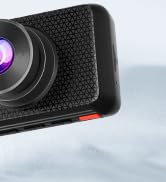
Connect your dash cam to the REDTIGER app for easy setup, live preview, video playback, and sharing.
- Download the "REDTIGER" app from the App Store or Google Play.
- Enable Wi-Fi on your dash cam (via settings or quick toggle).
- On your smartphone, connect to the dash cam's Wi-Fi network (SSID and password displayed on the dash cam screen).
- Open the REDTIGER app and add your device. You can now access live footagה, מחדשview recordings, and adjust settings.
פונקציונליות GPS
The built-in GPS module accurately records your vehicle's location, speed, and driving route. This data is embedded in your video files ויכול להיות viewed via the REDTIGER app or dedicated PC player.
תַחזוּקָה
- Formatting eMMC Storage: Periodically format the built-in eMMC storage (or microSD card if used) to ensure optimal performance and prevent data corruption. This can be done through the dash cam's settings menu.
- ניקוי: Regularly clean the camera lenses and touchscreen with a soft, lint-free cloth to ensure clear recordings and responsive touch functionality.
- עדכוני קושחה: Check the REDTIGER website or app for available firmware updates to ensure your dash cam has the latest features and bug fixes.
פתרון בעיות
- מצלמת הרכב לא נדלקת: ודא שכבל החשמל מחובר היטב הן למצלמת הרכב והן לשקע החשמל של הרכב. בדוק את שקע ה-12V של הרכב עבור חשמל.
- בעיות חיבור Wi-Fi: Verify that Wi-Fi is enabled on the dash cam and your phone. Ensure you are entering the correct SSID and password. Try restarting both the dash cam and your phone.
- לְהַאֵט File Transfer/Playback: Ensure your phone has a stable 5.8GHz Wi-Fi connection to the dash cam. Large 4K files may take longer to transfer.
- וִידֵאוֹ Files Corrupted/Missing: Regularly format the eMMC storage. Ensure you are using a high-quality microSD card if external storage is utilized.
- צג חניה לא עובד: Confirm that an optional hardwire kit is correctly installed and configured.
For more detailed troubleshooting steps, please refer to the comprehensive User Manual included in your package or visit the REDTIGER support webאֲתַר.
מפרטים
| תכונה | מִפרָט |
|---|---|
| רזולוציית וידאו קדמית | 4K@30fps (8MP) |
| רזולוציית וידאו אחורית | 4K@30fps (8MP) |
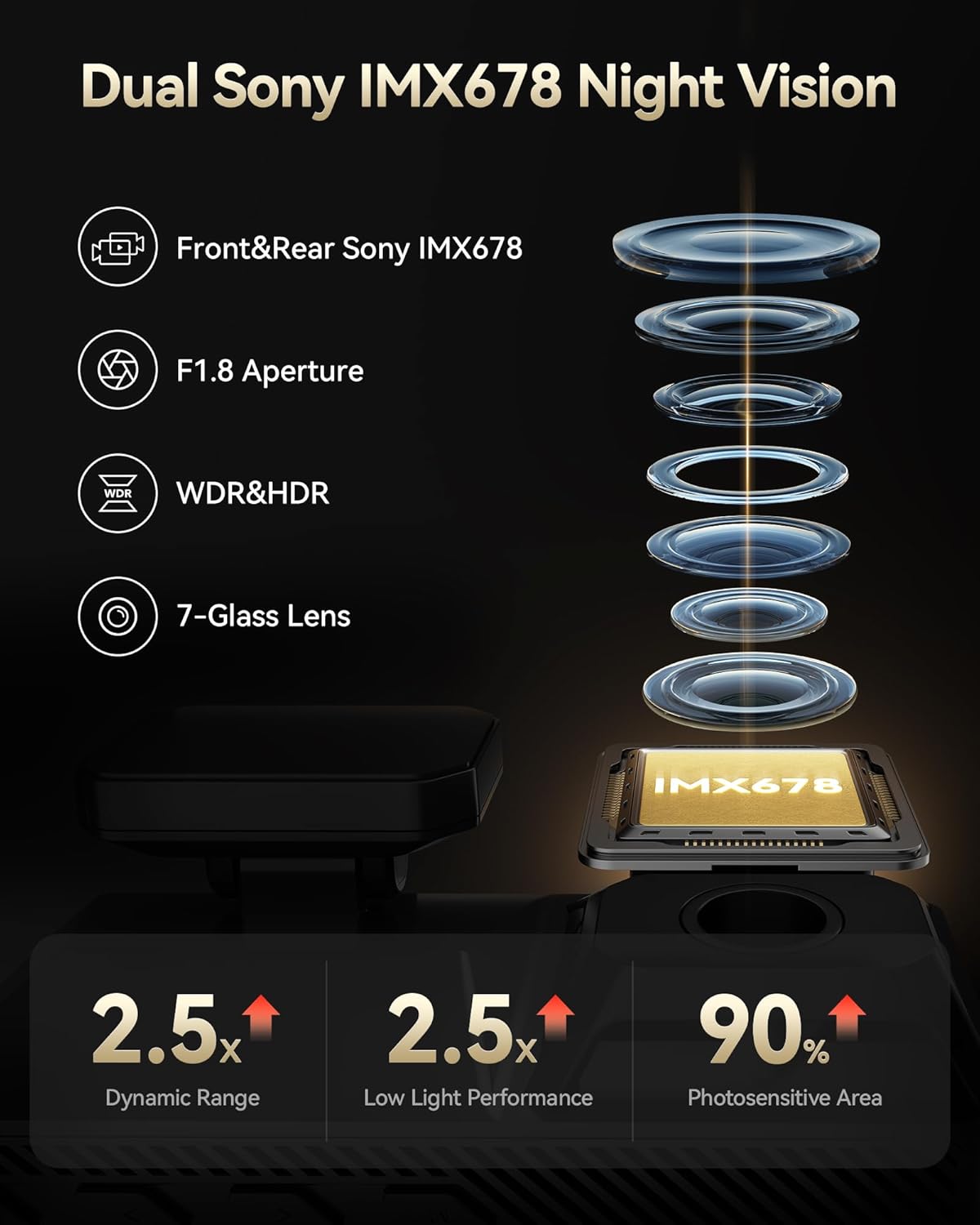
| חיישן תמונה | מצלמות Sony STARVIS 2 IMX678 כפולות |
| אחסון פנימי | 256GB eMMC |
| לְהַצִיג | 4 אינץ 'מסך מגע |
| Wi-Fi | Wi-Fi מובנה 5.8GHz |
| GPS | GPS מובנה |
| תכונות מיוחדות | Dual HDR, Voice Control, G-Sensor, Parking Monitor (with optional hardwire kit) |
| טכנולוגיית קישוריות | USB, Wi-Fi |
| מידות המוצר | 1.88 x 1.22 x 0.27 אינץ' |
| משקל פריט | 1.92 פאונד |
אחריות ותמיכה
- תכנית הגנה: Enjoy 18 months of protection for your device.
- מדיניות החזרות: A 7-day return policy is available for returns on defects.
- תמיכת לקוחות: REDTIGER offers 24-hour customer support via email and phone for any inquiries or assistance.
For further assistance, please visit the official REDTIGER webאתר או צור קשר ישירות עם תמיכת הלקוחות.