
1. הקדמה
Thank you for choosing the Motast 1.96" HD Smart Watch. This manual provides essential information for setting up, operating, and maintaining your device. Please read it thoroughly to ensure optimal performance and a satisfying user experience.
2. המוצר נגמרview
The Motast Smart Watch features a 1.96-inch HD display, Bluetooth calling capabilities, and comprehensive health and fitness tracking. It is designed to be a versatile companion for daily activities and sports.
תכונות עיקריות:
- מסך מגע HD 1.96 אינץ': Clear visuals and responsive interaction.
- שיחות והתראות בלוטות': Answer/make calls and receive alerts from your smartphone.
- 110+ מצבי ספורט: Track various indoor and outdoor activities.
- ניטור בריאות 24/7: Heart Rate, SpO2, and Sleep tracking.
- IP68 עמיד למים: Suitable for daily use, including hand washing and rain.
- חיי סוללה ארוכים: Up to 7 days of daily use, 30 days standby.
- חוגות הניתנות להתאמה אישית: Personalize your watch face with 200+ options or your own photos.

איור 1: מעלview of the multifunctional features of the Motast Smart Watch.
3. מה בקופסה
- שעון חכם x1
- כבל טעינה x1
- מדריך הוראות x1

Figure 2: Package contents and watch dimensions.
4. התקנה
4.1 App Download & Pairing
- הורד את ה "גלוריפיט" App from Google Play Store (for Android) or Apple App Store (for iOS).
- ודא שה-Bluetooth מופעל בטלפון החכם שלך.
- Open the GloryFit App and follow the on-screen instructions to search for and bind your device (e.g., "Y66").
4.2 Bluetooth Calling Function Setup
- After successfully binding your watch to the GloryFit App, open the Bluetooth Call feature within the app.
- On your watch, open the Bluetooth Call menu.
- Find and connect to "Y66" in your phone's Bluetooth settings.
- לאחר החיבור, תוכלו להשתמש בשעון שלכם כדי לענות ולבצע שיחות.

Figure 3: Connection and Bluetooth calling setup guide.
Video 1: Demonstrates the 1.96" HD Smart Watch features, including answering and making calls, for men and women.
Video 2: Shows the Smart Watch's ability to answer and make calls.
5. הוראות הפעלה
5.1 ניווט בסיסי
The watch features a full touch screen. Swipe left, right, up, or down to navigate through menus and access different functions. Press the side button to return to the home screen or wake the device.
5.2 התאמה אישית של לוחות השעון
The Motast Smart Watch offers over 200 watch faces through the GloryFit App. You can also upload your own photos to create personalized watch faces directly from your phone gallery.

Figure 4: Customizable watch faces and 1.96" HD color touch screen details.

Figure 5: Extensive collection of watch faces and DIY options.
5.3 ניטור בריאות
- מד דופק: Continuously tracks your heart rate 24/7. Access detailed trends in the GloryFit App.
- מד SpO2 (חמצן בדם): מודד את רמות החמצן בדם שלך.
- מעקב שינה: Monitors your sleep patterns (deep sleep, light sleep, awake time) and provides analysis to help improve sleep quality.

Figure 6: Health monitoring features including heart rate, SpO2, and sleep tracking.

Figure 7: Detailed heart rate monitoring interface.

Figure 8: Blood oxygen monitoring interface.

Figure 9: Sleep tracking data and analysis.
5.4 Sports Modes & Activity Tracking
The watch supports over 110 sports modes. It tracks all-day activity data including steps, calories burned, and distance. Connect to your phone's GPS to track outdoor workout routes.

Figure 10: Sports modes and activity tracking interface.

איור 11: מפורט view של מצבי ספורט ומעקב פעילות.
Video 3: Demonstrates the features of the Aycy Smart Watch, including fitness tracking.
5.5 הודעות
Receive intelligent notifications from apps like Facebook, Messenger, Instagram, Gmail, WhatsApp, and Twitter directly on your watch. Raise your wrist to view הודעות.

Figure 12: Bluetooth call and message notification display.

Figure 13: Message notification feature from connected apps.
5.6 בקרת מוזיקה
שלוט בהשמעת מוזיקה בסמארטפון שלך ישירות מהשעון.
5.7 בקרת מצלמה
Use your watch as a remote shutter to control your smartphone's camera.
5.8 פונקציות אחרות
The watch includes additional practical functions:
- שעון מעורר: הגדר מספר התראות.
- טיימר ושעון עצר: For various timing needs.
- תצוגת מזג אוויר: קבל עדכוני מזג אוויר בזמן אמת.
- עוזר קולי: אינטראקציה עם העוזר הקולי של הטלפון שלך.
- תזכורת בישיבה: מבקש ממך לזוז לאחר תקופות של חוסר פעילות.
- בריאות האישה: תכונות מעקב ספציפיות לנשים.
- אימון נשימה: תרגילי נשימה מודרכים.

Figure 14: Additional practical functions of the smartwatch.

Figure 15: Weather, music, camera, alarm, and voice assistant features.
Video 4: Instructions on how to turn off music playing on the P66D Smart Watch.
6. סוללה וטעינה
The Motast Smart Watch is equipped with a large-capacity battery, providing approximately 5-7 days of daily use and up to 30 days on standby mode. Charging takes 1.5-2 hours using the magnetic charging cable provided.
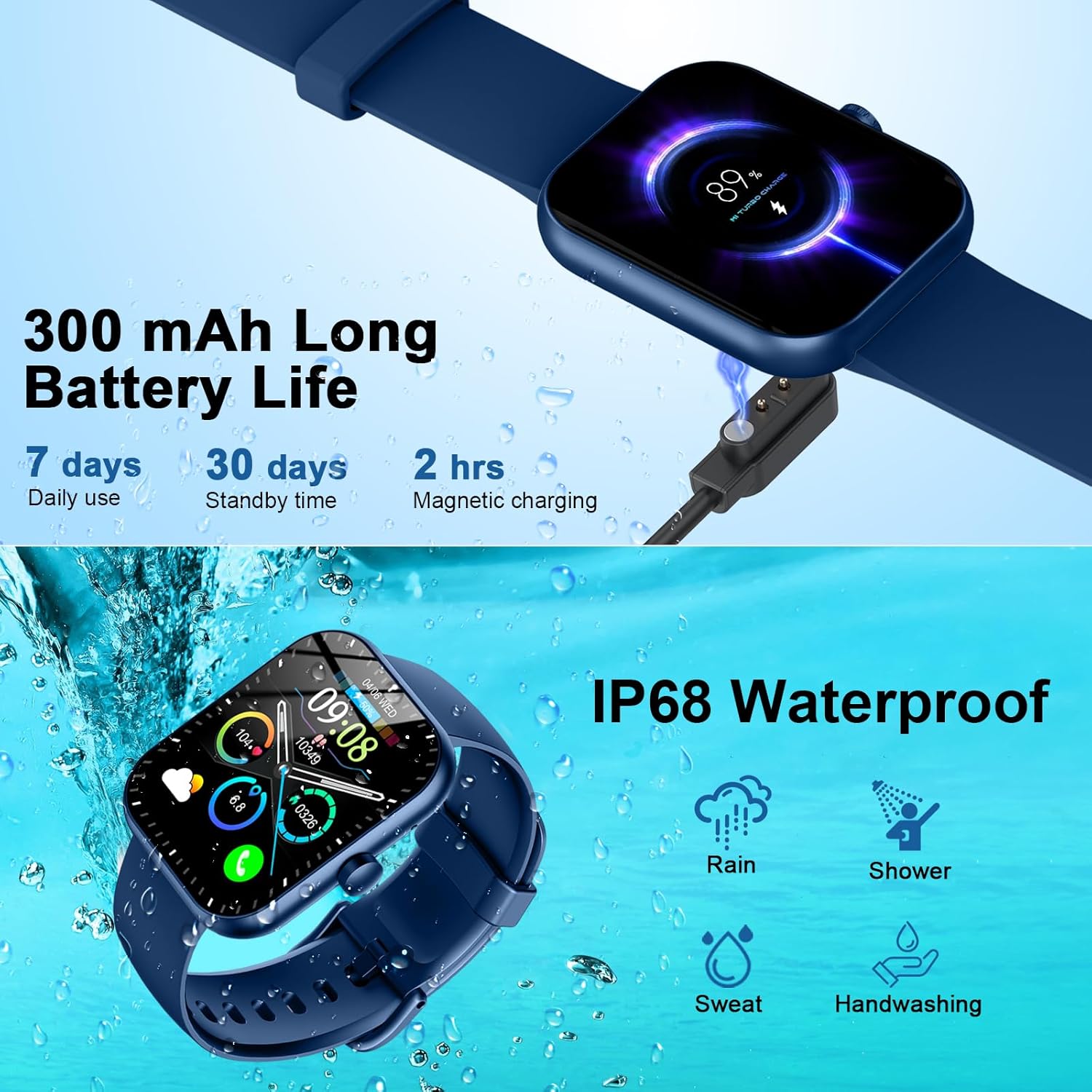
Figure 16: Battery life and magnetic charging details.

Figure 17: Battery capacity and charging method.
7. איטום
The smartwatch is IP68 waterproof, meaning it is resistant to dust and can withstand immersion in water up to 1.5 meters for 30 minutes. You can wear it while washing hands or in the rain. פֶּתֶק: Do not use in showers, saunas, or hot tubs, as steam and hot water can damage the device.
Figure 18: IP68 Waterproof rating for the smartwatch.
8. תחזוקה
- שמרו על ניקיון ויבשות השעון. נגבו אותו באופן קבוע עם מטלית רכה ויבשה.
- הימנעו מחשיפת השעון לטמפרטורות קיצוניות או לאור שמש ישיר למשך תקופות ממושכות.
- Do not attempt to disassemble or repair the watch yourself. Contact customer support if issues arise.
- Ensure the charging contacts on the back of the watch and the charging cable are clean to prevent charging issues.
9. פתרון תקלות
- שעון לא נדלק: ודא שהשעון טעון במלואו. חבר אותו למטען המגנטי למשך 30 דקות לפחות.
- לא ניתן להתאים לטלפון: Make sure Bluetooth is enabled on your phone and the watch is within range. Restart both devices and try pairing again through the GloryFit App.
- התראות שלא התקבלו: Check app notification settings on your phone and within the GloryFit App to ensure they are enabled for the watch. Ensure the watch is connected via Bluetooth.
- נתוני בריאות לא מדויקים: ודא שהשעון צמוד לפרק כף היד, לא צמוד מדי או רפוי מדי. שמור על ניקיון החיישן.
- בעיות טעינה: Verify the magnetic charging cable is properly aligned with the contacts on the back of the watch. Try a different USB power source.
10. מפרטים
| תכונה | פְּרָט |
|---|---|
| מספר דגם | 6db02fca-707d-49d2-b627-85fa94df7f3f |
| גודל מסך | 1.96 אינץ' |
| סוג תצוגה | TFT HD Color Display (320*386 resolution) |
| קישוריות | בלוטות' 5.3 |
| דירוג עמיד למים | IP68 |
| קיבולת סוללה | 300 mAh (1 A battery included) |
| זמן טעינה | 1.5-2 שעות |
| חיי סוללה (שימוש יומיומי) | 5-7 ימים |
| חיי סוללה (המתנה) | 30 ימים |
| תְאִימוּת | אנדרואיד 6.0+ / iOS 10.0+ |
| משקל פריט | 3.2 אונקיות |
| יַצרָן | מוטסט |
11. אחריות ותמיכה
For warranty information and customer support, please refer to the contact details provided in your product packaging or visit the official Motast webאֲתַר. שמור את קבלה הרכישה שלך לתביעות אחריות.