
מָבוֹא
Thank you for choosing the XINDADA F7 Ultra Smart Watch. This manual provides essential information to help you set up, operate, and maintain your device. Please read these instructions carefully before use to ensure optimal performance and longevity of your smartwatch.
1. התקנה
1.1 תכולת החבילה
- 1 x F7 Ultra Smart Watch
- 1 x USB Wireless Magnetic Charging Cable
- 1 x מדריך למשתמש
1.2 טעינת השעון החכם
Before first use, fully charge your F7 Ultra Smart Watch. Connect the USB wireless magnetic charging cable to a power source and attach the magnetic end to the charging points on the back of the watch. The watch will indicate charging status on its screen.
1.3 התקנה וצימוד של אפליקציה
- הורד את ה RDFit application from your smartphone's app store (compatible with Android 4.4 and above, and iOS 9.0 and above).
- ודא שה-Bluetooth מופעל בטלפון החכם שלך.
- Open the RDFit app and follow the on-screen instructions to search for and connect to your F7 Ultra Smart Watch via Bluetooth 5.0.
- אשר את בקשת הצימוד הן בטלפון החכם והן בשעון.
2. הוראות הפעלה
2.1 ניווט בסיסי
- הרם כדי להתעורר: הרם את פרק כף היד כדי להפעיל את המסך באופן אוטומטי.
- Cover to Turn Off Screen: Place your palm over the screen to turn it off.
- תצוגה תמידית (AOD): Configure this mode in the watch settings for continuous time display.
- צד לamp: Utilize the side lamp feature for illumination in low-light conditions.
2.2 תכונות עיקריות
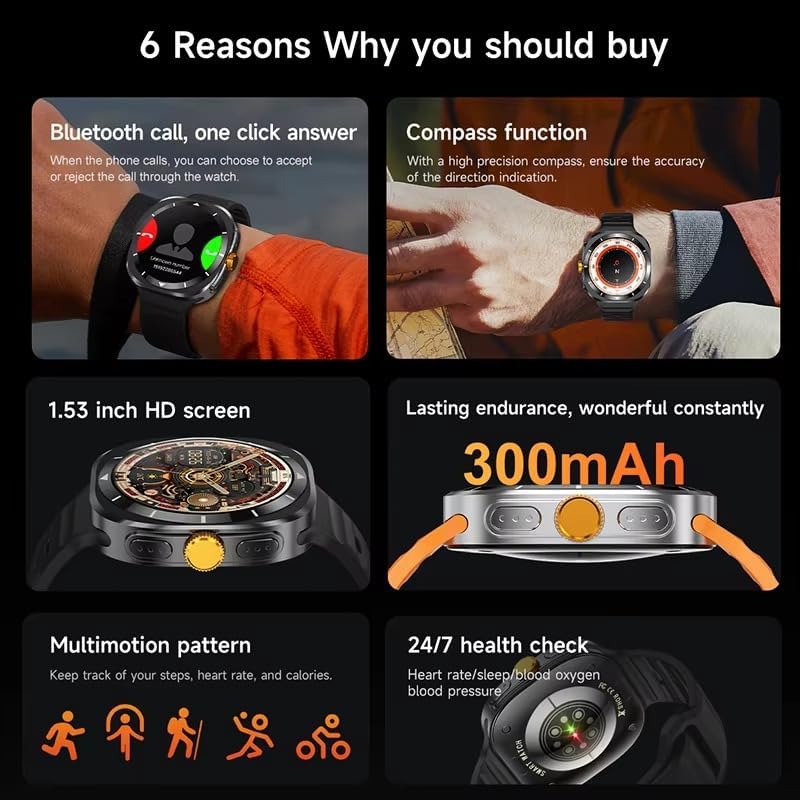
This image illustrates several key features of the F7 Ultra Smart Watch, including its Bluetooth call capability, compass function, 1.53-inch HD screen, 300mAh battery, various sports modes, and continuous health monitoring.
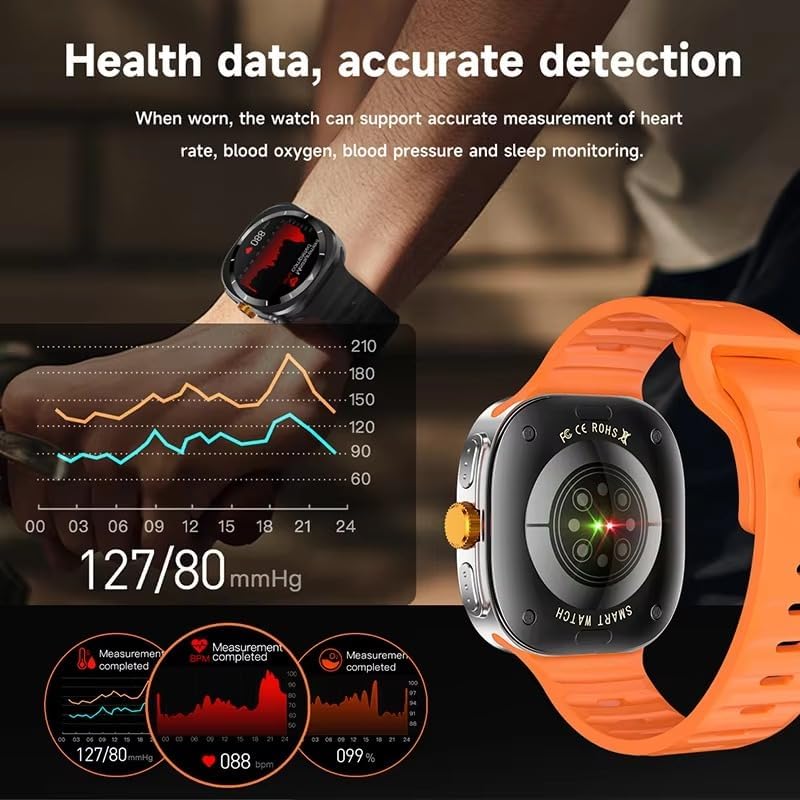
The watch provides accurate health data detection, including real-time heart rate, blood oxygen, and blood pressure monitoring, as shown with graphical representations.

Expand your exercise routine with multiple sports modes such as mountaineering, basketball, and running, each with precise record-keeping to help achieve fitness goals.

The GPS motion track feature accurately records your position during outdoor activities, enhancing safety and providing meaningful data for your adventures.
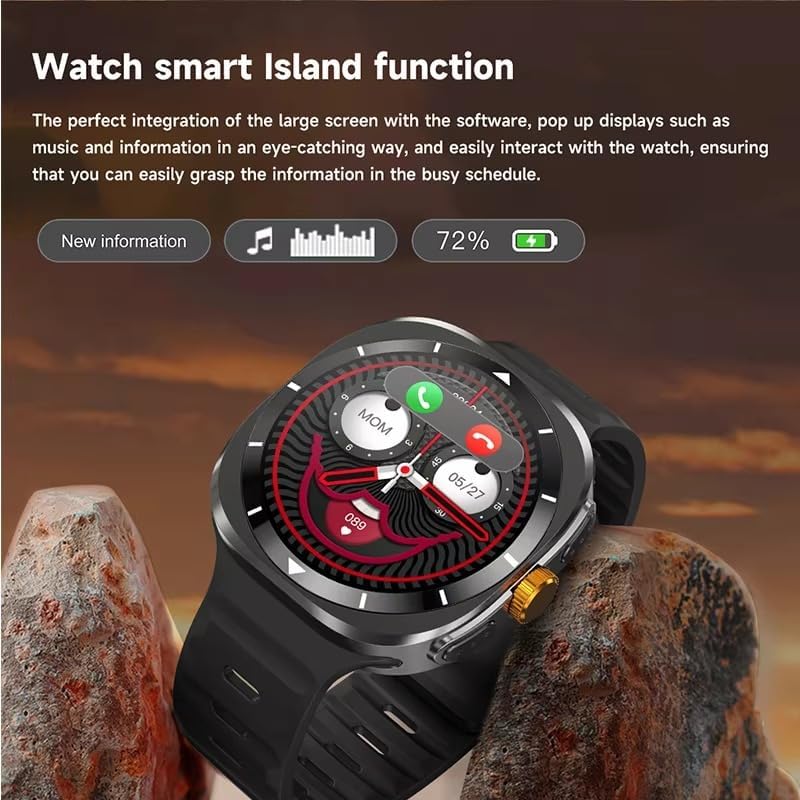
The Smart Island function integrates seamlessly with the large screen, providing eye-catching pop-up displays for new information, music controls, and battery status, allowing easy interaction even during a busy schedule.
- שיחות בלוטות': Answer or reject calls directly from your watch when connected to your phone.
- פונקציית מצפן: Utilize the high-precision compass for accurate direction indication.
- ניטור בריאות: Track heart rate, blood pressure, blood oxygen, and sleep patterns 24/7.
- מצבי ספורט: Access 156 sports algorithms, including mountaineering, basketball, and running, with GPS motion tracking.
- Smart Island Function: Experience dynamic pop-up notifications for calls, music, and other information.
- גישה לדלת עם NFC: Use your watch for convenient NFC-enabled door access.
- התראות: Receive app notifications directly on your wrist.
- מוזיקה ובקרת מצלמה: Remotely control music playback and your smartphone camera.
- כלי עזר: Features include weather updates, 'Find My Phone', password protection, calculator, split screen, quick widgets, Alipay, QR code, Qibla finder, and AI voice assistant.
2.3 תמיכה בשפה
The F7 Ultra Smart Watch supports multiple languages, including Chinese, English (default), Russian, Spanish, German, Italian, French, Portuguese, Polish, Dutch, Greek, Turkish, Romanian, Japanese, Traditional Chinese, Hebrew, Czech, Slovak, Hungarian, Arabic, Indonesian, Korean, Vietnamese, Thai, Persian, Ukrainian, Malay, and Burmese.
3. תחזוקה
3.1 עמידות במים
The watch has an IP67 waterproof rating, meaning it is resistant to splashes and brief immersion in water. It is not suitable for swimming, diving, or high-pressure water activities. Avoid exposing the watch to hot water or steam.
3.2 ניקוי
נגבו את השעון והרצועה באופן קבוע בעזרת מטלית רכה ויבשה. במידת הצורך, השתמשו במטלית רכה קלות.amp מטלית ולאחר מכן יבשו היטב. הימנעו משימוש בכימיקלים חזקים או בחומרים שוחקים.
3.3 טיפול בסוללה
To prolong battery life, avoid extreme temperatures. Charge the watch using only the provided magnetic charging cable. Do not attempt to replace the battery yourself.
4. פתרון תקלות
- שעון לא נדלק: ודא שהשעון טעון במלואו. חבר אותו למטען למשך 30 דקות לפחות.
- לא ניתן להתאים לטלפון: Make sure Bluetooth is enabled on both devices. Restart both the watch and your phone. Ensure the RDFit app is open and running.
- נתוני בריאות לא מדויקים: ודאו שהשעון צמוד לפרק כף היד, לא צמוד מדי או רפוי מדי. נקו את החיישן בגב השעון.
- התראות שלא התקבלו: Check app notification settings on your phone and within the RDFit app to ensure they are enabled for the watch.
- חיי סוללה קצרים: Reduce screen brightness, disable unnecessary features, and limit background app refresh.
5. מפרטים
| גודל מסך | 1.54 inch HD large screen |
| רזולוציית מסך | 360 x 360 פיקסלים |
| צפה במידות | 47 x 45 x 12.5 מ"מ |
| גרסת בלוטות' | בלוטות' 5.0 |
| צ'יפ משולב | Jerry 7012F6 |
| מפלס עמיד למים | IP67 |
| סוג טעינה | טעינה מגנטית אלחוטית |
| קיבולת סוללה | 300 מיליאמפר/שעה |
| סגנונות תפריט | 5 סוגים |
| תְאִימוּת | אנדרואיד 4.4 ומעלה, iOS 9.0 ומעלה |
| אפליקציה נלווית | RDFit |
6. אחריות ותמיכה
For warranty information and technical support, please refer to the documentation provided with your purchase or contact XINDADA customer service. Keep your purchase receipt for any warranty claims. This user manual is included in the product package for your convenience.