
1. הקדמה
This manual provides detailed instructions for the safe installation, operation, and maintenance of your Generic 52-inch Low Profile Ceiling Fan with Lights, Model W1367P185623. Please read all instructions carefully before beginning installation and retain this manual for future reference.
This modern black low-profile ceiling fan is designed to provide efficient air circulation and integrated lighting for residential or commercial spaces. It features a DC motor for energy efficiency and an integrated 24-watt LED light kit with adjustable color temperatures (3000K, 4000K, 6000K), all controllable via the included remote.

Image 1.1: The 52-inch low profile ceiling fan with lights, shown installed in a contemporary living space.
2. מידע בטיחות
אַזהָרָה: כדי להפחית את הסיכון לשריפה, התחשמלות או פגיעה גופנית, יש להקפיד תמיד על הנחיות הבטיחות הבאות:
- קרא את כל ההוראות ומידע הבטיחות לפני התקנת המאוורר החדש שלך. מִחָדָשׁview את התרשימים המצורפים ביסודיות.
- כל החיווט חייב להיות בהתאם לתקנות החשמל הלאומיות והמקומיות. אם אינך מכיר את החיווט, התייעץ עם חשמלאי מוסמך.
- לפני ההתקנה, נתק את החשמל על ידי כיבוי מפסקי הזרם בתיבת הנתיכים הראשית.
- ודא שאתר ההתקנה יכול לתמוך במשקל המאוורר (כ-15-20 פאונד).
- אין להפעיל את המאוורר עם להבים או מארז פגומים.
- הימנע מהנחת חפצים בנתיב להבי המאווררים.
- This fan is ETL safety listed, indicating compliance with safety standards.
3. תכונות מוצר
The Generic 52-inch Low Profile Ceiling Fan offers a range of features for enhanced comfort and convenience:
- שְׁלַט רָחוֹק: Full function remote control for fan speed, light dimming, light color temperature, and fan direction.
- מנוע הפיך: Allows for both downdraft (summer mode) and updraft (winter mode) operation to optimize air circulation year-round.
- 3 Light Color Temperatures: Integrated LED light kit provides Warm White (3000K), Natural White (4000K), and Cool White (6000K) options.
- LED ניתן לעמעום: Adjust the brightness of the integrated LED light.
- פונקציית טיימר: הגדר את המאוורר לכיבוי אוטומטי לאחר 1, 3 או 6 שעות.
- שש מהירויות מאוורר: Choose from six distinct fan speeds for optimal airflow.
- מנוע DC שקט: Energy-efficient DC motor operates quietly.
- Pro נמוךfile לְעַצֵב: Ideal for rooms with lower ceilings.
- גימור שחור מט: Modern aesthetic to complement various decor styles.
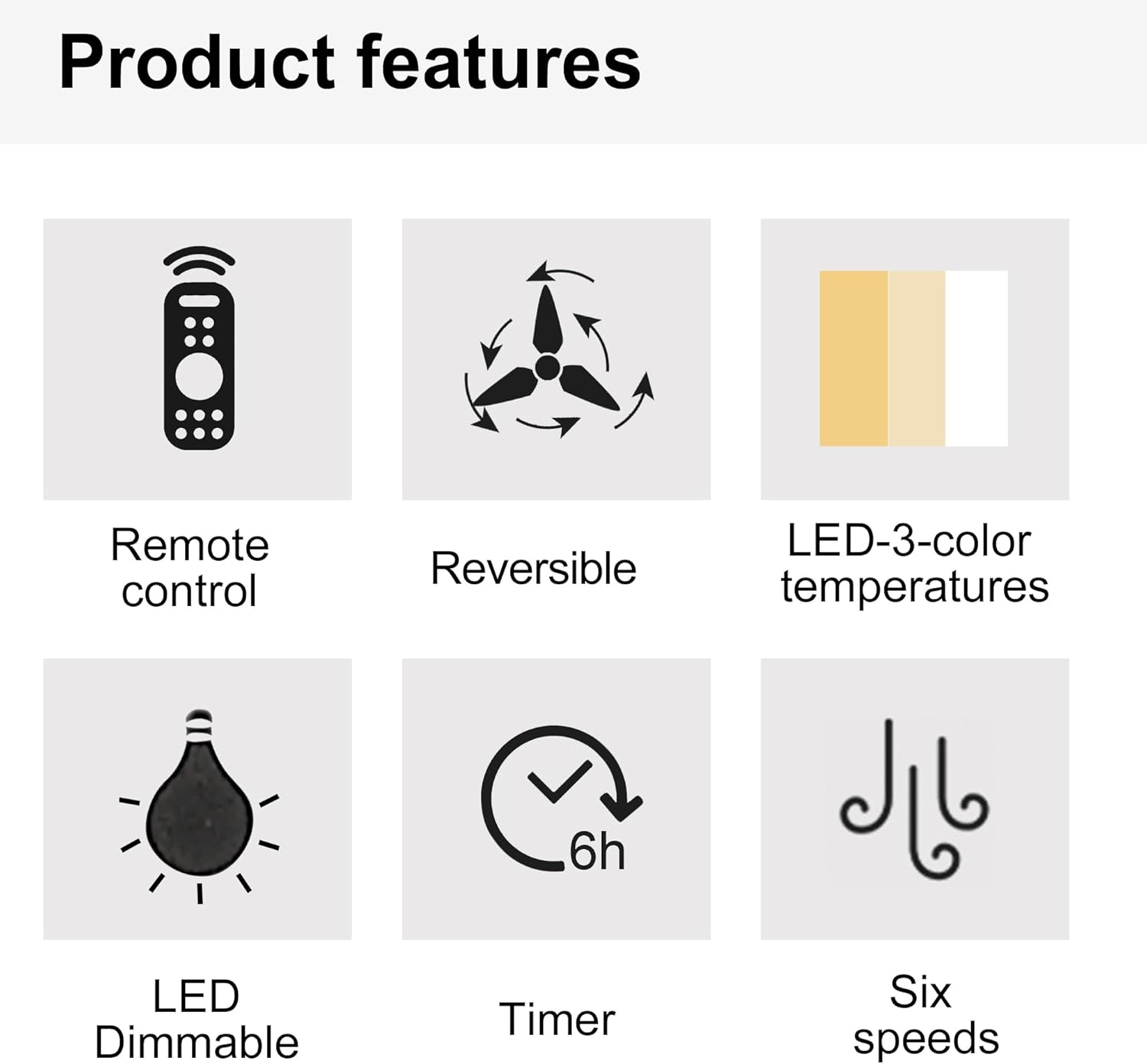
תמונה 3.1: ייצוג חזותי של מאפייני המוצר העיקריים.

Image 3.2: Details of the fan's canopy and quiet DC motor.

Image 3.3: Details of the light cover and integrated 24W LED light kit.
4. תכולת החבילה
Before installation, verify that all components are present and undamaged. If any parts are missing or damaged, contact customer support.
- מכלול מנוע מאוורר תקרה
- להבי מאווררים (5)
- מכלול ערכת תאורה (LED משולב)
- שְׁלַט רָחוֹק
- עריסת קיר לשלט רחוק
- סוללות AAA לשלט רחוק
- תושבת הרכבה
- חבילת חומרה (ברגים, אומים לחוט, דיסקיות וכו')
- מדריך הוראות
5. התקנה והתקנה
חָשׁוּב: ודא שהחשמל מנותק במפסק החשמל לפני תחילת ההתקנה.
- הכן את מיקום ההרכבה: Securely attach the mounting bracket to a ceiling joist or an outlet box rated for fan support.
- חיווט המאוורר: Connect the fan's electrical wires to the household wiring according to the wiring diagram provided in the full installation guide (not included here, but typically in a physical manual). Ensure all connections are secure with wire nuts.
- Attach the Fan Assembly: הרם בזהירות את מכלול מנוע המאוורר וחבר אותו לתושבת ההרכבה.
- התקנת להבי מאוורר: Secure each fan blade to the motor housing using the provided screws.
- התקן ערכת אור: Connect the light kit wiring and attach the light kit assembly to the bottom of the fan motor housing.
- התקן את כיסוי האור: Secure the light cover to the light kit.
For detailed wiring diagrams and step-by-step illustrations, refer to the complete installation guide included with your product.
6. הוראות הפעלה
Your ceiling fan is operated using the included remote control. Install the AAA batteries into the remote control before use.

Image 6.1: Remote control functions overview.
6.1 פעולת מאוורר
- הפעלה/כיבוי: Press the power button (usually a circle with a vertical line) to turn the fan on or off.
- מהירות מאוורר: Use buttons labeled 1-6 to select the desired fan speed. '1' is the lowest speed, '6' is the highest.
- מאוורר כבוי: Press the dedicated "Fan OFF" button to stop the fan.
- Forward/Reverse Mode: Press the forward/reverse button (often depicted with arrows circulating) to change the fan's direction.
- מצב קיץ (רוחב אוויר): הלהבים מסתובבים נגד כיוון השעון, דוחפים את האוויר כלפי מטה ליצירת בריזה מקררת.
- מצב חורף (רוחב רוח): להבים מסתובבים עם כיוון השעון, מושכים אוויר כלפי מעלה כדי להזרים אוויר חם הכלוא ליד התקרה.
- פונקציית טיימר: Press the "1H", "3H", or "6H" buttons to set the fan to turn off automatically after 1, 3, or 6 hours, respectively.

Image 6.2: Understanding Forward/Reverse (Summer/Winter) Modes.
6.2 פעולת תאורה
- אור הפעלה/כיבוי: Press the "LIGHT ON" or "LIGHT OFF" buttons to control the light.
- Adjust Light Color Temperature: Use the "WW" (Warm White), "NW" (Natural White), and "DW" (Cool White) buttons to cycle through the 3000K, 4000K, and 6000K color options.
- Dim the Light: Use the "+" and "-" buttons (often labeled "Dimmable +/-") to increase or decrease the light brightness.
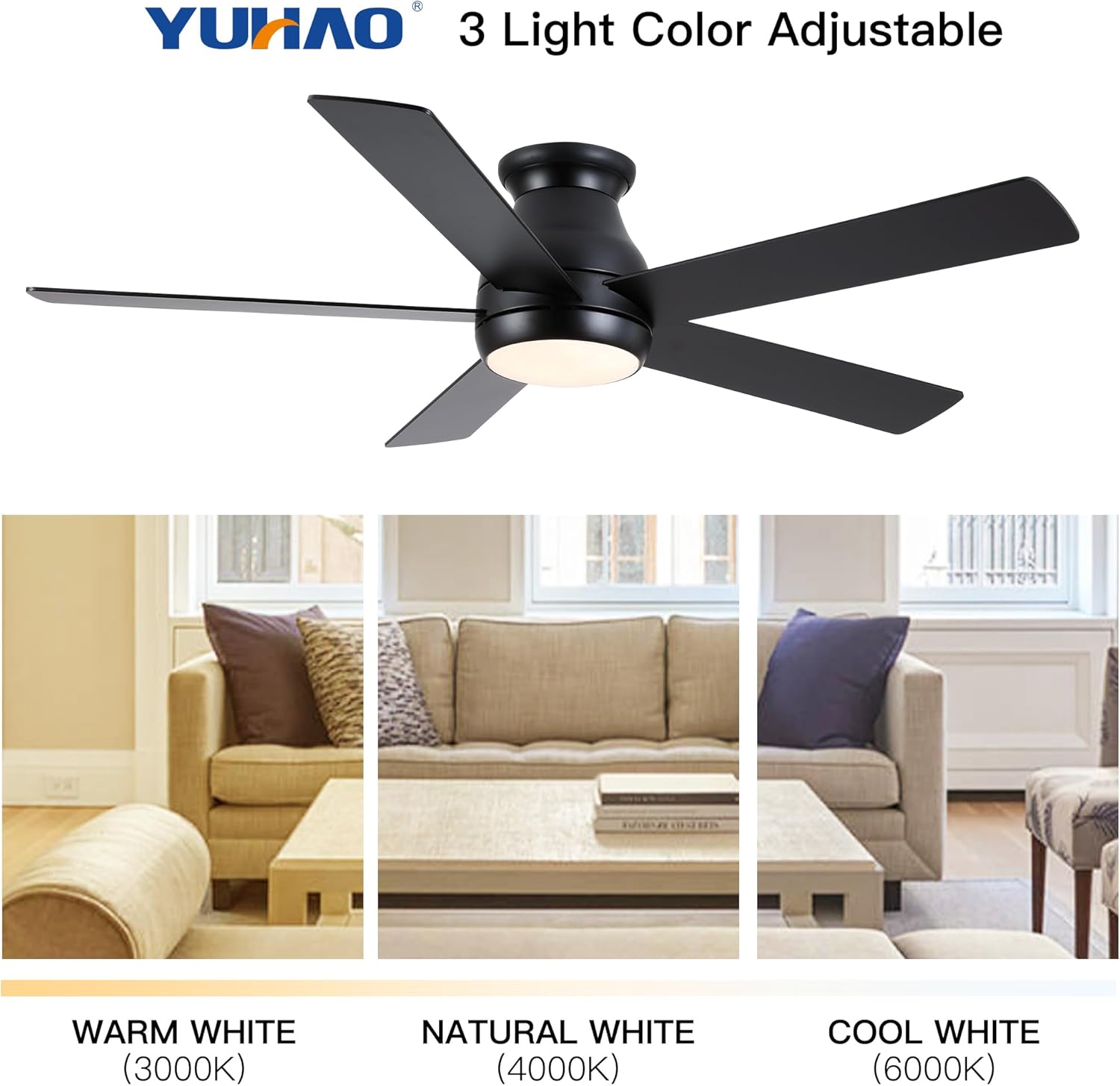
Image 6.3: Adjustable light color temperatures.
7. תחזוקה
תחזוקה שוטפת מבטיחה ביצועים אופטימליים ומאריכה את חיי מאוורר התקרה שלכם.
- ניקוי: יש לנקות מעת לעת את להבי המאוורר ואת בית המנוע בעזרת מטלית רכהamp מטלית. אין להשתמש בחומרי ניקוי שוחקים או ממסים. יש לוודא שהמאוורר כבוי והחשמל מנותק לפני הניקוי.
- להדק מחברים: Check all screws and fasteners annually to ensure they are secure. Loose connections can cause noise or wobble.
- איזון להב: If the fan wobbles, ensure all blades are securely attached and balanced. A balancing kit (not included) may be used if necessary.
- ערכת אור: The integrated LED light kit does not require bulb replacement. If the light malfunctions, consult the troubleshooting section or contact customer support.
8. פתרון תקלות
אם אתם חווים בעיות עם מאוורר התקרה שלכם, עיינו בבעיות הנפוצות ובפתרונות הבאים:
| בְּעָיָה | סיבה אפשרית | פִּתָרוֹן |
|---|---|---|
| המאוורר לא מופעל | אין חשמל למאוורר; חיבורי חוטים רופפים; סוללת השלט רחוק מתה. | בדוק את מפסק החשמל; ודא את כל חיבורי החוטים; החלף את סוללות השלט רחוק. |
| מאוורר מתנדנד | Loose blades or mounting bracket; Unbalanced blades. | Ensure all screws are tight; Check blade balance and adjust if necessary. |
| האור לא עובד | Loose wire connection to light kit; Remote control battery dead; Light kit malfunction. | Check light kit wiring; Replace remote control batteries; Contact customer support if LED is faulty. |
| השלט רחוק לא עובד | סוללות ריקות; שלט רחוק לא משויך (אם רלוונטי); חסימה בין השלט רחוק למקלט. | Replace batteries; Refer to pairing instructions (if any); Ensure clear line of sight. |
אם הבעיה נמשכת לאחר ניסיון פתרונות אלה, אנא צור קשר עם תמיכת הלקוחות.
9. מפרטים
| תכונה | פְּרָט |
|---|---|
| מספר דגם | W1367P185623 |
| גודל מאוורר | 52 אינץ' |
| מידות המוצר | 52" D x 52" W x 10.63" H |
| צֶבַע | Matte Black (Antique Black) |
| סוג מנוע | מנוע DC |
| ערכת אור | Integrated 24W LED |
| טמפרטורות צבע אור | 3000K (לבן חם), 4000K (לבן טבעי), 6000K (לבן קר) |
| סוג בקרה | נשלט מרחוק |
| סוג הרכבה | הר הקרח |
| גודל חדר מומלץ | 12 ft. x 12 ft. to 18 ft. x 18 ft. (Large Room) |
| הסמכה | רישום בטיחות ETL |
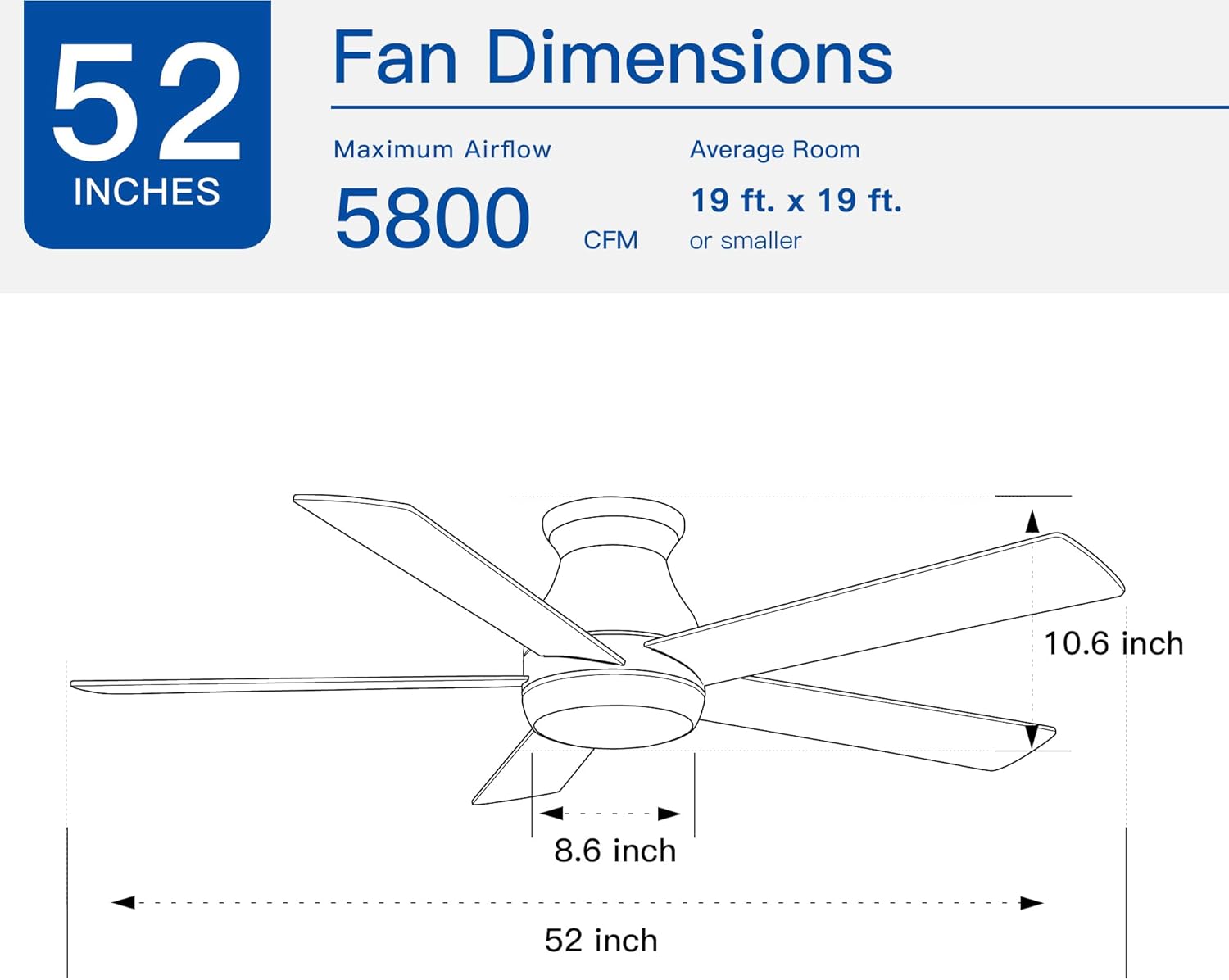
Image 9.1: Fan dimensions and airflow specifications.
10. אחריות ותמיכה
This product comes with a standard manufacturer's warranty. For specific warranty details, including duration and coverage, please refer to the warranty card included in your product packaging or contact the retailer where the product was purchased.
For technical support, replacement parts, or any questions not covered in this manual, please contact Generic customer service through the retailer's support channels or the contact information provided in your product documentation.