
מָבוֹא
This manual provides essential information for the setup, operation, and maintenance of your PowerA Enhanced Wireless Controller, featuring the unique Pikachu vs. Gengar design. This officially licensed controller is designed to enhance your gaming experience on Nintendo Switch, Nintendo Switch Lite, and Nintendo Switch (OLED Model) consoles.
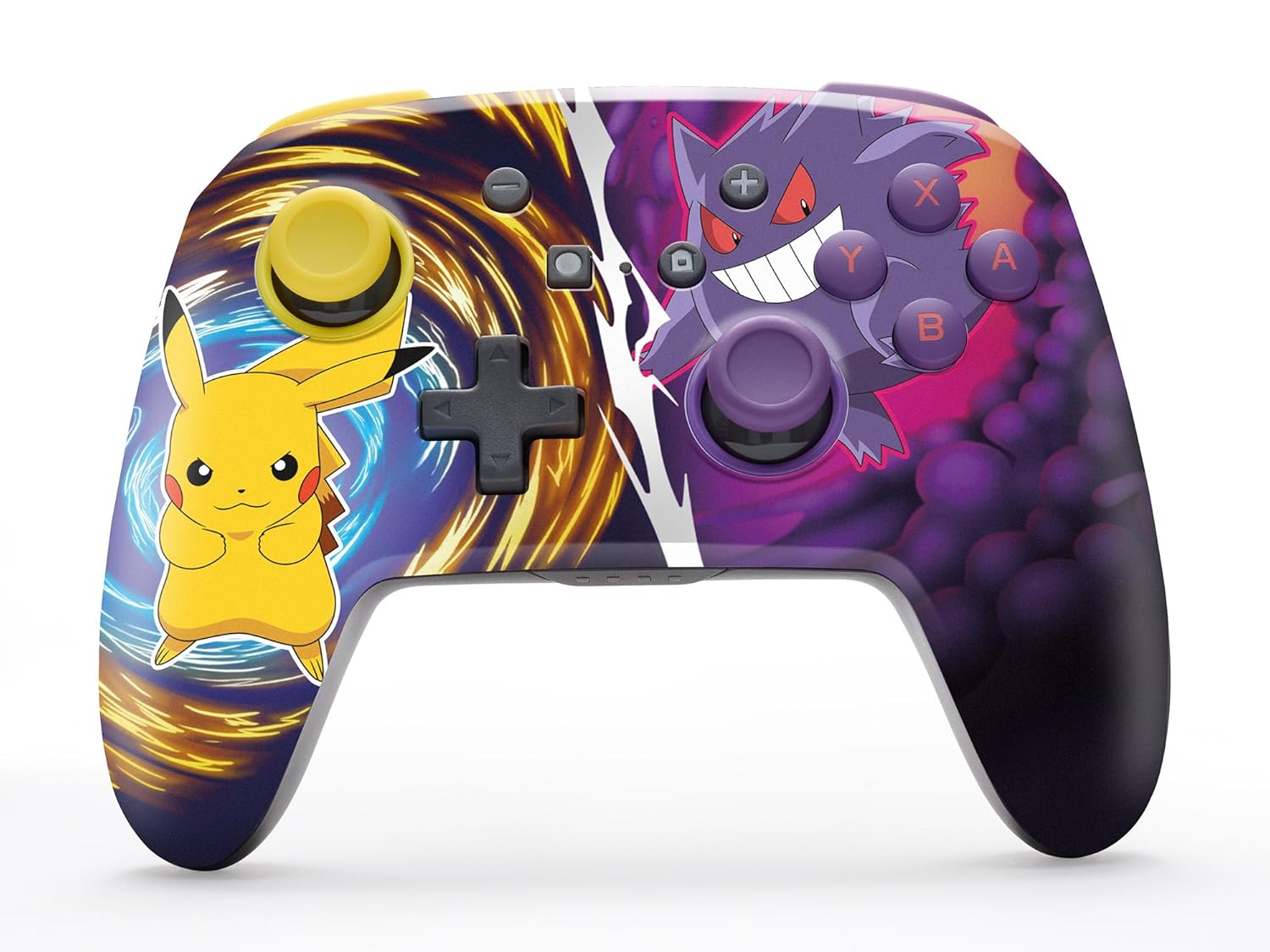
The PowerA Enhanced Wireless Controller with Pikachu vs. Gengar artwork.
תכונות מפתח
- קישוריות אלחוטית: Utilizes Bluetooth 5.0 technology for a stable connection.
- סוללה נטענת: Integrated lithium-ion battery provides up to 30 hours of gameplay per charge.
- Mappable Advanced Gaming Buttons: Two programmable buttons on the back for custom control.
- עיצוב ארגונומי: Superior ergonomics for extended comfortable gaming sessions.
- Smooth Thumbstick Control: Embedded anti-friction rings ensure precise and fluid movement.
- בקרות תנועה: Supports intuitive motion controls for compatible games.

Ergonomic design for comfortable gameplay.
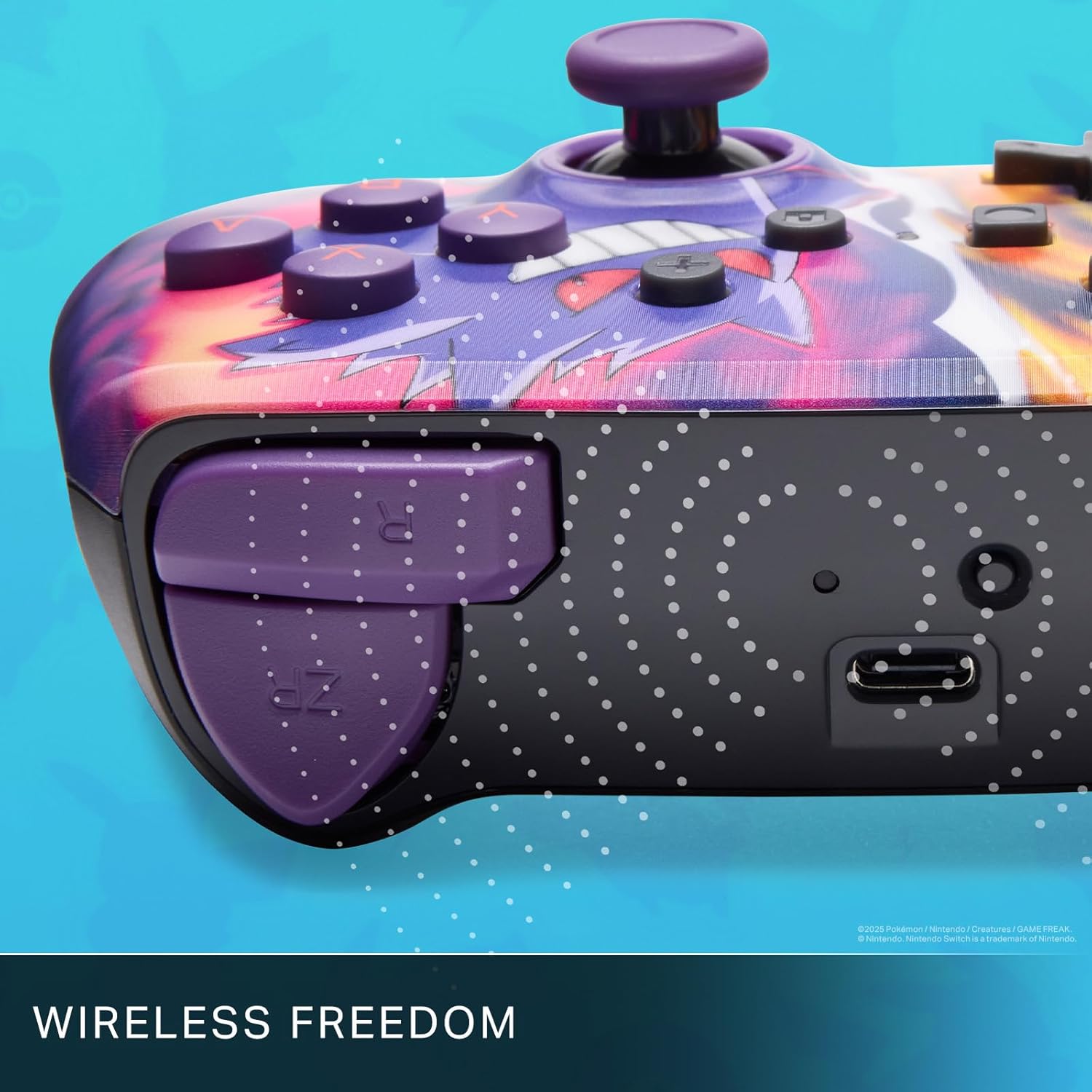
Enjoy wireless freedom with Bluetooth 5.0 technology.
הגדרה ושיוך
- ודא שקונסולת ה-Nintendo Switch שלך מופעלת ומעודכנת לתוכנת המערכת העדכנית ביותר.
- מתפריט HOME בחר בקרים, אז שנה אחיזה/סדר.
- לחץ והחזק את לחצן SYNC on the top edge of your PowerA Enhanced Wireless Controller for at least one second. The Player LED(s) will flash.
- Once paired, the Player LED(s) corresponding to the controller number will remain lit.
- הקש על כפתור to confirm and exit the menu. Your controller is now ready for use.
טעינת הבקר
The controller features an internal 900mAh lithium-ion rechargeable battery, providing up to 30 hours of gameplay on a single charge. To charge your controller:
- Connect the included 10ft (3m) USB-C charge cable to the USB-C port on the top of the controller.
- Connect the other end of the USB-C cable to a USB power source (e.g., Nintendo Switch dock, USB wall adapter, or computer USB port).
- The LED indicator on the controller will show charging status. It will typically turn off or change color when fully charged.

Connect the USB-C cable to charge your controller.
Advanced Gaming Buttons
Your PowerA Enhanced Wireless Controller includes two mappable Advanced Gaming Buttons (AGBs) on the back, allowing you to assign specific button functions for quick access during gameplay.
Programming AGBs:
- הקש על כפתור תוכנית on the back of the controller. The Program LED will flash, indicating programming mode.
- Press the button you wish to map (A/B/X/Y/L/R/ZL/ZR/Left Stick Click/Right Stick Click/D-Pad). The Program LED will flash rapidly.
- Press the Advanced Gaming Button (AGB L or AGB R) you want to assign the function to. The Program LED will stop flashing, indicating the AGB is now programmed.
Resetting AGBs:
To reset all Advanced Gaming Buttons to their default (no function) state, press and hold the כפתור תוכנית for five seconds. The Program LED will flash slowly, then turn off, confirming the reset.
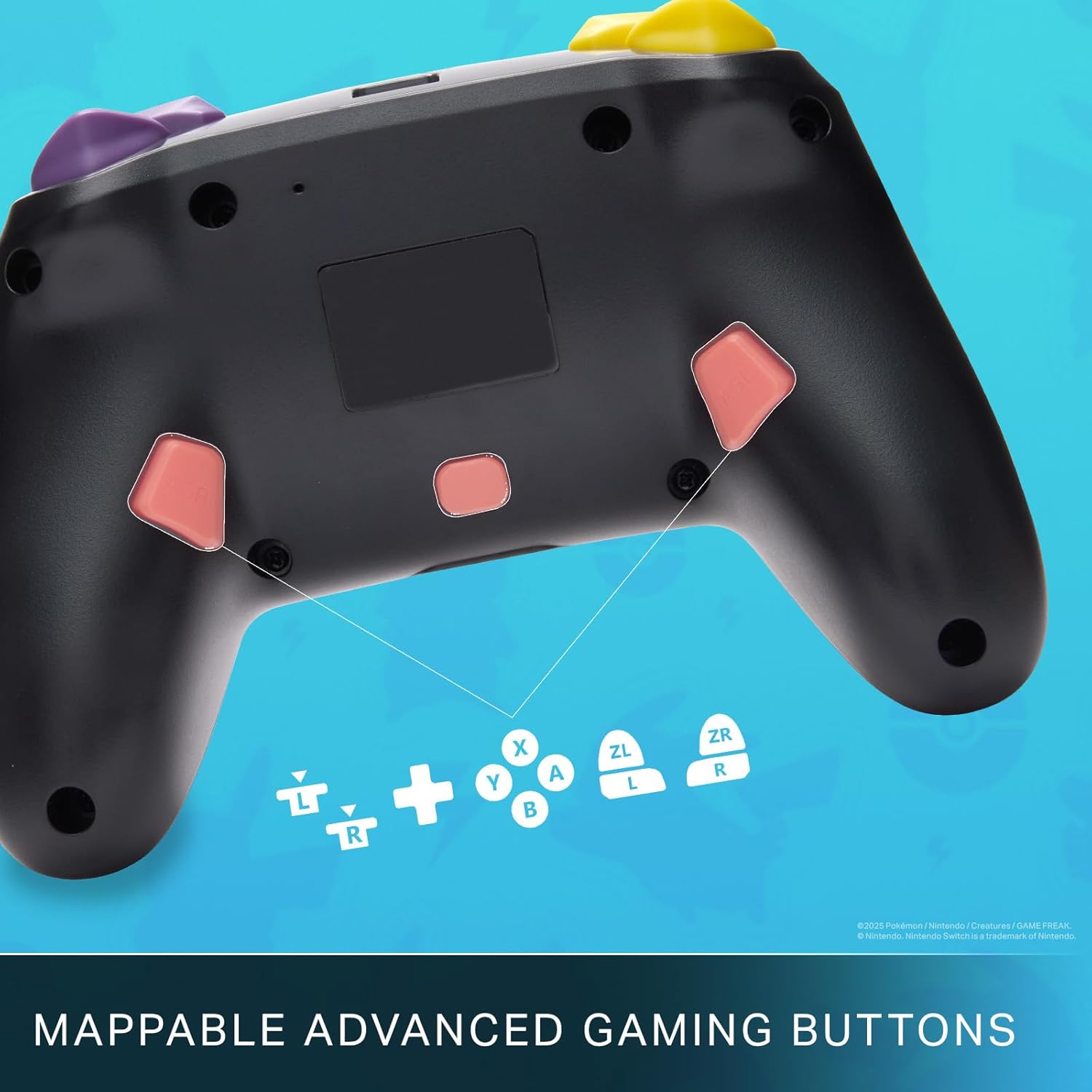
Mappable Advanced Gaming Buttons for personalized control.
תְאִימוּת
This PowerA Enhanced Wireless Controller is compatible with the following Nintendo consoles:
- Nintendo Switch
- Nintendo Switch Lite
- Nintendo Switch (OLED Model)
- Nintendo Switch 2 (Note: C button not available)

The controller is compatible with Nintendo Switch 2, though the C button functionality is not available.
מפרטים
| תכונה | פְּרָט |
|---|---|
| מכשירים תואמים | Nintendo Switch |
| סוג בקר | Gamepad |
| טכנולוגיית קישוריות | בלוטות', USB |
| תכונות נוספות | ארגונומי, אלחוטי |
| כמות הכפתורים | 12 |
| פלטפורמת חומרה | קונסולת משחקים |
| מקור כוח | מופעל על סוללה (ליתיום-יון נטענת) |
| דגמי קונסולות משחקי וידאו תואמים | Nintendo Switch, Nintendo Switch Lite |
| משקל פריט | 0.68 פאונד |
| מידות פריט | 6.02 x 4.41 x 2.48 אינץ' |
| צֶבַע | Pikachu vs Gengar |
| שם הדגם | Pikachu vs. Gengar |
| מספר דגם | NSGP0420-01R |
טיפול ותחזוקה
- Keep the controller dry. Avoid exposure to moisture or extreme temperatures.
- נקו את הבקר בעזרת מטלית רכה ויבשה. אין להשתמש בכימיקלים חזקים או בחומרים שוחקים.
- יש לאחסן את הבקר במקום בטוח כאשר אינו בשימוש כדי למנוע נזק.
פתרון בעיות
הבקר לא מתחבר:
- ודא שהבקר טעון במלואו.
- Verify the controller is within the Bluetooth range of your Nintendo Switch console.
- Attempt to re-pair the controller following the "Setup and Pairing" instructions.
כפתורים/ג'ויסטיקים לא מגיבים:
- בדוק אם יש חסימות פיזיות או פסולת סביב הכפתורים או הג'ויסטיקים.
- Perform a hard reset by holding the SYNC button for 10 seconds, then attempt to re-pair.
- Ensure the controller's firmware is up to date (check PowerA's official webאתר לעדכונים).
אחריות ותמיכה
This PowerA Enhanced Wireless Controller comes with a אחריות מוגבלת לשנתיים. For detailed warranty information, product support, and troubleshooting assistance, please visit the official PowerA support webאֲתַר: