
מָבוֹא
This manual provides comprehensive instructions for the TKOWTB MK321U Programmable Macro Mini Keyboard. Please read this manual carefully before using the product to ensure proper operation and to maximize its functionality. This device is designed to enhance your computing experience through customizable key functions for various applications, including gaming, multimedia control, and office tasks.
תכונות המוצר
- מקשים ניתנים לתכנות: Customize button functions for keyboard, mouse, multimedia, character strings, game functions, and macro definitions.
- מתגים מכניים: Features strong tactile feedback and crisp sound for a comfortable typing experience.
- עיצוב ארגונומי: Button curves are designed for comfortable use.
- רפידות נגד החלקה: Equipped with anti-slip pads on the bottom to prevent movement during use.
- יישום רחב: Suitable for various uses including office work, gaming, and multimedia control.
- תאימות מערכת: Key definition setting software is system-based and can be used across various operating systems after initial setup.
תוכן החבילה
אנא בדקו את תוכן החבילה בעת פתיחת הקופסה. אם חסרים פריטים או פגומים, צרו קשר עם תמיכת הלקוחות.
- 1 x TKOWTB MK321U Mini Keyboard
- 1 x כבל USB (סוג C)

Image: The TKOWTB MK321U Mini Keyboard shown with its included USB cable. The keyboard features three large, white mechanical keys and a Type-C port for connection.
הוראות התקנה
- חבר את המקלדת: Insert the Type-C end of the provided USB cable into the port on the mini keyboard.
- התחבר למחשב: חבר את קצה הכבל מסוג USB-A הסטנדרטי ליציאת USB זמינה במחשב שלך.
- התקנת דרייבר: המקלדת היא בדרך כלל מסוג "חבר והפעל". מערכת ההפעלה שלך אמורה לזהות ולהתקין באופן אוטומטי את מנהלי ההתקנים הדרושים.
- Software Installation (for Programming): To customize key functions, you will need to download and install the dedicated key definition setting software from the manufacturer's official website. (Note: For Linux or macOS users, initial setup and programming must be done on a compatible system, then the device can be used on your preferred OS.)

תמונה: תקריב view of the TKOWTB MK321U Mini Keyboard's ports, showing the Type-C input and an adjacent switch. This illustrates where to connect the USB cable for power and data transfer.
הוראות הפעלה
פעולה בסיסית
Once connected, the mini keyboard will function according to its default settings or previously programmed configurations. Pressing a key will execute its assigned function.
Programming Key Functions
The primary feature of the MK321U is its programmability. Follow these steps to customize key functions:
- הורדת תוכנה: Obtain the key definition setting software from the official TKOWTB webאֲתַר.
- להתקין תוכנה: פעל לפי ההוראות שעל המסך כדי להתקין את התוכנה במחשב שלך.
- הפעלת תוכנת: Open the installed programming software.
- חיבור מקלדת: Ensure your MK321U keyboard is connected to the computer. The software should detect the device.
- בחר מפתח: Within the software interface, select the key you wish to program.
- Assign Function: Choose from the available function types:
- פונקציית מקלדת: Assign standard keyboard keys (e.g., A, Ctrl, Shift, Enter).
- פונקציית עכבר: Assign mouse clicks (left, right, middle), scroll up/down, etc.
- פונקציית מולטימדיה: Assign media controls (e.g., Play/Pause, Volume Up/Down, Mute).
- Character String Function: Assign a sequence of characters to be typed with a single press.
- Game Function: Assign specific game commands.
- Macro Definition Function: Record and assign a complex sequence of key presses and delays.
- שמור תצורה: After assigning functions, save the configuration to the keyboard's onboard memory. This allows the settings to persist even when connected to different computers without the software.

Image: The TKOWTB MK321U Mini Keyboard with graphical overlays indicating its key features: good-quality material, multifunctional use, and ease of use. A prominent note highlights that all keys are programmable.

Image: A hand interacting with the TKOWTB MK321U Mini Keyboard, emphasizing its standard as a mini keyboard. Icons illustrate its sensitive switches, smooth linear typing experience, and lower sound profile.
תַחזוּקָה
Proper maintenance ensures the longevity and optimal performance of your mini keyboard.
- ניקוי: השתמשו במטלית רכה ויבשה כדי לנגב את פני השטח של המקלדת. במקרה של לכלוך עיקש, נגבו מעטampשטפו את המטלית במים או בתמיסת ניקוי עדינה. הימנעו מלחות מוגזמת.
- הימנע מנוזלים: Do not spill liquids directly onto the keyboard. If liquid contact occurs, immediately disconnect the keyboard and allow it to dry completely before reconnecting.
- אִחסוּן: יש לאחסן את המקלדת במקום קריר ויבש, הרחק מאור שמש ישיר וטמפרטורות קיצוניות.
- טפל בזהירות: הימנעו מהפלת המקלדת או מחשיפתה לפגיעות חזקות.
פתרון בעיות
If you encounter issues with your TKOWTB MK321U, refer to the following common problems and solutions:
- המקלדת לא מגיבה:
- ודא שכבל ה-USB מחובר היטב הן למקלדת והן למחשב.
- נסה לחבר את המקלדת ליציאת USB אחרת במחשב שלך.
- בדוק את המקלדת במחשב אחר כדי לשלול בעיות ספציפיות למערכת.
- הפעל מחדש את המחשב.
- Keys Not Performing Assigned Functions:
- Verify that the key definition setting software was used to save the configuration to the keyboard.
- ודא שהתוכנה מעודכנת.
- If using on Linux or macOS, confirm that the programming was done on a compatible Windows system first.
- Try resetting the keyboard to factory defaults via the software and reprogram the keys.
- תוכנה לא מזהה מקלדת:
- Make sure the keyboard is properly connected via USB.
- סגור ופתח מחדש את תוכנת התכנות.
- Reinstall the programming software.
- Check your computer's device manager to see if the keyboard is recognized.
מפרטים
| מותג | TKOWTB |
| שם הדגם | MK321U (500757523) |
| צֶבַע | לָבָן |
| חוֹמֶר | פּלָסטִי |
| מידות המוצר | 3.15 x 2.36 x 1.57 אינץ' (8 x 6 x 4 ס"מ) |
| משקל פריט | 2.47 אונקיות (70 גרם) |
| קישוריות | USB Type-C |
| יכולת תכנות | All keys programmable via dedicated software |

Image: A close-up of the TKOWTB MK321U Mini Keyboard next to a laptop, highlighting its Type-C charging port and rechargeable design, indicating modern connectivity and power options.

Image: A collage showing the TKOWTB MK321U Mini Keyboard being used in different environments: an office setting, a laboratory, and a gaming setup, demonstrating its wide scope of application.
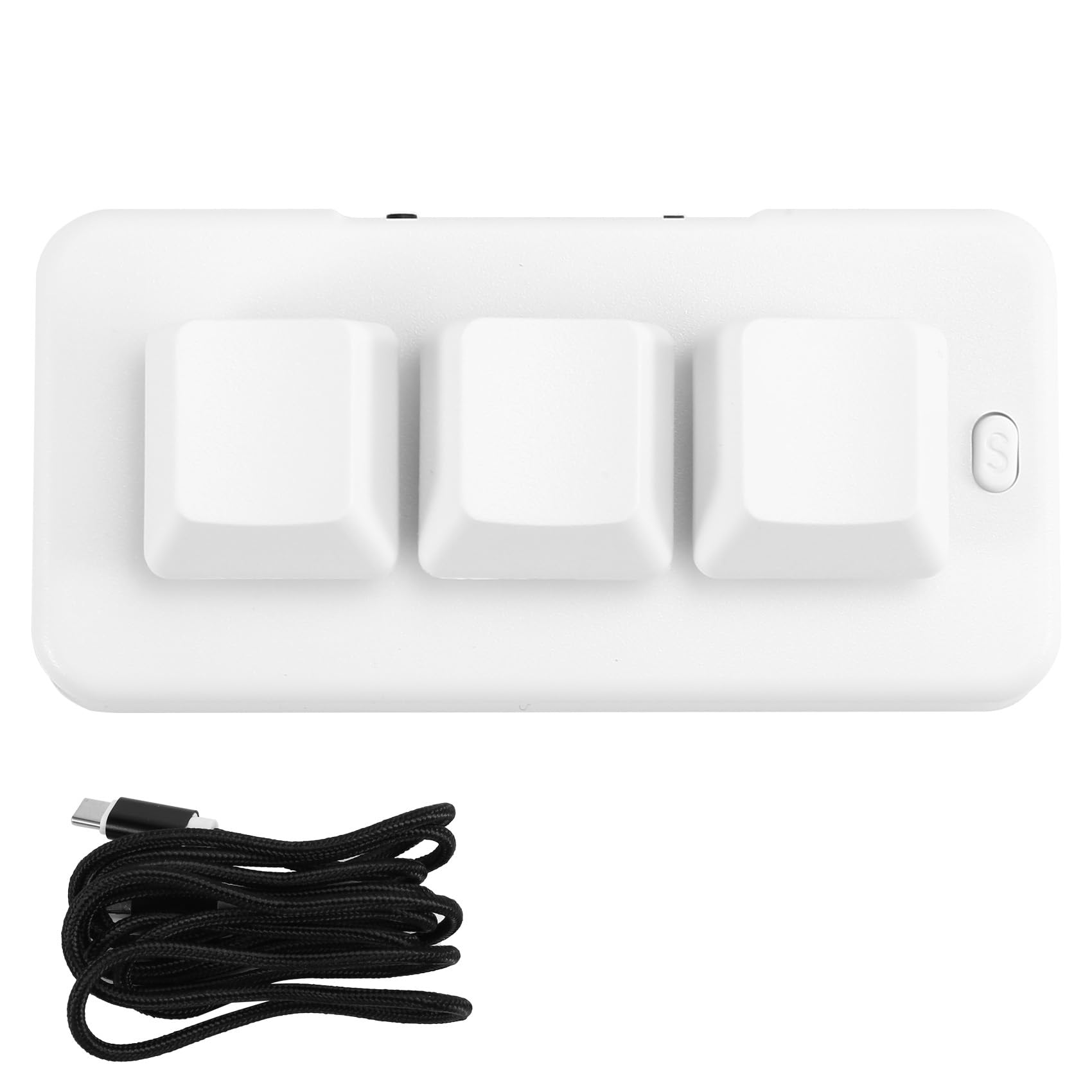
Image: A person placing the TKOWTB MK321U Mini Keyboard into a small carrying pouch, illustrating its compact and portable design, making it easy to transport.
אחריות ותמיכה
For warranty information, please refer to the documentation included with your purchase or visit the official TKOWTB website. Support resources, including FAQs and contact information, can also be found on the manufacturer's webאֲתַר.
יַצרָן: TKOWTB
Webאֲתַר: TKOWTB Official Page (via Amazon)