
מָבוֹא
Thank you for choosing the CREATE Speaker Retro. This portable Bluetooth speaker combines a classic retro design with modern audio technology, offering versatile connectivity and powerful sound. This manual will guide you through the setup, operation, and maintenance of your new speaker to ensure optimal performance and longevity.

Image: The CREATE Speaker Retro, highlighting its elegant retro aesthetic and compact form factor.
הוראות בטיחות חשובות
- קרא בעיון את כל ההוראות לפני השימוש במוצר.
- שמור מדריך זה לעיון עתידי.
- Do not expose the speaker to water or excessive moisture. This product is לא עמיד למים.
- אין להניח ליד מקורות חום כגון רדיאטורים, אוגרי חום, תנורים או מכשירים אחרים (כולל ampמחצבים) המייצרים חום.
- השתמש רק בתוספות/אביזרים שצוינו על ידי היצרן.
- נתק את המכשיר מהחשמל במהלך סופות ברקים או כאשר אינו בשימוש לתקופות ארוכות.
- הפנה כל טיפול לצוות שירות מוסמך.
תוכן החבילה
The CREATE Speaker Retro package includes:
- CREATE Speaker Retro Portable Bluetooth Speaker (1 unit)
- כבל טעינה USB-C
- מדריך למשתמש (מסמך זה)
Controls and Ports Overview
הכירו את בקרות הרמקול ופתחי החיבור:

תמונה: מפורט view של לוח הבקרה העליון של הרמקול.
- ידית עוצמת הקול: מכוונן את עוצמת הקול הכוללת.
- כפתור בס: מכוון את רמת הבס.
- כפתור טרבל: מכוון את רמת הטרבל.
- מתג בורר קלט: Toggles between AUX, Bluetooth (BT), and USB input modes.
- מתג הפעלה: מפעיל/מכבה את הרמקול.
- כניסת AUX (3.5 מ"מ): For connecting external audio devices via an audio cable.
- יציאת USB: להשמעת כונן USB.
- DC-IN 5V Port: לטעינת הרמקול.
- נורית חיווי: מציג את מצב ההפעלה, מצב הטעינה ומצב צימוד Bluetooth.
הגדרה
1. טעינת הרמקול
Before first use, fully charge the speaker. Connect the provided USB-C charging cable to the DC-IN 5V port on the speaker and the other end to a compatible USB power adapter (not included) or a computer's USB port. The indicator light will show the charging status. A full charge takes approximately 4-5 hours.
- טְעִינָה: Indicator light glows (color may vary).
- טעון מלא: Indicator light turns off or changes color.
2. הפעלה / כיבוי
To power on the speaker, flip the מתג הפעלה to the "ON" position. To power off, flip the switch to the "OFF" position.
הוראות הפעלה
1. מצב Bluetooth
The speaker features Bluetooth 5.2 for wireless audio streaming with a range of up to 10 meters.
- הפעל את הרמקול.
- הגדר את מתג בורר קלט to "BT/AUX" and then ensure it's in Bluetooth mode (indicator light will blink, indicating pairing mode).
- בטלפון החכם, בטאבלט או במכשיר אחר התומך ב-Bluetooth, הפעל את Bluetooth וחפש מכשירים זמינים.
- Select "CREATE Speaker Retro" from the list.
- Once paired, the indicator light will stop blinking and remain solid. You can now play music wirelessly.
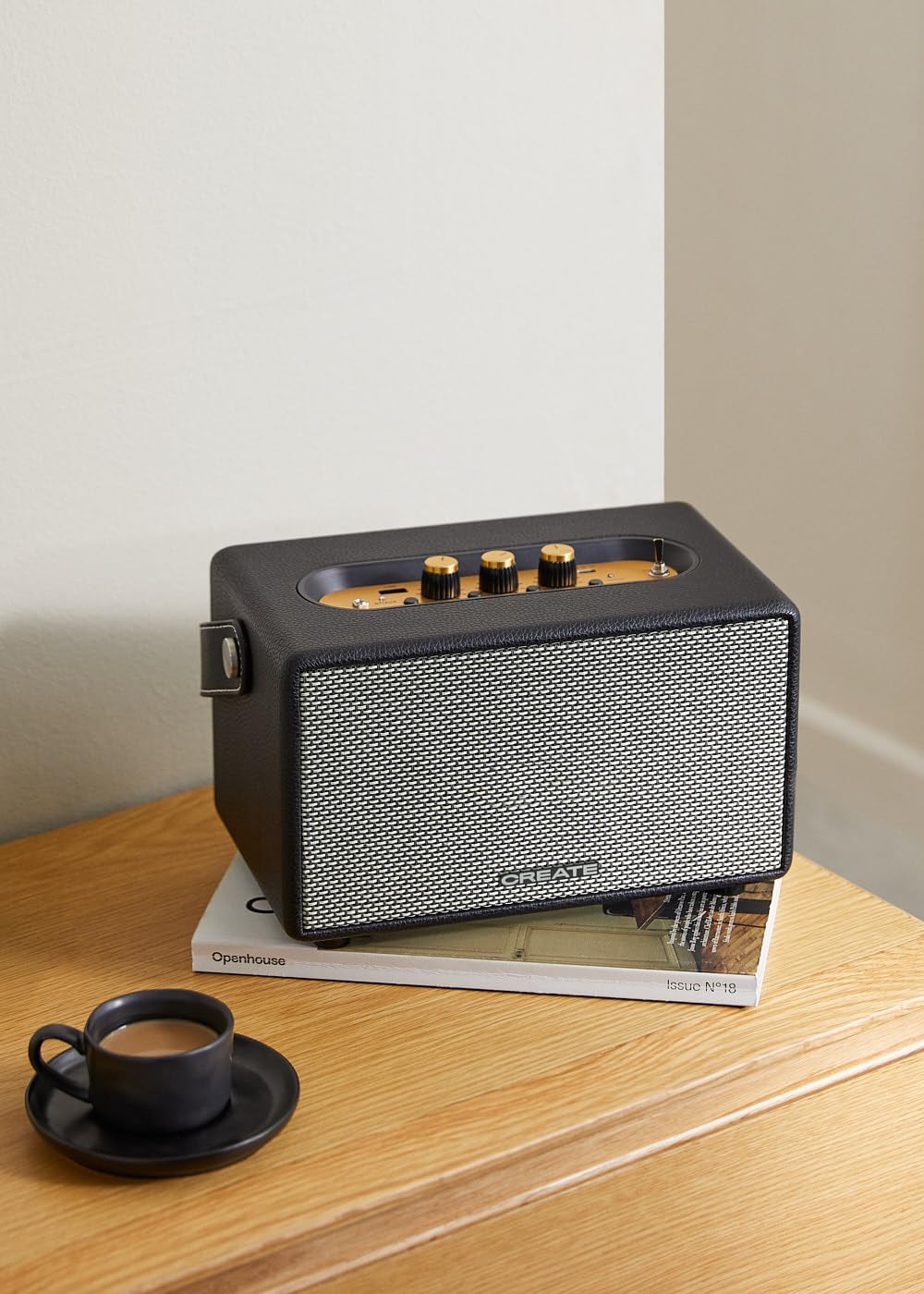
Image: Connecting to the speaker via Bluetooth from a mobile device.
2. מצב השמעה באמצעות USB
הפעל אודיו files ישירות מכונן הבזק מסוג USB.
- הפעל את הרמקול.
- הכנס כונן הבזק מסוג USB המכיל אודיו files לתוך יציאת USB.
- הגדר את מתג בורר קלט to "USB". The speaker will automatically begin playing music from the USB drive.

Image: Inserting a USB drive for direct audio playback.
3. מצב קלט AUX
חברו התקני שמע חיצוניים באמצעות כבל שמע 3.5 מ"מ.
- הפעל את הרמקול.
- חבר קצה אחד של כבל שמע 3.5 מ"מ (לא כלול) ל- כניסת AUX יציאה ברמקול.
- חבר את הקצה השני של הכבל לשקע האוזניות או ליציאת השמע של המכשיר החיצוני שלך (למשל, נגן MP3, מחשב נייד).
- הגדר את מתג בורר קלט to "AUX". The speaker will now play audio from your connected device.
4. התאמת סאונד
Use the dedicated knobs on the control panel to fine-tune your audio experience:
- סובב את ה כפתור עוצמת הקול to increase or decrease the overall sound level.
- סובב את ה ידית בס to adjust the low-frequency sounds.
- סובב את ה ידית טרבל to adjust the high-frequency sounds.
תַחזוּקָה
ניקוי
To clean the speaker, use a soft, dry cloth. Do not use abrasive cleaners, waxes, or solvents as they may damage the finish. Avoid spraying liquids directly onto the speaker.
אִחסוּן
כאשר הרמקול אינו בשימוש למשך תקופות ממושכות, יש לאחסן אותו במקום קריר ויבש הרחק מאור שמש ישיר וטמפרטורות קיצוניות. יש לוודא שהרמקול טעון במלואו לפני האחסון כדי לשמור על תקינות הסוללה.
טיפול בסוללה
The speaker is equipped with a built-in rechargeable battery. To maximize battery life:
- הימנעו מפריקת הסוללה באופן מלא לעתים קרובות.
- Recharge the battery regularly, even if the speaker is not used often.
- Do not expose the speaker to temperatures above 45°C (113°F) or below 0°C (32°F).
פתרון בעיות
If you encounter any issues with your CREATE Speaker Retro, please refer to the following common problems and solutions:
| בְּעָיָה | סיבה אפשרית | פִּתָרוֹן |
|---|---|---|
| הרמקול לא נדלק. | הסוללה התרוקנה. | Charge the speaker for 4-5 hours using the USB-C cable. |
| אין קול מהרמקול. | עוצמת הקול נמוכה מדי; מצב קלט שגוי; המכשיר אינו מחובר כראוי. | Increase volume. Ensure the correct input mode (BT, USB, AUX) is selected. Reconnect Bluetooth device or AUX cable. |
| התאמת Bluetooth נכשלה. | Speaker is not in pairing mode; device is out of range; interference. | Ensure speaker is in Bluetooth pairing mode (blinking indicator). Move device closer to speaker (within 10m). Turn off other Bluetooth devices. |
| ניגון USB לא עובד. | Incorrect input mode; USB drive not formatted correctly or no compatible files. | Ensure "USB" input mode is selected. Check USB drive for compatible audio files (e.g., MP3). Try a different USB drive. |
| Play/Pause button not responding. | Potential hardware issue or software glitch. | Restart the speaker. If the issue persists, contact customer support. (Note: A user review mentioned this issue.) |
מפרטים
| שם הדגם | SPEAKER RETRO |
| מספר דגם | 181643_452174 |
| מידות (D x B x H) | 17 x 26 x 15 ס"מ |
| מִשׁקָל | 2.5 ק"ג |
| Max. Speaker Output Power | 40 W |
| מצב פלט שמע | סטריאו (2.0 ערוץ) |
| טכנולוגיית קישוריות | בלוטות' 5.2, USB, AUX (3.5 מ"מ) |
| טווח בלוטות' | עד 10 מטר |
| קיבולת סוללה | 3000 מיליאמפר/שעה |
| חיי סוללה | עד 5 שעות (בהתאם לשימוש) |
| זמן טעינה | כ. 4-5 שעות |
| שיטת בקרה | Touch (knobs and switches) |
| צֶבַע | שָׁחוֹר |
| אֲטִימוּת | לֹא |
אחריות ותמיכה
מידע על אחריות
The CREATE Speaker Retro comes with a standard manufacturer's warranty. Please retain your proof of purchase for warranty claims. The warranty covers defects in materials and workmanship under normal use. It does not cover damage caused by misuse, accidents, unauthorized modifications, or exposure to water.
For specific warranty terms and conditions, please refer to the warranty card included with your product or contact CREATE customer service.
תמיכת לקוחות
If you have any questions, require technical assistance, or need to report an issue that cannot be resolved using the troubleshooting guide, please contact CREATE customer support.
You can find more information and contact details on the official CREATE webאתר או דרך חנות המותג שלהם באמזון: