
1. הקדמה
The JLab JBuds Mini Tones are true wireless Bluetooth earbuds designed for compact size and robust performance. These earbuds offer a range of features to enhance your audio experience, whether for music, podcasts, or calls.
תכונות מפתח כוללות:
- עיצוב קומפקטי: Significantly smaller earbuds and charging case for enhanced portability.
- זמן משחק מורחב: Up to 5.5 hours per earbud, with a total of 20 hours using the charging case.
- Bluetooth Multipoint: Seamlessly connect and switch between two devices simultaneously.
- דירוג IP55: Sweat and dustproof for durability during active use.
- התאמה אישית של אפליקציית JLab: Personalize sound settings, touch controls, and Be Aware Audio.
- אודיו שימו לב: Allows ambient noise to be heard for situational awareness.
- שיחות ברורות: MEMS microphones in each earbud reduce background noise for clear communication.

Figure 1.1: JLab JBuds Mini Tones Earbuds and Charging Case.
2. מה בקופסה
Your JLab JBuds Mini Tones package includes the following items:
- JBuds Mini Earbuds
- נרתיק טעינה אלחוטי
- 3 Sets of Silicone Gel Tips (various sizes)
- מדריך למשתמש (מסמך זה)
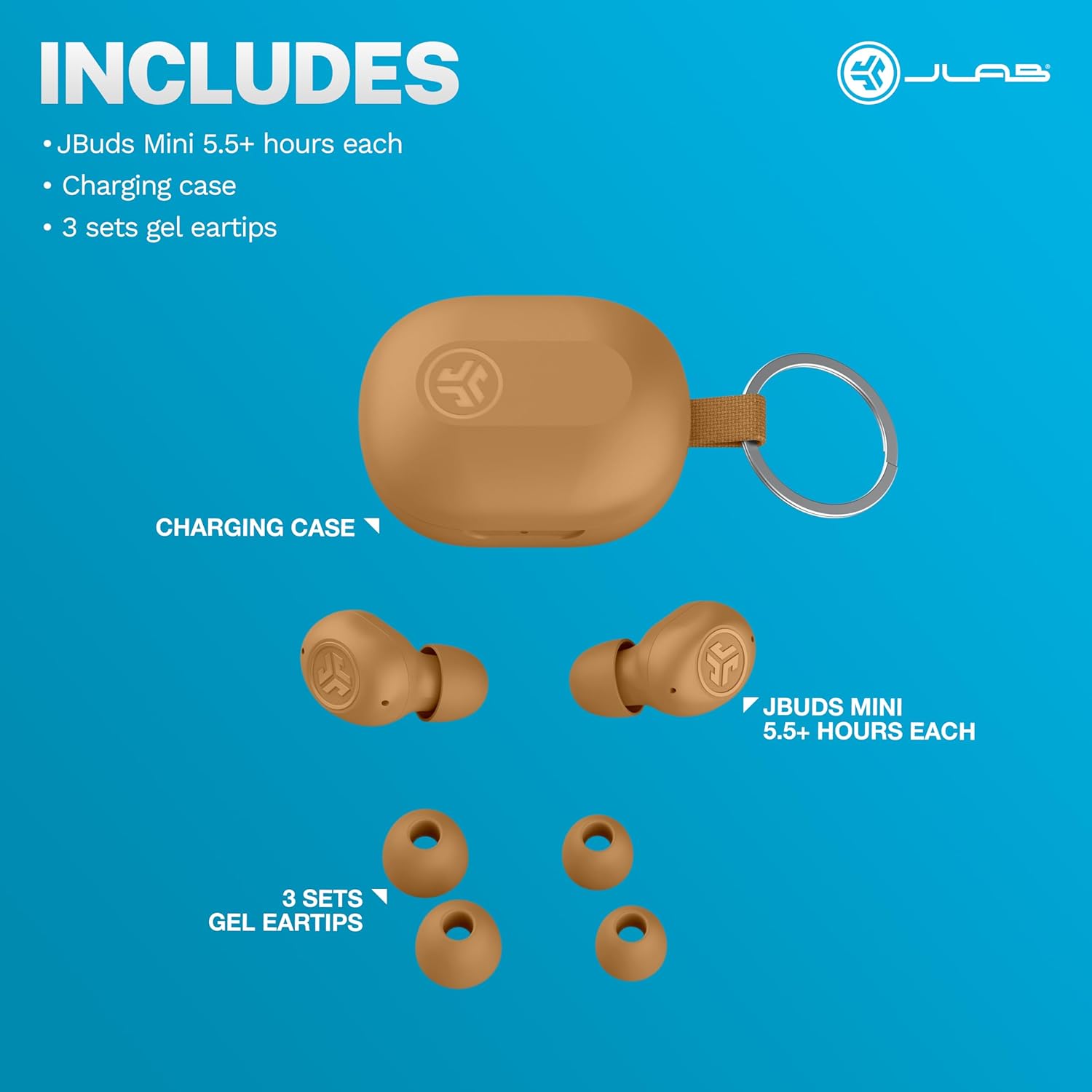
Figure 2.1: Included components: JBuds Mini earbuds, charging case, and three sets of silicone gel tips.
3. התקנה
3.1 טעינת האוזניות והנרתיק
Before first use, fully charge your JBuds Mini. The charging case provides additional power for on-the-go use.
- הנח את האוזניות במארז הטעינה.
- Connect the charging case to a USB-C power source using the provided cable.
- The earbuds offer approximately 5.5 hours of playtime, with the charging case extending total playtime to 20 hours.
3.2 צימוד ראשוני
כדי לקשר את ה-JBuds Mini שלך למכשיר:
- הוציאו את שתי האוזניות ממארז הטעינה. הן ייכנסו אוטומטית למצב צימוד.
- On your device (smartphone, laptop, etc.), open Bluetooth settings.
- Select "JBuds Mini" from the list of available devices.
- לאחר החיבור, תשמעו הנחיה קולית המאשרת את ההתאמה המוצלחת.
חיבור Bluetooth רב-נקודתי 3.3
The JBuds Mini support Bluetooth Multipoint, allowing simultaneous connection to two devices.
- Pair with your first device as described in section 3.2.
- השבת את ה-Bluetooth במכשיר הראשון. האוזניות ייכנסו מחדש למצב צימוד.
- התאם עם המכשיר השני שלך.
- Re-enable Bluetooth on the first device. The earbuds will now be connected to both devices.
- האודיו יעבור אוטומטית בין מכשירים בהתבסס על השמעה פעילה.
3.4 התאמה אופטימלית
Selecting the correct ear tip size is crucial for comfort and sound quality. Experiment with the three included silicone gel tip sizes to find the best fit for your ears.

Figure 3.1: The compact design of the JBuds Mini ensures a discreet and comfortable fit.
Video 3.1: A user demonstrates the unboxing and size comparison of JBuds Mini with other earbuds, highlighting their compact nature.
4. הוראות הפעלה
4.1 פקדי מגע
The JBuds Mini feature intuitive touch controls on each earbud for managing playback, calls, and sound modes. Specific functions can be customized via the JLab App.
4.2 JLab App Customization
הורידו את אפליקציית JLab כדי לנצל את מלוא הפוטנציאל של ה-JBuds Mini שלכם. האפליקציה מאפשרת לכם:
- Adjust Be Aware Audio levels.
- התאמה אישית של פקדי מגע.
- Select from preset EQ sound settings (JLab Signature, Balance, Bass Boost) or create custom profiles.
- Enable safe hearing options with volume limits.
- קבל עדכוני תוכנה לאוזניות שלך.

Figure 4.1: Customize your sound and controls using the JLab App.
4.3 אודיו מודע
Activate Be Aware Audio to allow ambient sounds to pass through, keeping you connected to your surroundings. This feature is ideal for outdoor activities or when you need to hear conversations while listening to audio.

Figure 4.2: Be Aware Audio allows you to hear your surroundings for safe listening.
4.4 שיחות צלולות
Each JBuds Mini earbud is equipped with a MEMS microphone designed to minimize background noise, ensuring your voice is transmitted clearly during calls. You can use either earbud independently for calls or both together.
5. תחזוקה
5.1 ניקוי
Regularly clean your earbuds and charging case to maintain optimal performance and hygiene. Use a soft, dry cloth to wipe down the surfaces. For ear tips, remove them and clean with mild soap and water, ensuring they are completely dry before reattaching.
5.2 עמידות למים ולאבק (IP55)
The JBuds Mini are rated IP55, meaning they are protected against dust ingress and low-pressure water jets from any direction. This makes them suitable for workouts and light rain. However, they are not designed for submersion in water.

Figure 5.1: The IP55 rating ensures durability against sweat and dust.
6. פתרון תקלות
If you encounter issues with your JBuds Mini, refer to the following common solutions:
6.1 Connectivity Issues (Sound Breaking Up)
If the audio connection is unstable or breaks up, ensure your earbuds are within close proximity to your connected device. Obstacles between the earbuds and the device can interfere with the Bluetooth signal. Try moving closer to your device or removing any potential obstructions.
6.2 Accidental Control Activation
If touch controls are accidentally triggered, particularly when lying down or adjusting the earbuds, ensure they are seated correctly in your ear. The JLab App allows for customization of touch controls, which may help mitigate unintended activations.
Video 6.1: A user highlights the comfort of JBuds Mini for side sleepers, indicating minimal pressure on the ear.
Video 6.2: A user demonstrates the comfortable fit of the JBuds Mini, suitable for various activities including lying down.
6.3 אזהרת סוללה חלשה
The earbuds provide subtle audio warnings when the battery is low, allowing ample time to place them back in the charging case before they power off.
7. מפרטים
| תכונה | מִפרָט |
|---|---|
| שם הדגם | JBuds Mini |
| טכנולוגיית קישוריות | אלחוטי (Bluetooth) |
| גרסת בלוטות' | 4.0 |
| רמת עמידות במים | IP55 (עמיד בפני זיעה ואבק) |
| חיי סוללה (אוזניות) | 5.5 שעות |
| זמן משחק כולל (עם נרתיק) | 20 שעות |
| זמן טעינה | 5.5 Hours (for case, likely refers to total charge time for case + earbuds) |
| סוג בקרה | מגע, בקרת עוצמת קול |
| תכונות בקרת רעש | Be Aware Audio, Sound Isolation |
| מכשירים תואמים | Mobile Phones, Laptops, Computers |
| משקל פריט | 0.04 קילוגרם (1.44 אונקיות) |
| חוֹמֶר | פּלָסטִי |
| UPC | 810119073532 |
8. אחריות ותמיכה
8.1 מידע אחריות
Your JLab JBuds Mini Tones True Wireless Bluetooth Earbuds come with a JLab Two Year Warranty. Please refer to the official JLab webבאתר או במסמכי הרכישה שלך לקבלת תנאי האחריות המלאים.
8.2 תמיכת לקוחות
For further assistance, technical support, or warranty claims, please visit the official JLab support page or contact their customer service directly.
בקר ב חנות JLab באמזון למידע נוסף.