
1. הקדמה
Thank you for choosing the EuroFone S3 Plus Motorcycle Intercom with 2K HD Camera. This device is designed to enhance your riding experience by providing seamless communication, high-definition video recording, and entertainment features. Please read this manual carefully to understand the product's functions and ensure safe and optimal use.

Image 1.1: The EuroFone S3 Plus Intercom unit, showcasinהעיצוב הקומפקטי וחוגת הבקרה שלו.
2. תכולת החבילה
אנא ודא שכל הפריטים המפורטים להלן כלולים בחבילה שלך:
- 1 x EuroFone S3 Plus Bluetooth Host Unit
- 1 x כבל טעינה מסוג C
- 2 x Helmet Clips (1 Screw Clip, 1 Velcro Clip)
- 1 x Stereo Headset
- 1 x מדריך הוראות
- 2 x Microphones (1 Hard Mic for open-face helmets, 1 Soft Mic for full-face helmets)
3. המוצר נגמרview
Familiarize yourself with the various parts and controls of your S3 Plus intercom unit.

Image 3.1: Detailed diagram of the S3 Plus unit with numbered components.
| לֹא. | רְכִיב | פוּנקצִיָה |
|---|---|---|
| 1 | עדשת מצלמה | Captures 2K HD video footage. |
| 2 | כפתור אינטרקום | Activates and manages intercom communication. |
| 3 | לחצן הקלטה | מתחיל ומפסיק הקלטת וידאו. |
| 4 | כפתור Wi-Fi | Activates Wi-Fi for app connection and file לְהַעֲבִיר. |
| 5 | חיוג סיבובי | Adjusts volume, navigates menus, and controls music playback. |
| 6 | כפתור רב תכליתי | Manages phone calls, voice assistant, and other features. |
| 7 | כפתור הפעלה | מפעיל/כיבוי המכשיר. |
| 8 | TF Card / Reset Button | Slot for microSD card; press and hold for reset. |
| 9 | Earphone Mic Jack | Connects the stereo headset and microphone. |
| 10 | Charging Port / K-Line Plug | יציאת Type-C לטעינה והעברת נתונים. |
4. התקנה
4.1. התקנת קסדה
The S3 Plus can be mounted on most helmets using either the screw clip or the Velcro clip.
- Choose Clip Type: Select the screw clip for a more permanent attachment or the Velcro clip for easier removal.
- מיקום: Attach the clip to the left side of your helmet, ensuring it is securely fastened and does not obstruct your vision or helmet functionality.
- הרכבת היחידה: Slide the S3 Plus host unit onto the installed clip until it clicks into place.
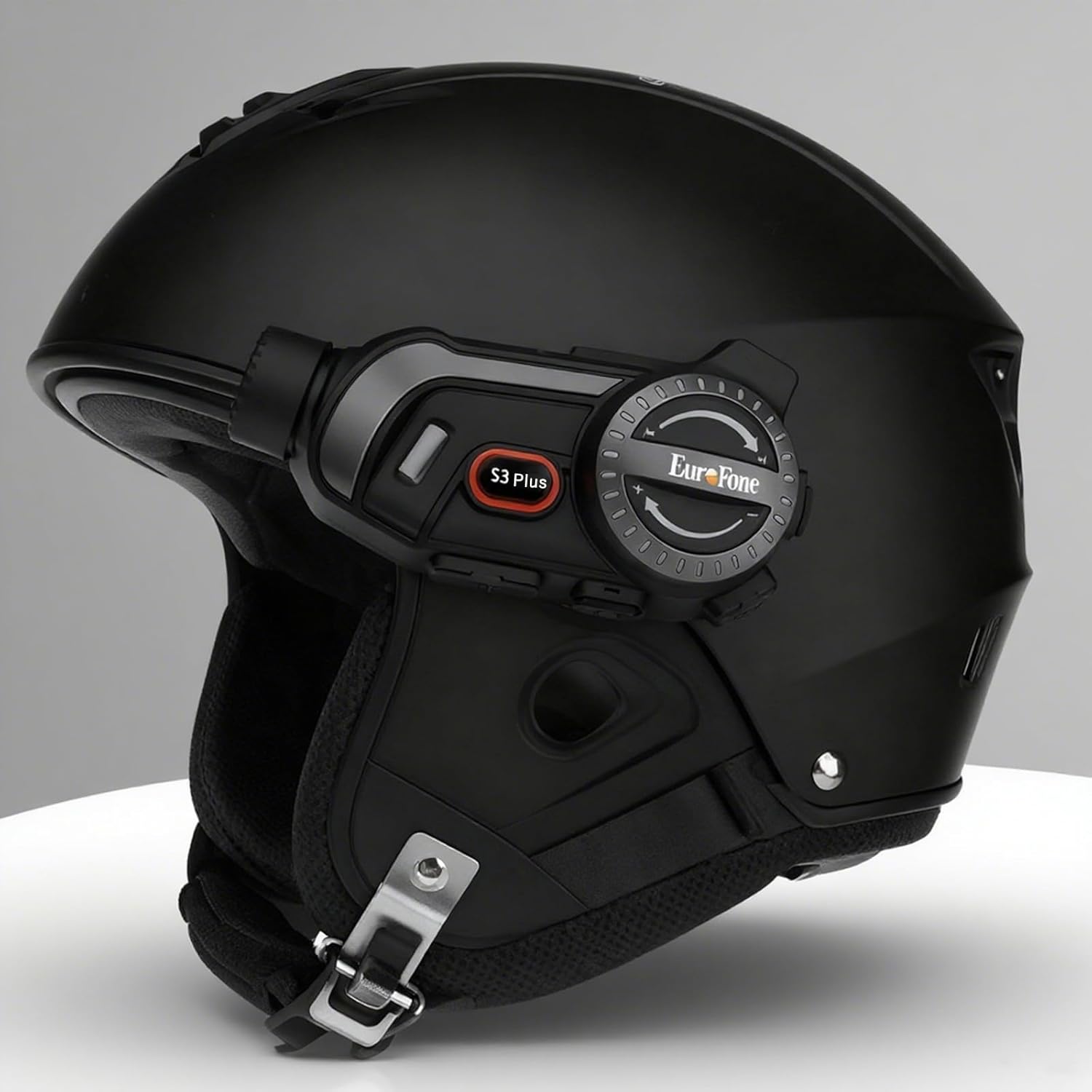
Image 4.1: The S3 Plus intercom unit securely attached to the side of a helmet.
4.2. Headset and Microphone Connection
Connect the stereo headset and microphone to the S3 Plus unit.
- התקנת רמקולים: Place the headset speakers inside the helmet's ear pockets, ensuring they are aligned with your ears for optimal sound.
- בחר מיקרופון: Choose the hard mic for open-face helmets or the soft mic for full-face helmets. Attach the microphone to the inside of the helmet near your mouth.
- חיבור ליחידה: Plug the headset and microphone cable into the Earphone Mic Jack (9) on the S3 Plus unit.
4.3. טעינת ההתקן
Before first use, fully charge the S3 Plus unit.
- חיבור כבל: Insert the Type-C charging cable into the Charging Port (10) on the S3 Plus unit.
- מקור כוח: חבר את הקצה השני של הכבל לספק כוח USB (לא כלול) או ליציאת USB של מחשב.
- מחוון טעינה: מחוון ה-LED יציג את מצב הטעינה. טעינה מלאה אורכת כשעתיים.
4.4. הפעלה/כיבוי
- הפעלה: Press and hold the Power Button (7) for approximately 3 seconds until the LED indicator lights up and you hear a voice prompt.
- כיבוי: Press and hold the Power Button (7) for approximately 3 seconds until the LED indicator turns off and you hear a voice prompt.
5. הוראות הפעלה
5.1. זיווג Bluetooth
Pair your S3 Plus with your smartphone or other Bluetooth devices.
- היכנסו למצב התאמה: With the S3 Plus powered off, press and hold the Power Button (7) for about 5-7 seconds until the LED indicator flashes red and blue alternately, indicating pairing mode.
- אפשר Bluetooth: בטלפון החכם או במכשיר, הפעל את Bluetooth וחפש מכשירים זמינים.
- תבחר מכשיר: Select "EuroFone S3 Plus" from the list of found devices. If prompted, enter "0000" as the PIN.
- אִשׁוּר: Once paired, the LED indicator will flash blue slowly, and you will hear a voice confirmation.

Image 5.1: Illustration of Bluetooth 5.1 connectivity and extended battery performance.
5.2. פונקציית אינטרקום
The S3 Plus supports both two-way and multi-person group intercom communication.
- אינטרקום דו כיווני: To initiate a direct intercom call with another S3 Plus unit, ensure both units are powered on and within range (up to 2000m in open terrain). Briefly press the Intercom Button (2) on one unit. The units will connect automatically.
- Group Intercom (Up to 6 Riders): The S3 Plus supports simultaneous communication for up to 6 riders. Follow the pairing instructions in the manual for multi-unit connection. The system features automatic reconnection, so if a rider goes out of range, they will automatically rejoin the conversation when back in range.

Image 5.2: Visual representation of up to 6 riders engaged in group intercom communication.
5.3. תפעול מצלמה
Record your rides in 2K HD quality.
- הכנס כרטיס TF: Ensure a microSD (TF) card (Class 10 or higher, up to 128GB) is inserted into the TF Card slot (8) before recording.
- התחל/הפסק הקלטה: Briefly press the Record Button (3) to start recording. The LED indicator will change to confirm recording is active. Press again to stop recording.
- הקלטת לולאה: The S3 Plus supports loop recording, automatically overwriting the oldest files כאשר כרטיס הזיכרון מלא.
- Wi-Fi App Connection: Press the Wi-Fi Button (4) to activate the unit's Wi-Fi. Connect your smartphone to the S3 Plus Wi-Fi network (details in the dedicated app manual). Use the companion app to view פו חיtage, playback recordings, and download files.

Image 5.3: Details on 2K video resolution (2560*1440) and the 135° wide-angle lens for comprehensive capture.
5.4. השמעה ושיתוף של מוזיקה
Enjoy music from your paired smartphone and share it with another rider.
- הפעל/השהה: Briefly press the Multi-function Button (6) to play or pause music.
- התאמת עוצמת הקול: Rotate the Rotary Dial (5) clockwise to increase volume, counter-clockwise to decrease volume.
- הרצועה הבאה / הקודמת: Press the Rotary Dial (5) forward or backward to skip tracks.
- שיתוף מוזיקה: While music is playing, activate the music sharing function (refer to the full manual for specific button combinations) to share your audio with a connected intercom unit.

Image 5.4: Two riders enjoying shared music during their journey, illustrating the music sharing feature.
5.5. רדיו FM
Tune into FM radio stations for news, weather, and entertainment.
- הפעל רדיו FM: Press and hold the Intercom Button (2) for approximately 2 seconds to turn on the FM radio.
- תחנות סריקה: Briefly press the Rotary Dial (5) forward or backward to scan for the next or previous available station.
- כיבוי רדיו FM: Press and hold the Intercom Button (2) for approximately 2 seconds again to turn off the FM radio.

Image 5.5: A rider listening to FM radio, highlighting the integrated FM radio functionality.
5.6. עוזר קולי
Access your smartphone's voice assistant (e.g., Siri) hands-free.
- הפעל את Assistant Voice: Briefly press the Multi-function Button (6) twice to activate your paired smartphone's voice assistant.
- הנחיות קוליות: The S3 Plus supports voice prompts in Japanese, English, and Chinese, which can be switched as needed.

Image 5.6: Visualizing the voice assistant feature, HIFI audio quality, and key device statistics like weight and battery life.
5.7. שיחות טלפון
Manage incoming and outgoing phone calls safely while riding.
- תשובה לשיחה: When a call comes in, the S3 Plus will automatically answer after approximately 10 seconds, allowing for hands-free communication.
- סיום שיחה: Briefly press the Multi-function Button (6) to end an active call.
- דחה שיחה: Press and hold the Multi-function Button (6) for 2 seconds to reject an incoming call.
- חיוג חוזר למספר האחרון: Briefly press the Multi-function Button (6) twice to redial the last number.
6. תחזוקה
Proper maintenance ensures the longevity and performance of your S3 Plus intercom.
- ניקוי: השתמש רך, דamp מטלית לניקוי החלק החיצוני של היחידה. אין להשתמש בכימיקלים חזקים או בחומרי ניקוי שוחקים.
- חשיפה למים: The S3 Plus is IP67 waterproof. While it can withstand rain, avoid prolonged submersion in water or exposure to heavy downpours. If wet, wipe dry immediately with a towel.
- אִחסוּן: יש לאחסן את המכשיר במקום קריר ויבש, הרחק מאור שמש ישיר וטמפרטורות קיצוניות, כאשר אינו בשימוש.
- טיפול בסוללה: להשגת חיי סוללה אופטימליים, הימנעו מפריקה מלאה של הסוללה לעתים קרובות. טען את המכשיר באופן קבוע, גם אם אינו בשימוש למשך פרקי זמן ממושכים.
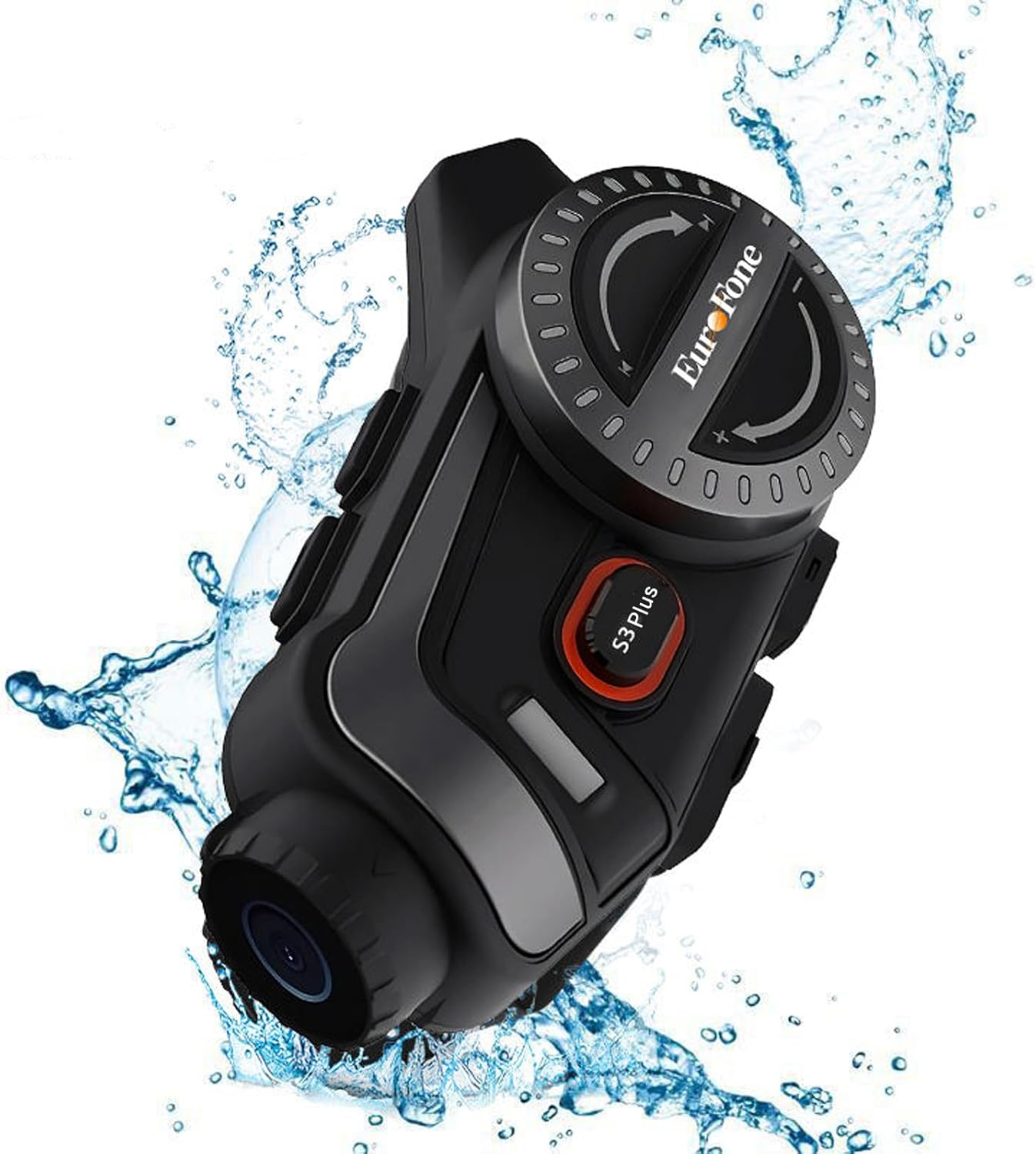
Image 6.1: The S3 Plus unit demonstrating its IP67 waterproof and dustproof capabilities.
7. פתרון תקלות
If you encounter issues with your S3 Plus, refer to the following common problems and solutions:
- המכשיר לא מופעל: Ensure the battery is charged. Connect to a charger and try again. If unresponsive, try a factory reset by pressing the Reset Button (8) with a small pin.
- לא ניתן להתאים עם סמארטפון: Ensure the S3 Plus is in pairing mode (flashing red and blue). Turn off and on your phone's Bluetooth. Clear previous Bluetooth connections on both devices and try again.
- בעיות חיבור אינטרקום: Ensure both intercom units are within range and fully charged. Re-initiate the intercom connection. Obstacles can reduce range.
- Poor Audio Quality (Intercom/Music): Check headset and microphone connections. Ensure speakers are correctly positioned in the helmet. The device features CVC8.0 and DSP dual noise cancellation for clear audio, but extreme wind noise can still affect quality.
- הקלטה לא עובדת: Ensure a compatible microSD (TF) card is inserted and has sufficient free space. Format the card if necessary (refer to app instructions or connect to PC).
- Wi-Fi App Connection Failure: Ensure the S3 Plus Wi-Fi is activated. Check your smartphone's Wi-Fi settings to confirm connection to the device's network. Ensure the app is up-to-date.
8. מפרטים
Key technical specifications of the EuroFone S3 Plus intercom:
| תכונה | מִפרָט |
|---|---|
| שם הדגם | S3 פלוס |
| מותג | EuroFone |
| צֶבַע | שָׁחוֹר |
| טכנולוגיית קישוריות | אלחוטי (בלוטות' 5.1) |
| גרסת בלוטות' | 5.1 |
| טווח אינטרקום | Up to 2000 meters (1500-2000m between 2 units) |
| אינטרקום קבוצתי | Up to 6 riders simultaneous talk |
| רזולוציית וידאו | 2K HD (1440p) |
| עדשת מצלמה | 135° Wide Angle, 14mm Sony HD F2.0 |
| הקלטת וידאו רציפה | עד 8 שעות |
| קיבולת סוללה | 2000mAh |
| זמן דיבור רציף | עד 45 שעות |
| זמן השמעת מוסיקה | עד 80 שעות |
| זמן המתנה | עד 1000 שעות |
| זמן טעינה | כשעה וחצי (סוג C) |
| דירוג עמיד למים | IP67 |
| ביטול רעשים | CVC8.0 & DSP Dual Noise Cancellation |
| תכונות מיוחדות | FM Radio, Music Sharing, Voice Assistant (Siri compatible), Auto-Answer Calls, Loop Recording, WiFi App Support, GPS Guidance Compatibility |
| מידות המוצר | 5.7 x 10.5 x 3.5 ס"מ |
| משקל המוצר | 0.45 ק"ג |
9. אחריות ותמיכה
The EuroFone S3 Plus Motorcycle Intercom comes with a 1-year warranty, affirming its quality and reliability. If you have any questions, concerns, or require technical assistance, please do not hesitate to contact our support team. We aim to respond within 24 hours.
For support, please refer to the contact information provided with your purchase or visit the official EuroFone webאֲתַר.