
1. הקדמה
Thank you for choosing the KOORUI N07 27-inch 4K UHD Monitor. This monitor is designed to provide a superior visual experience with its 3840x2160 resolution, IPS panel, 60Hz refresh rate, HDR10 support, and Adaptive Sync technology. This manual provides essential information for setting up, operating, and maintaining your monitor to ensure optimal performance and longevity. Please read this manual thoroughly before using the product.
2. מידע בטיחות
- יש להניח את הצג תמיד על משטח יציב ושטוח.
- אל תחסום פתחי אוורור.
- השתמשו רק במתאם החשמל שסופק על ידי היצרן.
- הרחק את הצג ממים ולחות מוגזמת.
- Avoid exposing the monitor to direct sunlight or high temperatures.
- נתק את כבל החשמל במהלך סופות ברקים או כאשר אינו בשימוש למשך תקופות ארוכות.
3. תכולת החבילה
אנא בדקו את תוכן האריזה בעת הפתיחה. אם חסרים פריטים או פגומים, צרו קשר עם הקמעונאי שלכם.
- KOORUI N07 27-inch 4K UHD Monitor
- מעמד למוניטור (בסיס וצוואר)
- מתאם חשמל וכבל חשמל
- כבל HDMI
- כבל DisplayPort
- מדריך למשתמש
4. Monitor Assembly and Setup
4.1 חיבור המעמד
- הנח בזהירות את הצג כשפניו כלפי מטה על מטלית רכה ונקייה כדי למנוע שריטות.
- חבר את צוואר המעמד לחלקו האחורי של הצג, תוך יישור נקודות ההרכבה.
- אבטחו את צוואר המעמד באמצעות הברגים המצורפים.
- Attach the stand base to the stand neck and tighten the thumb screw.

איור 4.1: אחורי view of the monitor showing VESA mount and tilt adjustment.
4.2 כבלים חיבור
The KOORUI N07 monitor offers versatile connectivity options. Ensure your computer is turned off before making any connections.
- חיבור חשמל: Connect the power adapter to the monitor's DC input port, then plug the power cable into a power outlet.
- חיבור וידאו: Connect one end of the HDMI or DisplayPort cable to the corresponding port on your computer's graphics card and the other end to an HDMI (HDMI1 or HDMI2) or DisplayPort (DP) input on the monitor.
- פלט שמע: If desired, connect external speakers or headphones to the 3.5mm audio output port on the monitor.

Figure 4.2: Connectivity options for the KOORUI N07 monitor.
4.3 הפעלה
After connecting all necessary cables, press the power button on the monitor to turn it on. The monitor will automatically detect the active input source.
5. הוראות הפעלה
5.1 תפריט תצוגה על המסך (OSD).
תפריט המסך מאפשר לך להתאים הגדרות שונות של הצג. השתמש בלחצנים הממוקמים בפינה הימנית התחתונה של הצג כדי לנווט ולבחור אפשרויות.
- לחצן הפעלה: מפעיל/כיבוי את הצג.
- לחצן תפריט: פותח את תפריט ה-OSD.
- לחצני ניווט: משמש למעבר בין אפשרויות תפריט והתאמת ערכים.
- לחצן יציאה: יוצא מתפריט המסך.
5.2 הגדרות מפתח במסך
- הגדרות תמונה: כוונן את הבהירות, הניגודיות, החדות וטמפרטורת הצבע.
- מצבי צבע: Select from various preset modes like Standard, Movie, Game, and Eye Care.
- מקור קלט: Manually select between HDMI1, HDMI2, or DisplayPort inputs.
- סנכרון אדפטיבי: Enable or disable Adaptive Sync for smoother gameplay.
- HDR10: Activate HDR10 for enhanced dynamic range with compatible content.
6. תכונות מעלview
6.1 4K UHD Resolution (3840x2160)
Experience incredible detail and clarity with a resolution four times higher than Full HD. This monitor provides 8.3 million pixels for a sharper and more colorful image.

איור 6.1: השוואת פרטים ברזולוציית 4K UHD.
6.2 IPS Panel Technology
The IPS panel offers a wide 178° viewing angle and vibrant color reproduction (90% DCI-P3, 99% sRGB), ensuring consistent image quality from almost any perspective. This is ideal for graphic designers, gamers, and movie enthusiasts.

Figure 6.2: IPS panel with 99% sRGB color accuracy.
6.3 תמיכה ב-HDR10
Enjoy content with enhanced dynamic range. HDR10 provides brighter whites, deeper blacks, and more vivid colors, bringing your favorite movies and games to life with greater realism.

Figure 6.3: HDR10 technology for improved image quality.
6.4 טכנולוגיית סנכרון אדפטיבית
Adaptive Sync eliminates screen tearing and stuttering, providing a smoother and more fluid visual experience, especially during fast-paced gaming or video playback.

Figure 6.4: Adaptive Sync in action, preventing screen tearing.
6.5 טכנולוגיית טיפוח עיניים
The monitor features a Blue Light Filter and Flicker-Free technology to reduce eye strain during prolonged use. The Eye Care mode optimizes settings to minimize blue light emission, promoting visual comfort.
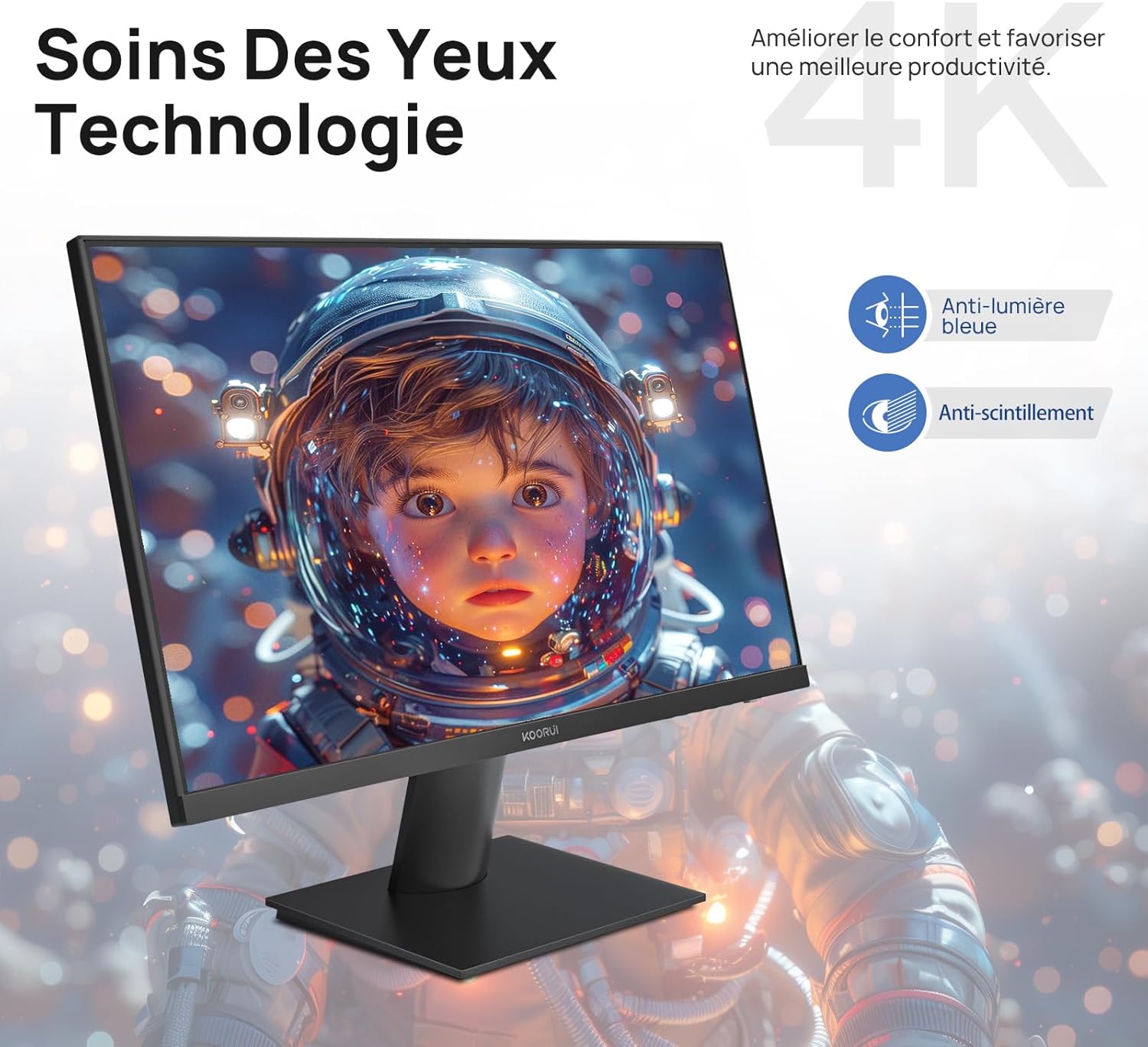
Figure 6.5: Eye Care technology for reduced eye strain.
6.6 עיצוב ארגונומי
The monitor stand allows for tilt adjustment from -5° to 20°, enabling you to find the most comfortable viewing angle for your posture.
6.7 תאימות להרכבת VESA
The KOORUI N07 supports 100x100mm VESA mounting, allowing you to easily attach it to a wall mount or an articulated monitor arm for a flexible and clutter-free workspace.

Figure 6.6: VESA mount compatibility for flexible setup.
7. סרטון מוצר נגמרview
סרטון 7.1: אוברview of the KOORUI N07 27-inch 4K UHD monitor, highlighting its key features such as 4K resolution, DCI-P3 color gamut, HDR10 support, versatile usage for creation, viewing, and gaming, adjustable tilt, and VESA mounting capabilities.
8. פתרון תקלות
אם נתקלת בבעיות עם הצג שלך, אנא עיין בבעיות הנפוצות ובפתרונות הבאים:
| בְּעָיָה | פתרון אפשרי |
|---|---|
| אין תמונה על המסך | Ensure power cable is securely connected. Check video cable connection (HDMI/DP) to both monitor and computer. Verify correct input source is selected in OSD. |
| התמונה מטושטשת או מעוותת | Check display resolution settings on your computer. Ensure it is set to 3840x2160. Adjust sharpness in the OSD menu. |
| צבעים נראים שגויים | Adjust color temperature and color settings in the OSD menu. Try resetting picture settings to factory defaults. |
| מסך מרצד | Ensure the video cable is securely connected. Disable Adaptive Sync if enabled, or update your graphics card drivers. |
9. מפרטים
| תכונה | פְּרָט |
|---|---|
| מותג | KOORUI |
| מספר דגם | N07 |
| גודל מסך | 27 אינץ' |
| הַחְלָטָה | 4K UHD (3840 x 2160 פיקסלים) |
| סוג פאנל | IPS |
| קצב רענון | 60 הרץ |
| זמן תגובה | 4 מילישניות |
| יחס גובה-רוחב | 16:9 |
| יחס ניגודיות | 1000:1 |
| בְּהִירוּת | 300 תקליטורים/מ"ר |
| Viewזווית | 178 מעלות |
| קישוריות | 2x HDMI 2.0, 1x DisplayPort 1.4, 1x יציאת שמע |
| תאימות VESA | 100x100 מ"מ |
| תכונות מיוחדות | Blue Light Filter, Tilt Adjustment, Frameless, Flicker-Free, Adaptive Sync, HDR10 |
| מידות (D x B x H) | 20.5P x 61l x 45H סנטימטרים |
| מִשׁקָל | 3 קילוגרם |
10. תחזוקה
To ensure the longevity and optimal performance of your KOORUI N07 monitor, follow these maintenance guidelines:
- ניקוי המסך: נגבו בעדינות את המסך בעזרת מטלית רכה ונטולת סיבים. במקרה של סימנים עקשניים,ampen the cloth slightly with water or a specialized screen cleaner. Never spray liquid directly onto the screen.
- ניקוי ה-Casing: השתמשו במטלית רכה ויבשה לניקוי הצגasinז. הימנעו מחומרי ניקוי שוחקים או ממסים.
- אוורור: ודא שפתחי האוורור של הצג אינם חסומים כדי למנוע התחממות יתר.
- כיבוי: Turn off the monitor when not in use for extended periods.
11. אחריות ותמיכה
The KOORUI N07 monitor comes with a אחריות יצרן לשנה. This warranty covers defects in materials and workmanship under normal use. For warranty claims or technical support, please contact KOORUI customer service or your retailer with your proof of purchase.
For additional support, troubleshooting guides, and driver downloads, please visit the official KOORUI webאֲתַר.