
מָבוֹא
This manual provides detailed instructions for the setup, operation, maintenance, and troubleshooting of your KOORUI S2721XO 27-inch QD-OLED Gaming Monitor. Please read this manual thoroughly before using the product to ensure proper functionality and to prevent damage.

Image: KOORUI S2721XO 27-inch QD-OLED Gaming Monitor showcasing its main features like 240Hz refresh rate, 0.03ms response time, QHD resolution, QD-OLED panel, VESA compatibility, 99% DCI-P3 color gamut, Eye Care, and Adaptive Sync.
תוכן החבילה
ודא שכל הרכיבים נמצאים בחבילה:
- KOORUI S2721XO 27-inch QD-OLED Gaming Monitor
- מעמד למוניטור (בסיס וצוואר)
- כבל חשמל
- כבל HDMI
- כבל DisplayPort
- מדריך למשתמש (מסמך זה)
- תעודת אחריות (אם רלוונטי)
הוראות התקנה
1. הרכבת המעמד
- הוציאו בזהירות את רכיבי הצג והמעמד מהאריזה.
- חברו את צוואר המעמד לפאנל הצג. ודאו שהוא נכנס במקומו בנקישה או שהוא מהודק באמצעות ברגים כפי שמצוין במדריך להתחלה מהירה.
- חברו את בסיס המעמד לצוואר המעמד, וקבעו אותו באמצעות הבורג המצורף.
- הנח את הצג המורכב על משטח יציב ושטוח.
Alternatively, the monitor supports VESA 75mm x 75mm mounting for wall mounts or monitor arms. Ensure the VESA mount is rated for the monitor's weight (3 kg).

Image: Illustrations showing the monitor's ergonomic adjustments including height adjustment (110mm), tilt (-20° to 20°), 90° pivot for vertical viewing, and swivel (-5° to 20°).
2. חיבור כבלים
Identify the ports on the back of your monitor and connect the necessary cables.

תמונה: אחורי view of the KOORUI S2721XO monitor showing the connectivity ports: 1. Power cable input, 2. HDMI 2.1, 3. HDMI 2.1, 4. DisplayPort 1.4, 5. Audio output interface. Also shows VESA 100x100mm mounting points.
- כבל חשמל: חבר קצה אחד של כבל החשמל לכניסת החשמל של הצג ואת הקצה השני לשקע חשמל.
- קלט וידאו:
- For HDMI connection, use the provided HDMI cable to connect your computer's HDMI output to one of the monitor's HDMI 2.1 ports.
- For DisplayPort connection, use the provided DisplayPort cable to connect your computer's DisplayPort output to the monitor's DisplayPort 1.4 port.
- פלט שמע: If desired, connect external speakers or headphones to the audio output jack.
3. הפעלה ראשונית
- לחץ על לחצן ההפעלה במסך.
- Turn on your computer. The monitor should automatically detect the input signal. If not, you may need to manually select the input source using the OSD menu.
הוראות הפעלה
תפריט תצוגה על המסך (OSD).
The OSD menu allows you to adjust various monitor settings. Typically, a joystick or a set of buttons located on the back or bottom of the monitor is used to navigate the OSD.
- Press the OSD button/joystick to open the menu.
- Use the navigation controls to move through options.
- לחץ על כפתור הבחירה כדי לאשר בחירה.
- לחץ על כפתור היציאה כדי לסגור את תפריט המסך.
הגדרות תמונה
- ניגוד בהירות: התאם את ההגדרות הללו כך שיתאימו לך viewסביבה.
- טמפרטורת צבע: בחר מבין מצבים מוגדרים מראש (למשל, חם, קר, משתמש) או התאם אישית ערכי RGB.
- HDR (טווח דינמי גבוה): The monitor supports HDR 400. Enable HDR in your operating system and monitor settings for enhanced contrast and color detail.
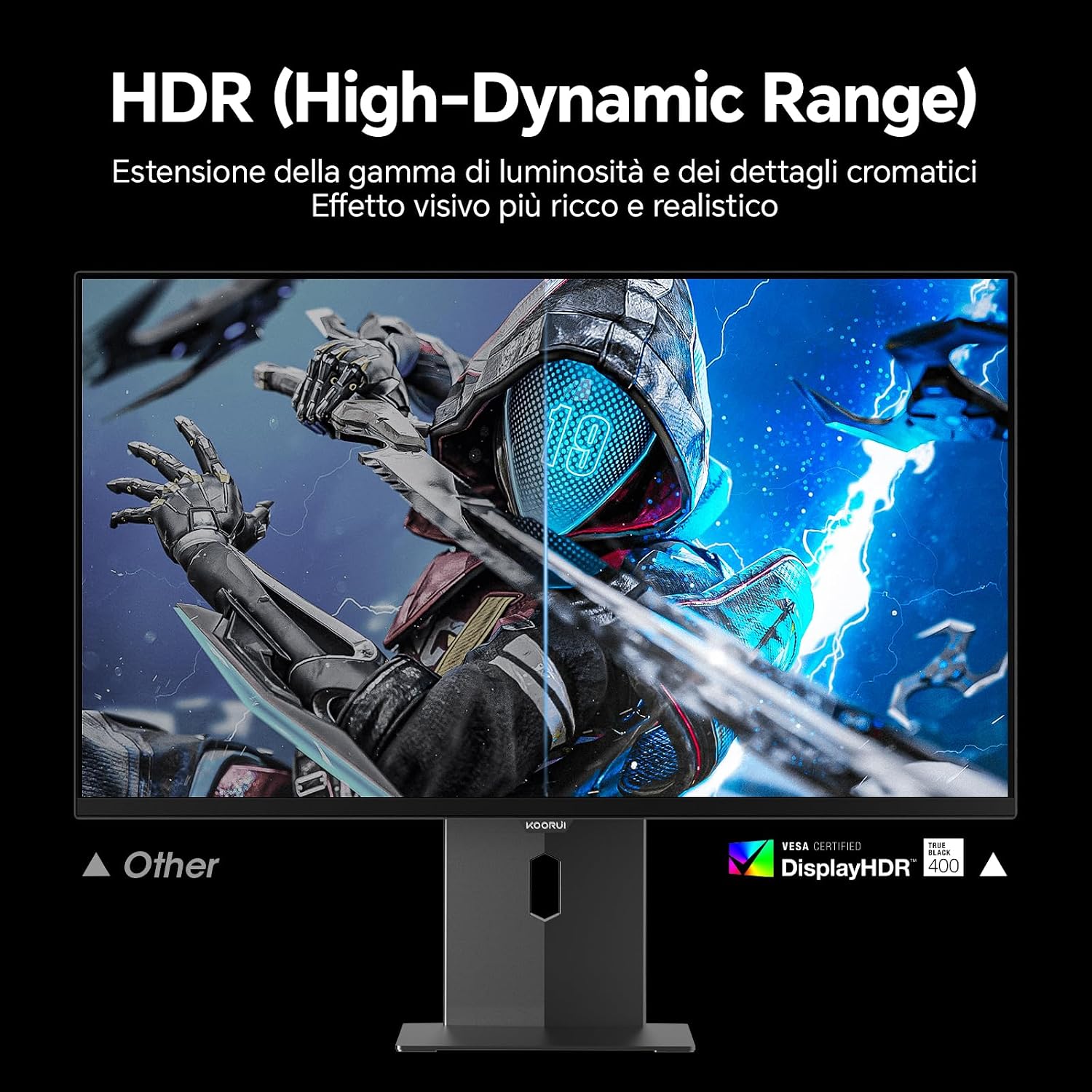
Image: Comparison of a standard display versus the KOORUI S2721XO monitor with HDR (High-Dynamic Range) enabled, showing richer visual effects and realistic details.
תכונות משחק
- קצב רענון: The monitor supports up to 240Hz. Ensure your graphics card and system settings are configured to utilize this refresh rate for smooth gameplay.
- זמן תגובה: With a 0.03ms response time, motion blur is significantly reduced.
- סנכרון אדפטיבי: This technology synchronizes the monitor's refresh rate with your GPU's frame rate, eliminating screen tearing and stuttering. Enable Adaptive Sync in the OSD menu and your graphics card control panel.
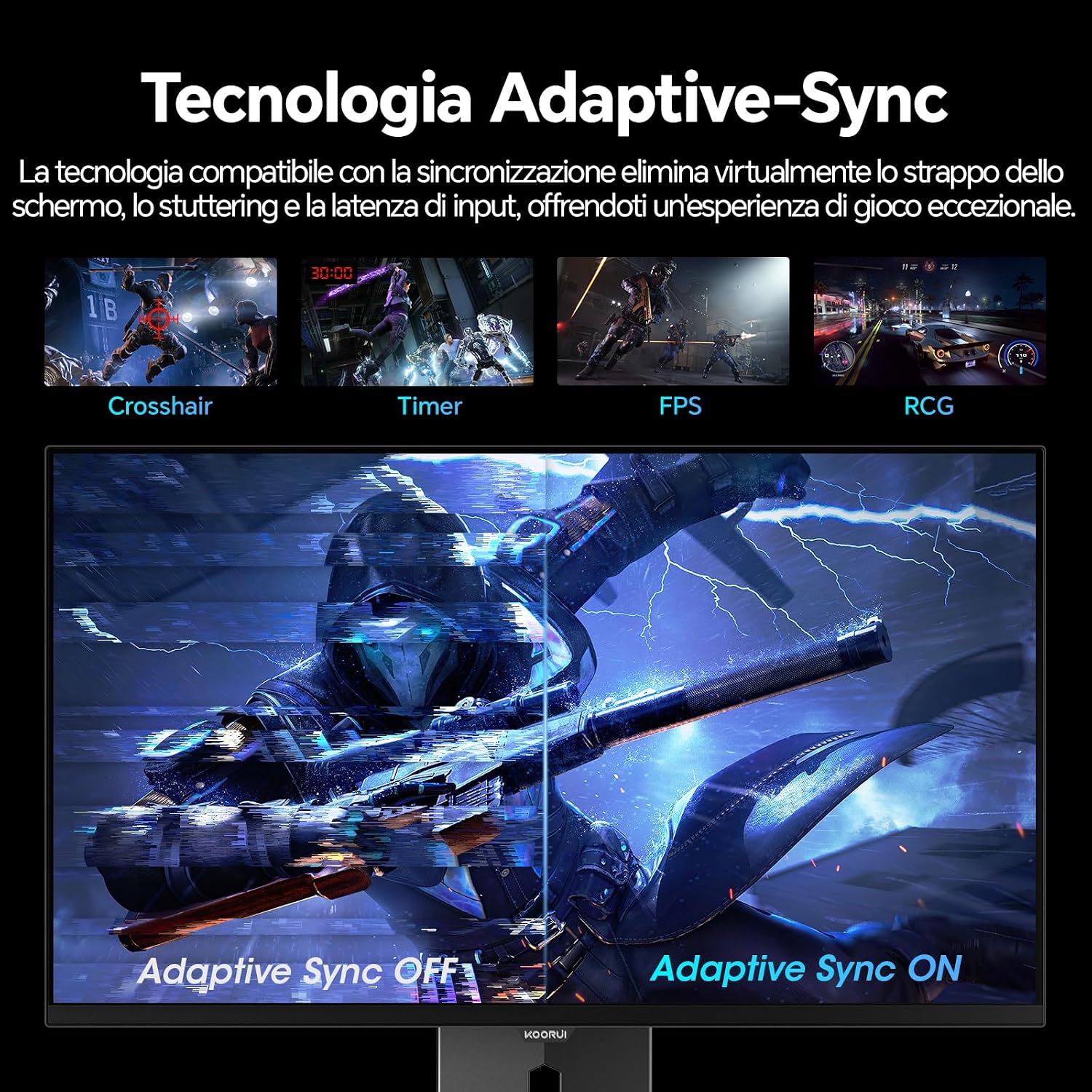
Image: A visual demonstration of Adaptive Sync technology, showing the difference between Adaptive Sync OFF (with screen tearing and stuttering) and Adaptive Sync ON (with smooth, tear-free visuals).

Image: A visual comparison illustrating the ultra-high refresh rate of 240Hz and 0.03ms response time, contrasting it with a 100Hz 5ms display to show the improved fluidity and reduced ghosting.
מצב טיפוח עיניים
The monitor includes features designed to reduce eye strain during extended use. Access the Eye Care settings in the OSD menu to enable modes that reduce blue light emission or adjust flicker-free settings.
תַחזוּקָה
ניקוי הצג
- יש לכבות תמיד את הצג ולנתק את כבל החשמל לפני הניקוי.
- השתמש במטלית רכה נטולת מוך מעט דampנשטף במים או בחומר ניקוי מיוחד למסכים.
- אין לרסס חומר ניקוי ישירות על המסך.
- Avoid using abrasive cleaners, waxes, or solvents as they can damage the screen surface.
- נגב את הצג גasinנגבו בעזרת מטלית רכה ויבשה.
אִחסוּן
When storing the monitor for an extended period, ensure it is powered off, unplugged, and stored in a cool, dry place away from direct sunlight and extreme temperatures. Use original packaging if available for best protection.
פתרון בעיות
| בְּעָיָה | סיבה אפשרית | פִּתָרוֹן |
|---|---|---|
| אין כוח | Power cable not connected; Power outlet not working; Monitor power button off. | Ensure power cable is securely connected. Test power outlet with another device. Press the monitor's power button. |
| אין אות | Video cable not connected; Incorrect input source selected; Computer not powered on. | Check video cable connections (HDMI/DisplayPort). Select the correct input source via the OSD menu. Ensure your computer is powered on and outputting a signal. |
| מסך מהבהב | Incorrect refresh rate; Faulty cable; Graphics card driver issues. | Adjust refresh rate in display settings. Try a different video cable. Update graphics card drivers. |
| איכות תמונה ירודה | Incorrect resolution; Picture settings misconfigured; Dirty screen. | Set display resolution to 2560x1440. Adjust brightness, contrast, and color settings in the OSD. Clean the screen as per maintenance instructions. |
מפרטים
| מותג | KOORUI |
| מספר דגם | S2721XO |
| גודל מסך | 27 אינץ' |
| סוג פאנל | QD-OLED |
| הַחְלָטָה | QHD Wide 1440p (2560 x 1440) |
| יחס גובה-רוחב | 16:9 |
| קצב רענון | 240 הרץ |
| זמן תגובה | 0.03 אלפיות השנייה |
| יחס ניגודיות | 1,500,000:1 |
| בְּהִירוּת | 280 תקליטורים/מ"ר |
| Viewזווית | 178 מעלות |
| צבע Gamut ערך | 99% DCI-P3 (100% sRGB) |
| קישוריות | 2x HDMI 2.1, 1x DisplayPort 1.4, יציאת שמע |
| סנכרון אדפטיבי | FreeSync compatible |
| תכונות מיוחדות | HDR 400, Eye Care, Height Adjustment, Tilt Adjustment, Swivel Adjustment, Pivot Adjustment |
| תאימות VESA | 75 מ"מ x 75 מ"מ |
| מידות (B x H x D) | 610.11 מ"מ x 521.84 מ"מ x 215.82 מ"מ (24.02 אינץ' x 20.54 אינץ' x 8.50 אינץ') |
| מִשׁקָל | 3 קילוגרם |
מידע על אחריות
The KOORUI S2721XO monitor comes with a אחריות לשנה from the date of purchase. This warranty covers manufacturing defects and malfunctions under normal use. Please retain your proof of purchase for warranty claims. For detailed terms and conditions, refer to the warranty card included in your package or visit the official KOORUI webאֲתַר.
תמיכה ויצירת קשר
For further assistance, technical support, or customer service inquiries, please visit the official KOORUI website or contact their customer support team. You can also refer to the official PDF instructions for use: