
1. הקדמה
This manual provides detailed instructions for the XBG B15pro Wireless Bluetooth Mouse. This device offers versatile connectivity options, an ergonomic design, and an intuitive LED display for enhanced user experience.
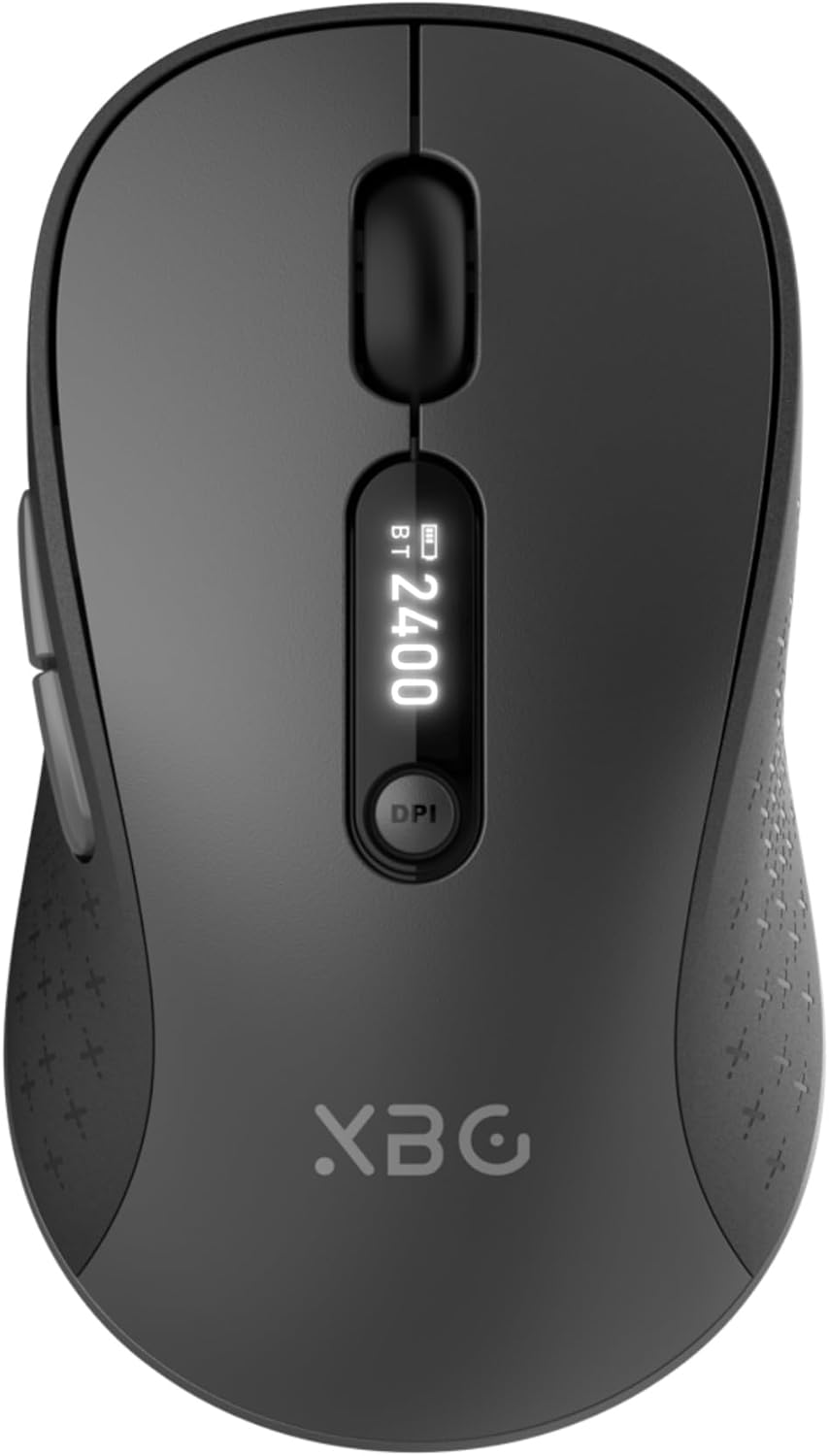
Image 1.1: The XBG B15pro Wireless Bluetooth Mouse, showcasing its sleek design and LED display.
תכולת החבילה:
- 1 x XBG B15pro Wireless Bluetooth Mouse
- 1 x כבל טעינה USB (סוג C)
- 1 x מקלט USB (2.4G)
- 1 x מדריך למשתמש
2. תכונות מוצר
- קישוריות תלת-מצבית: Supports Bluetooth 5.0, Bluetooth 4.0, and 2.4GHz wireless connections, allowing seamless switching between up to three devices.
- LED Screen Display: מספק מידע בזמן אמת על אחוזי סוללהtage, DPI level, and current connection mode.
- DPI מתכוונן: Five adjustable DPI levels (800/1000/1200/1600/2400) for precise cursor control.
- סוללה נטענת: Built-in 500 mAh lithium polymer battery, rechargeable via Type-C port.
- כפתורי לחיצה שקטה: Main left and right buttons feature silent click technology, reducing noise in quiet environments.
- עיצוב ארגונומי: Contoured shape with a thumb rest and arched palm support for comfortable use during extended periods.
- תאימות למשטחים מרובים: Operates effectively on various surfaces including resin, wood, fabric, paper, and metal.

Image 2.1: The XBG B15pro mouse designed for multi-device use, highlighting its wireless capabilities.
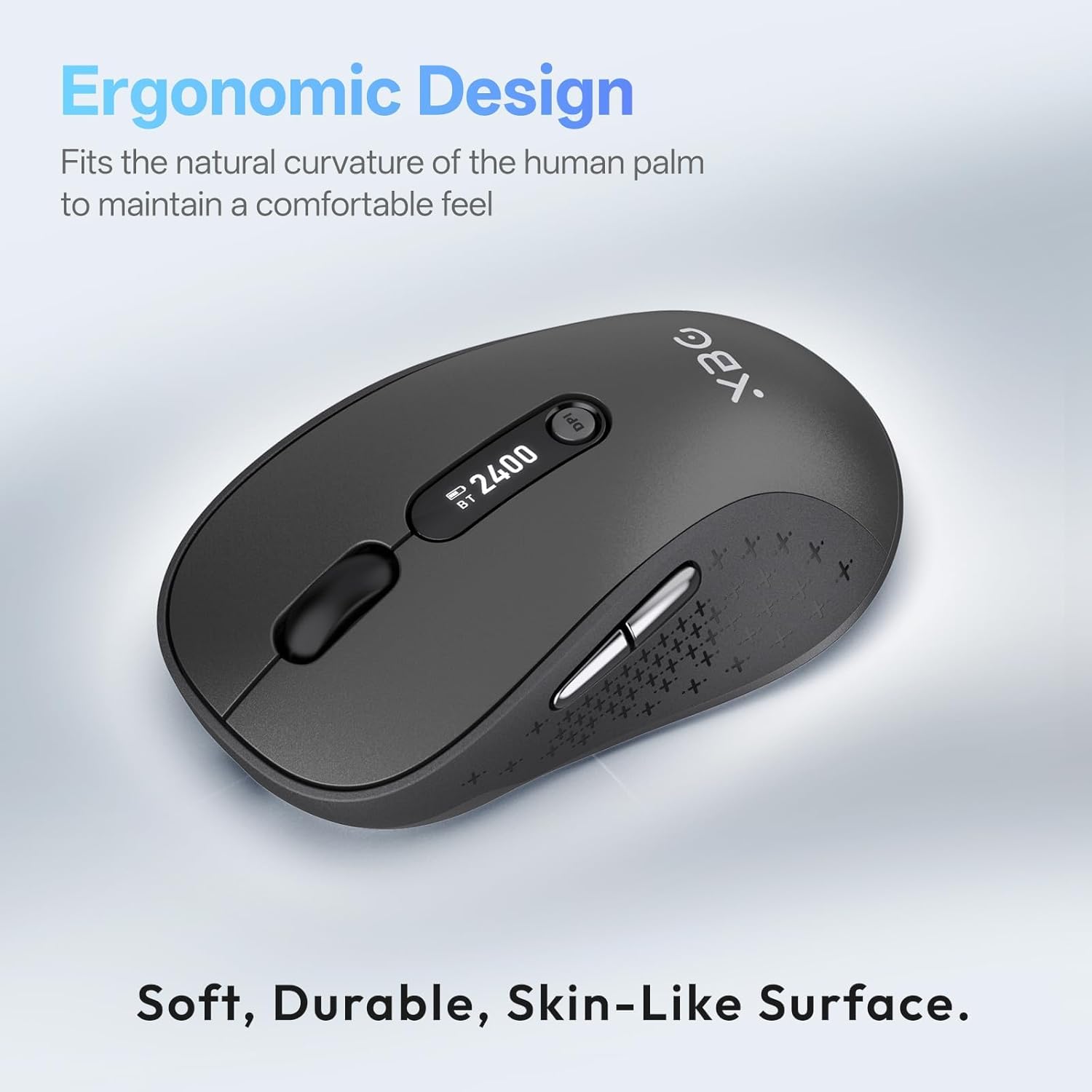
Image 2.2: The ergonomic contour of the XBG B15pro mouse, designed for comfortable hand fit.
3. התקנה
3.1 טעינת העכבר
Before first use, or when the battery indicator on the LED screen shows low power, charge the mouse using the provided Type-C USB cable. Connect the cable to the mouse's Type-C port and a USB power source (e.g., computer USB port, USB wall adapter).

Image 3.1: The XBG B15pro mouse connected for charging via its Type-C port.
3.2 חיבור העכבר
The XBG B15pro mouse supports three connection modes: 2.4GHz wireless (via USB receiver) and two Bluetooth channels (BT1, BT2). The mode switch is located on the bottom of the mouse.

Image 3.2: The underside of the XBG B15pro mouse, showing the ON/OFF switch, mode switch button, and USB receiver storage.
חיבור אלחוטי 2.4GHz:
- אתר את מקלט ה-USB המאוחסן בתא התחתון של העכבר.
- חבר את מקלט ה-USB ליציאת USB זמינה במחשב שלך.
- הפעל את העכבר באמצעות מתג ההפעלה/כיבוי בתחתית.
- Press the Mode Switch button on the bottom until the LED indicator shows a אור אדום, indicating 2.4G mode. The mouse should connect automatically.
חיבור בלוטות' (BT1 / BT2):
- הפעל את העכבר באמצעות מתג ההפעלה/כיבוי בתחתית.
- Press the Mode Switch button on the bottom to select either BT1 (אור כחול) or BT2 (אור ירוק).
- Press and hold the Mode Switch button for 3-5 seconds until the corresponding Bluetooth indicator light (blue or green) starts flashing rapidly. This indicates pairing mode.
- On your device (laptop, tablet, PC), go to Bluetooth settings and search for new devices.
- Select "XBG B15pro" from the list of available devices to pair.
- לאחר ההתאמה, נורית החיווי תפסיק להבהב ותשאר קבועה.

Image 3.3: Illustration of the XBG B15pro mouse connecting to multiple devices via 2.4G and Bluetooth modes.
4. הוראות הפעלה
4.1 מסך LED
The integrated LED screen provides essential information at a glance:
- סוללה Percentage: מציג את רמת הסוללה הנוכחית.
- רמת DPI: Displays the active DPI setting (800/1000/1200/1600/2400).
- מצב חיבור: Indicates the active connection (2.4G, BT1, or BT2).
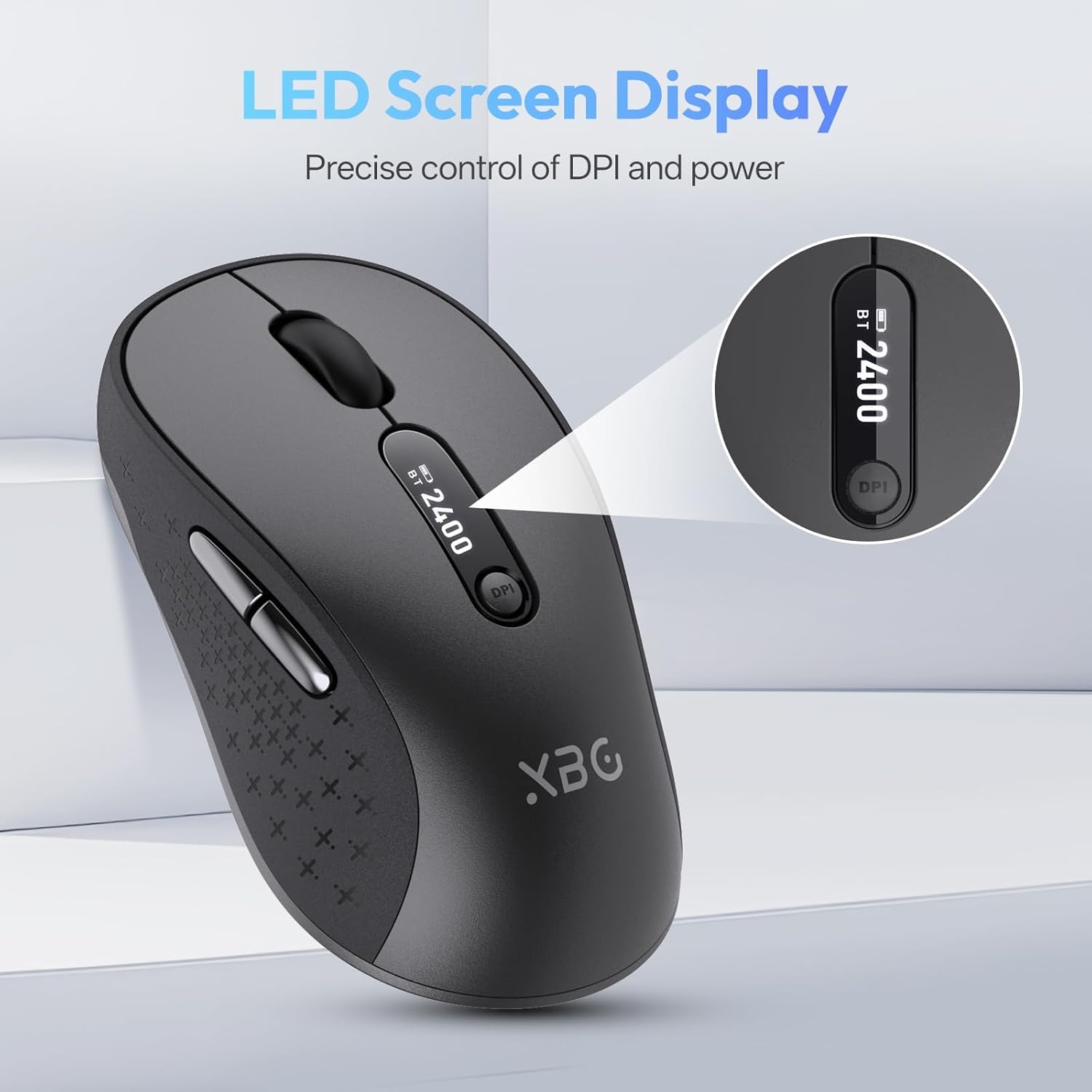
תמונה 4.1: תיאור מפורט view of the mouse's LED screen, showing battery, DPI, and connection status.
התאמת 4.2 DPI
Press the DPI button located below the scroll wheel to cycle through the five available DPI settings (800, 1000, 1200, 1600, 2400). The current DPI level will be displayed on the LED screen.
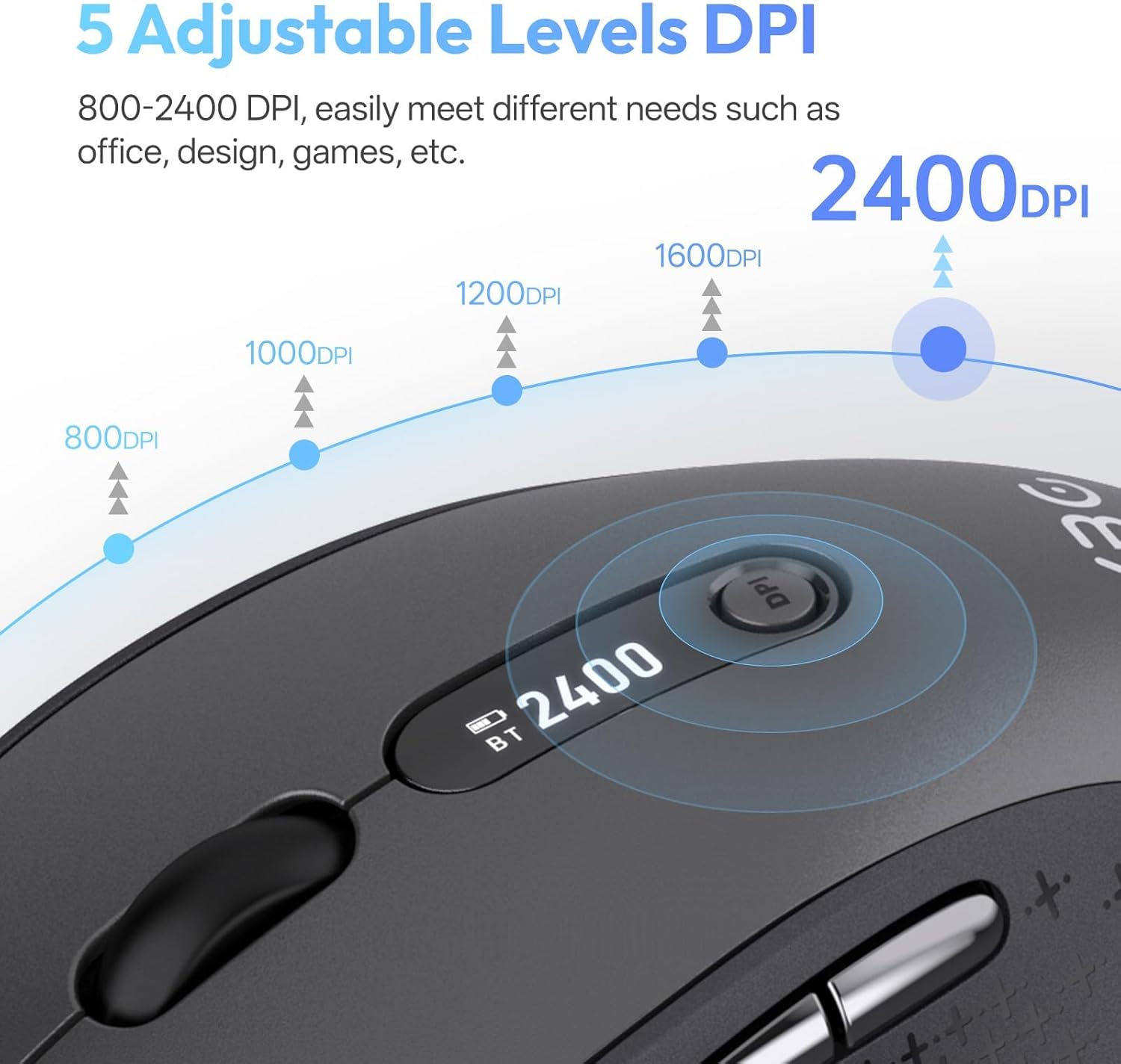
Image 4.2: Visual representation of the five adjustable DPI levels and how to change them.
4.3 פונקציונליות לחיצה שקטה
The main left and right click buttons are designed for silent operation, providing a tactile click feel without audible noise. This feature is ideal for environments requiring minimal disturbance.

Image 4.3: A user operating the XBG B15pro mouse, illustrating its silent click feature in a quiet setting.
4.4 מצב שינה אוטומטי
To conserve battery, the mouse will automatically enter sleep mode after 5 minutes of inactivity. To wake the mouse, simply move it or click any button.
5. תחזוקה
5.1 טיפול בסוללה
- טען את העכבר במלואו לפני השימוש הראשון.
- הימנעו מריקון מוחלט של הסוללה לעתים קרובות כדי להאריך את חייה.
- השתמש בכבל Type-C המצורף לטעינה.
- When not in use for extended periods, turn off the mouse using the ON/OFF switch on the bottom to prevent battery discharge.

Image 5.1: The XBG B15pro mouse being charged, illustrating its fast charging capability and long-lasting battery.
5.2 ניקוי
Wipe the mouse with a soft, damp בַּד. הימנע משימוש בכימיקלים קשים או חומרים שוחקים שעלולים לגרום נזק למשטח.
6. פתרון תקלות
- עכבר לא מגיב:
- ודא שהעכבר מופעל.
- Check the battery level on the LED screen and charge if necessary.
- Verify the correct connection mode (2.4G, BT1, BT2) is selected and properly paired.
- For 2.4G mode, ensure the USB receiver is securely plugged into the computer.
- For Bluetooth mode, ensure Bluetooth is enabled on your device and re-pair if connection is lost.
- תנועת הסמן אינה יציבה או איטית:
- כוונן את הגדרת ה-DPI באמצעות כפתור ה-DPI.
- Ensure the mouse is used on a clean, suitable surface.
- Mouse disconnects frequently:
- Ensure the mouse is within the effective range of your device (typically 10 meters for Bluetooth/2.4G).
- מזער הפרעות ממכשירים אלחוטיים אחרים.
- בדוק את רמת הסוללה.
- Mouse does not automatically enter sleep mode:
- While the mouse has an automatic sleep feature, it is recommended to manually turn off the mouse via the ON/OFF switch when not in use for extended periods to ensure maximum battery conservation.
7. מפרטים
| תכונה | מִפרָט |
|---|---|
| מספר דגם | B15 פרו |
| טכנולוגיית קישוריות | בלוטות' 5.0/4.0, אלחוטי 2.4GHz |
| איתור תנועה | אוֹפּטִי |
| רמות DPI | 800, 1000, 1200, 1600, 2400 |
| סוג סוללה | 1 Lithium Polymer (500 mAh, included) |
| יציאת טעינה | סוג-C |
| מידות המוצר | 4.55 x 2.83 x 0.04 אינץ' (11.56 x 7.19 x 0.1 ס"מ) |
| משקל פריט | 2.65 אונקיות (75 גרם) |
| תכונות מיוחדות | Ergonomic Design, Portable, Silent Click, LED Screen Display |

Image 7.1: A guide for recommended mouse size based on palm length and width.
8. אחריות ותמיכה
XBG offers a satisfaction guarantee for the B15pro Wireless Bluetooth Mouse.
- מדיניות החזרה של 30 יום: If you are not satisfied with the product, you may return it within 30 days of purchase.
- אחריות להחלפה לשלוש שנים: המוצר מכוסה באחריות להחלפה למשך 1 שנים עבור פגמי ייצור.
For further assistance or support, please refer to the contact information provided with your purchase or visit the official XBG webאֲתַר.