
1. הקדמה
This manual provides comprehensive instructions for the installation, operation, and maintenance of your Lloyd's LC-1388 4MP Indoor/Outdoor IP Camera Set. This intelligent security camera system offers remote monitoring and full control via your smartphone, featuring 180° horizontal movement, an integrated LED light, and a 4MP resolution for clear video and images. Designed for both indoor and outdoor use with an IP65 rating, it includes advanced detection capabilities, color night vision, two-way communication, and an integrated siren. Please read this manual thoroughly before use to ensure proper functionality and safety.
2. תכולת החבילה
ודא שכל הפריטים המפורטים להלן נמצאים במצב תקין בעת פתיחת האריזה.
- 2 x Lloyd's LC-1388 4MP IP Cameras
- 2 x כבלי USB
- 2 x AC/DC Adapters
- 2 סוגרי הרכבה
- ברגים ותקעים לקיר (להרכבה)
- מדריך למשתמש (מסמך זה)
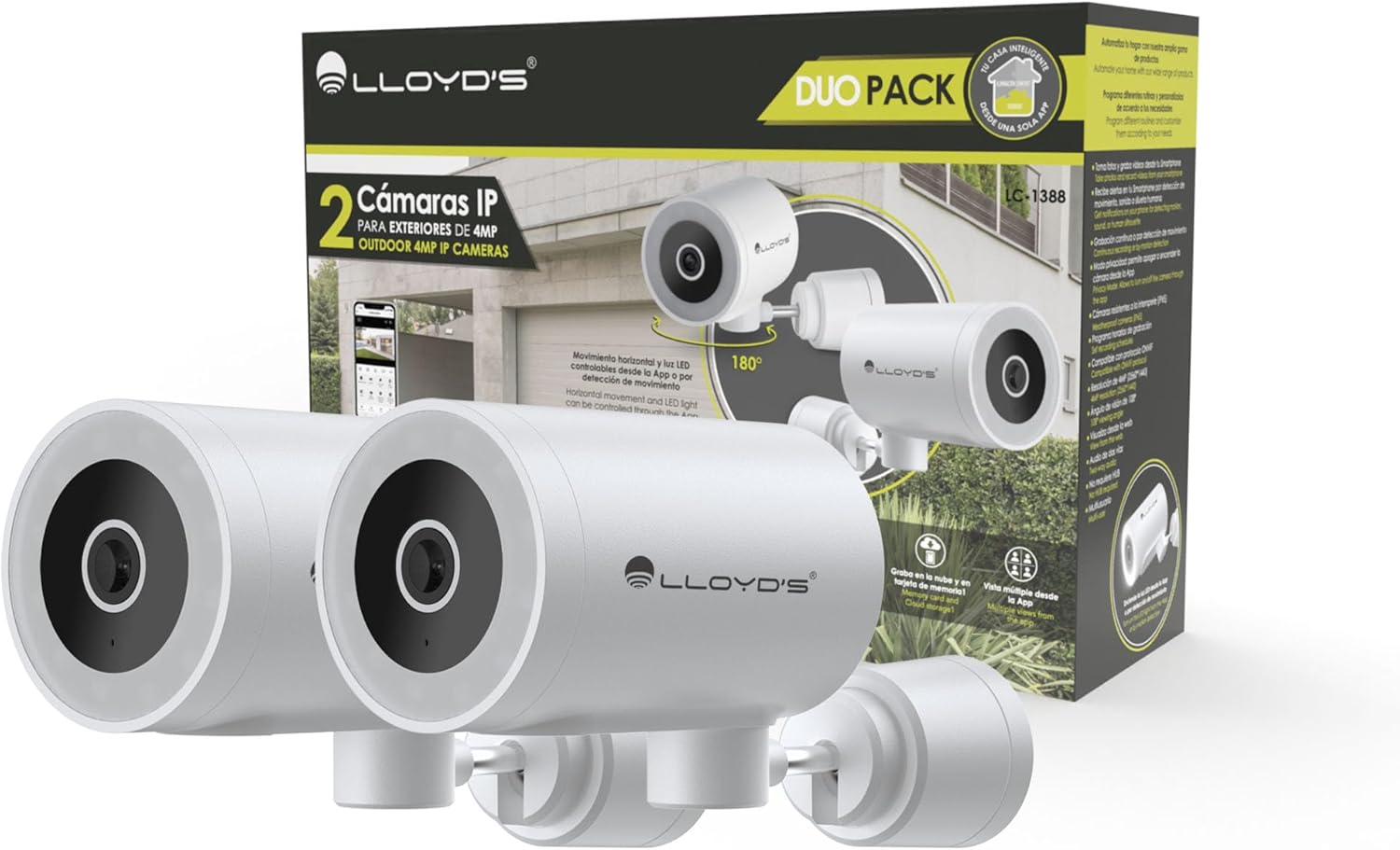
Image: The Lloyd's LC-1388 IP Camera Set, showing the product packaging and the two included cameras.
3. מידע בטיחות
- ודא את אספקת החשמל כרךtage matches the camera's requirements (5V DC).
- אין לחשוף את המצלמה לטמפרטורות קיצוניות, לחות או אור שמש ישיר למשך תקופות ממושכות.
- הימנעו מהצבת המצלמה בקרבת שדות אלקטרומגנטיים חזקים.
- For outdoor installation, ensure all connections are properly sealed to maintain the IP65 weather resistance.
- הרחק מהישג ידם של ילדים.
- אל תנסה לפרק או לתקן את המצלמה בעצמך. פנה לאנשי שירות מוסמכים.
4. התקנה
4.1 התקנה
The Lloyd's LC-1388 camera is designed for wall mounting and can be used both indoors and outdoors (IP65 rated).
- בחר מיקום: בחר מיקום המספק את הרצוי viewing angle and is within range of your 2.4 GHz Wi-Fi network. For outdoor use, ensure the location offers adequate protection from direct impact and extreme weather conditions.
- הַרכָּבָה:
- Use the included mounting bracket as a template to mark drill holes on the wall.
- קדחו חורים והכניסו את תקעי הקיר.
- אבטחו את תושבת ההרכבה לקיר באמצעות הברגים המצורפים.
- Attach the camera to the mounting bracket. Adjust the camera angle as needed.
- חיבור חשמל: Connect the USB cable to the camera and the AC/DC adapter, then plug the adapter into a power outlet. The camera will power on.

תמונה: צד view of the camera, showing its compact design.
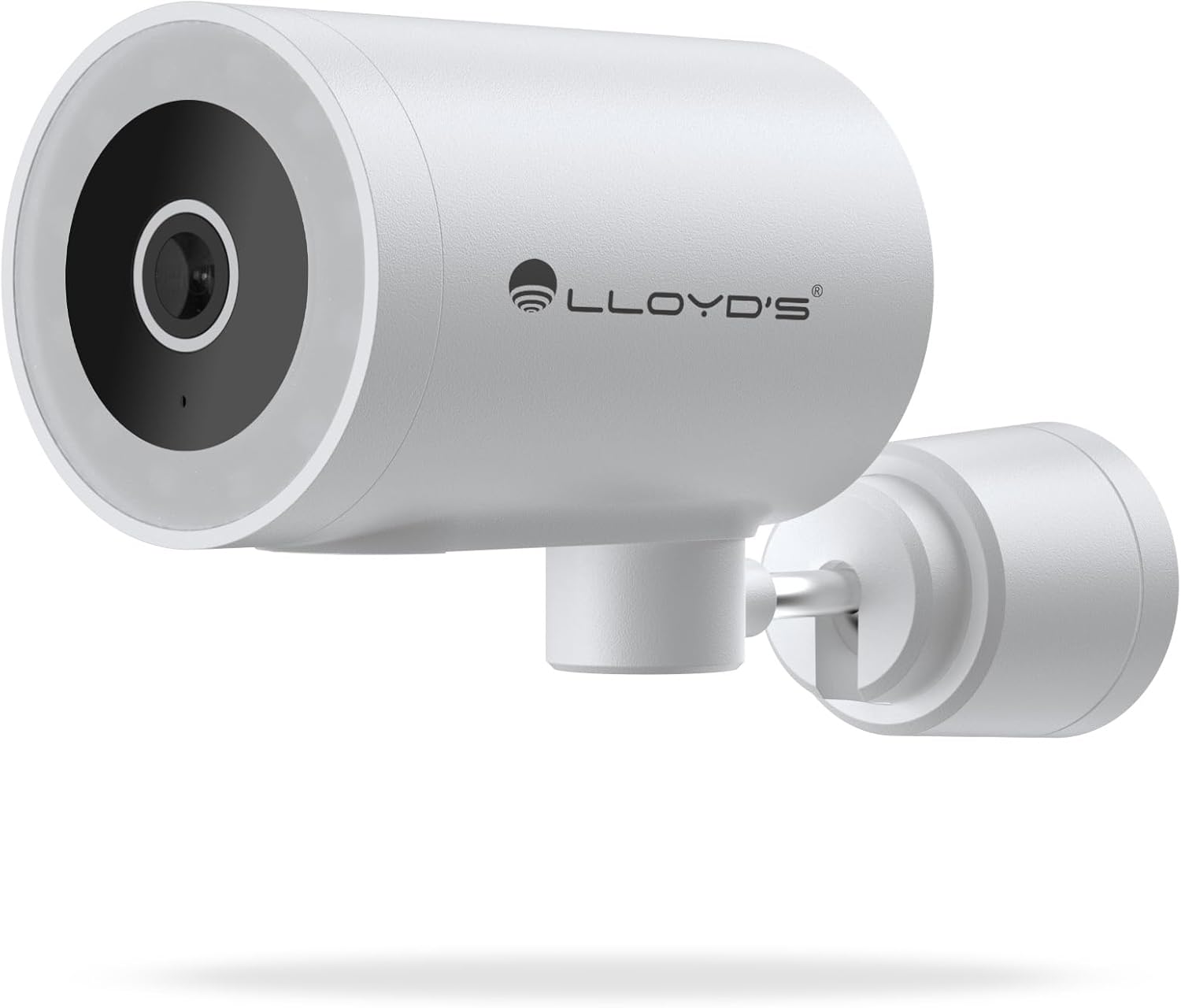
תמונה: חזית view of the camera, highlighting the lens and sensor.

Image: Icons indicating the camera's suitability for both outdoor and indoor environments.
4.2 הורדת אפליקציה וצימוד
The camera operates via a dedicated smartphone application. Ensure your smartphone is connected to a 2.4 GHz Wi-Fi network.
- הורד את האפליקציה: חפש "Lloyd's Smart" or similar in your device's app store (compatible with iOS 11.0+ and Android 5.0+).
- צור חשבון: פתחו את האפליקציה ופעל לפי ההוראות שעל המסך כדי לרשום חשבון חדש או להתחבר אם כבר יש לכם אחד.
- הוסף מכשיר:
- הקישו על סמל ה-"+" או על "הוספת מכשיר" באפליקציה.
- Select "Security Camera" or the specific camera model (LC-1388).
- Follow the app's instructions to put the camera into pairing mode (usually indicated by a flashing LED).
- Enter your 2.4 GHz Wi-Fi network details when prompted.
- Scan the QR code displayed on your phone screen with the camera lens, or follow alternative pairing methods if provided by the app.
- לאחר החיבור, תן שם למצלמה שלך והשלם את ההתקנה.

Image: The Lloyd's app interface demonstrating multiple camera views, customizable detection zones, push notifications, and integration with voice assistants.
5. הפעלת המצלמה
5.1 בשידור חי View ובקרה
- ניטור מרחוק: Access live video feed from your smartphone app, web browser, or compatible smart TV (requires Chromecast / Fire TV Stick with voice remote).
- תנועה אופקית: Control the camera's 180° horizontal pan directly from the app to adjust the viewאזור ing.
- בקרת אור LED: Turn the integrated LED light on or off via the app. The light can also be configured to activate upon motion detection.
- תקשורת דו כיוונית: Use the built-in microphone and speaker to communicate with individuals near the camera from your smartphone.

Image: The camera illustrating its 180-degree horizontal tracking function, suitable for indoor or outdoor use (IP65), with two-way audio and multiple views מהאפליקציה.

Image: A smartphone screen showing the "Multiple views from the App" feature, allowing simultaneous monitoring of several cameras.

Image: A user monitoring the camera feed on a television, demonstrating compatibility with smart assistants for voice control and viewing.
5.2 מצבי ראיית לילה
The camera offers three night vision modes up to 10 meters:
- מצב אוטומטי: The camera automatically switches between infrared and color night vision based on ambient light conditions.
- מצב אינפרא אדום: Provides clear black and white video in complete darkness using infrared LEDs.
- מצב צבע: Utilizes the integrated LED lights to provide full-color night vision, even in low-light environments.

Image: Icons representing the camera's night vision capabilities and 4MP image resolution.
5.3 זיהוי והתראות
- זיהוי תנועה: Receive alerts on your smartphone when motion is detected.
- איתור סאונד: Get notifications for unusual sounds.
- Human Body Detection: Advanced detection to specifically identify human presence, reducing false alarms.
- אזורי זיהוי הניתנים להתאמה אישית: הגדירו אזורים ספציפיים בתוך המצלמה view to monitor and receive alerts for.
- סירנה משולבת: The 90 dB siren can be activated manually via the app or automatically upon detection of an event.

Image: Icons illustrating the camera's notification system, integrated siren, and motion detection capabilities.
5.4 אפשרויות הקלטה
- הקלטה רציפה: Record video continuously.
- הקלטה מבוססת אירועים: Record only when motion, sound, or human detection is triggered.
- אִחסוּן:
- כרטיס MicroSD: Supports up to 128GB microSD cards (not included) for local storage.
- אחסון בענן: Cloud recording is available with a subscription (sold separately).
- תזמון: Program specific recording schedules and alert reception times via the app.
5.5 שילוב בית חכם
- עוזרי קול: Compatible with Amazon Echo Show and Google Nest Hub. Supports Siri Shortcuts via routines created in the app.
- Lloyd's Smart Ecosystem: Create routines to trigger actions with other Lloyd's smart products.
- תאימות ONVIF: Integrate the 4MP camera with various video surveillance equipment such as NVRs and hybrid DVRs using the ONVIF protocol.
6. תחזוקה
- ניקוי: נגבו בעדינות את עדשת המצלמה ואת גוף המצלמה בעזרת מטלית רכה ויבשה. אין להשתמש בכימיקלים חזקים או בחומרי ניקוי שוחקים.
- עדכוני קושחה: בדוק באופן קבוע את האפליקציה עבור עדכוני קושחה זמינים כדי להבטיח ביצועים ואבטחה אופטימליים.
- מחזור הפעלה: אם המצלמה נתקלת בבעיות, נסה לנתק אותה ממקור החשמל למשך 10 שניות ולאחר מכן לחבר אותה שוב.
7. פתרון תקלות
| בְּעָיָה | סיבה אפשרית | פִּתָרוֹן |
|---|---|---|
| המצלמה לא מתחברת ל-Wi-Fi | Incorrect Wi-Fi password; Camera too far from router; Only 5 GHz Wi-Fi network available. | Verify password; Move camera closer to router; Ensure you are connecting to a 2.4 GHz Wi-Fi network. |
| אין הזנת וידאו | Camera is offline; Power issue; Network problem. | Check power connection; Restart camera; Verify Wi-Fi connection; Check internet connectivity. |
| התראות תנועה לא התקבלו | Motion detection disabled; App notifications turned off; Detection zone not configured. | Enable motion detection in app; Allow app notifications; Configure detection zones. |
| איכות תמונה ירודה | Dirty lens; Low light conditions (in non-color night vision mode); Network bandwidth issues. | Clean the lens; Switch to Color Night Vision if applicable; Ensure stable Wi-Fi connection. |
8. מפרטים
| תכונה | פְּרָט |
|---|---|
| מספר דגם | LC-1388 |
| מותג | Lloyd's |
| רזולוציית לכידת וידאו | 4MP (2560x1440p) |
| רזולוציית וידאו יעילה | 16.9 |
| קצב פריימים | 15 פריימים לשנייה |
| טכנולוגיית קישוריות | Wireless (Wi-Fi 2.4 GHz), ONVIF |
| פרוטוקול Wi-Fi | 2.4 גיגה-הרץ |
| סוג הרכבה | התקנה על הקיר (להברגה) |
| סביבת שימוש | Indoor, Outdoor (IP65 Water Resistant) |
| טווח ראיית לילה | עד 10 מטר |
| Viewזווית | 108 מעלות |
| תכונות מיוחדות | Two-way audio, Motion detector, Local recording, Built-in light, HD resolution, Night vision, Horizontal tracking, Integrated siren |
| מכשירים תואמים | Smartphone, Tablet, Web |
| סוג בקר | Amazon Alexa, Android, Google Assistant, Tuya, iOS |
| מקור כוח | Corded Electric (5V DC, 5 Watts) |
| חוֹמֶר | אקרילוניטריל בוטאדיאן סטירן (ABS) |
| מידות (LxWxH) | 8.48 x 6.2 x 15.98 ס"מ |
| מִשׁקָל | 596 גרם |
| ארץ מוצא | סִין |
9. אחריות ותמיכה
For warranty information, please refer to the documentation provided with your purchase or contact Lloyd's customer support. For technical assistance or further inquiries, please visit the official Lloyd's webלאתר או לפנות למחלקת שירות הלקוחות שלהם.
יַצרָן: Zutto Technologies S.A. de C.V.