
מָבוֹא
Welcome to the GUHUAVMI GT4 Pro Smartwatch user manual. This guide provides detailed instructions on how to set up, operate, and maintain your new smartwatch. The GT4 Pro combines advanced health monitoring, comprehensive fitness tracking, and smart connectivity features in a durable, stylish design. Please read this manual carefully to ensure optimal performance and longevity of your device.
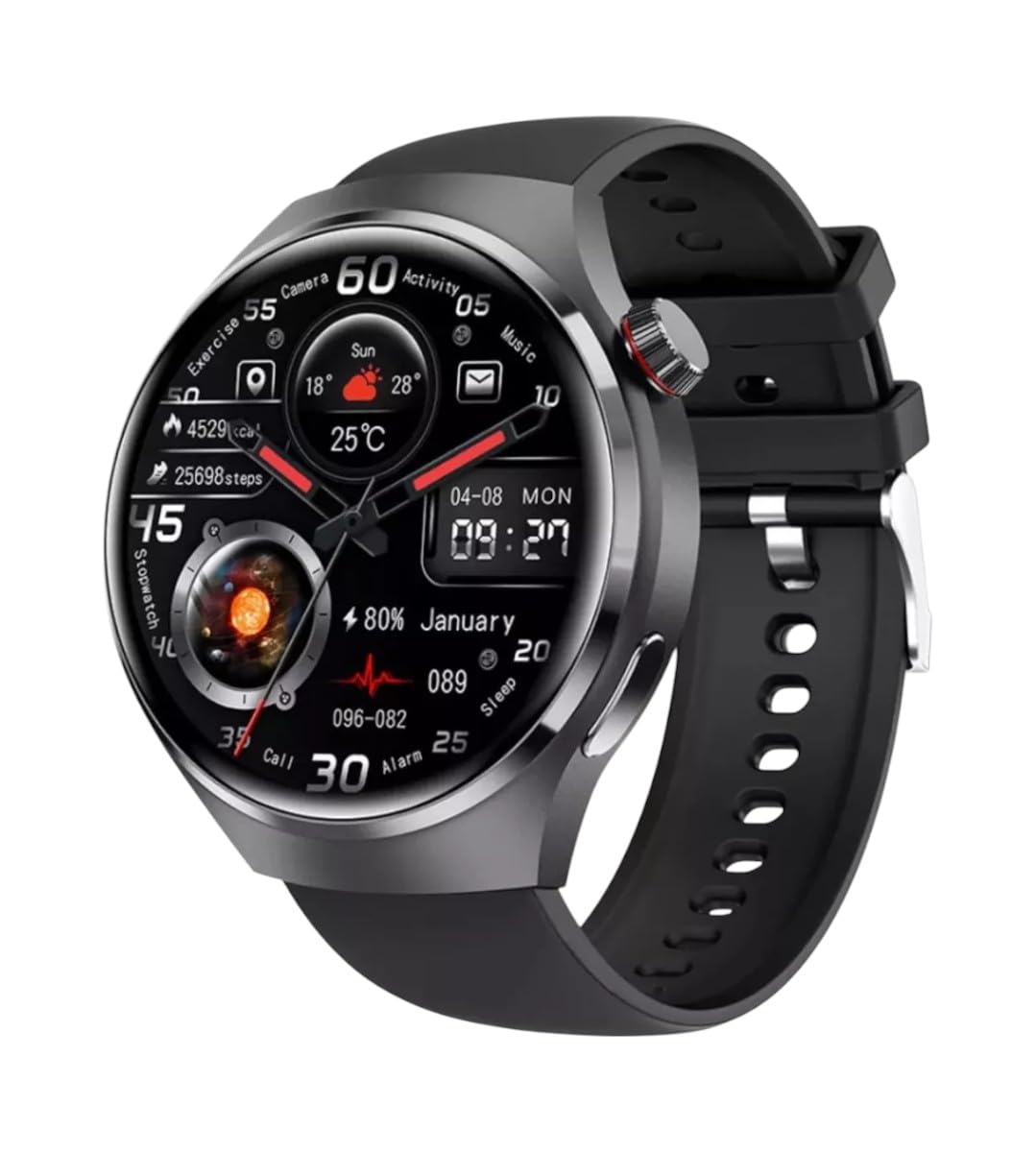
תמונה: חזית view of the GUHUAVMI GT4 Pro Smartwatch, showcasinהעיצוב והתצוגה האלגנטיים שלו.
הגדרה
1. פתיחת האריזה ורכיבים
לפני שתתחיל, ודא שכל הרכיבים נמצאים באריזה:
- GUHUAVMI GT4 Pro Smartwatch
- מטען אלחוטי
- מדריך למשתמש (מסמך זה)
2. טעינת השעון החכם
For first-time use, fully charge your GT4 Pro Smartwatch. Connect the wireless charger to a USB power adapter (not included) and place the smartwatch onto the magnetic charging base. The watch will indicate charging status on its screen.
- זמן טעינה: כשעתיים לטעינה מלאה.
- חיי סוללה: Typical usage provides 5-7 days of battery life.

Image: The GUHUAVMI GT4 Pro Smartwatch placed on its magnetic wireless charger, displaying battery life and charging time information.
3. הפעלה/כיבוי
- הפעלה: לחץ והחזק את כפתור הצד עד שהמסך יידלק.
- כיבוי: לחץ והחזק את כפתור הצד, ולאחר מכן בחר באפשרות 'כיבוי' שעל המסך.
4. הורדה והתאמה של אפליקציה
To unlock the full potential of your GT4 Pro, download the companion app on your smartphone. Scan the QR code provided in the watch's initial setup screen or search for the app name (usually indicated on the watch or packaging) in your phone's app store.
- הפעל Bluetooth בטלפון החכם שלך.
- פתחו את האפליקציה הנלווית ופעל לפי ההוראות שעל המסך כדי ליצור חשבון או להתחבר.
- In the app, select 'Add Device' or 'Pair Device' and choose 'GT4 Pro' from the list of available devices.
- אשר את בקשת הצימוד הן בטלפון החכם והן בשעון החכם שלך.
הוראות הפעלה
1. ניווט בסיסי
The GT4 Pro features a 1.6-inch HD AMOLED touchscreen and a side crown button for navigation.
- החלק למעלה/מטה: גלילה בין תפריטים והתראות.
- החלק שמאלה/ימינה: גישה לווידג'טים מהירים או ללוחות שעון שונים.
- בֶּרֶז: בחר פריט או פתח יישום.
- לחץ על כפתור הצד: חזור למסך הבית או גש לרשימת האפליקציות.
2. עוזר קולי מבוסס בינה מלאכותית
Your GT4 Pro is equipped with an integrated AI voice assistant for hands-free operation.
- הַפעָלָה: Tap the voice assistant icon on the watch face or use a designated gesture/button press (refer to watch settings).
- פקודות: Speak clearly to ask questions, set reminders, make calls, or control music.
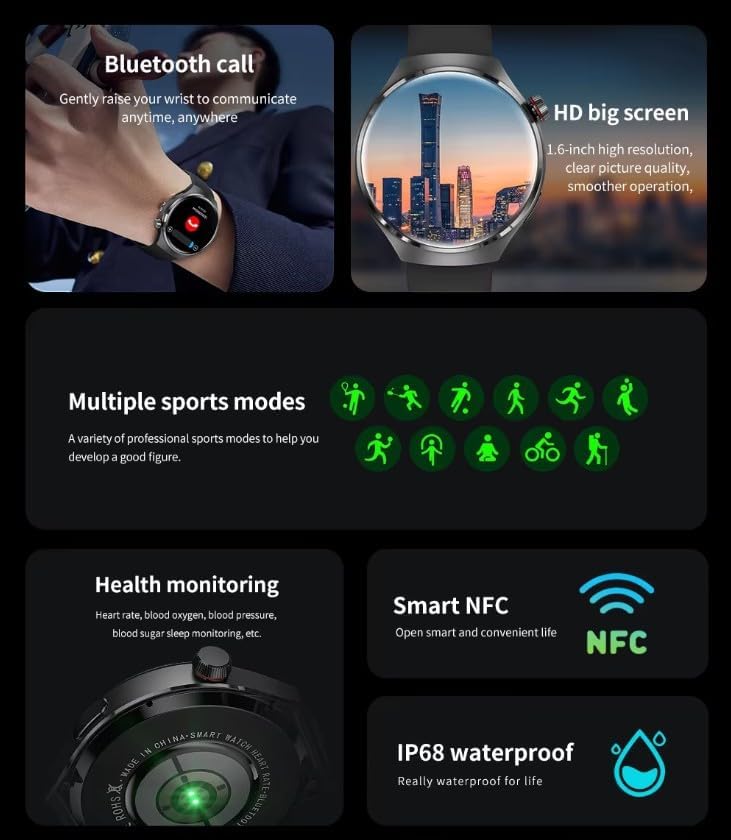
Image: The GUHUAVMI GT4 Pro Smartwatch displaying the AI voice assistant interface, showing exampפחות פקודות קוליות.
3. שיחות בלוטות'
לאחר הצימוד עם הסמארטפון שלך, תוכל לבצע ולקבל שיחות ישירות מהשעון החכם שלך.
- ביצוע שיחות: Access the dialer or contacts list on your watch.
- קבלת שיחות: מענה או דחייה של שיחות נכנסות ישירות ממסך השעון.
4. ניטור בריאות
The GT4 Pro provides real-time health data to help you monitor your well-being.
- דופק: ניטור רציף לאורך כל היום.
- חמצן בדם (SpO2): מדוד את רמות רוויון החמצן בדם שלך.
- Blood Sugar: Provides estimated blood sugar readings.
- מעקב שינה: צגי שינהtagואיכות.
View detailed health reports in the companion app.
5. מעקב כושר
עקוב אחר האימונים והפעילות היומית שלך בדיוק רב.
- מצבי ספורט מרובים: Select from various activities like running, cycling, swimming, and more for accurate data.
- GPS מובנה: Records your route, distance, and pace during outdoor activities.
- מַצְפֵּן: Provides directional guidance for outdoor adventures.

Image: The GUHUAVMI GT4 Pro Smartwatch showcasing icons for NFC, GPS, compass, heart rate, and Bluetooth call, highlighting its comprehensive features.
6. NFC Features
The GT4 Pro supports NFC for convenient interactions.
- בקרת גישה: Use your watch for compatible access systems.
- Find My iPhone: Utilize NFC to locate your paired iPhone.
7. Dynamic Island Function
Experience enhanced interactive displays for notifications, music, and charging status.
- תצוגות אינטראקטיביות: Smart displays adapt to show relevant information dynamically.
- שדרוגי OTA: New functional interactive displays may be added through future over-the-air updates.
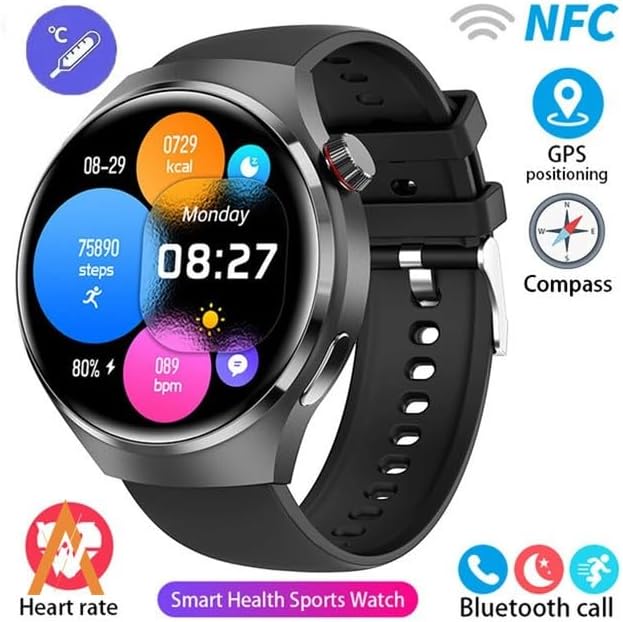
Image: The GUHUAVMI GT4 Pro Smartwatch screen demonstrating the Dynamic Island function, showing notifications and active processes.
8. Other Utility Features
The smartwatch includes several convenient tools:
- מצלמה: שלטו במצלמת הסמארטפון שלכם מרחוק.
- שעון מעורר: הגדר התראות ישירות מפרק כף היד.
- שעון עצר וטיימר: לצורך מדידת זמן מדויקת.
- מדידת טמפרטורה: Monitor ambient temperature.
- Multi-Time Zone Settings: Keep track of different time zones.
- בקרת השמעת מוזיקה: Manage music on your paired smartphone.
תַחזוּקָה
1. עמידות למים (IP68)
The GT4 Pro has an IP68 waterproof rating, meaning it is resistant to dust and can withstand immersion in water up to 1.5 meters for 30 minutes. It is suitable for swimming and use in rainy conditions.
- Do not use in hot water, saunas, or steam rooms.
- Avoid exposure to high-velocity water.
- לאחר חשיפה למים, נגבו את השעון יבש בעזרת מטלית רכה.
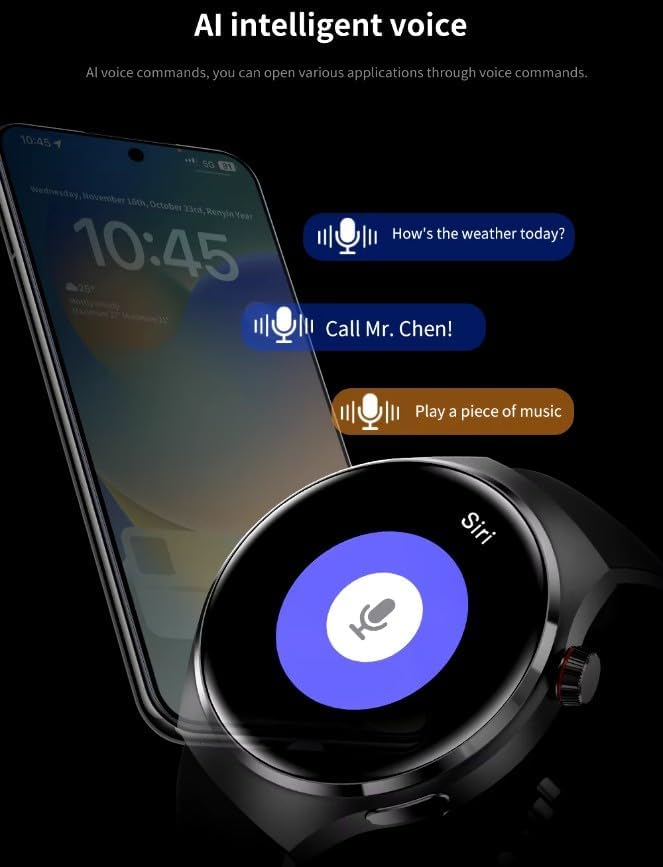
Image: Two GUHUAVMI GT4 Pro Smartwatches shown with water droplets, illustrating their IP68 waterproof capability.
2. ניקיון
Regularly clean your smartwatch to maintain its appearance and sensor accuracy.
- נגבו את המסך והגוף בעזרת מטלית רכהamp, בד נטול מוך.
- Clean the charging contacts and heart rate sensor on the back of the watch to ensure proper function.
- הימנע משימוש בכימיקלים קשים או חומרים שוחקים.
3. עדכוני תוכנה
Periodically check for software updates through the companion app. Updates can provide new features, performance improvements, and bug fixes.
פתרון בעיות
- שעון לא נדלק: ודא שהשעון טעון במלואו. חבר אותו למטען למשך 30 דקות לפחות.
- לא ניתן להתאים לסמארטפון:
- ודא ש-Bluetooth מופעל בטלפון ובשעון שלך.
- ודא שהשעון נמצא בטווח קליטה של הטלפון שלך.
- הפעל מחדש את השעון ואת הטלפון שלך.
- בדוק אם האפליקציה הנלווית מעודכנת לגרסה העדכנית ביותר.
- נתוני בריאות לא מדויקים:
- ודאו שהשעון צמוד לפרק כף היד, לא הדוק מדי או רפוי מדי.
- נקו את החיישנים בגב השעון.
- הימנעו מתנועה מוגזמת במהלך המדידות.
- חיי סוללה קצרים:
- הפחת את בהירות המסך.
- השבת התראות או תכונות מיותרות.
- הגבל את ניטור קצב הלב הרציף אם אין צורך בכך.
מפרטים
| תכונה | תֵאוּר |
|---|---|
| מספר דגם | GT4 Pro |
| לְהַצִיג | 1.6-inch HD AMOLED, 360x360 resolution |
| קישוריות | בלוטות' 5.0 |
| דירוג עמיד למים | IP68 |
| ניטור בריאות | Heart Rate, Blood Oxygen, Blood Sugar, Sleep Tracking |
| מעקב אחר כושר | Built-in GPS, Compass, Multiple Sports Modes |
| עוזר קולי | AI Voice Assistant Integrated |
| NFC | Supported (e.g., Find My iPhone, Access Control) |
| סוג טעינה | מגנטי אלחוטי טעינה |
| חיי סוללה אופייניים | 5-7 ימים |
| זמן טעינה | כ. 3 שעות |
| רכיבים כלולים | Smartwatch, User Manual, Wireless Charger |
אחריות ותמיכה
מידע על אחריות
The GUHUAVMI GT4 Pro Smartwatch comes with a אחריות ל-6 חודשים מתאריך הרכישה. אחריות זו מכסה פגמי ייצור בשימוש רגיל. היא אינה מכסה נזק שנגרם כתוצאה משימוש לרעה, תאונות, שינויים לא מורשים או בלאי רגיל.
תמיכת לקוחות
If you encounter any issues or have questions regarding your GUHUAVMI GT4 Pro Smartwatch, please refer to the troubleshooting section of this manual. For further assistance, contact your retailer or the manufacturer's customer support channel. Please have your purchase receipt and product model number (GT4 Pro) ready when contacting support.