
מָבוֹא
The GameSir G8 Plus Thanos Edition is a versatile mobile game controller designed to provide a console-like gaming experience across multiple platforms. This manual provides essential information for setting up, operating, maintaining, and troubleshooting your controller.
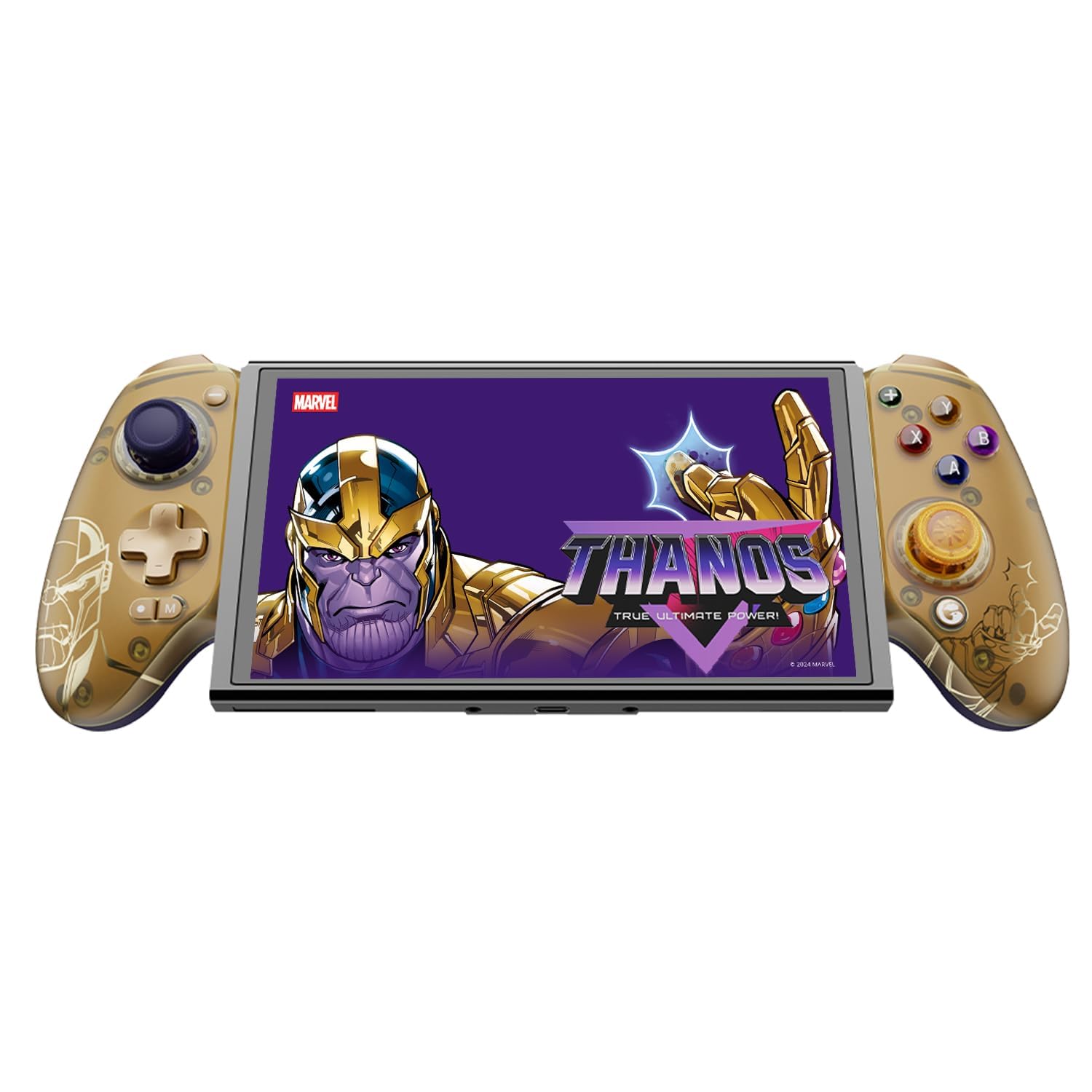
Figure 1: GameSir G8 Plus Thanos Edition Mobile Game Controller.
הגדרה
תוכן החבילה
ודא שכל הפריטים נמצאים בחבילה:
- GameSir G8 Plus Thanos Edition Mobile Game Controller
- Interchangeable Thumbstick Caps (3 pairs)
- כבל USB-C
- מדריך למשתמש (מסמך זה)

Figure 2: Contents of the GameSir G8 Plus Thanos Edition package.
תאימות מכשיר
The GameSir G8 Plus is compatible with a wide range of devices:
- Android devices (Android 8.0 or later)
- מכשירי iOS
- Nintendo Switch
- Tablets (4.7 to 8.4 inches)
- PC (via 2.4G receiver, sold separately, or wired)

Figure 3: Universal compatibility of the GameSir G8 Plus.
חיבור ראשוני
To connect your GameSir G8 Plus controller to a device:
- For Mobile Devices (Bluetooth): Extend the controller to fit your smartphone or tablet. Ensure Bluetooth is enabled on your device. Press and hold the pairing button on the controller until the indicator light flashes, then select "GameSir G8 Plus" from your device's Bluetooth settings.
- עבור Nintendo Switch: Insert the Switch console into the controller. The controller should automatically connect.
- For PC (Wired): Connect the controller to your PC using the provided USB-C cable.
- For PC (2.4G Wireless): Insert the 2.4G receiver (sold separately) into your PC's USB port. The controller should connect automatically.
סרטון 1: נגמרview of the Gamesir G8 Plus Bluetooth Marvel Licensed controller, demonstrating its design and features.
פועל
תכונות ובקרות עיקריות
- ג'ויסטיקים עם אפקט הול: Experience precise 360° control with anti-drift technology, ensuring longevity and accuracy.
- טריגרים של אפקט הול: Optimized triggers provide smooth and quick response, ideal for various game genres.
- Mappable Back Buttons: Two additional back buttons (L4/R4) allow for instant button mapping, enhancing gameplay customization.
- חישת תנועה: A built-in 6-axis gyroscope enhances motion control, particularly useful for compatible Switch games and motion-sensitive gameplay.
- משוב הפטי: Console-level haptic feedback provides realistic and immersive sensations during gameplay.

Figure 4: Explanation of GameSir Hall Effect Sticks.

איור 5: החלפת מצבי טריגר עבור סוגי משחקים שונים.

Figure 6: Motion Control capabilities with built-in 6-axis gyro.

Figure 7: Realistic and immersive haptic sensation.
התאמה אישית
- Magnetic Faceplates: The controller features magnetic faceplates that can be easily removed and swapped for personalized aesthetics or maintenance.
- מכסי אגודל להחלפה: Three pairs of thumbstick caps with varying heights are included, allowing users to customize control feel.
- GameSir App: The GameSir app (Android exclusive) allows for real-time customization, including button mapping and sensitivity adjustments, for personalized gameplay.

Figure 8: Free customization options for the controller.

Figure 9: Advanced features of the GameSir G8 Plus.
Video 2: Introduction to the GameHub App, showcasing its features for game management and controller customization.
החלפת מצבים
The controller supports various modes for different platforms. To switch between modes, press the corresponding key combination:
| מצב | מחוון בית | שיטת חיבור | פלטפורמה תואמת |
|---|---|---|---|
| דְמוּי אָדָם | יָרוֹק | Controller + A | אנדרואיד 8.0 או גרסאות מאוחרות יותר |
| DS4 | כְּחוֹל | Controller + B | iOS |
| מֶתֶג | אָדוֹם | Controller + X | מֶתֶג |
| G-Touch | ציאן | Controller + Y | אפליקציית GameSir |
*במצב עבודה, לחץ על צירוף המקשים המתאים כדי לעבור למצב הרצוי.
תַחזוּקָה
כדי להבטיח את אורך החיים והביצועים האופטימליים של בקר ה-GameSir G8 Plus שלכם, יש לפעול לפי הנחיות התחזוקה הבאות:
- ניקוי: השתמשו במטלית רכה ויבשה כדי לנגב את פני השטח של הבקר. במקרה של לכלוך עיקש, נקו מעטampשטפו את המטלית במים או בתמיסת ניקוי עדינה. הימנעו מכימיקלים חזקים או מחומרים שוחקים.
- אִחסוּן: יש לאחסן את הבקר במקום קריר ויבש, הרחק מאור שמש ישיר וטמפרטורות קיצוניות. כאשר אינו בשימוש למשך תקופות ממושכות, יש לוודא שהוא טעון במלואו לפני האחסון.
- טיפול: Avoid dropping the controller or subjecting it to strong impacts. Do not attempt to disassemble the controller beyond removing the magnetic faceplates and thumbstick caps.
פתרון בעיות
If you encounter issues with your GameSir G8 Plus controller, refer to the following common troubleshooting steps:
- הבקר לא מתחבר: Ensure Bluetooth is enabled on your device and the controller is in the correct mode (Android, DS4, Switch). Try restarting both the controller and your device. For wired connections, ensure the USB-C cable is securely connected.
- כפתורים או ג'ויסטיקים לא מגיבים: Check if the controller's battery is charged. If using the GameSir App, verify that button mappings are correctly configured. For Hall Effect Joysticks, recalibration might be necessary if drift occurs (refer to GameSir App for calibration options).
- Device Not Fitting: Ensure your device's dimensions are within the supported range of 4.7 to 8.4 inches. The controller's design accommodates devices with larger cameras.
- GameSir App Issues: Ensure your GameSir App is updated to the latest version. The app is currently exclusive to Android devices.
לסיוע נוסף, אנא צרו קשר עם תמיכת הלקוחות של GameSir.
מפרטים
Detailed specifications for the GameSir G8 Plus Thanos Edition Mobile Game Controller:
| תכונה | פְּרָט |
|---|---|
| מכשירים תואמים | Android, iOS, Nintendo Switch, PC |
| סוג בקר | Gamepad |
| טכנולוגיית קישוריות | Bluetooth 5.3, USB, 2.4G (receiver sold separately) |
| תכונות נוספות | Multiuse, Wireless, Hall Effect Joysticks & Triggers, 6-axis Gyroscope, Mappable Back Buttons, Magnetic Faceplates, Interchangeable Thumbstick Caps, Pass-through Charging |
| כמות הכפתורים | 6 (standard face buttons) + D-pad, shoulder buttons, triggers, menu buttons, 2 back buttons |
| פלטפורמת חומרה | Smartphone, Tablet, Nintendo Switch, PC |
| מקור כוח | Battery Powered (500mAh per side) |
| משקל פריט | 620 גרם |
| שם הדגם | G8 פלוס |
| יַצרָן | GameSir |
| צֶבַע | Gamesir G8 Plus Thanos Edition (Gold/Purple) |
אחריות ותמיכה
מידע על אחריות
The GameSir G8 Plus Thanos Edition Mobile Game Controller comes with a אחריות לשנה. GameSir provides 12 months replacement service for product issues.
תמיכת לקוחות
If you experience any problems with your product or require further assistance, please feel free to send a message through Amazon. GameSir aims to reply within 24 hours.