
1. המוצר נגמרview
The Morpheus 360 Sanctuary ANC Wireless UC Headset is designed for professional communication and audio playback. It features Active Noise Canceling (ANC), a noise-canceling boom microphone, and Bluetooth connectivity with an included USB dongle for unified communication platforms.
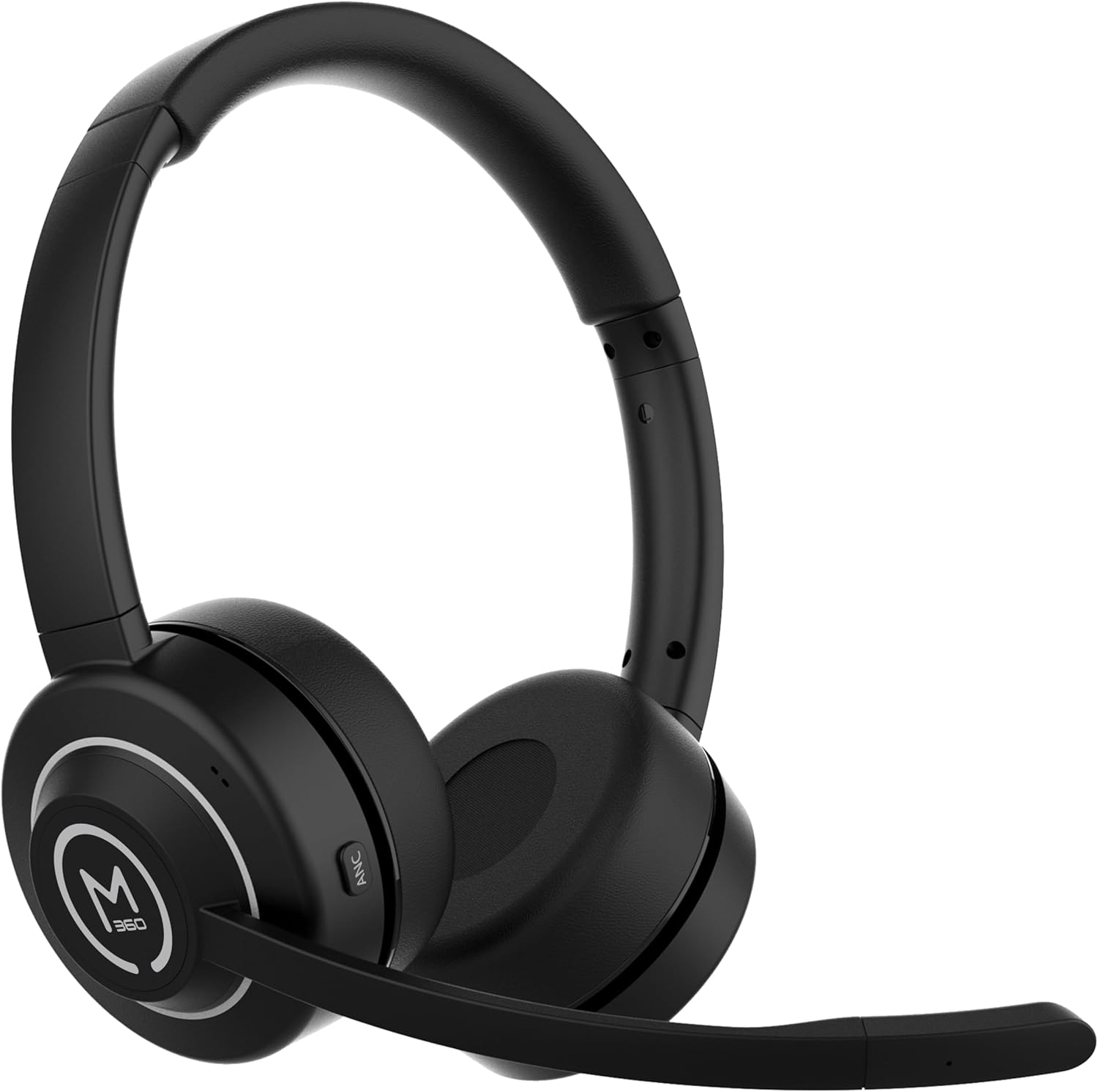
תמונה 1.1: חזית view of the Morpheus 360 Sanctuary ANC Wireless UC Headset.
2. מה בקופסה
- Morpheus 360 Sanctuary ANC Wireless UC Headset
- USB Dongle Bluetooth
- מעמד טעינה
- כבל טעינה USB-C

Image 2.1: The dedicated charging stand for the headset.
3. התקנה
3.1 טעינת האוזניות
- Connect the USB-C charging cable to the charging stand and a power source.
- Place the headset onto the charging stand, ensuring proper alignment. The headset will begin charging.
- טעינה מלאה מספקת כ-55 שעות של חיי סוללה.
פֶּתֶק: The headset cannot be used while it is charging on the stand.
3.2 צימוד עם מכשירים
The headset can be paired via Bluetooth or using the included USB dongle.
זיווג Bluetooth:
- וודא שהאוזנייה כבויה.
- לחץ והחזק את לחצן ההפעלה עד שנורית ה-LED תהבהב בכחול ואדום, כדי לציין מצב צימוד.
- On your device (smartphone, tablet), go to Bluetooth settings and select "Morpheus 360 Sanctuary" from the list of available devices.
- לאחר החיבור, נורית החיווי תדליק אור כחול קבוע.
USB Dongle Pairing (for PC/Mac):
- Plug the USB Bluetooth dongle into an available USB port on your computer.
- Power on the headset. It should automatically connect to the dongle. The LED on the dongle will indicate a successful connection.
- Ensure the headset is selected as the audio input and output device in your computer's sound settings.
זְהִירוּת: Handle the USB dongle with care. Repeated insertion and removal, or improper handling, may cause the dongle to separate.
3.3 ענידת האוזניות
- התאם את רצועת הראש כך שתתאים בנוחות מעל ראשך.
- Position the earcups so they sit gently on your ears. The eco-leather ear cushions are designed for comfort.
- Adjust the flexible boom microphone to be near your mouth for optimal voice pickup.

תמונה 3.1: צד view of the headset highlighting the boom microphone and control buttons.
4. הפעלת האוזניות
4.1 הפעלה/כיבוי
- הפעלה: לחץ והחזק את לחצן ההפעלה למשך 3 שניות.
- כיבוי: לחץ והחזק את לחצן ההפעלה למשך 5 שניות.
4.2 ביטול רעשים אקטיבי (ANC)
The ANC feature detects and reduces background noise by up to 20dB, helping you focus. This is effective against consistent low-frequency sounds like office chatter or keyboard noise.
- הפעל ANC: לחצו על כפתור ה-ANC הממוקם על כיסוי האוזניים.
- השבת את ANC: Press the ANC button again.
4.3 מצב שקיפות
Transparency Mode allows you to hear your surroundings without removing the headset, useful for quick conversations or awareness.
- הפעלה/ביטול של מצב שקיפות: Refer to the specific button on your headset (often shared with ANC or a dedicated button).
4.4 ניהול שיחות
- מענה/סיום שיחה: לחץ פעם אחת על כפתור הרב-פונקציה.
- דחה שיחה: לחץ והחזק את הלחצן הרב-תכליתי למשך 2 שניות.
- השתקה/ביטול השתקה של מיקרופון: Use the dedicated mute button on the boom microphone or earcup.
The noise-canceling boom microphone uses specialized technology to filter out background noise from your voice during calls.
4.5 השמעת מוזיקה
- הפעל/השהה: לחץ פעם אחת על כפתור הרב-פונקציה.
- הרצועה הבאה: לחץ והחזק את לחצן הגברת עוצמת הקול.
- רצועה קודמת: לחץ והחזק את לחצן החלשת עוצמת הקול.
4.6 בקרת עוצמת הקול
- הגדל את עוצמת הקול: לחץ על כפתור הגברת עוצמת הקול.
- הפחת עוצמת הקול: לחץ על כפתור הנמכת עוצמת הקול.
5. תחזוקה
5.1 ניקוי
- Wipe the headset and ear cushions with a soft, dry, lint-free cloth.
- אין להשתמש בכימיקלים קשים, חומרי ניקוי או חומרי ניקוי חזקים.
- הימנעו מלחות להיכנס לפתחים כלשהם.
5.2 אחסון
- יש לאחסן את האוזניות במקום קריר ויבש, הרחק מאור שמש ישיר וטמפרטורות קיצוניות.
- When not in use, placing the headset on its charging stand can help keep it organized and ready for use.
5.3 טיפול בסוללה
- כדי להאריך את חיי הסוללה, הימנעו מפריקת האוזניות באופן מלא לעתים קרובות.
- Charge the headset regularly, even if not used for extended periods.
6. פתרון תקלות
6.1 בעיות קישוריות
- אוזניות לא מתואמות: Ensure the headset is in pairing mode (flashing blue/red LED). Check your device's Bluetooth settings.
- USB Dongle not connecting: Ensure the dongle is fully inserted into the USB port. Try a different USB port. Re-pair the headset if necessary.
- חיבור לסירוגין: Ensure no major obstructions are between the headset and your device/dongle. Move closer to the connected device.
6.2 בעיות שמע
- אין קול: Check volume levels on both the headset and your connected device. Ensure the headset is selected as the audio output device.
- המיקרופון לא עובד: Ensure the microphone is not muted. Check that the headset is selected as the audio input device in your computer's sound settings.
6.3 Active Noise Canceling (ANC) Performance
- ANC is most effective against consistent low-frequency sounds. It may not completely block out human speech or sudden loud noises.
- Ensure the earcups are properly seated on your ears for optimal ANC performance.
6.4 USB Dongle Durability
Some users have reported the USB dongle separating. To prevent this, handle the dongle gently when inserting or removing it from USB ports or the charging stand. Avoid pulling it out by the plastic casing alone.
6.5 Battery Alerts
The headset may issue 'Charge headset' warnings when the battery level is around 30%. This is normal behavior to prompt early recharging.
7. מפרטים
| מספר דגם | HS6750ANC |
| מותג | מורפיאוס 360 |
| צֶבַע | שָׁחוֹר |
| חוֹמֶר | Faux Leather, Plastic, Stainless Steel |
| חיי סוללה | עד 55 שעות |
| ביטול רעשים אקטיבי | Up to 20dB reduction |
| מִיקרוֹפוֹן | Noise Canceling Boom Microphone |
| קישוריות | Bluetooth, USB Dongle |
| UPC | 856816008590 |
8. מידע על אחריות
The Morpheus 360 Sanctuary ANC Wireless UC Headset (Model HS6750ANC) comes with a שנה חלקים ועבודה warranty from the date of purchase. Please retain your proof of purchase for warranty claims.
9. תמיכה
For further assistance, technical support, or warranty inquiries, please refer to the official Morpheus 360 webבאתר או צרו קשר עם מחלקת שירות הלקוחות שלהם. פרטי התקשרות ניתן למצוא בדרך כלל על אריזת המוצר או בנוכחות המקוונת הרשמית של המותג.