
1. מידע בטיחות חשוב
- אין לפרק או לשנות את האוזניות או את מארז הטעינה.
- הרחק את המכשיר מטמפרטורות קיצוניות, לחות ונוזלים.
- הימנע מחשיפה ממושכת לרמות ווליום גבוהות כדי למנוע נזקי שמיעה.
- השתמשו רק בכבלי הטעינה המסופקים או המאושרים.
- השלך את המוצר באחריות בהתאם לתקנות המקומיות.
2. תכולת החבילה
אנא בדקו את תכולת החבילה לאחר הפתיחה:
- Wireless Earbuds (2)
- נרתיק טעינה (1)
- כבל טעינה מסוג C (1)
- מדריך למשתמש (1)

Image: Contents of the Jxrev J51 Wireless Earbuds package.
3. המוצר נגמרview
The Jxrev J51 Wireless Earbuds offer a high-quality audio experience with advanced features. They are designed for comfort and convenience, suitable for various activities.
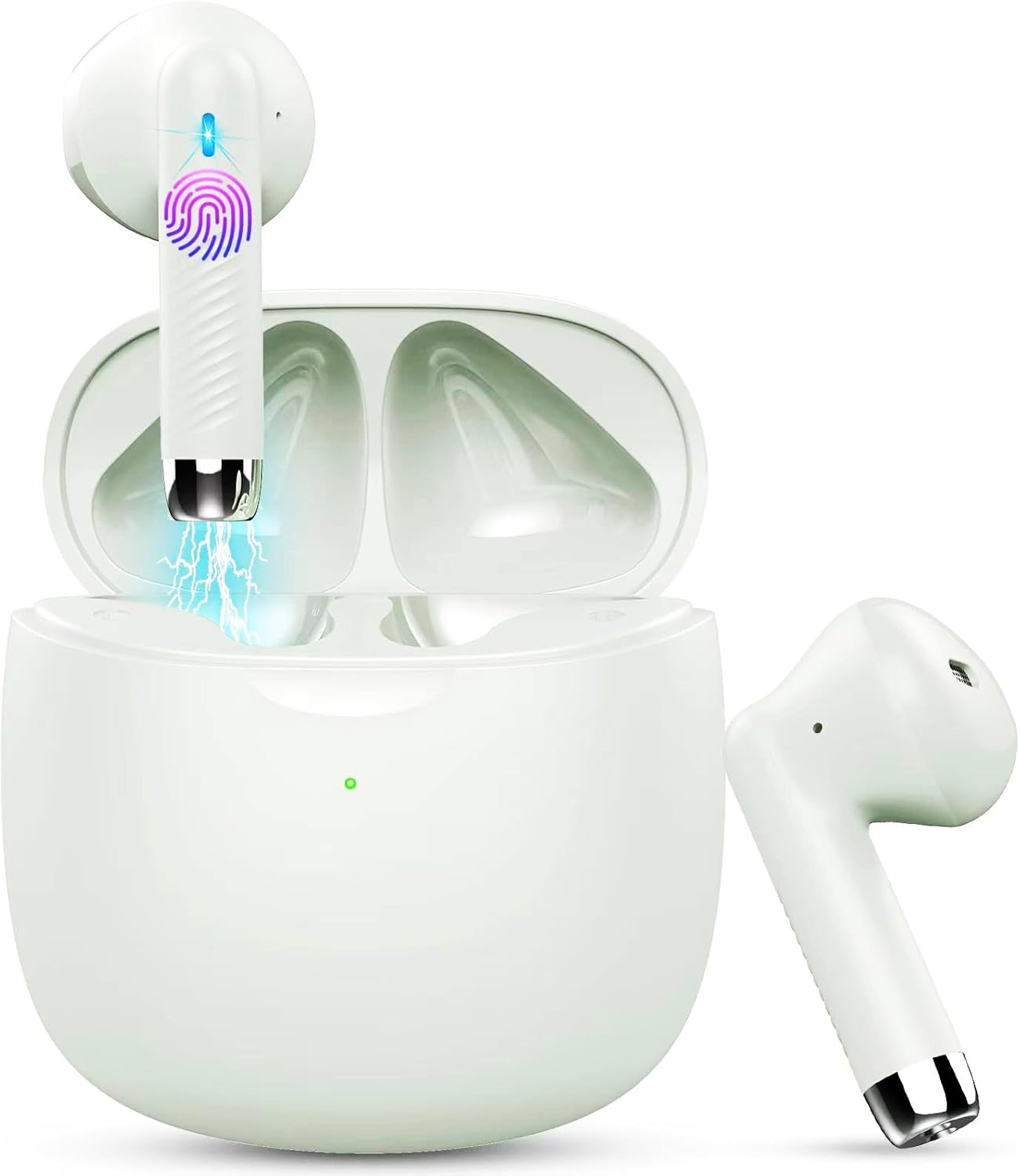
Image: Jxrev J51 Wireless Earbuds and their charging case.
תכונות עיקריות:
- טכנולוגיית Bluetooth 5.4: מספק חיבור אלחוטי יציב ומהיר.
- דרייברים דינמיים בגודל 13 מ"מ: Delivers clear audio with enhanced bass.
- דירוג עמיד למים IP7: Resistant to sweat and splashes, ideal for sports.
- בקרת מגע: Intuitive control for music, calls, and voice assistant.
- עיצוב קל משקל: כל אוזניה שוקלת כ-3 גרם לנוחות השימוש.

Image: Illustration of the 13mm dynamic driver for audio quality.

תמונה: פנימי view of an earbud showcasing the Bluetooth chip for stable connectivity.
4. התקנה ושימוש ראשון
4.1 טעינת המארז והאוזניות
- חיוב ראשוני: לפני השימוש הראשון, יש לטעון במלואן את מארז הטעינה ואת האוזניות.
- חיבור כבל: Insert the Type-C charging cable into the charging port on the case and connect the other end to a USB power source.
- מחוון טעינה: The indicator light on the charging case will show the charging status. A full charge typically takes about 1 hour for the case.
- טעינת אוזניות: הניחו את האוזניות במארז הטעינה. הן יתחילו להיטען אוטומטית.

Image: Charging case with earbuds, illustrating USB-C charging and battery capacity.
4.2 צימוד עם המכשיר שלך
האוזניות כוללות צימוד בשלב אחד לנוחותכם.
- הפעלה: פתחו את מארז הטעינה. האוזניות יידלקו אוטומטית ויכנסו למצב צימוד.
- הפעל בלוטות': בטלפון החכם או במכשיר אחר התומך ב-Bluetooth, עבור להגדרות ה-Bluetooth והפעל את ה-Bluetooth.
- תבחר מכשיר: Look for 'J51' in the list of available devices and select it to connect.
- אִשׁוּר: לאחר החיבור, תשמעו הנחיה קולית, והאוזניות יהיו מוכנות לשימוש.
- חיבור אוטומטי מחדש: לאחר הצימוד הראשוני, האוזניות יתחברו אוטומטית למכשיר האחרון שקושרו לאחר הוצאתן מהמארז.

Image: Visual guide for one-step Bluetooth pairing with a smartphone.
5. הוראות הפעלה
5.1 ענידת האוזניות
The J51 earbuds are designed for an ergonomic and secure fit.
- זיהוי ימין/שמאל: Locate the 'L' and 'R' markings on each earbud.
- לְהַכנִיס: הכנס בעדינות את האוזניה לתוך תעלת האוזן שלך.
- לְהַתְאִים: Rotate the earbud slightly until it feels comfortable and secure. The lightweight design ensures minimal pressure.

Image: Demonstrating the lightweight and ergonomic fit of the earbuds.
5.2 פקדי מגע
The earbuds feature touch-sensitive areas for easy control of various functions.

Image: Comprehensive guide to earbud touch controls.
| פְּעוּלָה | אוזניה שמאלית (L) | אוזניה ימנית (R) |
|---|---|---|
| הפעל/השהה | לחץ פעמיים | לחץ פעמיים |
| השיר הבא | לא | החזק 2 שניות |
| השיר הקודם | החזק 2 שניות | לא |
| הורדת עוצמת הקול | לחיצה אחת | לא |
| הגברת עוצמת הקול | לא | לחיצה אחת |
| מענה/סיום שיחה | לחץ פעמיים | לחץ פעמיים |
| דחה שיחה | החזק 2 שניות | החזק 2 שניות |
| הפעל את עוזר הקולי | לחץ לחיצה משולשת | לחץ לחיצה משולשת |
5.3 Mono Mode (Single Earbud Use)
You can use either the left or right earbud independently. Simply take one earbud out of the charging case, and it will automatically connect to your device. The other earbud can remain in the case or be used by another person in 'Sharing mode' if desired.
5.4 Binaural Mode (Both Earbuds Use)
For stereo sound, use both earbuds. They will automatically pair with each other and your device when removed from the charging case.

Image: Depiction of Mono and Twin (Binaural) usage modes.
5.5 עוזר קולי
Triple-click either earbud to activate your device's voice assistant (e.g., Siri, Google Assistant).

Image: Activating the voice assistant feature.
6. תחזוקה וטיפול
6.1 ניקוי
- נקו באופן קבוע את האוזניות ואת נרתיק הטעינה בעזרת מטלית רכה, יבשה ונטולת סיבים.
- אין להשתמש בחומרי ניקוי שוחקים, אלכוהול או ממסים כימיים.
- ודאו שמגעי הטעינה הן באוזניות והן בנרתיק נקיים ויבשים לטעינה אופטימלית.
עמידות למים 6.2 (IP7)
The Jxrev J51 earbuds are IP7 waterproof, meaning they are protected against temporary immersion in water. This makes them suitable for workouts and use in light rain.
- אין לטבול את האוזניות במים במכוון למשך פרקי זמן ממושכים.
- מארז הטעינה אינו עמיד למים. יש לשמור עליו יבש.
- ודאו שהאוזניות יבשות לחלוטין לפני החזרתן לנרתיק הטעינה כדי למנוע נזק.

Image: Earbuds demonstrating IP7 waterproof capability.
6.3 אחסון
כאשר אינן בשימוש, אחסנו את האוזניות בנרתיק הטעינה שלהן כדי להגן עליהן ולשמור עליהן טעונות.
7. פתרון תקלות
אם נתקלת בבעיות כלשהן, אנא עיין בפתרונות הנפוצים הבאים:
- אוזניות לא מתחברות זו לזו: Place both earbuds back into the charging case, close the lid for a few seconds, then open it again. They should automatically re-sync.
- האוזניות לא מתחברות למכשיר:
- ודא שה-Bluetooth מופעל במכשיר שלך.
- Delete 'J51' from your device's Bluetooth history and try pairing again.
- ודאו שהאוזניות טעונות.
- אין צליל מאוזניה אחת: Place both earbuds back in the case, close the lid, then open it again. Check if both are connected.
- בעיות טעינה:
- בדוק את כבל הטעינה והמתאם.
- ודאו שמגעי הטעינה באוזניות ובמארז נקיים וללא לכלוך.
- פקדי מגע לא מגיבים: ודאו שהאצבעות שלכם נקיות ויבשות. נסו להפעיל מחדש את האוזניות על ידי הנחתן במארז והוצאתן שוב.
8. מפרטים
| שם הדגם | J51 |
| טכנולוגיית קישוריות | אלחוטי (Bluetooth) |
| גרסת בלוטות' | 5.4 |
| טווח בלוטות' | עד 15 מטר |
| גודל מנהל התקן שמע | 13 מילימטרים |
| טווח תדרים | 20Hz - 20,000Hz |
| עַכָּבָּה | 40 אוהם |
| רמת עמידות במים | IP7 עמיד למים |
| משקל אוזניים | Approx. 3 Grams (each) |
| חיי הטעינה של מארז הטעינה | עד 32 שעות (עם כיסוי) |
| זמן משחק יחיד | 6-8 שעות |
| זמן טעינה (מארז) | Approx. 1 Hour (USB-C) |
| סוג בקרה | בקרת מגע |
| מכשירים תואמים | Cellphones, PCs, Tablets, Laptops, TVs |
9. אחריות ותמיכה
Jxrev products are designed for reliability and performance. For specific warranty details, please refer to the warranty card included in your product packaging or contact Jxrev customer support.
תמיכת לקוחות:
If you have any questions, concerns, or require technical assistance, please contact Jxrev customer support through the official webאתר או פרטי הקשר המופיעים בתיעוד המוצר שלך.