
מָבוֹא
Thank you for choosing the AWEI T28 Wireless Earbuds. This manual provides detailed instructions for setting up, operating, and maintaining your earbuds to ensure optimal performance and longevity. Please read this manual thoroughly before using the product.
תוכן החבילה
ודא שכל הפריטים נמצאים בחבילה שלך:
- Wireless Bluetooth Headset (Left and Right Earbuds)
- Wireless Bluetooth Headset Charging Case
- כבל טעינה USB-C
- הוראות שימוש (מדריך זה)
המוצר נגמרview
The AWEI T28 Wireless Earbuds are designed for a comfortable in-ear fit, offering high-fidelity audio and clear call performance. They feature Bluetooth 5.3 technology for stable connectivity and touch controls for easy operation.

איור 1: AWEI T28 Wireless Earbuds and Charging Case. This image displays the white earbuds resting inside their open charging case, highlighting their compact and sleek design.

איור 2: Earbuds and Charging Case. The image shows the earbuds removed from the charging case, which is open, illustrating the product's design and indicating its readiness for use or charging.
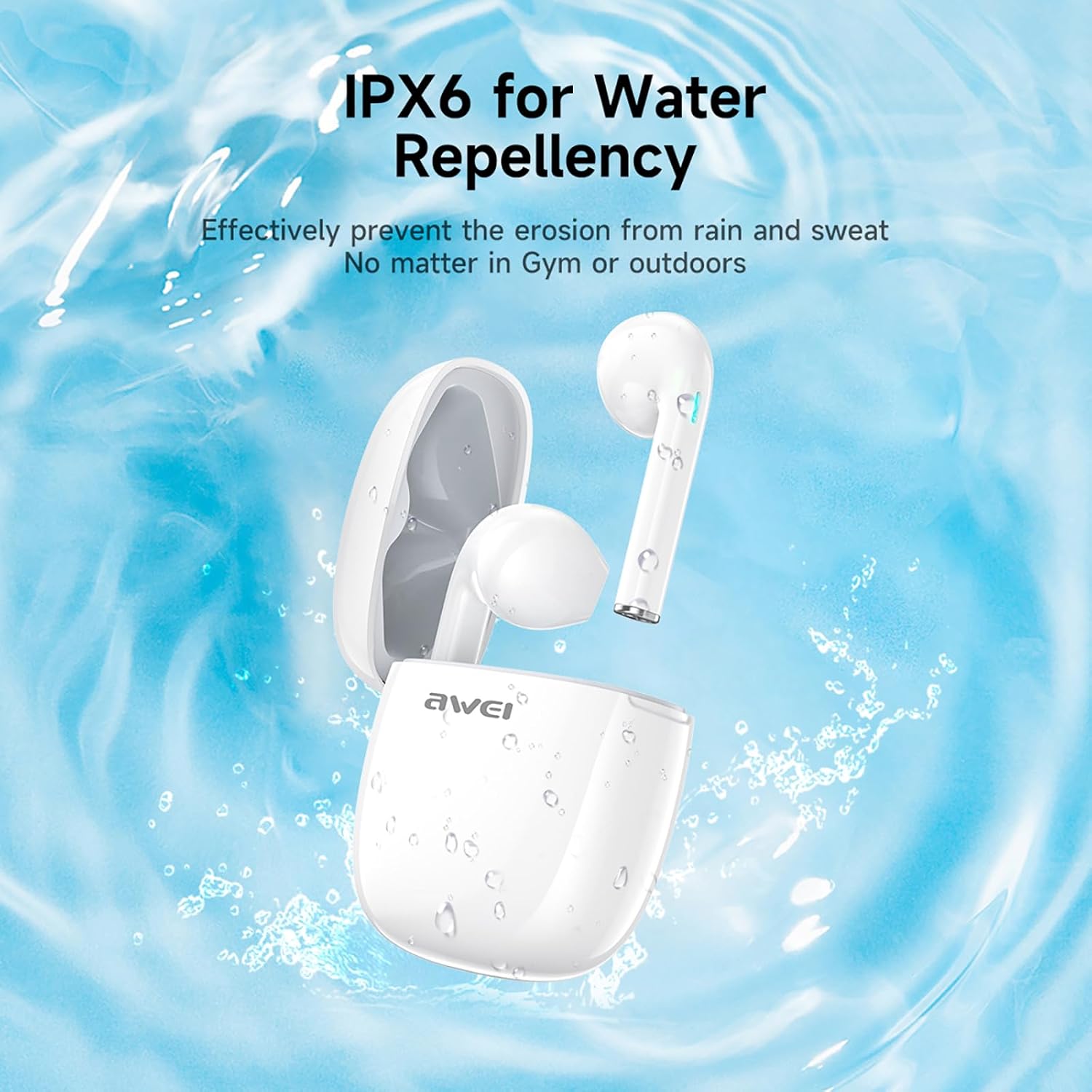
איור 3: IPX6 Water Repellency. This image depicts the earbuds and charging case with water splashes, visually representing their IPX6 waterproof rating, suitable for use during exercise or in light rain.
הגדרה
1. טעינת האוזניות והמארז
- חיוב ראשוני: לפני השימוש הראשון, טען את האוזניות ואת נרתיק הטעינה במלואן.
- טעינת המארז: Connect the provided USB-C charging cable to the charging port on the case and to a USB power source. The charging time for the case is approximately 1.5 hours.
- טעינת האוזניות: Place the earbuds into the charging case. They will automatically begin charging. The earbuds provide approximately 7 hours of continuous use per charge. The charging case extends total playback time to 35 hours in dual-ear mode, or up to 70 hours in single-ear mode by alternating earbuds.
- מחווני סוללה: עיינו במחווני ה-LED שעל המארז ועל האוזניות כדי לראות את מצב הטעינה.
2. התאמה עם מכשיר
- הפעלה: פתחו את מארז הטעינה. האוזניות יידלקו אוטומטית ויכנסו למצב צימוד.
- הפעל בלוטות': בטלפון החכם, בטאבלט או במכשיר אחר התומך ב-Bluetooth, עבור אל הגדרות ה-Bluetooth והפעל את ה-Bluetooth.
- תבחר מכשיר: Look for "AWEI T28" in the list of available devices and select it to connect.
- אִשׁוּר: Once connected, you will hear an audio prompt from the earbuds, and the device's Bluetooth settings will show "AWEI T28" as connected.
- חיבור אוטומטי מחדש: לאחר הצימוד הראשוני, האוזניות יתחברו אוטומטית למכשיר האחרון שקושרו לאחר הוצאתן ממארז הטעינה, בתנאי ש-Bluetooth מופעל במכשיר.
הוראות הפעלה
מגע בפקדים
The AWEI T28 earbuds feature smart touch controls on each earbud for convenient management of audio playback and calls.
- הפעל/השהה: הקשה אחת על אחת האוזניות.
- השיר הבא: הקש פעמיים על האוזניה הימנית.
- השיר הקודם: הקש פעמיים על האוזניה השמאלית.
- הגבר קול: הקש שלוש פעמים על האוזניה הימנית.
- להנמיך קול: הקש שלוש פעמים על האוזניה השמאלית.
- מענה/סיום שיחה: נגיעה אחת על כל אחת מהאוזניות במהלך שיחה נכנסת.
- דחה שיחה: לחץ והחזק את כל אחת מהאוזניות למשך 2 שניות במהלך שיחה נכנסת.
- הפעל את Assistant Voice: Press and hold either earbud for 3 seconds (functionality may vary by device).
Monaural and Binaural Mode
The earbuds support both monaural (single earbud) and binaural (both earbuds) modes. You can seamlessly switch between modes:
- מצב בינאורלי: הוציאו את שתי האוזניות ממארז הטעינה. הן יתחברו אוטומטית זו לזו ולאחר מכן למכשיר שלכם.
- מצב מונורלי: Remove only one earbud from the charging case. It will connect to your device independently. You can place the other earbud back in the case or keep it off.
- החלפה: If using one earbud, simply remove the other from the case to automatically switch to binaural mode. If using both, place one back in the case to switch to monaural mode.
תַחזוּקָה
Proper maintenance ensures the longevity and performance of your AWEI T28 Wireless Earbuds.
- ניקוי: יש לנקות באופן קבוע את האוזניות ואת מארז הטעינה בעזרת מטלית רכה, יבשה וללא סיבים. אין להשתמש בחומרי ניקוי שוחקים או ממסים.
- עצות אוזניים: If applicable, gently remove ear tips and clean them with mild soap and water, then dry thoroughly before reattaching.
- טעינת אנשי קשר: ודאו שמגעי הטעינה הן באוזניות והן בתוך המארז נקיים וללא לכלוך כדי לשמור על טעינה תקינה.
- עמידות במים: The earbuds are IPX6 waterproof, meaning they are resistant to strong jets of water. However, they are not designed for swimming or submersion. Ensure they are dry before placing them back in the charging case.
- אִחסוּן: כאשר אינן בשימוש, יש לאחסן את האוזניות בנרתיק הטעינה שלהן כדי להגן עליהן מפני אבק ונזק. יש לאחסן במקום קריר ויבש הרחק מטמפרטורות קיצוניות.
פתרון בעיות
If you encounter issues with your AWEI T28 Wireless Earbuds, refer to the following common solutions:
- אוזניות לא מתחברות למכשיר:
- ודא ששתי האוזניות טעונות במלואן.
- כבה את ה-Bluetooth במכשיר שלך ולאחר מכן הפעל אותו מחדש.
- Forget "AWEI T28" from your device's Bluetooth list and attempt to pair again.
- Ensure the earbuds are in pairing mode (usually indicated by flashing LED lights).
- נסה להתאים את המכשיר למכשיר אחר כדי לשלול בעיות ספציפיות למכשיר.
- רק אוזניה אחת עובדת:
- Place both earbuds back into the charging case, close the lid, wait a few seconds, then open the lid and remove both earbuds simultaneously.
- ודא ששתי האוזניות טעונות.
- Check if the earbuds are connected in monaural mode. If so, try re-pairing both earbuds.
- האוזניות לא נטענות:
- ודא כי מארז הטעינה טעון.
- Check that the charging contacts on the earbuds and inside the case are clean and free of obstructions.
- ודאו שהאוזניות ממוקמות כראוי במארז הטעינה.
- נסה להשתמש בכבל USB-C או במתאם מתח אחר.
- עוצמת קול נמוכה או איכות צליל ירודה:
- כוונן את עוצמת הקול גם במכשיר וגם באוזניות.
- ודאו שהאוזניות ממוקמות כראוי באוזניים שלכם לאיטום טוב.
- נקו כל שעוות אוזניים או פסולת מפיות האוזניות.
- Try playing different audio sources to determine if the issue is with the earbuds or the audio file.
- החיבור נותק לעתים קרובות:
- Ensure there are no significant obstacles (walls, large electronic devices) between the earbuds and your connected device.
- Keep the earbuds within the 10-meter Bluetooth range of your device.
- Avoid environments with high Wi-Fi or other wireless interference.
מפרטים
| דֶגֶם | T28 |
| מותג | אווי |
| טכנולוגיית קישוריות | אלחוטי (בלוטות' 5.3) |
| מיקום אוזניים | אין אוזן |
| סוג בקרה | בקרת מגע |
| רמת עמידות במים | IPX6 עמיד למים |
| Battery Average Life (Earbuds) | 7 שעות |
| זמן משחק כולל עם מארז טעינה | Up to 35 Hours (Dual-ear), 70 Hours (Single-ear) |
| זמן טעינה (מארז) | 1.5 שעות |
| חוֹמֶר | סיליקון |
| משקל פריט | 150 גרם |
| מכשירים תואמים | Smartphones, Computers, TVs |
אחריות ותמיכה
For warranty information and customer support, please refer to the documentation provided with your purchase or contact the retailer where you purchased the AWEI T28 Wireless Earbuds. Keep your proof of purchase for any warranty claims.
For further assistance, you may also visit the official Awei webאתר או צרו קשר ישירות עם שירות הלקוחות שלהם.