
GGSTOPWATER JM16
מדריך למשתמש לאוזניות אלחוטיות עם מסך מגע GGSTOPWATER JM16 Open Ear Bluetooth 5.4
דגם: JM16
מָבוֹא
This manual provides comprehensive instructions for the GGSTOPWATER JM16 Touch Screen Open Ear Bluetooth 5.4 Wireless Earbuds. Please read this manual carefully before using the product to ensure proper operation and to maximize your user experience. Keep this manual for future reference.
תוכן החבילה
The GGSTOPWATER JM16 package includes the following items:
- GGSTOPWATER JM16 Open Ear Bluetooth Earbuds (Left and Right)
- נרתיק טעינה חכם למסך מגע
- כבל טעינה USB
- מדריך למשתמש
המוצר נגמרview
The GGSTOPWATER JM16 earbuds feature an open-ear design for comfort and situational awareness, paired with a smart charging case that includes a touch screen for enhanced control.

Image: The GGSTOPWATER JM16 Open Ear Bluetooth Earbuds shown with their smart charging case, displaying battery levels and time on the case screen.
מרכיבי מפתח:
- Open-Ear Earbuds: Designed for comfortable, secure fit without blocking the ear canal, allowing ambient sound awareness.
- Smart Touch Screen Charging Case: Protects and charges the earbuds, featuring a 2.62-inch touch screen for direct control and information display.
- מִיקרוֹפוֹן: משולב לאיכות שיחה ברורה.

תמונה: תקריב view of the GGSTOPWATER JM16 earbuds and the charging case, highlighting the full-color touch screen interface.
הגדרה
1. טעינת האוזניות והמארז
- חיוב ראשוני: Before first use, place both earbuds into the charging case and connect the charging case to a power source using the provided USB cable. Ensure the case and earbuds are fully charged. The smart screen on the case will display battery levels.
- מצב טעינה: The screen on the charging case indicates the battery percentage for both the left earbud (L), right earbud (R), and the charging case itself.
2. התאמה עם מכשיר
- הפעלה: פתחו את מארז הטעינה. האוזניות יידלקו אוטומטית ויכנסו למצב צימוד.
- הפעל בלוטות': On your smartphone, tablet, or other Bluetooth-enabled device, navigate to the Bluetooth settings and turn Bluetooth on.
- תבחר מכשיר: Look for "JM16" in the list of available devices and select it to connect. You will hear an audible confirmation once connected.
- חיבור רב נקודות: The JM16 supports multi-device linking. After connecting to the first device, you can connect to a second device by repeating the pairing process. The earbuds will intelligently switch between connected devices.
הוראות הפעלה
בקרות מגע באוזניות
The earbuds feature touch-sensitive areas for various functions. A single click (x1) is a short tap, while a long press (xls) is holding the touch area for a few seconds.

Image: Diagram illustrating the touch control functions on the GGSTOPWATER JM16 earbuds.
- Volume + (R): Double-click (x2) on the Right earbud.
- Volume - (L): Double-click (x2) on the Left earbud.
- הפעל/השהה: Single-click (x1) on either earbud.
- תשובה לשיחה: Single-click (x1) on either earbud.
- דחה שיחה / ניתוק: Long press (xls) on either earbud.
- Previous Song (L): Long press (xls) on the Left earbud.
- Next Song (R): Long press (xls) on the Right earbud.
- עוזר קולי (סירי/גוגל עוזר): Triple-click (x3) on either earbud.
- אפס אוזניות: Disconnect from the phone and quickly press the left button 5 times at the same time to reset.
Smart Charging Case Touch Screen Functions
The 2.62-inch smart touch screen on the charging case provides extensive control and information without needing your phone.

תמונה: מעלview of the rich functionality available through the smart touch screen on the GGSTOPWATER JM16 charging case, including volume, music, phone calls, ambient sound, equalizer, and more.
- בקרת עוצמת הקול: Adjust audio output directly from the case screen.
- השמעת מוזיקה: Control play/pause, skip tracks.
- ניהול שיחות טלפון: Answer or reject calls.
- מצבי אקולייזר (EQ): Select from various preset sound profiles (e.g., Pop, Rock, Classic, Jazz, Voice, Disco) to customize your audio experience.
- תצוגת רמת סוללה: View the remaining battery life of both earbuds and the charging case.
- תצוגת זמן: The screen shows the current time.
- הגדרות אזעקה: הגדר אזעקות ישירות מהמארז.
- שלט רחוק למצלמה: Use the case to remotely trigger your phone's camera.
- תצוגת מילים: Some media players may allow lyrics to be displayed on the screen.
- שומרי מסך מותאמים אישית: Switch between dynamic display themes.
תכונות אודיו מתקדמות
- Directional Audio Technology (DAT): This technology focuses sound transmission into a channel, aiming to restore high-definition sound quality while maintaining an open-ear experience.
- אודיו מרחבי: Creates a realistic sound field for an immersive listening experience.
- השהייה נמוכה למשחקים: Optimized algorithms reduce audio latency to as low as 0.06 seconds, providing a synchronized gaming experience.
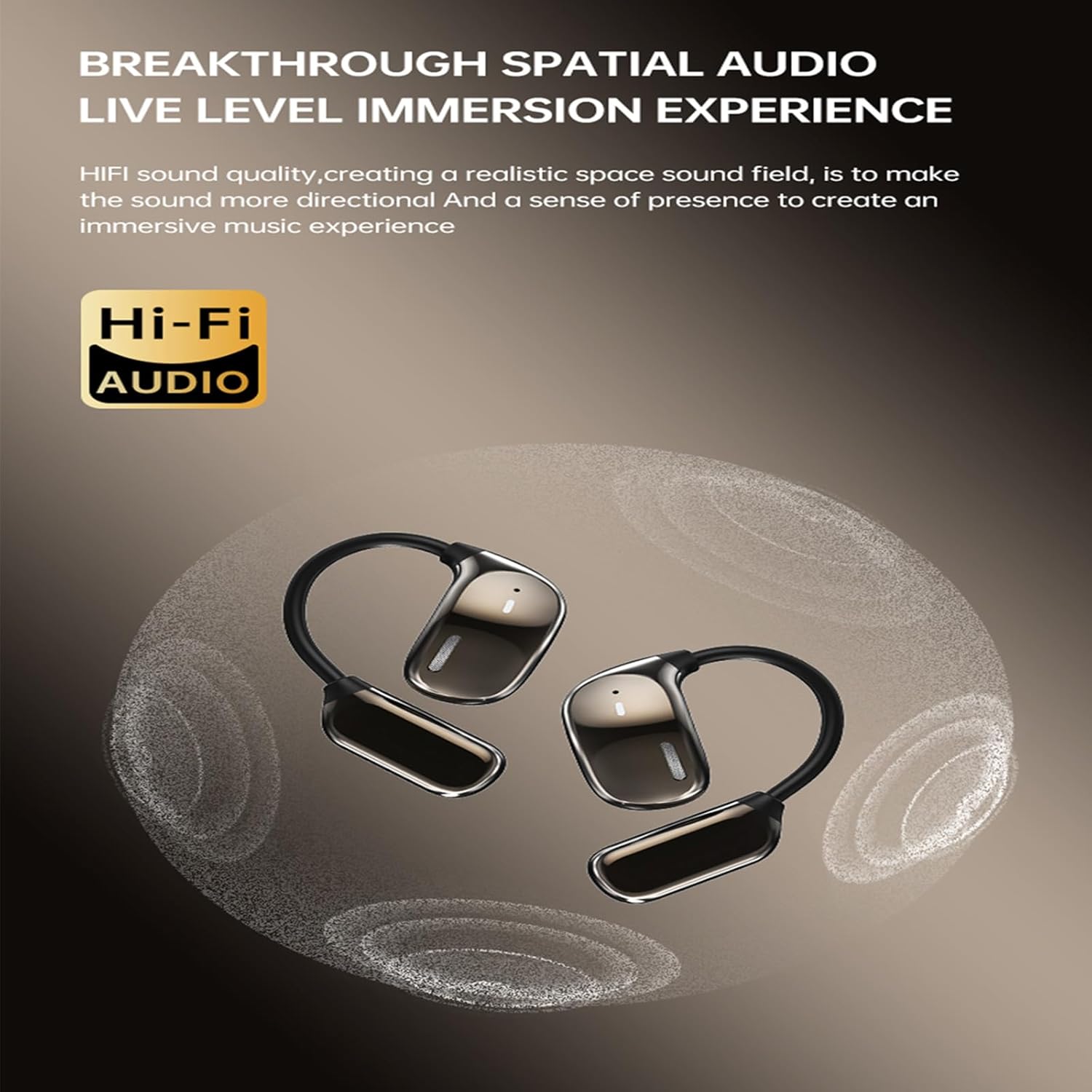
Image: The GGSTOPWATER JM16 earbuds shown in a gaming context, highlighting their low latency feature for synchronized audio during gameplay.
תַחזוּקָה
ניקוי
- נגבו בעדינות את האוזניות ואת נרתיק הטעינה בעזרת מטלית רכה, יבשה ונטולת סיבים.
- הימנעו משימוש בחומרים שוחקים, ממסים או חומרי ניקוי כימיים.
- Ensure charging contacts on both earbuds and case are clean and free of debris for optimal charging.
אִחסוּן
- כאשר אינן בשימוש, אחסנו את האוזניות בנרתיק הטעינה שלהן כדי להגן עליהן ולשמור עליהן טעונות.
- יש לאחסן במקום קריר ויבש, הרחק מטמפרטורות קיצוניות ואור שמש ישיר.
עמידות במים
The GGSTOPWATER JM16 earbuds are designed with a waterproof rating to withstand various weather conditions. However, they are not intended for submersion in water. Avoid prolonged exposure to heavy rain or direct water jets.
פתרון בעיות
| לְהַנפִּיק | פתרון אפשרי |
|---|---|
| האוזניות לא מתחברות/מתחברות |
|
| אין קול או עוצמת קול נמוכה |
|
| Charging case screen not responding/working |
|
| Earbuds accidentally changed language |
|
| חיי סוללה קצרים |
|
מפרטים
| תכונה | פְּרָט |
|---|---|
| שם הדגם | JM16 |
| מותג | GGSTOPWATER |
| טכנולוגיית קישוריות | אלחוטי (Bluetooth) |
| גרסת בלוטות' | 5.4 |
| מיקום אוזניים | אוזן פתוחה |
| שיטת בקרה | לָגַעַת |
| חיי סוללה (אוזניות) | עד 6 שעות (טעינה אחת) |
| זמן משחק כולל (עם נרתיק טעינה) | עד 40 שעות |
| רמת עמידות במים | אֲטִימוּת |
| טווח תדרים | 20Hz - 20,000Hz |
| עַכָּבָּה | 40 אוהם |
| מכשירים תואמים | טלפונים חכמים, טאבלטים, מחשבים ניידים, מחשבים שולחניים |
| חוֹמֶר | פּלָסטִי |
| משקל פריט | 8.1 אונקיות |
אחריות ותמיכה
For warranty information or technical support, please refer to the product packaging or contact GGSTOPWATER customer service through the retailer where the product was purchased. Keep your purchase receipt as proof of purchase.