
1. הקדמה
Thank you for choosing the FOFUN T-Fun NC95 Hybrid Active Noise Cancelling Headphones. This manual provides essential information for the safe and efficient use of your headphones. Please read it thoroughly before use and retain it for future reference.

Image 1.1: T-Fun NC95 Hybrid Active Noise Cancelling Headphones.
2. תכולת החבילה
ודא שכל הפריטים נמצאים בחבילה:
- NC95 ANC Headphones
- כבל שמע 3.5 מ"מ
- Type A-C Charging Cable
- PU Bag (Carrying Case)
- מדריך להתחלה מהירה
- Digital Manual (Downloadable)

Image 2.1: Included accessories and headphones.
3. המוצר נגמרview
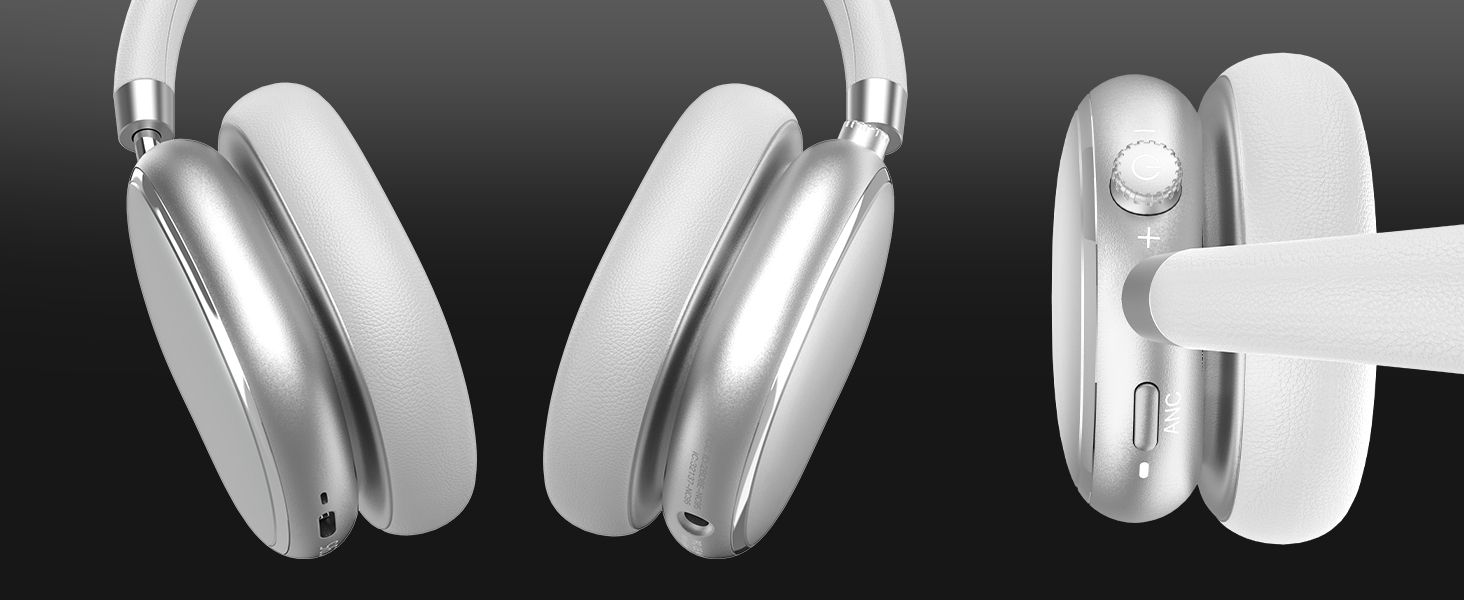
3.1 רכיבי אוזניות

תמונה 3.1: נגמרview of headphone ports and buttons.
3.2 Fit and Adjustability
- סרט מתכוונן לראש: The headband can be extended or retracted to fit various head sizes, ensuring a personalized and comfortable fit.
- כיסויי אוזניים מסתובבים 90°: The earcups rotate more than 90 degrees, allowing for a comfortable fit and easy storage when not in use.
- כריות אוזניים רכות: Made with quality protein memory foam for extended comfort.
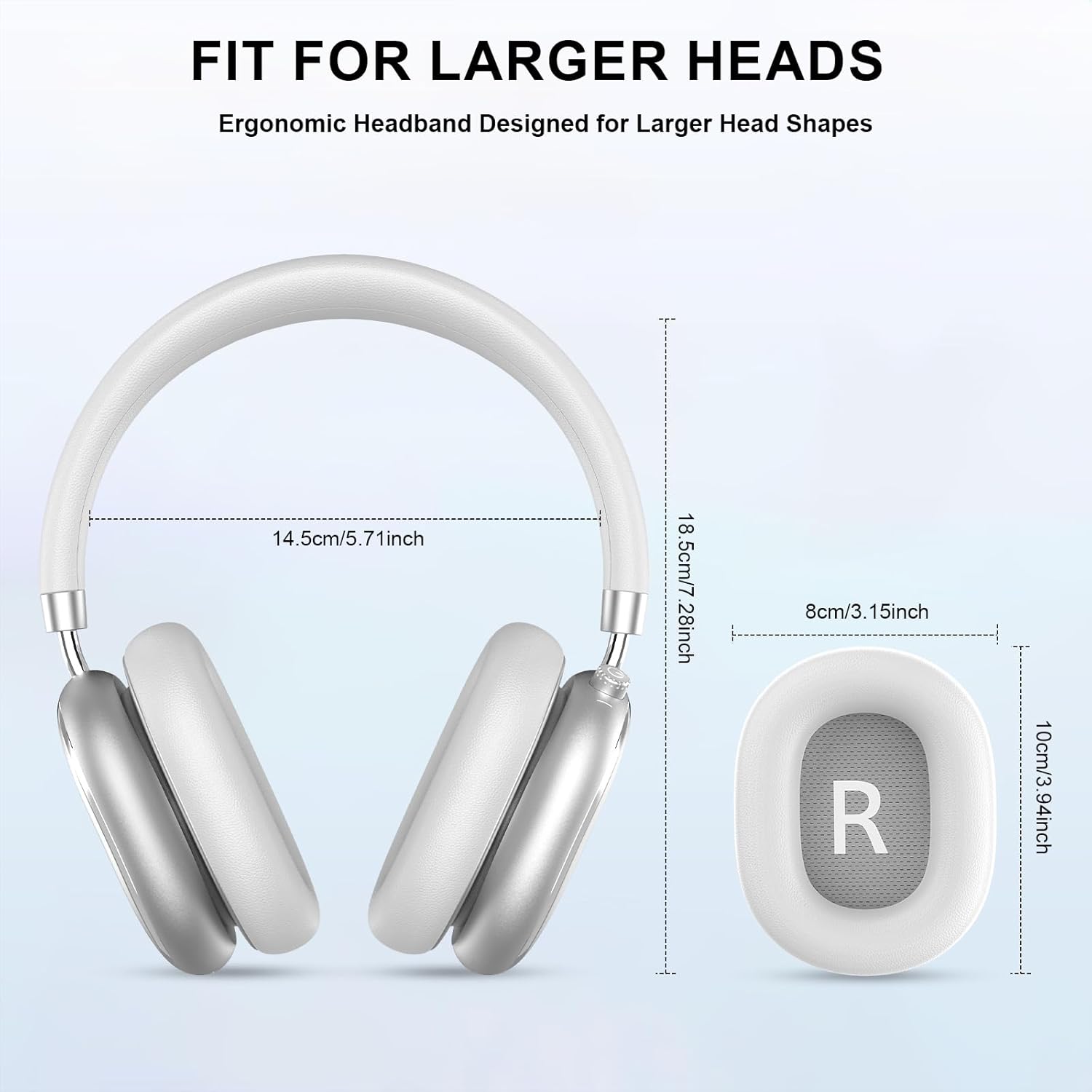
Image 3.2: Headphone dimensions for fit reference.
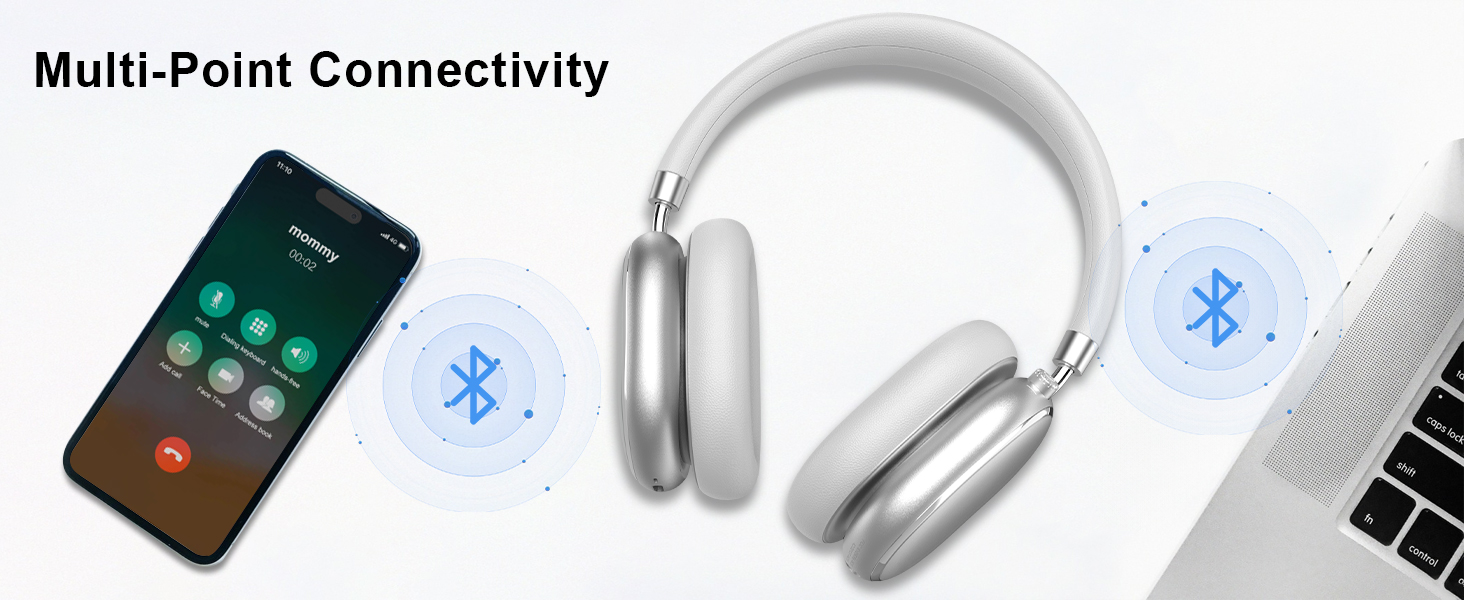
Image 3.3: Adjustable headband for personalized comfort.
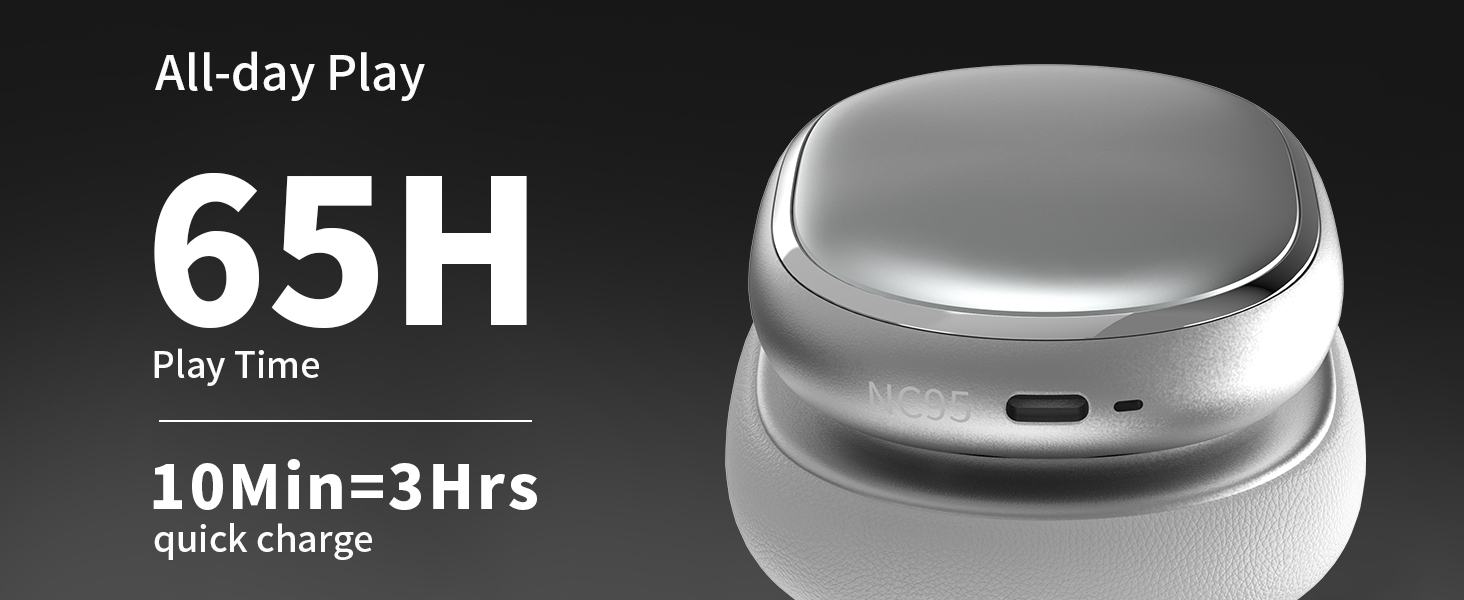
Image 3.4: Earcups rotate for comfort and storage.

Image 3.5: Ultra-soft protein leather ear cushions for comfort.
4. התקנה
4.1 הכנה ראשונית
- Remove Protective Sticker: Before first use, gently remove the protective sticker from the sides of the headphones. You may warm the area with a hairdryer (low heat) for easier removal. Peel slowly and remove any sticky residue with warm water or rubbing alcohol.

Image 4.1: Steps for removing the protective sticker.
4.2 טעינת האוזניות
Before initial use, fully charge the headphones. Use the provided Type A-C charging cable.
- חברו את קצה הכבל מסוג USB-C לשקע הטעינה באוזניות.
- חבר את קצה ה-USB-A למקור מתח USB תואם (למשל, מתאם קיר, יציאת USB של המחשב).
- מחוון ה-LED יציג את מצב הטעינה. טעינה מלאה אורכת כשעתיים.
- טעינה מהירה של 10 דקות מספקת כשעתיים של נגינה.

תמונה 4.2: מידע על חיי סוללה וטעינה.
4.3 זיווג בלוטות '
- ודא שהאוזניות טעונות וכבויות.
- Press and hold the power button (located on the knob control) for 3-5 seconds until the LED indicator flashes, indicating pairing mode.
- במכשיר שלך (סמארטפון, טאבלט, מחשב נייד), הפעל את Bluetooth וחפש מכשירים זמינים.
- Select "T-Fun NC95" from the list of devices.
- לאחר החיבור, נורית החיווי תשתנה לאור קבוע או תהבהב באיטיות.
תמונה 4.3: קישוריות בלוטות' רב-נקודתית.
4.4 T-Fun App Installation
For enhanced control and customization, download the official "T-fun" app.
- חפש "T-fun" on the Apple App Store or Google Play Store.
- הורד והתקן את האפליקציה.
- Open the app and follow the on-screen instructions to connect your NC95 headphones.

Image 4.4: T-Fun app customization features.

Image 4.5: App download and connection process.
5. הוראות הפעלה
5.1 הפעלה/כיבוי
- הפעלה: Press and hold the power button (on the knob) for 3-5 seconds.
- כיבוי: Press and hold the power button (on the knob) for 3-5 seconds.
5.2 Knob Control Functions
The multi-functional knob control allows for intuitive operation:
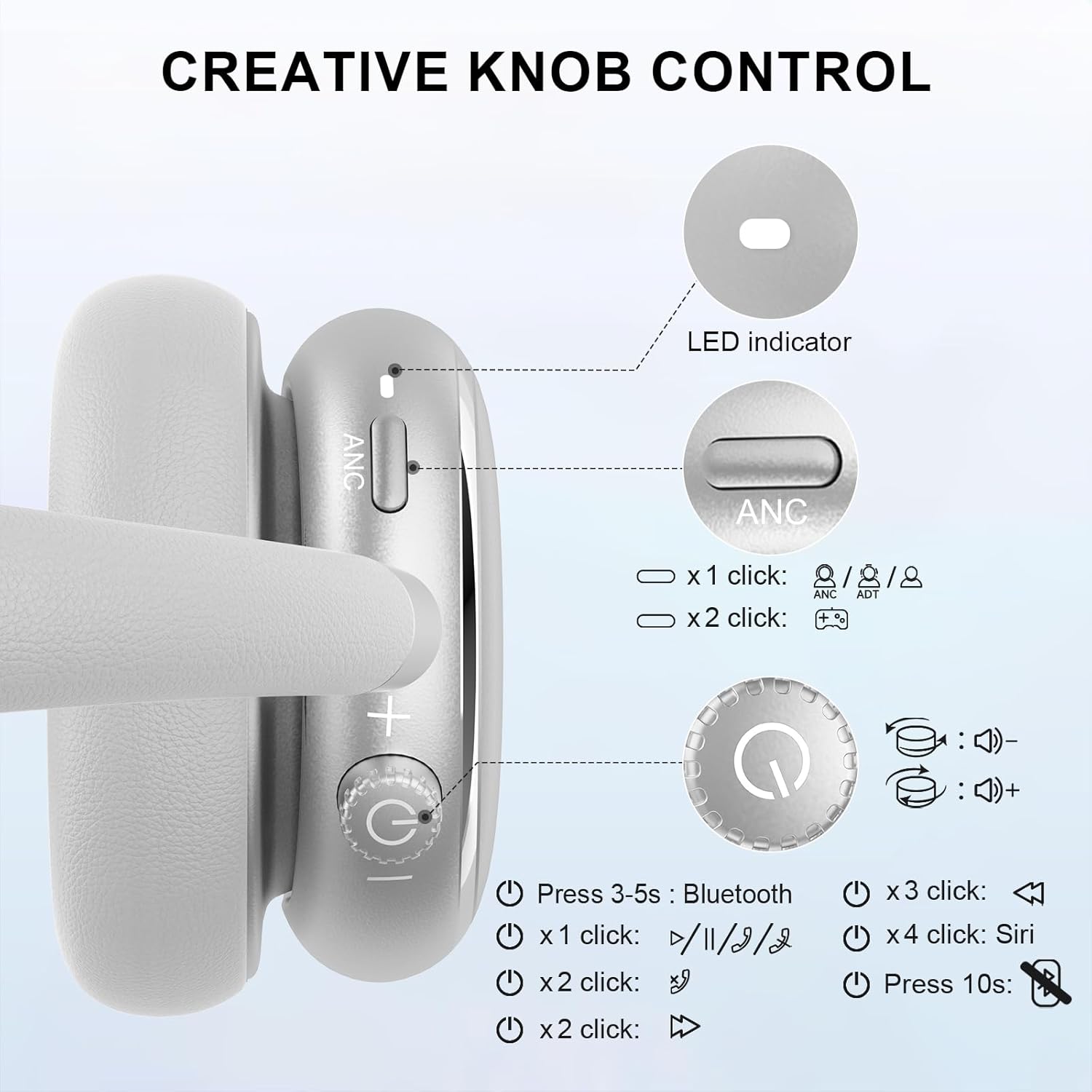
Image 5.1: Creative Knob Control functions.
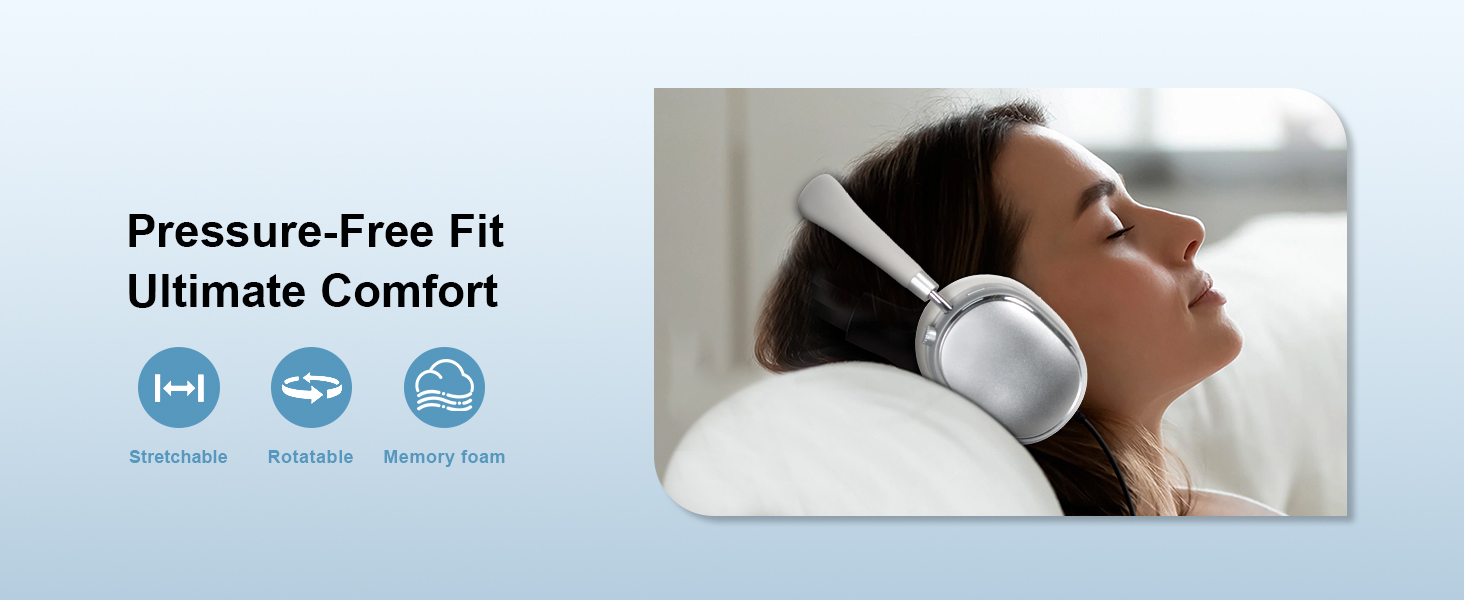
Image 5.2: Multi-functional Knob Control for volume adjustment.
- התאמת עוצמת הקול: סובבו את הכפתור עם כיוון השעון כדי להגביר את עוצמת הקול, נגד כיוון השעון כדי להנמיך את עוצמת הקול.
- הפעל/השהה: לחץ על הכפתור פעם אחת.
- מענה/סיום שיחה: לחץ על הכפתור פעם אחת.
- הרצועה הבאה: לחץ פעמיים על הכפתור.
- רצועה קודמת: לחץ על הכפתור שלוש פעמים.
- הפעלת העוזרת הקולית (Siri): Press the knob four times.
- איפוס: לחץ והחזק את הכפתור למשך 10 שניות.
Note: Knob functions are only available in wireless connection mode.
5.3 ביטול רעשים אקטיבי (ANC) ומצב שקיפות
The NC95 headphones feature Hybrid Active Noise Cancellation and Transparency Mode, controlled by a dedicated button.
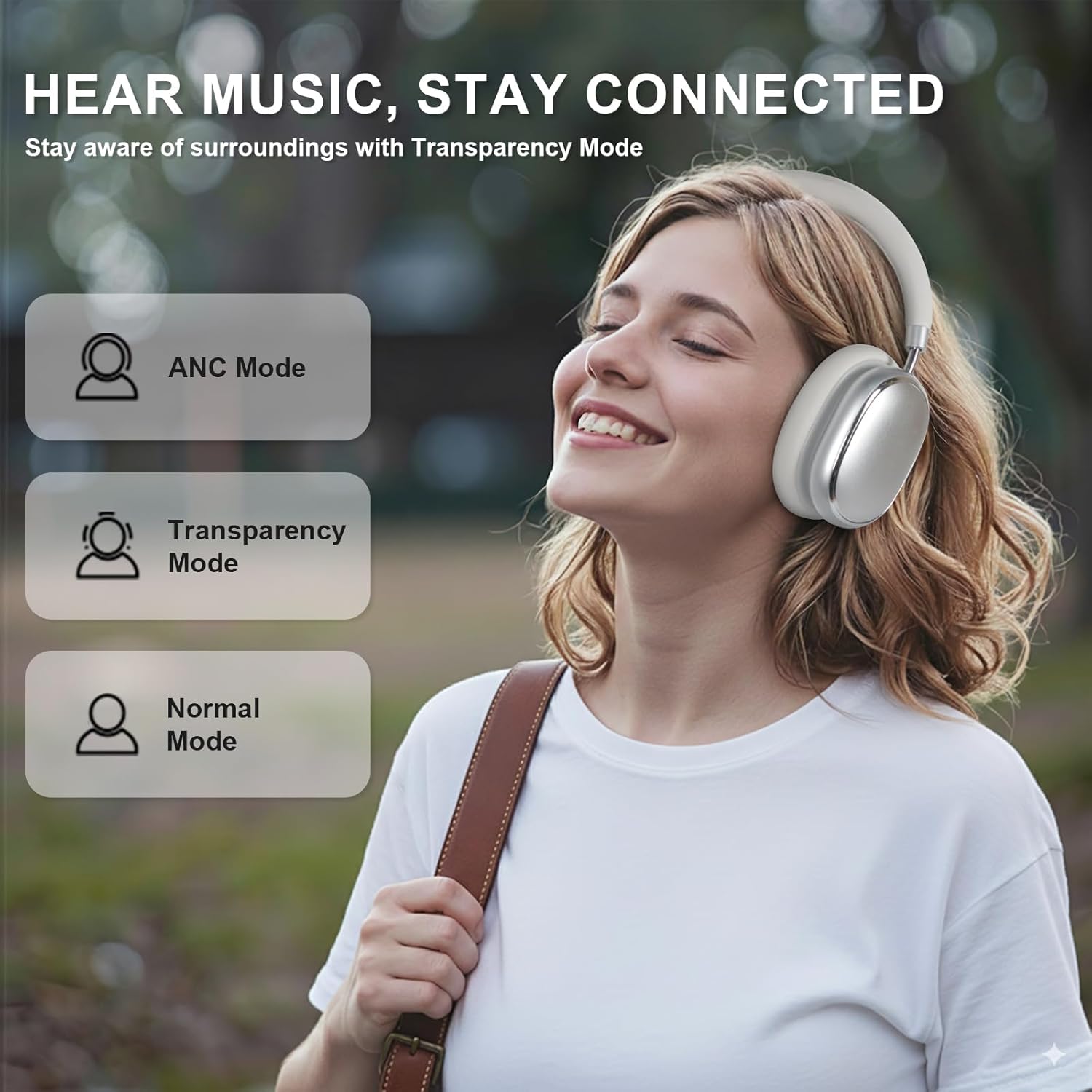
Image 5.3: ANC, Transparency, and Normal modes.

Image 5.4: Noise reduction effectiveness.
- מצב ANC: Press the ANC button once to activate Hybrid Active Noise Cancellation, reducing ambient noise by up to 35dB.
- מצב שקיפות: Press the ANC button again to switch to Transparency Mode, allowing you to hear your surroundings without removing the headphones.
- מצב רגיל: Press the ANC button a third time to return to Normal Mode, with ANC and Transparency off.
Note: ANC mode is only available in wireless connection mode.
5.4 חיבור קווי
For a wired audio experience or when battery is low, use the 3.5mm audio cable.
- חבר קצה אחד של כבל השמע 3.5 מ"מ לשקע השמע באוזניות.
- חבר את הקצה השני ליציאת השמע 3.5 מ"מ של המכשיר שלך.
- In wired mode, the knob control functions for volume, playback, and calls are not available.
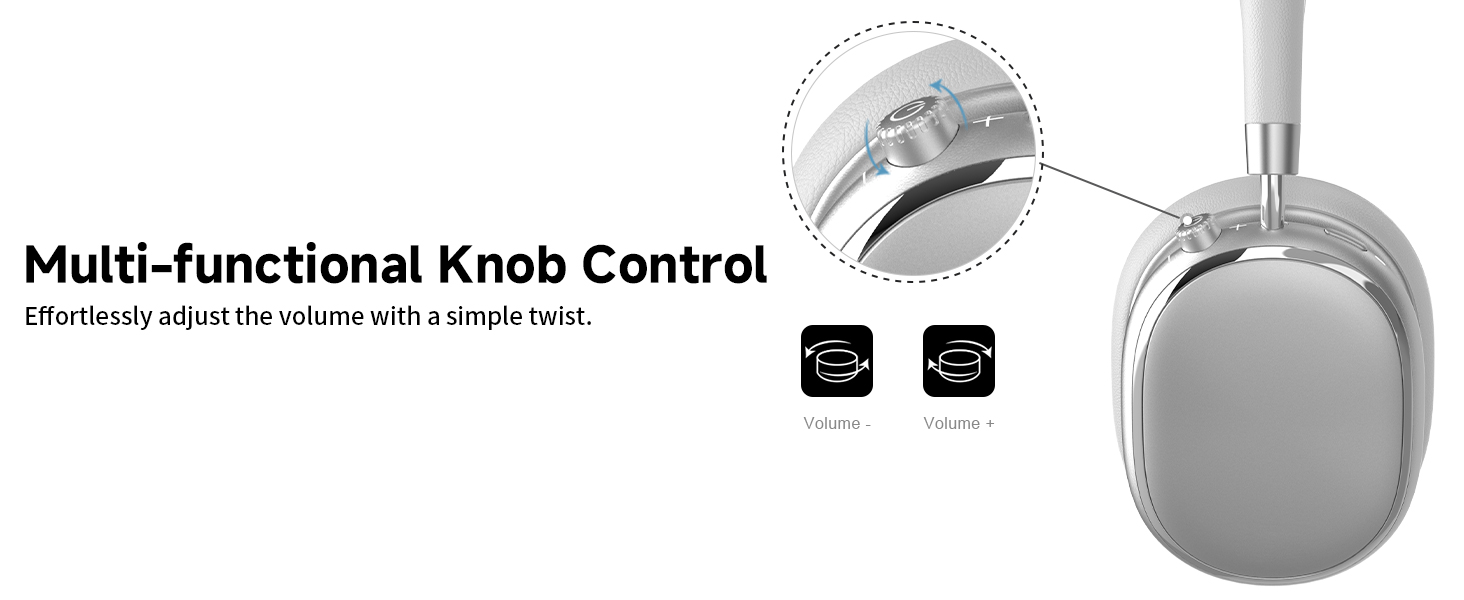
Image 5.5: Wired connection with 3.5mm audio cable.
5.5 ניהול שיחות
When connected via Bluetooth, you can manage calls using the knob control.
- מענה/סיום שיחה: לחץ על הכפתור פעם אחת.
- דחה שיחה: לחץ והחזק את הכפתור למשך 2 שניות.

Image 5.6: Clear hands-free calls with built-in microphones.
6. תחזוקה
6.1 ניקוי
- נגבו את האוזניות בעזרת מטלית רכה ויבשה.
- אין להשתמש בכימיקלים קשים או בחומרים שוחקים.
- הימנעו מלחות להיכנס לפתחים כלשהם.
6.2 אחסון
- יש לאחסן את האוזניות בשקית ה-PU המצורפת כאשר אינן בשימוש כדי להגן עליהן מפני אבק ושריטות.
- הימנע מאחסנה בטמפרטורות קיצוניות או לחות גבוהה.
6.3 Detachable Ear Cushions
The ear cushions are detachable for easy cleaning and replacement, ensuring long-term use.

Image 6.1: Detachable ear cushions for easy care.
7. פתרון תקלות
If you encounter issues with your NC95 headphones, refer to the following common solutions:
| בְּעָיָה | סיבה אפשרית | פִּתָרוֹן |
|---|---|---|
| האוזניות לא נדלקות | סוללה חלשה | טען את האוזניות במלואן. |
| לא ניתן להתאים דרך בלוטות' | אוזניות אינן במצב צימוד; Bluetooth כבוי במכשיר; הפרעות | Ensure headphones are in pairing mode (flashing LED). Turn device Bluetooth off and on. Move closer to the device. |
| אין קול | עוצמת קול נמוכה מדי; מקור שמע שגוי; חיבור חוטי רופף | Increase volume on headphones and device. Check audio output settings on your device. Re-insert 3.5mm cable firmly. |
| ANC לא עובד ביעילות | ANC לא מופעל; רעש סביבתי גבוה מדי | Press the ANC button to cycle through modes. ANC is most effective against low-frequency noise. |
| בעיות חיבור לאפליקציה | Bluetooth not connected; App glitch | Ensure headphones are connected via Bluetooth. Restart the app or your phone. |
אם הבעיה נמשכת, אנא פנו לתמיכת הלקוחות.
8. מפרטים
| תכונה | פְּרָט |
|---|---|
| שם הדגם | NC95 |
| בקרת רעש | ביטול רעשים היברידי |
| תגובת תדר | 20 הרץ - 20 קילוהרץ |
| רְגִישׁוּת | 105 dB |
| עַכָּבָּה | 32 אוהם |
| שקע אוזניות | 3.5 מ"מ ג 'ק |
| טכנולוגיית קישוריות | אלחוטי (בלוטות'), קווי |
| טכנולוגיית תקשורת אלחוטית | בלוטות' 5.3 |
| טווח בלוטות' | 15 מטר |
| חביון שמע | 50 אלפיות שניות |
| גודל מנהל התקן שמע | 40 מילימטרים |
| סוג בקרה | App Control, Push Button, Knob |
| חיי סוללה | Up to 65 Hours (ANC playback) |
| זמן טעינה | 2.5 שעות |
| רמת עמידות במים | לא עמיד במים |
| משקל פריט | 1.28 פאונד |
| יַצרָן | FOFUN |
9. אחריות ותמיכה
9.1 מידע אחריות
For detailed warranty information, please refer to the documentation included with your purchase or contact FOFUN customer service directly. Warranty terms may vary by region and retailer.
9.2 תמיכת לקוחות
If you require further assistance or have questions not covered in this manual, please contact FOFUN customer support through their official channels. You can also visit the T-Fun Store on Amazon למשאבים נוספים.