
1. המוצר נגמרview
The Plaud NotePin S is a compact, wearable AI voice recorder designed to streamline note-taking and information management. It integrates advanced AI technology for transcription, summarization, and task list generation across 112 languages. The device offers multiple wearing options for convenience and features a simple one-press operation for recording.
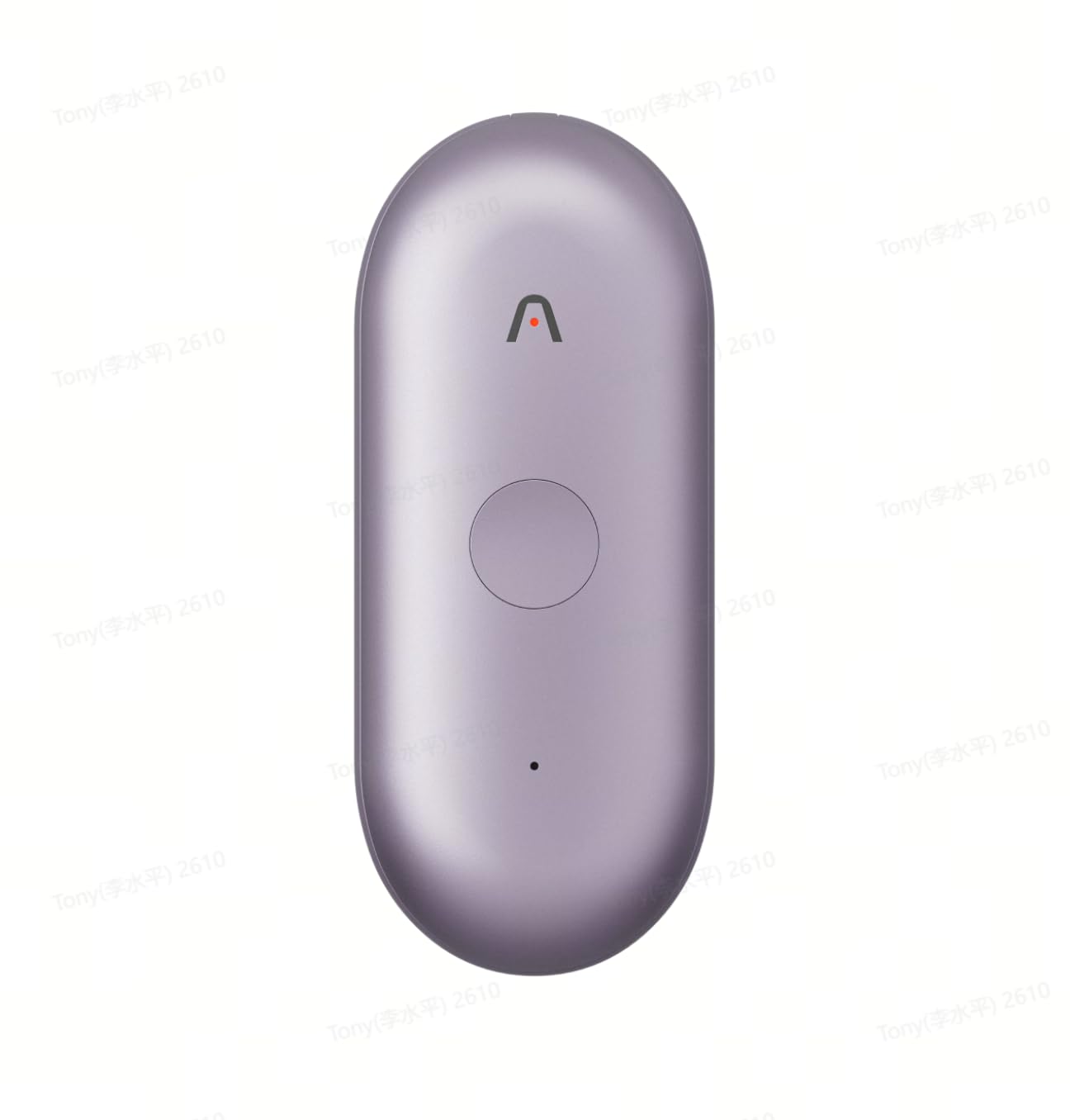
Figure 1: Plaud NotePin S AI Voice Recorder
The Plaud NotePin S is equipped with two high-fidelity microphones for HD recordings and a 270mAh battery providing up to 20 hours of continuous use. It includes 64GB of internal memory and offers unlimited free cloud storage for recordings, transcriptions, and summaries, ensuring data security through top-tier encryption.
2. התקנה
2.1 תכולת החבילה
Verify that all items are present in your Plaud NotePin S package:
- 1 Plaud NotePin Voice Recorder
- 1 Black Lanyard
- 1 White Wristband
- 1 Silver Clip
- 1 טעינת עגינה
- 1 כבל USB-C
2.2 טעינה ראשונית
Before first use, fully charge your Plaud NotePin S. Connect the USB-C cable to the charging dock, then connect the other end to a power source. Place the NotePin S onto the charging dock. The device's indicator light will show charging status and turn off when fully charged. A full charge typically provides 20 hours of continuous recording.
2.3 הפעלה/כיבוי
- כדי להפעיל: לחץ והחזק את לחצן ההפעלה עד שנורית החיווי נדלקת.
- כדי לכבות: לחץ והחזק את לחצן ההפעלה עד שנורית החיווי תכבה.
2.4 התקנת אפליקציה וצימוד מכשירים
Download the official Plaud App from your device's app store. Follow the in-app instructions to create an account and pair your NotePin S via Bluetooth 5.0. This connection is essential for managing recordings, accessing AI features, and configuring device settings.
2.5 אפשרויות לבישה
The Plaud NotePin S offers four versatile wearing options:
- Magnetic Pin: Attach the device securely to clothing using the magnetic pin.
- רצועת צוואר: Use the black lanyard for hands-free carrying around your neck.
- צמיד: Secure the device to your wrist with the white wristband for easy access.
- לְקַצֵץ: Utilize the silver clip to attach the device to pockets, notebooks, or other surfaces.
3. הוראות הפעלה
3.1 הקלטת אודיו
The Plaud NotePin S features a simple one-press operation:
- כדי להתחיל להקליט: Press the main button once. The indicator light will confirm recording has begun.
- כדי להפסיק את ההקלטה: Press the main button once again. The indicator light will change to indicate recording has stopped.
Recordings are stored on the device's 64GB internal memory and automatically sync to the cloud via the Plaud App when connected.
3.2 Highlighting Key Moments
During a recording, you can mark important sections for easy retrieval:
- Highlight Button: Press the dedicated highlight button on the device to mark a specific moment in the audio. These highlights will be timestamped in the transcription.
3.3 Capturing Images and Text
The Plaud App and Web portal allow for multimodal input, combining audio with visual and textual notes:
- לכידת תמונה: Within the app, you can snap photos of whiteboards, documents, or presentations. These images are timestamped and linked to the corresponding audio segment.
- קלט טקסט: Type additional notes or thoughts directly into the app, which will also be linked to the audio timeline.
3.4 Accessing Recordings and AI Features (Plaud App/Web)
All recordings and associated data are accessible through the Plaud App on your smartphone or the Plaud Web portal on your computer. The platform offers:
- תַעֲתוּק: Powered by GPT-4o and Claude 3.5 Sonnet, the app provides fast and accurate transcriptions in 112 languages, with speaker labels and custom vocabulary support.
- סיכום: Generate intelligent summaries, meeting minutes, and to-do lists from your recordings.
- אִרגוּן: Easily manage, organize, and share audio files, transcriptions, and summaries.
Video 1: Introducing Plaud Intelligence - Demonstrates the AI capabilities for capturing, extracting, and utilizing information from conversations.
Video 2: Introducing Plaud Desktop - Shows how Plaud Desktop integrates with online meetings for seamless recording and note-taking.
3.5 Asking Plaud (AI Query)
Utilize the 'Ask Plaud' feature within the app or web portal to query your recorded content. This allows you to get specific answers, generate insights, and retrieve information based on your notes and conversations.
3.6 AutoFlow
Configure AutoFlow settings in the Plaud App to automate tasks. For example, you can set up rules to automatically transcribe and summarize new recordings upon sync, or send email notifications with summaries to team members.
4. תחזוקה
4.1 ניקוי
Gently wipe the device with a soft, dry, lint-free cloth. Avoid using harsh chemicals, cleaning solvents, or abrasive materials, as these can damage the device's finish or internal components.
4.2 טיפול בסוללה
To maximize battery life, avoid exposing the device to extreme temperatures. Charge the device regularly, but do not leave it fully discharged for extended periods. The 270mAh battery is designed for long-term use.
4.3 עדכוני תוכנה
Regularly check for and install software updates via the Plaud App. Updates often include performance improvements, new features, and security enhancements.
5. פתרון תקלות
5.1 המכשיר לא נדלק
- Ensure the device is fully charged. Connect it to the charging dock and a power source for at least 30 minutes.
- נסה ללחוץ ולהחזיק את כפתור ההפעלה למשך זמן ארוך יותר (5-10 שניות).
5.2 בעיות זיווג
- Make sure Bluetooth is enabled on your smartphone and the Plaud NotePin S is powered on.
- Ensure the device is within range of your smartphone.
- Restart both your smartphone and the Plaud NotePin S.
- If previously paired, try unpairing and re-pairing the device through your phone's Bluetooth settings and the Plaud App.
5.3 Poor Recording Quality
- ודא שהמיקרופונים אינם חסומים.
- הקלט בסביבה שקטה כדי למזער רעשי רקע.
- Position the device optimally to capture audio from speakers.
5.4 Transcription Inaccuracies
- Verify that the correct audio language is selected in the Plaud App.
- Ensure clear audio input with minimal background noise.
- Utilize the custom vocabulary feature in the Plaud App for specialized terminology.
6. מפרטים
| תכונה | פְּרָט |
|---|---|
| מספר דגם | PN0210 |
| מותג | מחמאה |
| קיבולת אחסון זיכרון | 64 ג'יגה-בייט |
| סוֹלְלָה | 270mAh (עד 20 שעות שימוש רציף) |
| מידות המוצר (D x W x H) | 2.13 אינץ' x 3.37 אינץ' x 0.12 אינץ' |
| משקל פריט | 0.2 קילוגרם |
| ממשק חומרה | בלוטות' 5 |
| גורם צורת מיקרופון | מובנה |
| פורמט אודיו | דִיגִיטָלי |
| שקע אוזניות | אין שקע לאוזניות |
| שפות תמלול | 112 שפות נתמכות |
7. אחריות ותמיכה
For warranty information, technical support, or service inquiries, please refer to the official Plaud website or contact Plaud customer service directly. Keep your purchase receipt for warranty claims.