
מָבוֹא
The Xiaomi Smart Camera C500 is an advanced indoor surveillance camera designed to provide comprehensive monitoring for your home. Featuring a dual-lens system, 4-megapixel resolution, and dual-band Wi-Fi 6 connectivity, it offers enhanced security features such as human tracking, crying detection, and pet tracking. This manual provides detailed instructions for setting up, operating, and maintaining your camera to ensure optimal performance.
מידע בטיחות
- ודא שהמצלמה מותקנת במקום יציב כדי למנוע ממנה ליפול.
- השתמשו רק במתאם החשמל המקורי שסופק עם המכשיר.
- אין לחשוף את המצלמה לטמפרטורות קיצוניות, לחות או אור שמש ישיר.
- Keep the camera away from water or other liquids. This product is not water-resistant.
- אל תנסה לפרק או לתקן את המצלמה בעצמך. פנה לאנשי שירות מורשים לקבלת סיוע.
- הרחק מהישג ידם של ילדים.
תוכן החבילה
ודא שכל הפריטים נמצאים בחבילה שלך:
- 1 × Xiaomi Smart Camera C500 4MP Dual Lens with Wi-Fi 6 Dual-Band
- מתאם מתח
- Mounting Accessories (if applicable for ceiling/wall mount)
- מדריך למשתמש
המוצר נגמרview
The Xiaomi Smart Camera C500 features a compact dome design with dual lenses for extended coverage. It includes a power port, status indicator light, and a microSD card slot for local storage.
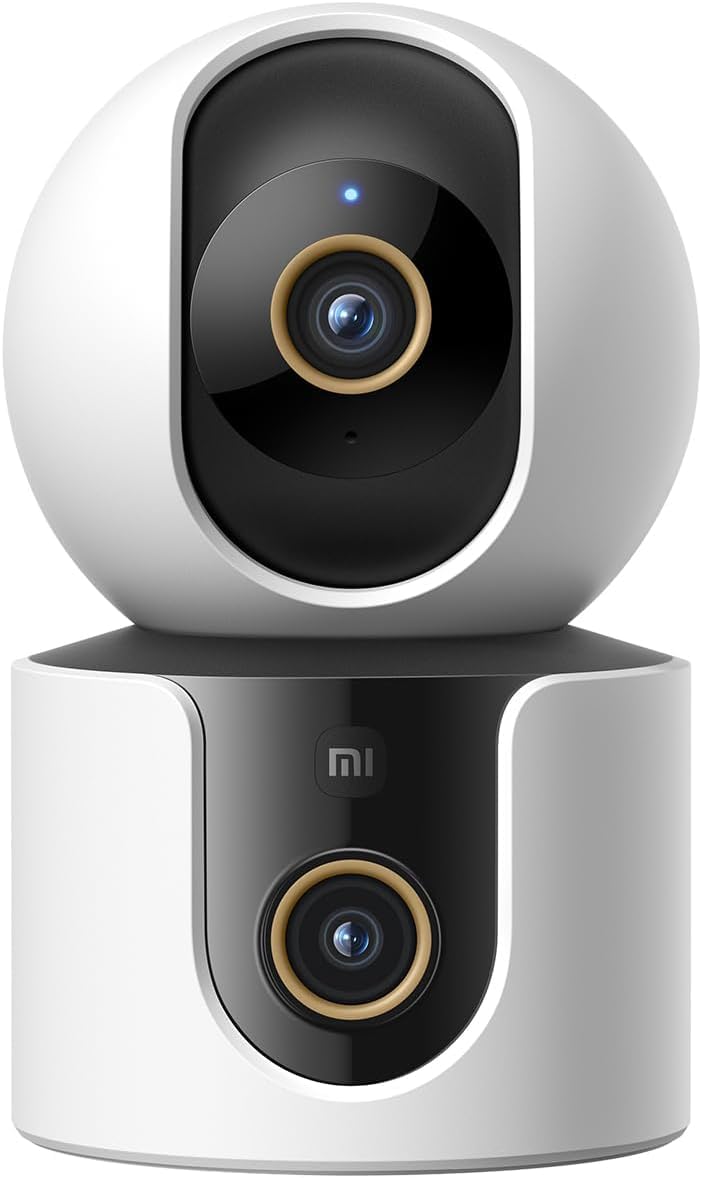
איור 1: חזית view of the Xiaomi Smart Camera C500, showing its dual-lens design and white and black casing.

איור 2: מלמעלה למטה view of the Xiaomi Smart Camera C500, highlighting its spherical upper section and ventilation holes.

איור 3: צד view of the Xiaomi Smart Camera C500, showing the power input and other ports on the base.
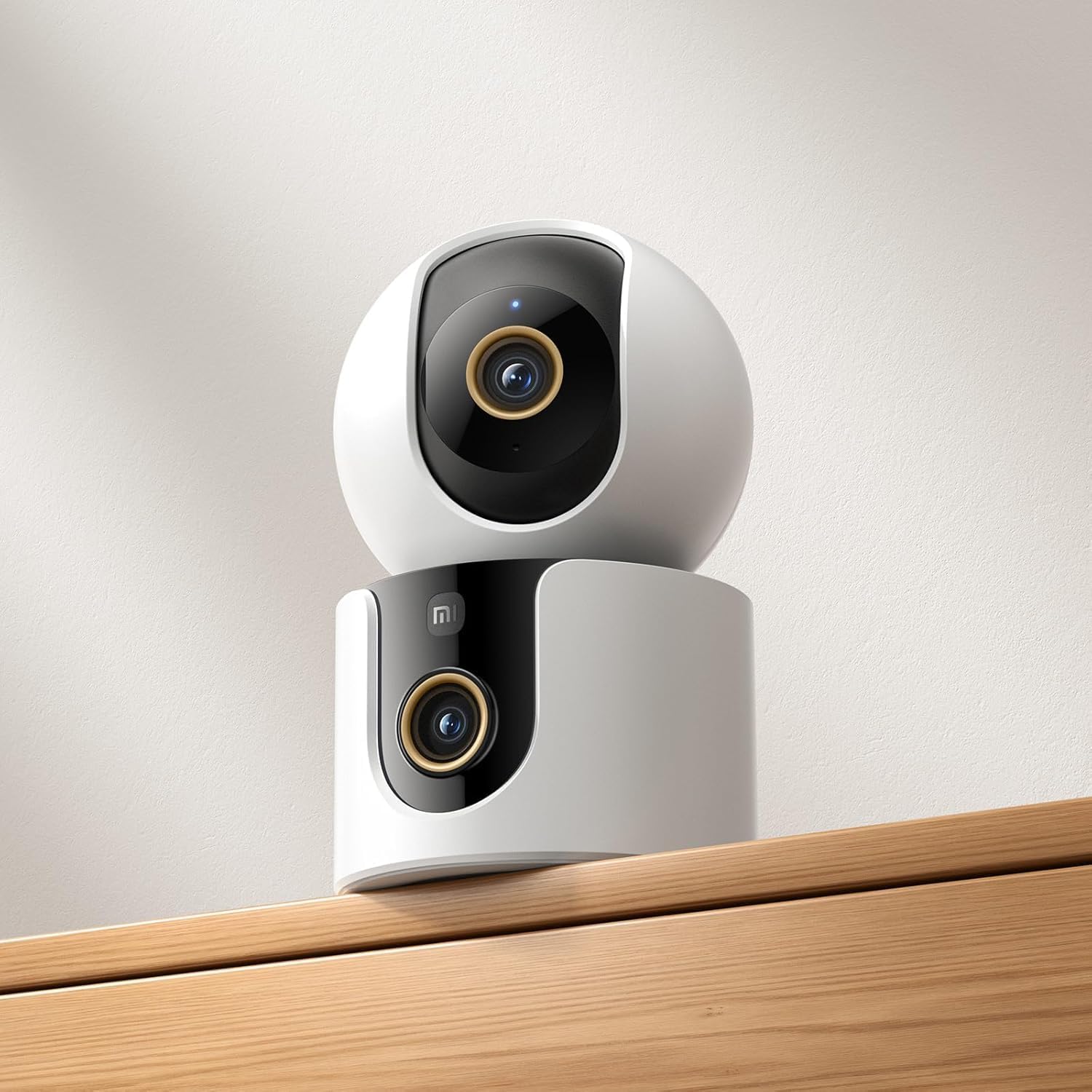
Figure 4: The Xiaomi Smart Camera C500 positioned on a wooden shelf, demonstrating its compact size and discreet placement.
הגדרה
1. הפעלה
- חבר את ספק הכוח לשקע החשמל של המצלמה.
- חבר את מתאם החשמל לשקע בקיר.
- The camera will automatically power on, and the indicator light will begin to flash, indicating it is ready for connection.
2. התקנת אפליקציה
- הורד את ה בית שיאומי הורידו את האפליקציה מחנות האפליקציות של הסמארטפון שלכם (חנות Google Play עבור אנדרואיד או חנות האפליקציות של אפל עבור iOS).
- פתחו את האפליקציה וצרו חשבון Xiaomi או התחברו אם כבר יש לכם אחד.
3. התאמה עם האפליקציה
- In the Xiaomi Home app, tap the "+" icon in the top right corner to add a new device.
- בחר את מצלמת Xiaomi Smart Camera C500 מרשימת המכשירים הזמינים.
- Follow the on-screen instructions to connect the camera to your Wi-Fi network. Ensure your phone is connected to a 2.4GHz or 5GHz Wi-Fi network (the camera supports dual-band Wi-Fi 6).
- Scan the QR code displayed on your phone screen using the camera lens. You will hear a voice prompt confirming successful scanning.
- לאחר החיבור, תוכלו לתת שם למצלמה שלכם ולהקצות אותה לחדר ספציפי.
4. הרכבת המצלמה
The camera supports tabletop placement or ceiling/wall mounting.
- תושבת לשולחן: הנח את המצלמה על משטח ישר ויציב.
- Ceiling/Wall Mount: Use the provided mounting base and screws to secure the camera to a desired location. Ensure the camera is securely attached and has a clear field of view.
הוראות הפעלה
1. לחיות View
Open the Xiaomi Home app and select your camera to view the live feed. You can pan and tilt the camera remotely using the controls in the app to achieve 360-degree coverage.
2. הקלטה והשמעה
- אחסון מקומי: Insert a microSD card (up to 256GB) into the camera's slot for continuous or event-triggered recording.
- אחסון בענן: Optional cloud storage services may be available through the Xiaomi Home app for secure backup of recordings.
- השמעה: גישה foo מוקלטtage through the app's playback feature, navigating by date and time.
3. שמע דו-כיווני
Use the microphone and speaker icon in the live view interface to enable two-way communication. This allows you to speak through the camera and hear audio from its location.
4. Motion Detection and Human Tracking
The camera can detect motion and intelligently track human figures. Enable these features in the app settings to receive alerts and automatically record when activity is detected.
5. Crying Detection
For parents, the crying detection feature can be enabled to send instant notifications to your phone when a baby's cry is detected, allowing for quick response.
6. Pet Tracking
The camera can also track pets, providing alerts and recording their movements. This feature is useful for monitoring your furry companions throughout the day.
7. ראיית לילה
The camera automatically switches to ultra-low light color mode or infrared night vision in dim conditions, ensuring clear visibility up to 15 meters even in complete darkness.
תַחזוּקָה
- ניקוי: נגבו בעדינות את עדשת המצלמה ואת גוף המצלמה בעזרת מטלית רכה ויבשה. אין להשתמש בכימיקלים חזקים או בחומרי ניקוי שוחקים.
- עדכוני קושחה: Regularly check for and install firmware updates through the Xiaomi Home app to ensure optimal performance and access to new features.
- כרטיס MicroSD: If using a microSD card, periodically check its status and format it if necessary to maintain recording quality and prevent data corruption.
פתרון בעיות
| לְהַנפִּיק | פתרון אפשרי |
|---|---|
| המצלמה לא מצליחה להתחבר ל-Wi-Fi | Ensure your Wi-Fi network is 2.4GHz or 5GHz. Check Wi-Fi password. Move camera closer to router. Reset camera and try pairing again. |
| אין חי view או הקלטה | Check power connection. Ensure Wi-Fi is stable. Verify microSD card is inserted correctly and not full. Check app permissions. |
| איכות וידאו ירודה | Clean the camera lens. Ensure adequate lighting. Check Wi-Fi signal strength. Adjust video resolution settings in the app. |
| הודעות לא התקבלו | Check app notification settings on your phone. Ensure motion/crying detection is enabled in the camera settings. Verify app has necessary permissions. |
| אודיו דו-כיווני לא עובד | Check microphone and speaker settings in the app. Ensure phone volume is up. Avoid placing camera in noisy environments. |
מפרטים
| תכונה | פְּרָט |
|---|---|
| שם מותג | שיאומי |
| שם הדגם | מצלמת מעקב |
| מספר דגם | C500 Dual |
| שימושים מומלצים למוצר | ביטחון פנים |
| טכנולוגיית קישוריות | אַלחוּט |
| תכונות מיוחדות | High Definition |
| שימוש פנימי/חיצוני | מקורה |
| מכשירים תואמים | סמארטפון |
| מקור כוח | חשמלי עם כבלים |
| פרוטוקול תקשורת | רשת Wi-Fi |
| סוג בקר | אמזון אלקסה |
| סוג הרכבה | מתקן שולחני, עומד עצמאי |
| צֶבַע | לָבָן |
| גורם צורה | כיפה |
| חוֹמֶר | אקרילוניטריל בוטאדיאן סטירן (ABS) |
| רמת עמידות במים | לא עמיד במים |
| צורת פריט | כיפה |
| סוג התראה | אודיו ותנועה |
| סוג חדר | מִשׂרָד |
| מקור אור | אינפרא אדום |
| רזולוציית חיישן תמונה | 4 מגה פיקסל |
| שיטת בקרה | דרך אפליקציה |
| כרך ידtage | 5.0 |
| מהtage | 10.0 |
| סוללות נדרשות? | לֹא |
| מספר ערוצים | 2 |
| קידוד וידאו | H.265 |
| פורמט לכידת וידאו | MPEG-4 |
| טווח ראיית לילה | 15 מטר |
| ראיית לילה | צבע לילה |
| Number of Infrared LED Lights | 10 |
| סוג זיכרון פלאש | מיקרו SD |
| Maximum Supported Flash Memory Size | 256 ג'יגה-בייט |
| מספר פריטים | 1 |
| שימושים ספציפיים במוצר | כיסוי 360 מעלות, מעקב |
| יַצרָן | שיאומי |
| טכנולוגיית תקשורת אלחוטית | Wi-Fi |
| רזולוציית לכידת וידאו | 1080p |
| קצב פריימים | 25 פריימים לשנייה |
| Viewזווית | 360 מעלות |
| סוג פוקוס | פוקוס אוטומטי |
| טכנולוגיית חיישן תמונה | CMOS |
| מידות פריט | 7.8 x 7.8 x 11.5 ס"מ |
| משקל פריט | 327 גרם |
| ספירת יחידות | 1.0 ספירה |
אחריות ותמיכה
למידע על אחריות, אנא עיינו בכרטיס האחריות המצורף לאריזת המוצר או בקרו באתר הרשמי של שיאומי. website. For technical support, troubleshooting assistance, or to report issues, please contact Xiaomi customer service through their official channels or the Xiaomi Home app.
You can find additional resources and FAQs on the Xiaomi official support page.