
מָבוֹא
Thank you for choosing the SUNITEC BH880 Wireless Headset. This manual provides detailed instructions for setting up, operating, and maintaining your headset to ensure optimal performance and longevity. The BH880 headset is designed for clear communication and comfortable use in various environments, featuring advanced noise-cancelling technology and multiple connectivity options.

Image: SUNITEC BH880 Wireless Headset, showcasing its design with an adjustable microphone boom.
מה יש בקופסה
ודא שכל הפריטים נמצאים בחבילה:
- 1 x SUNITEC BH880 Bluetooth Computer Headset with Microphone
- 1 x כבל טעינה מסוג C
- 1 x Bluetooth Audio USB-A Dongle Adapter
- כבל שמע 1 x 3.5 מ"מ
- מדריך למשתמש אחד (מסמך זה)

Image: The SUNITEC BH880 headset, USB-C charging cable, USB-A dongle, and 3.5mm audio cable, illustrating the package contents.
המוצר נגמרview
Familiarize yourself with the components and controls of your SUNITEC BH880 headset.
תכונות עיקריות:
- מיקרופון מבטל רעשים באמצעות בינה מלאכותית: Blocks 99% of ambient noise for clear voice transmission.
- Qualcomm QCC3034 Chipset: Provides stable and fast Bluetooth transmission with aptX HD and aptX LL support.
- עיצוב נוח: Soft dual ear pads and an adjustable headband for extended wear.
- 270° Rotatable Boom Microphone: Can be positioned on either the left or right side.
- חיי סוללה ארוכים: עד 45 שעות זמן דיבור בטעינה אחת.
- קישוריות מרובה: Bluetooth, USB Dongle, and 3.5mm wired connection.

Image: Close-up of the memory foam earpads, highlighting the comfort feature of the headset.

Image: Detail of the individual mute button located on the microphone boom.

תמונה: פנימי view highlighting the Qualcomm QCC3034 chipset, responsible for stable and fast connections.
הגדרה
1. טעינת האוזניות
Before first use, fully charge the headset. Connect the Type-C charging cable to the headset's charging port and the other end to a USB power source (e.g., computer USB port, wall adapter). The LED indicator will show charging status. A full charge takes approximately 2 hours and provides up to 45 hours of talk time or 400 hours of standby time.
2. הפעלה/כיבוי
- הפעלה: לחץ והחזק את לחצן ההפעלה למשך מספר שניות עד שנורית ה-LED תידלק.
- כיבוי: לחץ והחזק את לחצן ההפעלה למשך מספר שניות עד שנורית ה-LED יכבה.
3. אפשרויות קישוריות
The SUNITEC BH880 offers three ways to connect to your devices:
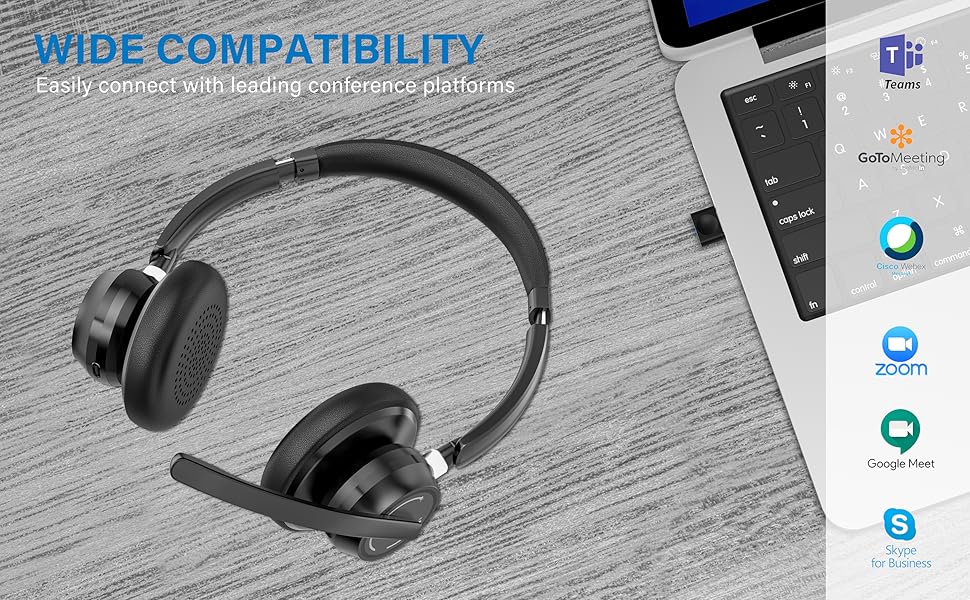
Image: Visual representation of Bluetooth, USB Dongle, and Wired connection methods for the headset.
חיבור Bluetooth:
- וודא שהאוזנייה כבויה.
- לחץ והחזק את לחצן ההפעלה עד שנורית ה-LED תהבהב לסירוגין בכחול ואדום, כדי לציין מצב צימוד.
- במכשיר שלך (סמארטפון, טאבלט, מחשב), הפעל את Bluetooth וחפש מכשירים חדשים.
- Select "SUNITEC BH880" from the list of available devices.
- לאחר החיבור, מחוון ה- LED יהבהב לאט בכחול.
חיבור דונגל USB:
This method is ideal for computers without built-in Bluetooth or for a more stable connection.
- Plug the USB-A Dongle Adapter into an available USB port on your computer.
- Power on the SUNITEC BH880 headset. It will automatically attempt to connect to the dongle.
- The LED indicator on the dongle and headset will show a solid blue light once connected.
- You may need to select the "SUNITEC BH880" as the audio input/output device in your computer's sound settings.

Image: A USB dongle being inserted into a laptop's USB port, demonstrating the dongle connection method.
חיבור קווי:
Use the included 3.5mm audio cable to connect the headset directly to devices with a 3.5mm audio jack. Note that the microphone function is not available when using the 3.5mm wired connection; the headset will function as headphones only.

Image: The headset shown with logos of popular communication platforms like Teams, Zoom, Google Meet, and Skype, indicating wide compatibility.
הוראות הפעלה
פונקציות בסיסיות:
- עוצמת הקול מעלה/הנמכת: השתמשו בכפתורי עוצמת הקול הייעודיים שעל גבי כיסוי האוזניים.
- הפעל/השהה: לחץ פעם אחת על כפתור הרב-פונקציה.
- הרצועה הבאה: לחץ והחזק את לחצן הגברת עוצמת הקול.
- רצועה קודמת: לחץ והחזק את לחצן החלשת עוצמת הקול.
פונקציות שיחה:
- מענה/סיום שיחה: לחץ פעם אחת על כפתור הרב-פונקציה.
- דחה שיחה: לחץ והחזק את הלחצן הרב-תכליתי למשך 2 שניות.
- חיוג חוזר למספר האחרון: לחץ פעמיים על כפתור הרב פונקציות.
פונקציית השתקת מיקרופון:
The headset features an individual mute button on the microphone boom for quick privacy control.
- השתק/בטל השתקה: Press the mute button on the microphone boom. The LED indicator on the microphone will show red when muted.
- פֶּתֶק: For PC platforms, microphone mute functionality may also be controlled via the software application (e.g., Zoom, Teams).
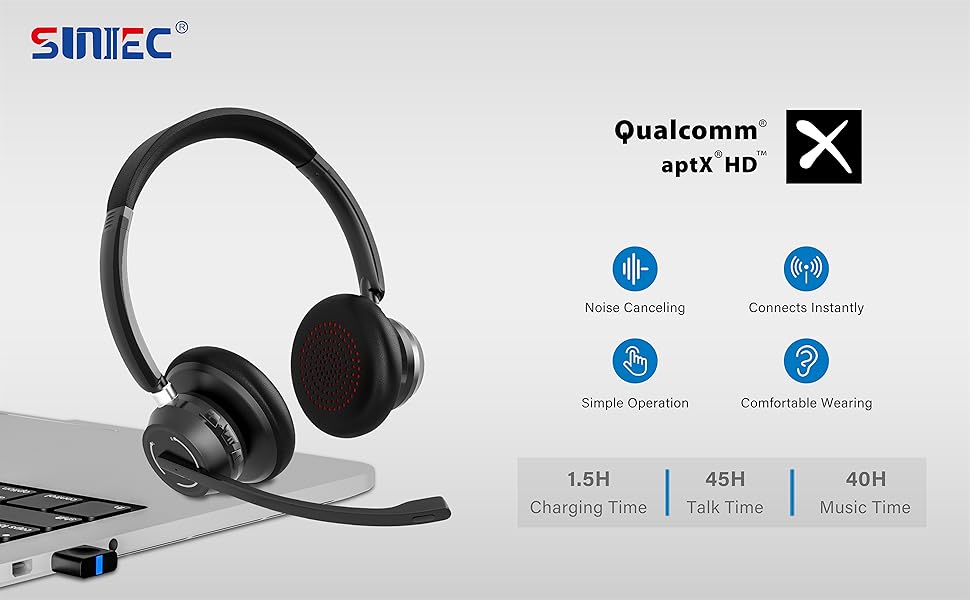
Image: A graphic demonstrating how the noise-cancelling microphone filters out background noise for clearer audio output.
תַחזוּקָה
Proper care ensures the longevity of your SUNITEC BH880 headset.
- ניקוי: השתמשו במטלית רכה ויבשה לניקוי האוזניות. אין להשתמש בחומרי ניקוי שוחקים או ממסים.
- אִחסוּן: יש לאחסן את האוזניות במקום קריר ויבש, הרחק מאור שמש ישיר וטמפרטורות קיצוניות.
- טיפול בסוללה: כדי לשמר את חיי הסוללה, הימנעו מפריקה מלאה של האוזניות לעתים קרובות. טען אותן באופן קבוע, גם אם אינן בשימוש למשך פרקי זמן ממושכים.
- הימנע מלחות: האוזניות אינן עמידות במים. יש להרחיק אותן מנוזלים ולחות גבוהה.
פתרון בעיות
If you encounter issues with your SUNITEC BH880 headset, refer to the following common solutions:
| בְּעָיָה | פִּתָרוֹן |
|---|---|
| האוזניות לא נדלקות. | ודא שהאוזניות טעונות. חבר אותן למקור חשמל באמצעות כבל Type-C. |
| לא ניתן לבצע צימוד דרך בלוטות'. |
|
| אין צליל או איכות צליל ירודה. |
|
| המיקרופון לא עובד. |
|
| USB Dongle not connecting. |
|
מפרטים
| תכונה | פְּרָט |
|---|---|
| שם הדגם | BH880 |
| טכנולוגיית קישוריות | Wireless (Bluetooth), Wired (3.5mm), USB Dongle |
| טכנולוגיית תקשורת אלחוטית | בלוטות' 5.1 |
| טווח בלוטות' | עד 15 מטר (49 רגל) |
| בקרת רעש | ביטול רעשים אדפטיבי (מיקרופון) |
| גודל מנהל התקן שמע | 40 מילימטרים |
| סוג מנהל התקן שמע | מנהל התקן דינמי |
| עַכָּבָּה | 32 אוהם |
| צורת אפרכסת | Over-Ear |
| חיי סוללה (זמן דיבור) | עד 45 שעות |
| זמן טעינה | Approximately 2 Hours (Type-C) |
| משקל פריט | 280 גרם (9.9 אונקיות) |
| מידות המוצר | 5.91 x 3.94 x 1.96 אינץ' |
| חוֹמֶר | פּלָסטִי |
| מכשירים תואמים | Computers, Communication Software (Skype, Zoom, MS Teams, Google Meet) |
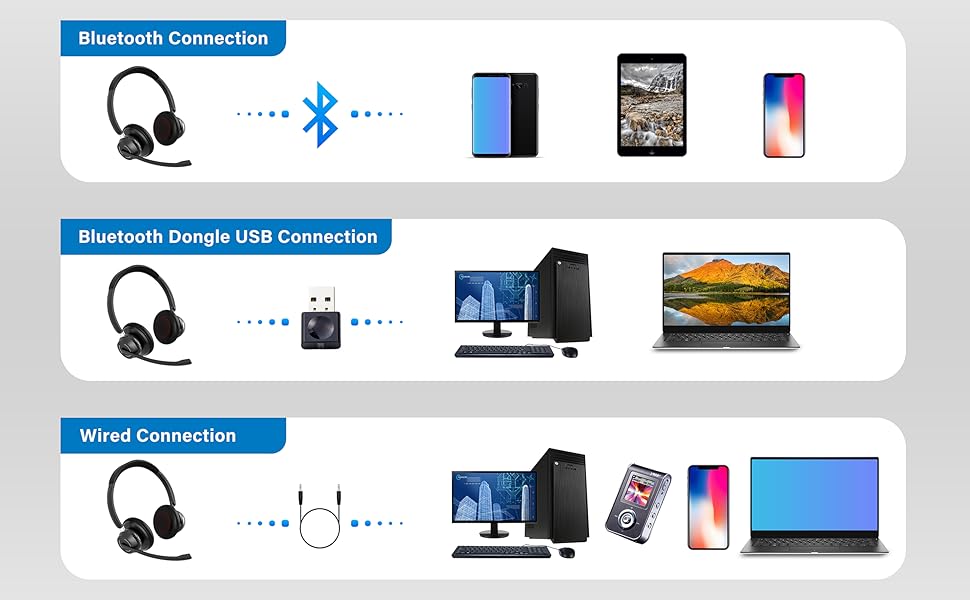
Image: An illustration highlighting the headset's battery performance, indicating up to 45 hours of wireless talk time.
אחריות ותמיכה
SUNITEC products are designed for reliability and performance. For warranty information or technical support, please refer to the contact details provided with your purchase or visit the official SUNITEC webאתר. שמור את קבלת הרכישה כהוכחת קנייה לתביעות אחריות.
For further assistance, you may contact SUNITEC customer service through their official channels.


