
מָבוֹא
This manual provides detailed instructions for the BFOUR Wireless Meat Thermometer, Model BF-60. This device is designed to accurately monitor internal food temperatures during cooking, ensuring perfect results for various meats and dishes. It features dual probes, Bluetooth connectivity, and an intuitive app for remote monitoring, making your cooking experience precise and convenient.
המוצר נגמרview
רכיבים
- BFOUR Wireless Meat Thermometer Main Unit (Booster)
- Black Wireless Probe
- White Wireless Probe
- כבל טעינה USB-C
- מדריך למשתמש
תכונות מפתח
- תצוגת LCD בגודל 2.4 אינץ': Easy-to-read screen showing battery level, connection signals, and temperature values.
- Durable Probes: Made of zirconium dioxide, 100% waterproof, resistant to temperatures up to 400°C (752°F) for the ceramic handle.
- טווח אלחוטי מורחב: Up to 100 meters (328 feet) Bluetooth range for booster, and up to 60 meters (196 feet) between booster and probes.
- ניטור טמפרטורה מדויק: Dual probes provide precise readings for easy and perfect 'low and slow' cooking.
- התקנה ושימוש קלים: Connects via the BFOUR app with preset temperatures for 12 meat types and customizable alarms.
- חיי סוללה ארוכים: Booster lasts over 100 hours, probes last over 30 hours on a single charge.

Image: BFOUR Wireless Meat Thermometer main unit, two probes, and a smartphone showing the app interface with a steak cooking.

Image: Diagram highlighting the multifunction booster's features: large LCD display, Bluetooth 5.2, rechargeable battery, and alarm function.
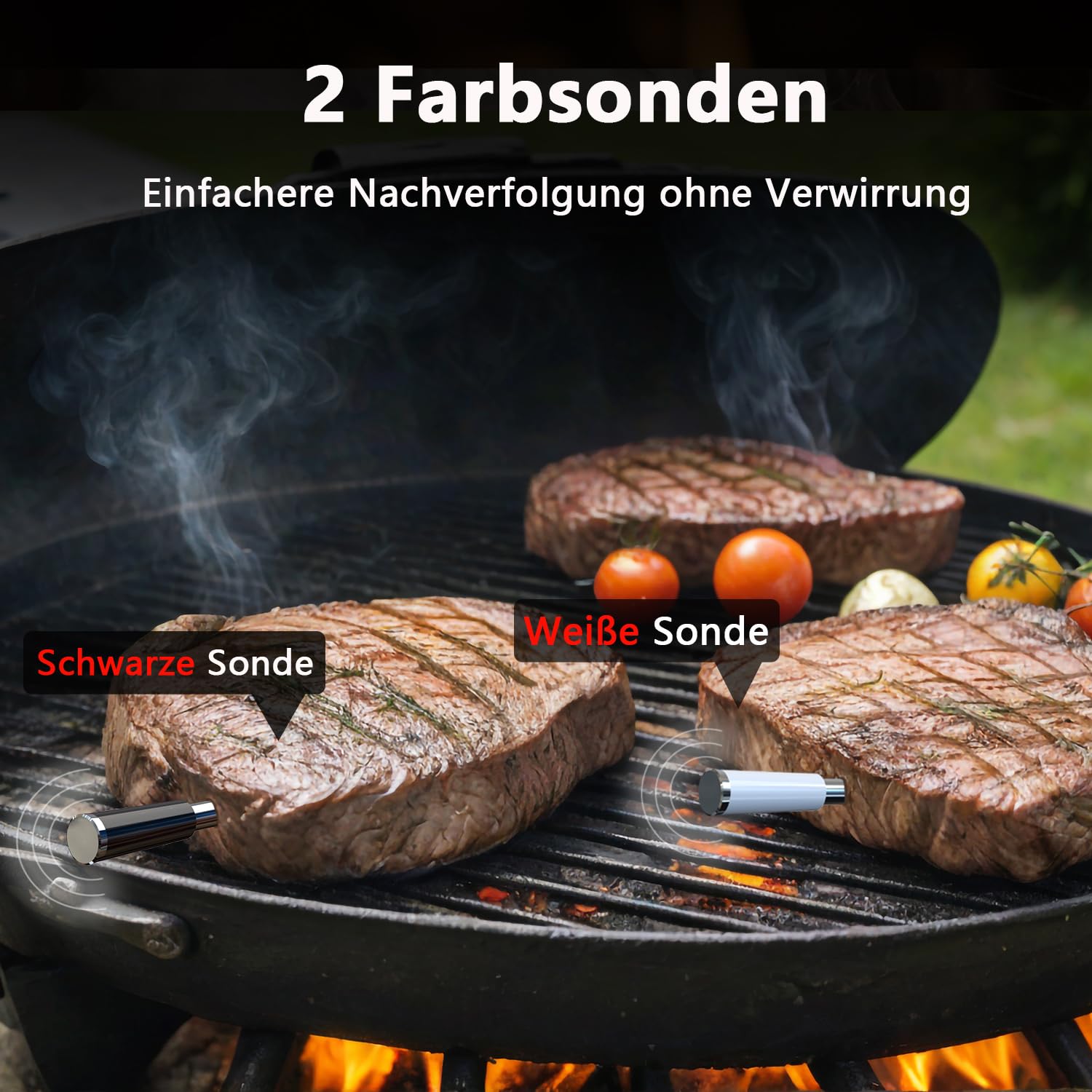
Image: Two steaks on a grill with the black and white BFOUR probes inserted, demonstrating easier tracking without confusion.

Image: A BFOUR probe inserted into a steak, illustrating its high temperature resistance (up to 400°C) and waterproof design, with internal temperature range of 0-100°C.

Image: Visual representation of the BFOUR thermometer's extended battery life: over 100 hours for the booster and over 40 hours for the probes.

Image: A diagram showing the wireless range capabilities, with up to 60m between probe and booster, and up to 100m between booster and smartphone, for outdoor monitoring.

Image: A collage demonstrating the versatility of the BFOUR thermometer for various cooking applications, including grilling, rotisserie, smoking, oven baking, pan frying, and deep frying.
הגדרה
טעינת המכשיר
Before first use, fully charge the BFOUR Wireless Meat Thermometer booster and probes.
- Connect the USB-C charging cable to the booster's charging port.
- Insert the probes into their respective charging slots on the booster.
- The display will indicate charging status. A full charge for the booster provides over 100 hours of use, and probes can gain up to 40 hours of use from just 2 minutes of charging.
Downloading the BFOUR App
The BFOUR app is essential for full functionality and remote monitoring.
- Scan the QR code provided in the physical manual or search for "BFOUR" in your device's app store (iOS App Store or Google Play Store).
- הורד והתקן את האפליקציה.
- ודא ש-Bluetooth מופעל בטלפון החכם או בטאבלט שלך.
התאמה למכשיר שלך
- Turn on the BFOUR thermometer booster.
- Open the BFOUR app on your smartphone.
- The app will automatically search for and connect to the thermometer via Bluetooth. Follow any on-screen prompts to complete the pairing process.
- Once connected, the app will display real-time temperature readings from the probes.
הוראות הפעלה
Inserting the Probes
- Carefully insert the pointed end of the probe into the thickest part of the meat, avoiding bones.
- Ensure the probe is inserted deep enough so that the temperature sensor (located near the tip) is fully within the food.
- The ceramic handle of the probe should remain outside the food and away from direct heat sources exceeding 400°C (752°F).
Using the App for Monitoring
- In the BFOUR app, select the type of meat you are cooking from the preset options (e.g., Beef, Chicken, Pork, Fish).
- Choose your desired doneness level (e.g., Rare, Medium, Well Done). The app will automatically set a target temperature.
- You can also manually set a custom target temperature if desired.
- The app will display the current internal temperature of the food from each probe.
- An alarm will sound on your phone and the booster when the target temperature is reached.
Understanding Temperature Readings
The booster's LCD display shows current temperatures for both black and white probes, along with their respective preset target temperatures. The app provides more detailed graphs and historical data.
- טמפרטורה נוכחית: The real-time internal temperature of the food.
- טמפרטורה מוגדרת מראש: The target temperature set for desired doneness.
זמן מנוחה
After removing food from heat, the internal temperature may continue to rise. The BFOUR thermometer helps monitor this "carry-over cooking" to ensure optimal resting time and final doneness.
תַחזוּקָה
ניקוי הגששים
After each use, allow the probes to cool down.
- Wipe the probes clean with a damp בד וסבון עדין.
- לשטוף היטב במים.
- Dry completely before storing.
- חָשׁוּב: The probes are 100% waterproof but are not dishwasher safe. Do not immerse the booster unit in water. Do not use abrasive cleaners or scouring pads.
אִחסוּן
Store the BFOUR thermometer and probes in a cool, dry place when not in use. Keep them away from extreme temperatures and direct sunlight.
פתרון בעיות
בעיות נפוצות ופתרונות
| לְהַנפִּיק | סיבה אפשרית | פִּתָרוֹן |
|---|---|---|
| אין חיבור בלוטות' | Thermometer not powered on; Bluetooth disabled on device; App not open; Out of range. | Ensure booster is on and charged. Enable Bluetooth on your phone. Open the BFOUR app. Move closer to the booster. |
| קריאת טמפרטורה לא מדויקת | Probe not inserted correctly; Probe damaged; Temperature limits exceeded. | Ensure probe is inserted into the thickest part, avoiding bone. Check probe for visible damage. Ensure probe ceramic handle is not exposed to temperatures above 400°C (752°F) and internal food temperature is within 0-100°C (32-212°F). |
| האפליקציה לא מגיבה | App crash; Device memory low. | Close and restart the BFOUR app. Restart your smartphone. |
| חיי סוללה קצרים | Not fully charged; Battery degradation. | Ensure booster and probes are fully charged before use. If battery life significantly degrades, contact customer support. |
For further assistance, please refer to the BFOUR app's help section or contact customer support.
מפרטים
| תכונה | פְּרָט |
|---|---|
| מספר דגם | BF-60 |
| מותג | BFOUR |
| טכנולוגיית קישוריות | בלוטות' |
| סוג תצוגה | LCD Screen (2.4-inch) |
| חומר בדיקה | Zirconium Dioxide Ceramic Handle, Stainless Steel Probe |
| Probe Temperature Range (Internal Food) | 0°C - 100°C (32°F - 212°F) |
| Probe Temperature Range (External/Handle) | 0°C - 400°C (32°F - 752°F) |
| דִיוּק | ± 1 ° C / ± 1.8 ° F |
| Wireless Range (Booster to Phone) | Up to 100 meters (328 feet) (unobstructed) |
| טווח אלחוטי (מגשש למגבר) | Up to 60 meters (196 feet) (unobstructed) |
| חיי סוללה של בוסטר | 100+ שעות |
| חיי סוללה בדיקה | 30+ hours (up to 40 hours from 2 min charge) |
| מקור כוח | סוללת ליתיום פולימר אחת (כלול) |
| דירוג עמיד למים | IP67 (Probes) |
| מידות חבילה | 15.4 x 11 x 3.3 ס"מ; 220 גרם |
| הסמכות | CE, RoHS, WEEE |
אחריות ותמיכה
BFOUR products are designed for quality and reliability. For warranty information, please refer to the product packaging or contact BFOUR customer support directly.
תמיכת לקוחות
If you encounter any issues or have questions regarding your BFOUR Wireless Meat Thermometer, please contact our customer support team.
- Webאֲתַר: Visit the official BFOUR webאתר לשאלות נפוצות ומשאבי תמיכה.
- אֶלֶקטרוֹנִי: Refer to your product documentation for support email address.
- תמיכה באפליקציה: The BFOUR app may include a direct support contact or help section.