
1. הקדמה
Thank you for choosing the Edifier X1 Lite True Wireless Earbuds. This manual provides detailed instructions for setting up, operating, and maintaining your new earbuds to ensure optimal performance and longevity. Please read this manual thoroughly before use.

Image: Edifier X1 Lite True Wireless Earbuds in their open charging case.
2. מה בקופסה
The Edifier X1 Lite package includes the following components:
- Edifier X1 Lite True Wireless Earbuds (Left and Right)
- נרתיק טעינה
- כבל טעינה USB
- מדריך למשתמש (מסמך זה)
3. התקנה
3.1 טעינה ראשונית
לפני השימוש הראשון, טען את האוזניות ואת נרתיק הטעינה במלואן.
- הכנס את שני האוזניות לתוך מארז הטעינה.
- חבר את כבל הטעינה מסוג USB לשקע הטעינה במארז ולמקור חשמל (למשל, מתאם USB לקיר, שקע USB של המחשב).
- נורית החיווי על מארז הטעינה תציג את מצב הטעינה. עיין בסעיף חיווי ה-LED לקבלת פרטים.
- טעינה מלאה אורכת בדרך כלל כשעה וחצי עבור המארז והאוזניות.
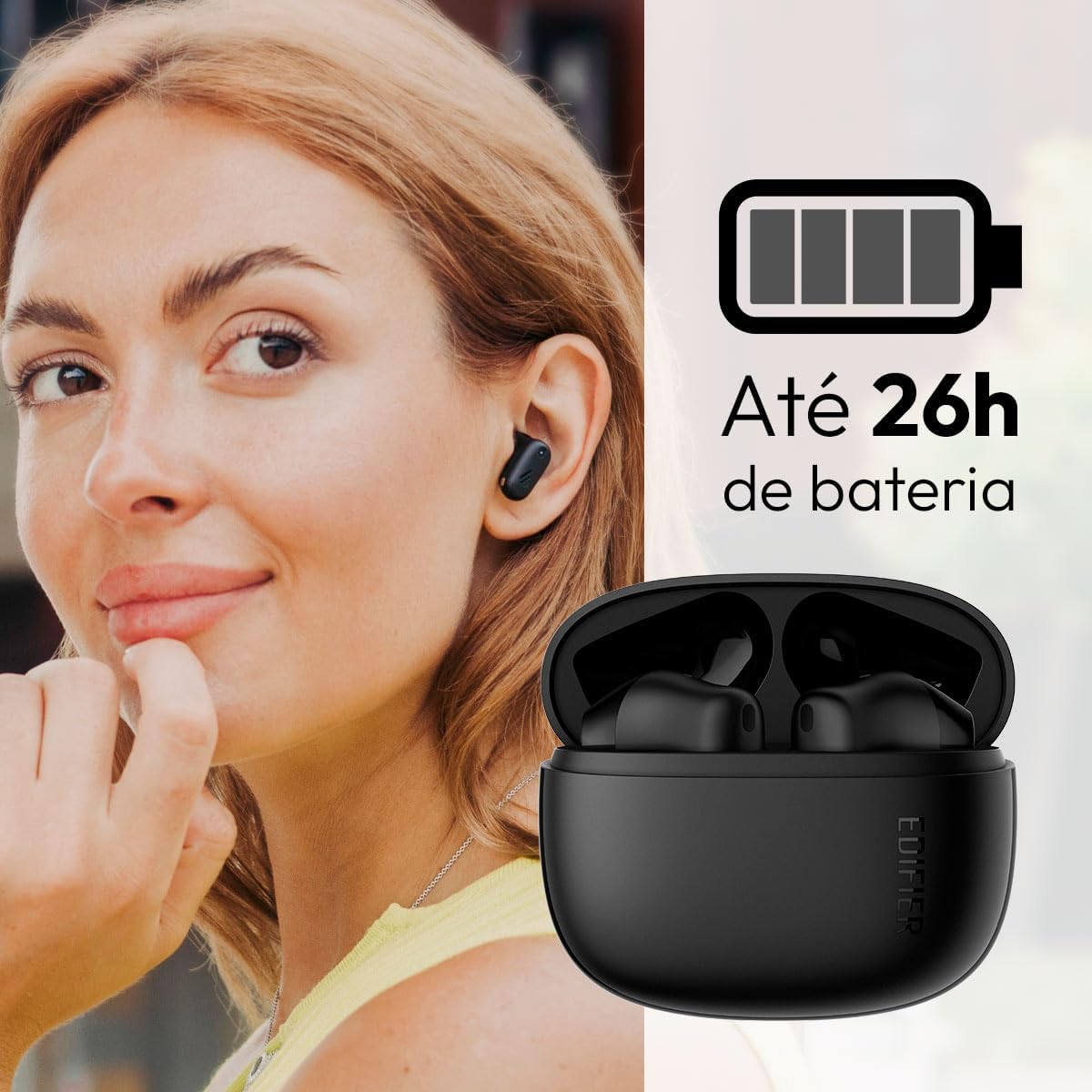
Image: Woman wearing an earbud, with the charging case and a battery icon indicating charging.
Fast Charging Feature:
A 15-minute quick charge can provide approximately 1.5 hours of playtime for the earbuds.

Image: Visual representation of battery life and fast charging capabilities.
3.2 זיווג בלוטות '
Follow these steps to pair your Edifier X1 Lite earbuds with your device:
- התאמה ראשונה: Open the charging case. The earbuds will automatically power on and enter pairing mode. The indicator light on the earbuds will flash rapidly.
- במכשיר שלך (סמארטפון, טאבלט, מחשב נייד), הפעל את Bluetooth.
- חפש "EDIFIER X1 Lite" in the list of available Bluetooth devices.
- Select "EDIFIER X1 Lite" to connect. Once connected, the indicator lights on the earbuds will turn off, and you will hear a confirmation tone.
- Re-pairing/Connecting to a New Device: If the earbuds are already connected to another device, disconnect them first. Alternatively, with the earbuds in the case and the lid open, press and hold the button on the charging case for 3 seconds to enter pairing mode.

Image: Man using earbuds, highlighting Bluetooth 5.4 connectivity.
3.3 Edifier ConneX App Installation
For enhanced features and customization, download the EDIFIER ConneX app:
- Scan the QR code provided in the image below or visit the official Edifier app download page.
- התקן את האפליקציה בסמארטפון או בטאבלט שלך.
- Open the app and follow the on-screen instructions to connect your X1 Lite earbuds.
- The app allows for sound effect customization, game mode activation, and touch control settings.

Image: EDIFIER ConneX app interface with QR code. Download the Edifier ConneX App
4. הוראות הפעלה
4.1 ענידת האוזניות
Proper fit ensures optimal sound quality and comfort:
- זהה את האוזניות השמאלית (L) והימנית (R).
- הכניסו בעדינות כל אוזניה לתעלת האוזן המתאימה.
- סובבו מעט את האוזניה עד שתרגישו יציבים ונוחים.

Image: Man demonstrating proper earbud placement.
4.2 הפעלה/כיבוי
- הפעלה: האוזניות נדלקות אוטומטית עם הוצאתן ממארז הטעינה.
- כיבוי: האוזניות כבות אוטומטית ומתחילות להיטען כאשר הן מוחזרות למארז הטעינה והמכסה סגור.
4.3 פקדי מגע
The Edifier X1 Lite earbuds feature touch-sensitive controls on each earbud. These controls can be customized via the EDIFIER ConneX app.
| פְּעוּלָה | אוזניה שמאלית (L) | אוזניה ימנית (R) |
|---|---|---|
| מענה/סיום שיחה | הקש פעמיים | הקש פעמיים |
| דחה שיחה | טריפל ברז | טריפל ברז |
| הפעל/השהה מוזיקה | הקש פעמיים | הקש פעמיים |
| המסלול הבא | N/A (Customize via App) | טריפל ברז |
| המסלול הקודם | טריפל ברז | N/A (Customize via App) |
| מצב משחק הפעלה/כיבוי | הקשה מרובעת | הקשה מרובעת |
Note: These are default settings. Functions can be reconfigured using the EDIFIER ConneX app.

תמונה: מדריך חזותי לבקרות מגע באוזניות.
5. תחזוקה
5.1 ניקוי
- נקו באופן קבוע את האוזניות ואת נרתיק הטעינה בעזרת מטלית רכה, יבשה ונטולת סיבים.
- אין להשתמש בחומרי ניקוי שוחקים, אלכוהול או ממסים כימיים.
- ודאו שמגעי הטעינה הן באוזניות והן בנרתיק נקיים וללא לכלוך כדי לשמור על טעינה תקינה.
עמידות למים 5.2 (IP54)
The Edifier X1 Lite earbuds are IP54 rated, meaning they are protected against dust ingress and splashing water from any direction. This makes them suitable for workouts and light rain.
- אין לטבול את האוזניות במים.
- The charging case is not water-resistant. Keep it dry.
- If earbuds get wet, wipe them dry completely before placing them back in the charging case to prevent damage.

Image: Demonstrating IP54 sweat resistance during exercise.
5.3 טיפול בסוללה
- הימנעו מחשיפת האוזניות והמארז לטמפרטורות קיצוניות (חמות או קור).
- אחסן את המכשיר במקום קריר ויבש כאשר אינו בשימוש.
- טען את המכשיר באופן קבוע, גם אם אינו בשימוש תכוף, כדי לשמור על תקינות הסוללה.
6. פתרון תקלות
If you encounter issues with your Edifier X1 Lite earbuds, refer to the following common problems and solutions:
6.1 אין קול או חיבור לסירוגין
- בדוק את הסוללה: ודאו ששתי האוזניות וגם נרתיק הטעינה טעונים כראוי.
- לְתַקֵן: נתקו את האוזניות מהגדרות ה-Bluetooth של המכשיר שלכם ולאחר מכן צמדו אותן מחדש.
- מֶרְחָק: Ensure the earbuds are within the Bluetooth range (typically 10 meters) of your device.
- הַפרָעָה: Move away from strong Wi-Fi signals or other Bluetooth devices that might cause interference.
- איפוס: Place both earbuds in the charging case, close the lid, wait a few seconds, then open the lid and try pairing again.
6.2 האוזניות לא נטענות
- בדוק את הכבל: Ensure the USB charging cable is securely connected to both the case and the power source.
- מקור כוח: נסה יציאת USB אחרת או מתאם קיר אחר.
- אנשי קשר נקיים: Clean the charging contacts on the earbuds and inside the charging case with a dry cotton swab.
- מיקום נכון: ודאו שהאוזניות ממוקמות כראוי במארז הטעינה.
6.3 איכות שיחה ירודה
- חסימת מיקרופון: Ensure the microphone on the earbuds is not covered.
- סְבִיבָה: Move to a quieter environment if possible. The AI algorithm helps, but extreme noise can still affect clarity.
- יציבות חיבור: ודא חיבור Bluetooth יציב.

Image: Man using earbuds for a clear call, highlighting AI voice pick-up technology.
6.4 בעיות חיבור לאפליקציה
- Bluetooth פועל: Ensure Bluetooth is enabled on your device and the earbuds are connected.
- הרשאות אפליקציה: Check if the EDIFIER ConneX app has necessary Bluetooth and location permissions.
- הפעל מחדש את האפליקציה/המכשיר: סגור ופתח מחדש את האפליקציה, או הפעל מחדש את הטלפון החכם.
- עדכון אפליקציה: ודא שהאפליקציה מעודכנת לגרסה העדכנית ביותר.
7. מפרטים
| תכונה | פְּרָט |
|---|---|
| שם הדגם | X1 לייט |
| טכנולוגיית קישוריות | אלחוטי (Bluetooth) |
| גרסת בלוטות' | 5.4 |
| סוג מנהל התקן שמע | Dynamic Driver (Φ13mm) |
| טווח תדרים | 20Hz-20kHz |
| חיי סוללה | עד 7 שעות (אוזניות), עד 26 שעות (עם נרתיק טעינה) |
| טעינה מהירה | טעינה של 15 דקות ל-1.5 שעות נגינה |
| חביון נמוך | 60ms |
| עמידות במים | IP54 (אוזניות בלבד) |
| מִיקרוֹפוֹן | Single Mic AI algorithm voice pick-up |
| שיטת בקרה | Touch Control, App (EDIFIER ConneX) |
| חוֹמֶר | פּלָסטִי |
| משקל אוזניים | כ-4 גרם לאוזניה |
| צֶבַע | שָׁחוֹר |
8. אחריות ותמיכה
Edifier products are designed with quality and reliability in mind. For warranty information and customer support, please refer to the official Edifier webאתר או צרו קשר ישירות עם שירות הלקוחות שלהם.
- רִשְׁמִי Webאֲתַר: לְבַקֵר www.edifier.com לרישום מוצרים, שאלות נפוצות ומשאבי תמיכה.
- שֵׁירוּת לָקוֹחוֹת: Contact Edifier customer support for technical assistance or warranty claims. Contact details can typically be found on the official webבאתר או באריזת המוצר.
אנא שמור את הוכחת הרכישה שלך לצורכי אחריות.