
1. המוצר נגמרview
The AWEI A996 Pro are over-ear Bluetooth headphones designed to provide an immersive audio experience with Active Noise Cancellation (ANC). Featuring Bluetooth 5.0 for stable connectivity, 40mm drivers for Hi-Res audio, and a comfortable, foldable design, these headphones are suitable for various uses including travel, home, and office environments.

Image: AWEI A996 Pro headphones displaying their sleek design and over-ear form factor.
תכונות עיקריות:
- ביטול רעשים פעיל (ANC): Effectively minimizes ambient noise for an enhanced listening experience.
- Bluetooth 5.0: Provides a fast, stable, and wide-range wireless connection up to 33 feet.
- אודיו ברזולוציה גבוהה: מצויד בדרייברים של 40 מ"מ לסאונד עמוק, עוצמתי וסוחף.
- חיי סוללה ארוכים: 300mAh rechargeable battery offers up to 20 hours of playtime on a single charge.
- Comfortable & Adjustable Design: Ultra-soft protein leather earcups and a retractable beam ensure comfort for extended wear.
- Wired/Wireless Options: Can be used wirelessly via Bluetooth or wired via an AUX cable when power is low or for non-Bluetooth devices.
- עיצוב מתקפל: Enhances portability and reduces storage space.
2. התקנה
2.1 Unboxing Contents
לפני השימוש, אנא ודאו שכל הפריטים נמצאים באריזה:
- AWEI A996 Pro Over-Ear Headphones
- כבל טעינה USB
- מדריך למשתמש (מסמך זה)
2.2 טעינת האוזניות
Before initial use, fully charge the headphones. A full charge takes approximately 2 hours.
- חברו את הקצה הקטן של כבל הטעינה מסוג USB לשקע הטעינה באוזניות.
- חבר את הקצה הגדול יותר של כבל הטעינה USB למתאם חשמל USB (לא כלול) או ליציאת USB של מחשב.
- The LED indicator on the headphones will illuminate during charging and change color or turn off once fully charged.

Image: AWEI A996 Pro headphones, highlighting the charging port and indicating long battery life.
2.3 הפעלה/כיבוי
- כדי להפעיל: Press and hold the Power button (usually marked with a power symbol) for approximately 3 seconds until the LED indicator lights up and you hear an audible prompt.
- כדי לכבות: לחץ והחזק את לחצן ההפעלה למשך כ-3-5 שניות עד שנורית ה-LED תכבה ותשמע הנחיה קולית.
2.4 זיווג בלוטות '
To connect your AWEI A996 Pro headphones to a Bluetooth-enabled device:
- ודא שהאוזניות כבויות.
- לחץ והחזק את לחצן ההפעלה למשך כ-5-7 שניות עד שנורית ה-LED תהבהב לסירוגין באדום וכחול, כדי לציין מצב צימוד.
- במכשיר שלך (סמארטפון, טאבלט, מחשב), הפעל את Bluetooth וחפש מכשירים זמינים.
- Select "AWEI A996 Pro" from the list of found devices.
- Once paired, the LED indicator on the headphones will typically flash blue slowly, and you will hear a connection confirmation sound.

Image: AWEI A996 Pro headphones demonstrating stable Bluetooth 5.0 connection with multiple devices.
2.5 חיבור קווי (מצב AUX)
The headphones can be used with an audio cable (AUX cable) for devices without Bluetooth or when the headphone battery is depleted.
- Connect one end of the 3.5mm audio cable (not included) to the AUX port on the headphones.
- חבר את הקצה השני של כבל השמע לשקע השמע 3.5 מ"מ במכשיר שלך.
- The headphones will automatically switch to wired mode. Note that some functions like ANC may require battery power even in wired mode.

Image: AWEI A996 Pro headphones illustrating both wired (AUX) and wireless connectivity options.
3. הוראות הפעלה
3.1 פונקציות כפתורים
The AWEI A996 Pro headphones feature intuitive controls located on the earcups. Refer to the diagram below for button placement (if available on product) and their functions:
- כפתור הפעלה (כפתור רב-תכליתי):
- לחץ והחזק למשך 3 שניות: הפעלה/כיבוי.
- Press and hold for 5-7 seconds (from off): Enter Bluetooth pairing mode.
- לחיצה קצרה: השמעה/השהיה של מוזיקה, מענה/סיום שיחות.
- לחיצה כפולה: חיוג חוזר למספר האחרון.
- כפתור הגברת עוצמת הקול (+):
- לחיצה קצרה: הגברת עוצמת הקול.
- לחיצה ארוכה: הרצועה הבאה.
- כפתור הנמכת עוצמת הקול (-):
- לחיצה קצרה: הנמכת עוצמת הקול.
- לחיצה ארוכה: רצועה קודמת.
- לחצן ANC:
- Short press: Toggle Active Noise Cancellation On/Off.
3.2 ביטול רעש פעיל (ANC)
The ANC feature helps reduce ambient noise, providing a quieter listening environment.
- To activate ANC, press the dedicated ANC button. An indicator light (if present) will illuminate, and you may hear an audible confirmation.
- To deactivate ANC, press the ANC button again.
3.3 ביצוע וקבלת שיחות
כאשר מחובר לסמארטפון באמצעות בלוטות':
- ענה לשיחה: לחץ לחיצה קצרה על כפתור ההפעלה/רב-תכליתי.
- סיום שיחה: לחיצה קצרה על לחצן ההפעלה/רב-תכליתיות במהלך שיחה.
- דחה שיחה: לחץ והחזק את לחצן ההפעלה/רב-תכליתי למשך כ-2 שניות.
- חיוג חוזר למספר האחרון: Double press the Power/Multi-function button when not on a call.
4. תחזוקה
4.1 ניקוי
- השתמשו במטלית רכה, יבשה ונטולת סיבים לניקוי האוזניות.
- Do not use abrasive cleaners, solvents, or spray cleaners directly on the headphones.
- Gently wipe the earcups and headband.
4.2 אחסון
- יש לאחסן את האוזניות במקום קריר ויבש, הרחק מטמפרטורות קיצוניות ומאור שמש ישיר.
- When not in use for extended periods, store them in their folded position to save space and protect them.
- הימנעו מהנחת חפצים כבדים על גבי האוזניות.
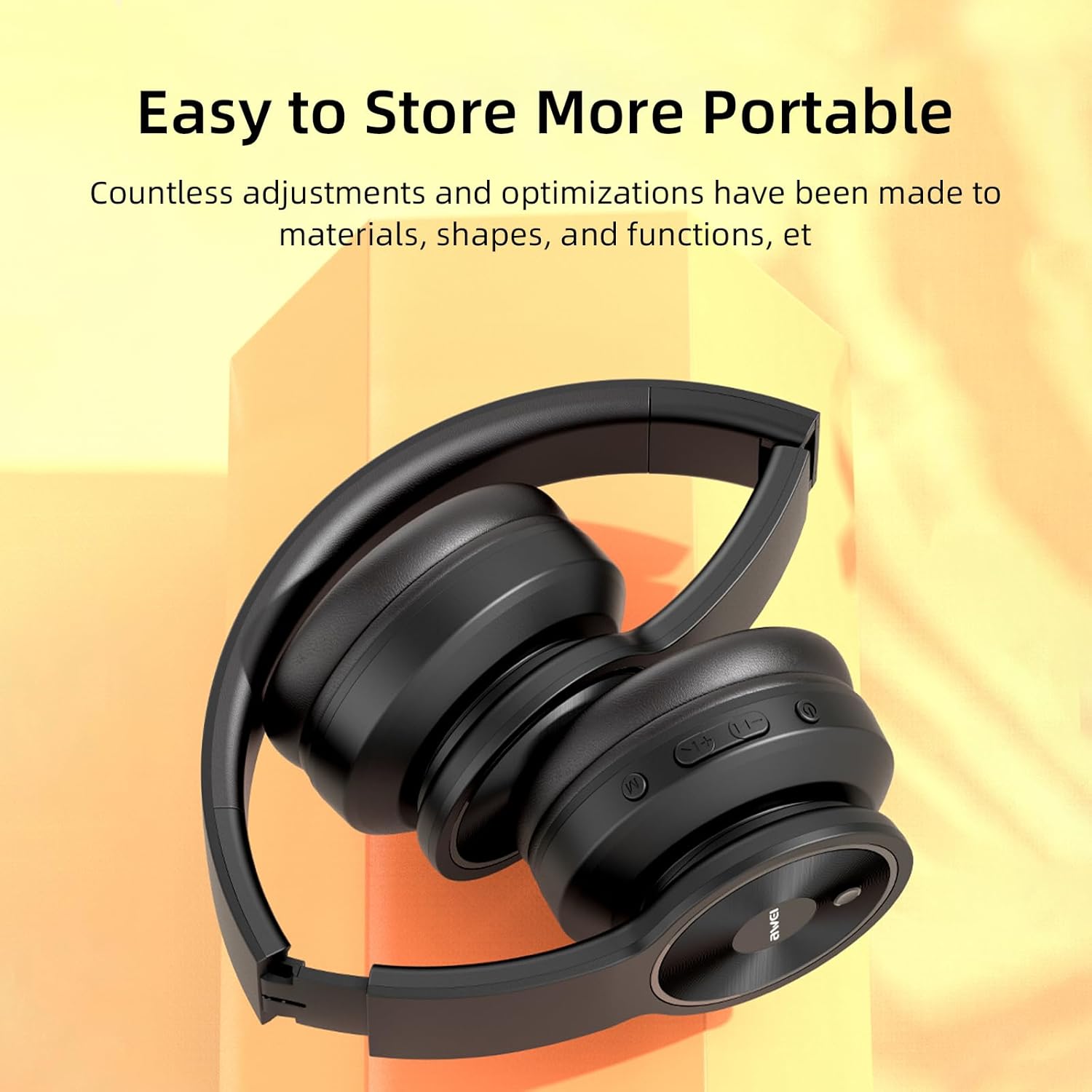
Image: AWEI A996 Pro headphones shown in their folded configuration, emphasizing portability and ease of storage.
4.3 טיפול בסוללה
- כדי להאריך את חיי הסוללה, הימנעו מפריקת האוזניות באופן מלא לעתים קרובות.
- Charge the headphones regularly, even if not used often.
- אל תחשוף את הסוללה לטמפרטורות גבוהות.
5. פתרון תקלות
If you encounter issues with your AWEI A996 Pro headphones, refer to the following common problems and solutions:
| בְּעָיָה | פתרון אפשרי |
|---|---|
| האוזניות לא נדלקות. | ודא שהאוזניות טעונות. חבר למקור חשמל ונסה שוב. |
| לא ניתן לבצע צימוד דרך בלוטות'. | Ensure headphones are in pairing mode (flashing red/blue LED). Turn off and on Bluetooth on your device. Move closer to the device. Forget previous pairings on your device and try again. |
| אין צליל או עוצמת קול נמוכה. | Check volume levels on both headphones and your connected device. Ensure headphones are properly paired or AUX cable is fully inserted. Try playing different audio sources. |
| ANC אינו יעיל. | Ensure ANC is activated (press the ANC button). Ensure earcups form a good seal around your ears. ANC is most effective against low-frequency, constant noise. |
| חיבור לסירוגין. | ודא שאין מכשולים בין האוזניות למכשיר. התקרב למכשיר. הימנע מהפרעות אלקטרומגנטיות חזקות. |
6. מפרטים
| תכונה | פְּרָט |
|---|---|
| מותג | אווי |
| מספר דגם | A996 Pro |
| טכנולוגיית קישוריות | אלחוטי (בלוטות'), חוטי (AUX) |
| טכנולוגיה אלחוטית | בלוטות' 5.0 |
| מיקום אוזניים | מעל אוזן |
| גודל דרייבר | 40 מ"מ |
| קיבולת סוללה | 300mAh |
| זמן משחק | עד 20 שעות (בערך) |
| זמן טעינה | כ. 2 שעות |
| תכונות נוספות | Active Noise Cancellation (ANC), Ergonomic, Lightweight, Foldable |
7. אחריות ותמיכה
7.1 מידע אחריות
The AWEI A996 Pro headphones come with a אחריות ל-12 חודשים ממועד הרכישה, כיסוי פגמי ייצור. בנוסף, א מדיניות החזרה של 30 יום מסופק למען שקט נפשי.
7.2 תמיכת לקוחות
For any questions, technical assistance, or warranty claims, please contact Awei customer support. Lifetime worry-free user support is available to assist you with any product-related inquiries.
Please refer to the contact information provided with your purchase documentation or visit the official Awei webאתר לפרטי תמיכה.