
מָבוֹא
Thank you for choosing the Raddy RF320 Shortwave Radio. This manual provides essential information for the safe and efficient operation of your device. Please read it thoroughly before use and retain it for future reference. The RF320 is a versatile portable radio offering comprehensive reception across AIR, FM, VHF, MW, SW, and WB bands, along with Bluetooth 5.0 connectivity, TF card playback, and emergency features like a flashlight and SOS function.
מידע בטיחות
- אין לחשוף את הרדיו לטמפרטורות קיצוניות, לאור שמש ישיר או לחות גבוהה.
- הימנע מנפילה או הכפיפה של המכשיר למכות חזקות.
- Keep the radio away from water and other liquids. It is not waterproof.
- Use only the specified charging cable and power adapter to prevent damage.
- Do not attempt to disassemble or modify the radio. This will void the warranty and may cause harm.
- השלך סוללות בהתאם לתקנות המקומיות.
תוכן החבילה
ודא שכל הפריטים נמצאים בחבילה:
- Raddy RF320 Shortwave Radio
- כבל טעינה USB
- 3m Cable Antenna
- אוזניות
- מדריך לבעלים
המוצר נגמרview
הכירו את רכיבי הרדיו ובקרותיו.
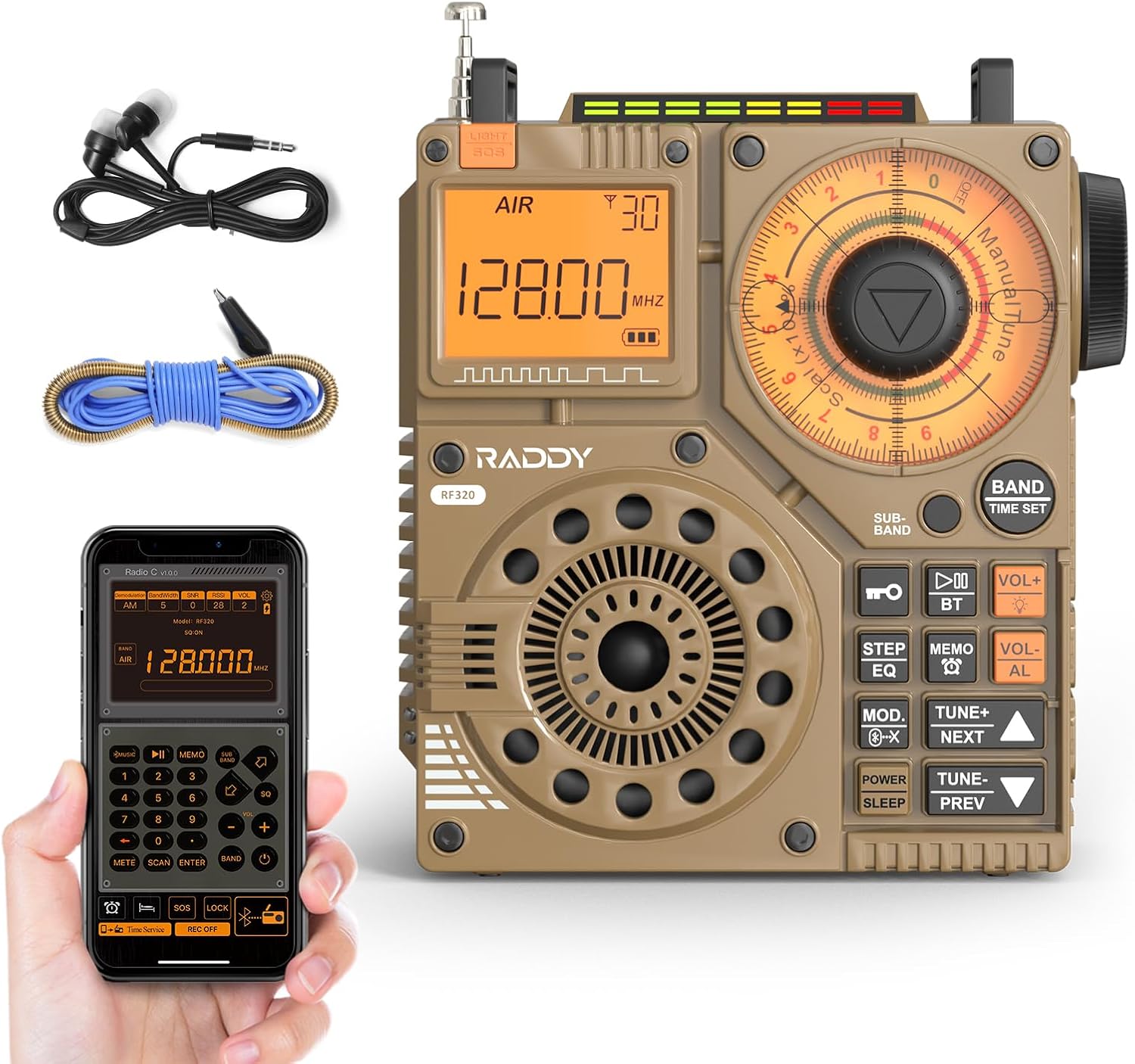
איור 1: חזית view of the Raddy RF320 Shortwave Radio, showing the display, speaker, and control buttons.

איור 2: צד view of the Raddy RF320, illustrating the fine-tuning knobs and their function for precise frequency adjustment.
תכונות עיקריות:
- תצוגה דיגיטלית: Shows frequency, band, and other operational information.
- Tuning Knobs: For manual and fine-tuning adjustments.
- Band Selection Buttons: To switch between AIR, FM, VHF, MW, SW bands.
- בקרת עוצמת הקול: מכוונן את רמת פלט השמע.
- פנס משולב: לתאורה בתנאי תאורה חלשים.
- פונקציית SOS: מפעיל אות חירום.
- Bluetooth 5.0: להזרמת שמע אלחוטית.
- חריץ כרטיס TF: For direct playback of stored audio files.
- שקע שמע 3.5 מ"מ: For earphone connection.
הגדרה
1. טעינת הסוללה
The RF320 is powered by a built-in Lithium-ion battery. Before first use, fully charge the radio.
- חבר את כבל הטעינה USB לשקע הטעינה של הרדיו.
- חבר את הקצה השני של כבל ה-USB למתאם חשמל USB תואם (לא כלול) או ליציאת USB של מחשב.
- The charging indicator on the display will show the charging status. It will typically turn off or change color when fully charged.
2. חיבור האנטנה
For optimal reception, especially on SW and AIR bands, extend the telescopic antenna or connect the included 3m cable antenna.
- אנטנה טלסקופית: Extend it fully and adjust its direction for best signal.
- Cable Antenna: Plug the cable antenna into the designated antenna jack on the radio. Extend the cable antenna as much as possible, ideally outdoors or near a window, for improved shortwave reception.
הוראות הפעלה
1. הפעלה/כיבוי
לחץ והחזק את כּוֹחַ כפתור כדי להפעיל או לכבות את הרדיו.
2. בחירת להקה
הקש על לְהִתְאַגֵד button repeatedly to cycle through the available frequency bands: FM, AM (MW), SW, VHF, AIR, WB.
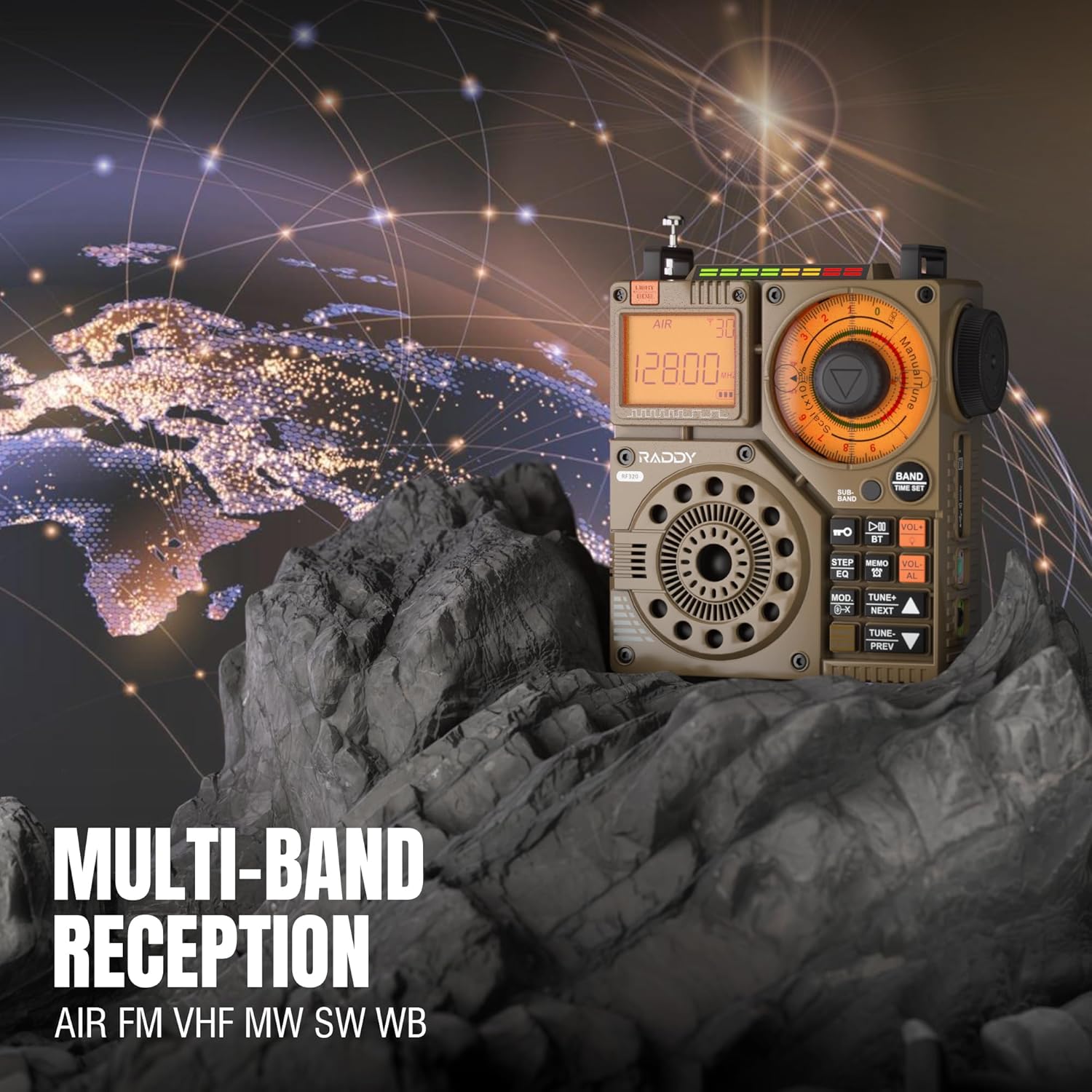
Figure 3: The Raddy RF320 radio on a rocky surface, symbolizing its multi-band reception capabilities across AIR, FM, VHF, MW, SW, and WB bands.
3. שיטות כוונון
The RF320 offers multiple tuning options:
- כוונון ידני: Use the main tuning knob to adjust the frequency incrementally. The precise tuning knobs offer a minimum step value of 0.005 MHz for accurate frequency selection.
- Digital Tuning: Use the numeric keypad (if available on the device or via app) to directly enter a frequency.
- חיפוש אוטומטי: הקש על סריקה אוטומטית כפתור לסריקה ואחסון אוטומטיים של תחנות זמינות.
- Semi-Automatic Search: This function allows for scanning within a specific range or with user intervention. Refer to the on-screen prompts or app interface for details.
4. Station Storage
The radio can store up to 955 stations (199 for each of AIR, FM, VHF, MW, and SW bands).
- כוון לתחנה הרצויה.
- לחץ והחזק את תַזכִּיר button (or equivalent) to save the station.
- השתמש ב- הבא / מקדים כפתורים כדי לנווט בין תחנות מאוחסנות.
5. Bluetooth (BT) Mode
חברו את הטלפון החכם או מכשיר אחר התומך ב-Bluetooth כדי להזרים אודיו באופן אלחוטי.
- הקש על MODE button until 'BT' or 'Bluetooth' is displayed.
- On your device, search for Bluetooth devices and select 'Raddy RF320'.
- לאחר הצימוד, תוכלו להשמיע אודיו מהמכשיר שלכם דרך הרמקול של הרדיו.
6. ניגון מכרטיס TF
הפעל אודיו files directly from a TF (MicroSD) card.
- Insert a TF card (up to 32GB, FAT32 format) with audio files לתוך חריץ כרטיס TF.
- הקש על MODE button until 'TF' or 'Card' is displayed.
- השתמש ב- הבא / מקדים לחצנים לנווט בין רצועות.

Figure 4: The Raddy RF320 radio next to a smartphone displaying music, highlighting its three operational modes: Bluetooth, TF Card, and Radio Receiver.
7. פנס ותפקוד חירום
The RF320 includes an integrated flashlight and an SOS emergency signal.
- פָּנַס כִּיס: הקש על אוֹר button to turn the flashlight on/off.
- SOS: לחץ והחזק את הַצִילוּ button to activate the emergency alarm and flashing light. Press again to deactivate.

Figure 5: Close-up of the Raddy RF320 radio with its integrated flashlight active, demonstrating its outdoor lighting capability.
8. בקרת אפליקציות
The Raddy RF320 can be controlled via a dedicated application on iOS, Android, and HarmonyOS systems.
- Download the 'Radio C' application from your device's app store.
- Ensure Bluetooth is enabled on your smartphone and the RF320 radio.
- Open the app and follow the on-screen instructions to connect to your RF320.
- The app allows for digital tuning, channel naming, recording broadcasts, and other advanced controls.

Figure 6: The Raddy RF320 radio displayed alongside a smartphone running its control application, illustrating the ease of use with app integration.
תַחזוּקָה
- נקו את הרדיו בעזרת מטלית רכה ויבשה. אין להשתמש בחומרי ניקוי שוחקים או ממסים.
- כאשר הרדיו אינו בשימוש למשך תקופות ממושכות, יש לאחסן אותו במקום קריר ויבש.
- Periodically charge the battery to maintain its lifespan, even if the radio is not being used.
- Ensure the telescopic antenna is retracted when not in use to prevent damage.
פתרון בעיות
| בְּעָיָה | סיבה אפשרית | פִּתָרוֹן |
|---|---|---|
| הרדיו לא נדלק. | הסוללה התרוקנה. | Charge the radio fully. |
| קליטת רדיו גרועה. | אות חלש; אנטנה לא מורחבת. | Extend the telescopic antenna or connect the 3m cable antenna. Adjust antenna position. Move to an area with better signal. |
| חיבור Bluetooth נכשל. | Radio not in BT mode; device too far; pairing issue. | Ensure radio is in BT mode. Bring devices closer. Delete 'Raddy RF320' from your device's BT list and re-pair. |
| כרטיס TF לא מתנגן. | Card not inserted correctly; unsupported format; corrupted files. | Reinsert TF card. Ensure card is FAT32 format. Check if audio files נתמכים. |
| בקרת האפליקציה לא עובדת. | Bluetooth not connected; app not updated. | Ensure radio is paired via Bluetooth. Update the 'Radio C' app to the latest version. |
מפרטים
| תכונה | מִפרָט |
|---|---|
| מותג | ראדי |
| מספר דגם | RF320 |
| תדרי רדיו נתמכים | AIR, FM, VHF, MW (AM), SW |
| טכנולוגיית כוונון | FM, AM, VHF, SW, AIR |
| טכנולוגיית קישוריות | בלוטות' 5.0 |
| תכונות מיוחדות | Digital Display, Integrated Flashlight, Rechargeable, Automatic Squelch, Keypad Lock, TF Card Playback, App Control, SOS Function |
| מידות המוצר (L x W x H) | 15L x 9W x 15H סנטימטרים |
| מקור כוח | מופעל על ידי סוללה (סוללת ליתיום-יון אחת כלולה) |
| סוג תצוגה | Digital Display (LCD/LED) |
| ממשק חומרה | שקע אודיו 3.5mm |
| רמת עמידות במים | לא עמיד למים |
| חומר פנימי | מַתֶכֶת |
| ארץ מוצא | סִין |
אחריות ותמיכה
מידע על אחריות
Raddy products typically come with a standard manufacturer's warranty. Please refer to the warranty card included in your package or visit the official Raddy website for detailed warranty terms and conditions specific to the RF320 model. Keep your purchase receipt as proof of purchase for warranty claims.
תמיכת לקוחות
לסיוע טכני, פתרון בעיות מעבר למדריך זה, או שאלות בנוגע לאחריות, אנא צרו קשר עם תמיכת הלקוחות של Raddy דרך שירות הלקוחות הרשמי שלהם. website or the contact information provided with your product packaging. When contacting support, please have your product model (RF320) and purchase details ready.