
1. הקדמה
Thank you for choosing the Auronic AU3273 Compact Series Dehumidifier. This appliance is designed to effectively remove excess moisture from your indoor environment, helping to prevent mold, mildew, and musty odors. With a dehumidification capacity of 25 liters per day, it is ideal for spaces up to 50 m².
This manual provides important information regarding the safe operation, installation, maintenance, and troubleshooting of your dehumidifier. Please read it thoroughly before use and retain it for future reference.

Image 1.1: Auronic AU3273 Dehumidifier with visual representation of air circulation.
2. הוראות בטיחות
To ensure safe operation and prevent damage to the appliance or injury to yourself, please observe the following safety precautions:
- יש להניח תמיד את מסיר הלחות על משטח יציב ומאוזן.
- אין לחסום את כניסת או יציאת האוויר. יש לשמור על מרווח של לפחות 20 ס"מ מסביב ליחידה.
- ודא שספק הכוח מתאים לנפחtage המצוין בתווית הדירוג.
- אל תפעיל את היחידה עם כבל חשמל או תקע פגומים.
- נתקו את המכשיר מהחשמל לפני ניקוי, הזזה או ביצוע כל תחזוקה.
- אין להשתמש במכשיר לחות באזורים בהם מאוחסנים גזים או נוזלים דליקים.
- הרחק ילדים וחיות מחמד מהמכשיר במהלך פעולתו.
- If the unit has been tilted more than 45 degrees during transport, allow it to stand upright for at least 24 hours before plugging it in and operating. This allows the refrigerant to settle.
- אל תכניס חפצים לפתחי האוורור.
- מכשיר זה מיועד לשימוש פנימי בלבד.
3. תכולת החבילה
Carefully unpack your Auronic AU3273 Dehumidifier and check that all items are present and in good condition. The package should contain:
- Auronic AU3273 Dehumidifier Unit
- Drain Hose for continuous drainage
- מדריך למשתמש (מסמך זה)

Image 3.1: Contents of the Auronic AU3273 Dehumidifier package, showing the unit, drain hose, and manual.
4. המוצר נגמרview
4.1. רכיבים עיקריים
- לוּחַ בַּקָרָה: Located on the top of the unit for setting functions.
- כניסת אוויר: היכן שנשאב אוויר לח לתוך היחידה.
- יציאת אוויר: היכן נפלט אוויר יבש.
- מיכל מים: Collects condensed water. Capacity: 4 liters.
- מוצא ניקוז רציף: For connecting the drain hose.
- גלגלים: לניידות קלה.
4.2. פונקציות לוח הבקרה
The control panel provides access to all operational settings. Refer to the image below for button identification:

תמונה 4.1: מפורט view של לוח הבקרה עם תיאורי הכפתורים.
- מְהִירוּת: מתאים את מהירות המאוורר.
- SLEEP/RESET: Activates sleep mode or resets certain functions.
- לִנְעוֹל: Engages child lock to prevent accidental changes.
- חצים למעלה/למטה: Adjust humidity settings or timer values.
- שָׁעוֹן עֶצֶר: קובע את זמן הפעולה.
- מצב: Switches between different operating modes (e.g., Laundry Dry).
- STAND-BY (Power Button): מדליק או מכבה את היחידה.
5. התקנה
5.1. השמה ראשונית
Place the dehumidifier in the desired location, ensuring it is on a firm, level surface. Allow at least 20 cm of space around all sides for proper airflow. The unit is equipped with wheels for easy movement.
5.2. חיבור חשמל
Plug the power cord into a grounded electrical outlet. If the unit was tilted during transport, wait 24 hours before plugging it in.
5.3. ניקוז רציף (אופציונלי)
For continuous operation without needing to empty the water tank, connect the included drain hose:
- Locate the continuous drain outlet on the back or side of the unit.
- Securely attach one end of the drain hose to this outlet.
- Direct the other end of the hose to a suitable drain point (e.g., floor drain, sink), ensuring it is lower than the unit's drain outlet for gravity flow.
- Ensure the hose is not kinked or blocked.
6. הוראות הפעלה
6.1. הפעלה/כיבוי
הקש על המתנה לחצן כדי להפעיל או לכבות את מסיר הלחות.
6.2. הגדרת לחות רצויה
When the unit is on, the display will show the current room humidity. Use the Up ו לְמַטָה arrow buttons to set your desired humidity level. The unit will operate until the set humidity is reached, then cycle on and off to maintain it.
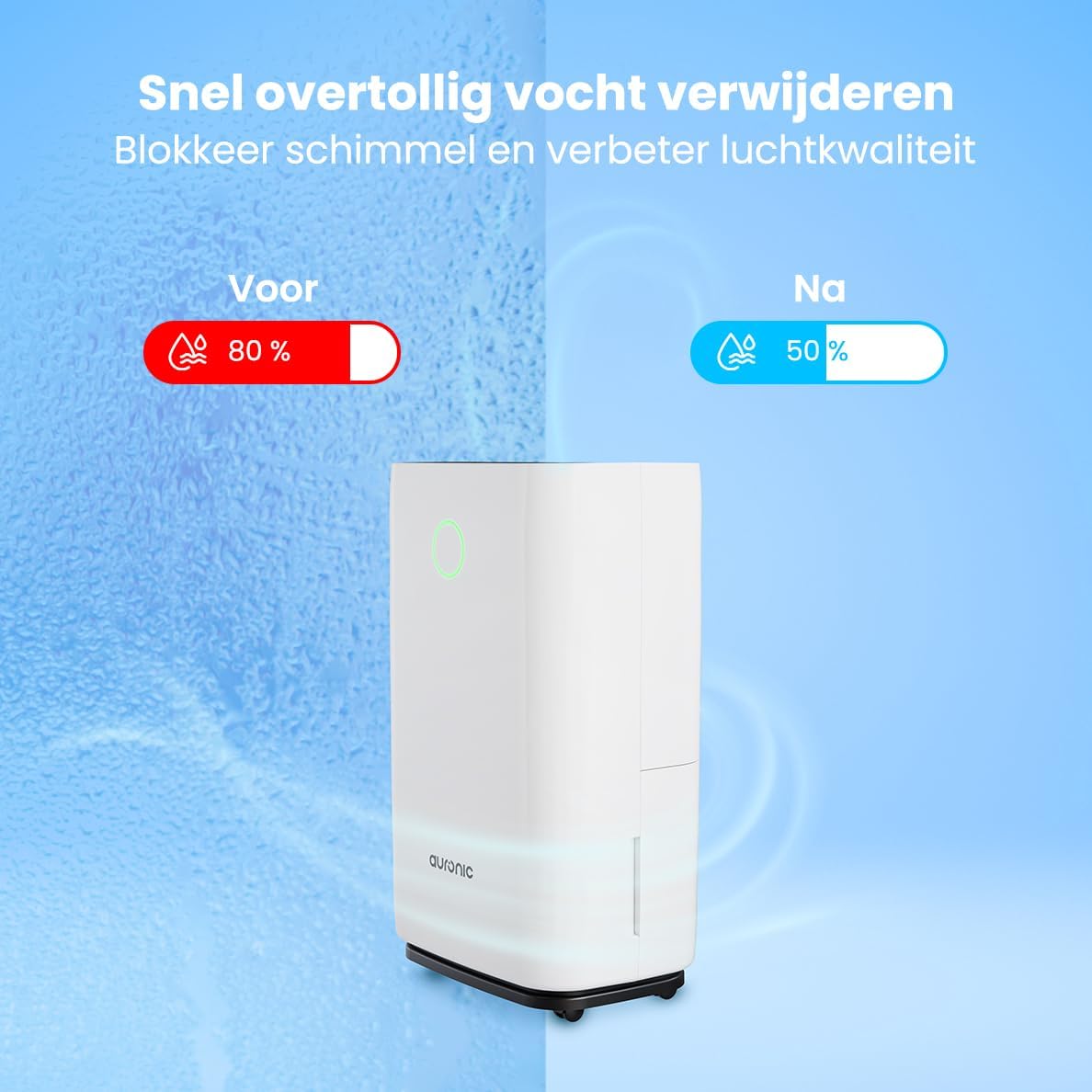
Image 6.1: Visual representation of humidity reduction from 80% to 50% using the dehumidifier.
6.3. מצבי הפעלה
- מצב אוטומטי: The unit automatically adjusts its operation based on the ambient humidity.
- Laundry Dry Function: הקש על MODE button to select the Laundry Dry function. This mode increases fan speed and continuous operation to accelerate the drying process of clothes. Place the dehumidifier in your laundry room for optimal results.
- מצב שינה: הקש על שינה/איפוס button to activate sleep mode. In this mode, the display lights dim, and the fan operates at a lower speed for quieter operation, suitable for nighttime use.

Image 6.2: The dehumidifier operating quietly, suitable for use in a bedroom.
6.4. פונקציית טיימר
הקש על שָׁעוֹן עֶצֶר button to set an auto-on or auto-off time. Use the Up ו לְמַטָה arrows to adjust the desired hours (1-24 hours). The unit will turn on or off after the set time has elapsed.
6.5. מנעול ילדים
לחץ והחזק את לִנְעוֹל button for a few seconds to activate or deactivate the child lock. When activated, the control panel buttons will be unresponsive to prevent accidental changes.
7. תחזוקה
תחזוקה שוטפת מבטיחה ביצועים אופטימליים ומאריכה את תוחלת החיים של מסיר הלחות שלכם.
7.1. ריקון מיכל המים
When the water tank is full, the unit will automatically stop operating, and an indicator light will illuminate. Carefully remove the water tank from the unit, empty the collected water, and then reinsert the tank securely. Ensure the tank is properly seated to resume operation.
7.2. ניקוי מסנן האוויר
יש לנקות את מסנן האוויר כל שבועיים או בתדירות גבוהה יותר, בהתאם לשימוש ואיכות האוויר. מסנן מלוכלך עלול לפגוע ביעילות.
- נתקו את מסיר הלחות משקע החשמל.
- אתר והסר את מסנן האוויר (בדרך כלל מאחור או בצד).
- נקו את המסנן בעזרת שואב אבק או שטפו אותו בעדינות במים חמים וסבון.
- יש לשטוף היטב ולאפשר למסנן להתייבש לחלוטין באוויר לפני התקנה מחדש.
- הכנס מחדש את המסנן היבש וחבר את היחידה בחזרה לחשמל.
7.3. ניקיון כללי
נגב את החלק החיצוני של היחידה בעזרת חומר רך, דamp מטלית. אין להשתמש בכימיקלים חזקים, חומרי ניקוי שוחקים או ממסים, מכיוון שאלה עלולים לפגוע במשטח.
8. פתרון תקלות
אם נתקלתם בבעיות עם מסיר הלחות שלכם, עיינו בבעיות הנפוצות ובפתרונות הבאים:
- היחידה לא נדלקת:
- בדוק אם כבל החשמל מחובר היטב לשקע תקין.
- Ensure the water tank is properly inserted and not full.
- Check if the child lock is activated.
- אין איסוף מים או ייבוש לחות נמוך:
- Verify that the set humidity level is lower than the current room humidity.
- בדוק אם פילטר האוויר נקי ואינו סתום.
- Ensure room temperature is above 5°C (41°F), as dehumidifiers are less effective in cold conditions.
- Close doors and windows in the room to prevent humid air from entering.
- Allow a few minutes for the unit to accurately measure humidity upon startup, as initial readings may be inaccurate.
- היחידה רועשת:
- ודא שהיחידה נמצאת על משטח יציב ומאוזן.
- Check for any obstructions in the air inlet or outlet.
- נקו את מסנן האוויר אם הוא מלוכלך.
- Defrost function activates frequently:
- This is normal in cooler environments (e.g., below 20°C). The unit temporarily stops dehumidifying to melt any ice buildup on the coils.
If the problem persists after trying these solutions, please contact Auronic customer support.
9. מפרטים
| תכונה | מִפרָט |
|---|---|
| מותג | אורוני |
| מספר דגם | AU3273 |
| מידות המוצר | 57 x 34 x 23 ס"מ (H x W x D) |
| מִשׁקָל | 13.6 ק"ג |
| צֶבַע | לָבָן |
| חוֹמֶר | Plastic and ABS Plastic |
| מהtage | 395 וואט |
| רמת רעש | 45 דציבלים |
| תכונות מיוחדות | כיבוי אוטומטי |
| רכיבים כלולים | Manual, Drain Hose |
| קיבולת (ייבוש לחות) | 25 ליטר ליום |
| נפח מיכל | 4 ליטר |
| כיסוי שטח הרצפה | עד 50 מ"ר |
| מספר מהירויות | 1 |
10. אחריות ותמיכה
For warranty information and customer support, please refer to the warranty card included with your purchase or visit the official Auronic website. If you experience any issues not covered in the troubleshooting section, please contact Auronic customer service for assistance.
יַצרָן: אורוני