
1. הקדמה
The Auronic Electric Air Dehumidifier AU3270 is designed to effectively remove excess moisture from indoor environments, helping to prevent mold growth and maintain a healthy humidity level. This appliance is suitable for spaces up to 15 square meters and can extract up to 10 liters of moisture per day. This manual provides essential information for the safe and efficient use of your dehumidifier.

Image: The Auronic Electric Air Dehumidifier AU3270 positioned in a living room, illustrating its compact design and 10-liter daily capacity for optimal dehumidification.
2. הוראות בטיחות
אנא קראו בעיון את כל הוראות הבטיחות לפני השימוש במכשיר כדי למנוע פציעה או נזק.
- ודא את אספקת החשמל כרךtage תואם לתווית הדירוג שעל מסיר הלחות.
- אין להפעיל את מסיר הלחות עם כבל חשמל או תקע פגומים.
- הרחק את המכשיר ממקורות חום, אור שמש ישיר וחומרים דליקים.
- אין לחסום את כניסת או יציאת האוויר. יש לשמור על מרווח של לפחות 20 ס"מ מסביב ליחידה.
- יש להניח תמיד את מסיר הלחות על משטח יציב ומאוזן כדי למנוע דליפת מים.
- נתקו את המכשיר מהחשמל לפני ניקוי, תחזוקה או כאשר אינו בשימוש למשך תקופות ממושכות.
- אין לטבול את היחידה, כבל החשמל או התקע במים או בנוזלים אחרים.
- מכשיר זה אינו מיועד לשימוש על ידי אנשים (כולל ילדים) עם יכולות פיזיות, חושיות או נפשיות מופחתות, או חוסר ניסיון וידע, אלא אם כן הם קיבלו פיקוח או הדרכה לגבי השימוש במכשיר על ידי אדם האחראי לבטיחותם.
- יש לפקח על ילדים כדי להבטיח שהם לא ישחקו עם המכשיר.
3. התקנה
3.1 פירוק ותכולת האריזה
Carefully remove the dehumidifier from its packaging. Check that all components are present and undamaged. The package typically includes the dehumidifier unit, a drainage hose, and this user manual.

Image: Contents of the Auronic Dehumidifier package, displaying the main unit, continuous drainage hose, and user manual, along with key product dimensions.
3.2 מיקום
Place the dehumidifier on a firm, level surface in the desired location. Ensure there is at least 20 cm of free space around the air inlet and outlet for optimal airflow. The unit is effective for rooms up to 15 square meters. Avoid placing it in direct sunlight or near heat-emitting appliances.
3.3 חיבור מתח
Plug the power cord into a grounded electrical outlet. Ensure the outlet meets the power requirements specified on the appliance's rating label.
3.4 אפשרויות ניקוז
מסיר הלחות מציע שתי שיטות ניקוז:
- מיכל מים: The unit collects condensed water in its internal 2-liter water tank. The appliance will automatically stop operating when the tank is full, and an indicator will illuminate.
- ניקוז רציף: For uninterrupted operation, attach the included drainage hose to the continuous drainage port on the back of the unit. Route the hose to a suitable drain or larger container, ensuring it is sloped downwards to allow water to flow freely by gravity.
4. הוראות הפעלה
4.1 לוח הבקרה נגמרview
The dehumidifier features an intuitive digital LED display and control buttons for easy operation.
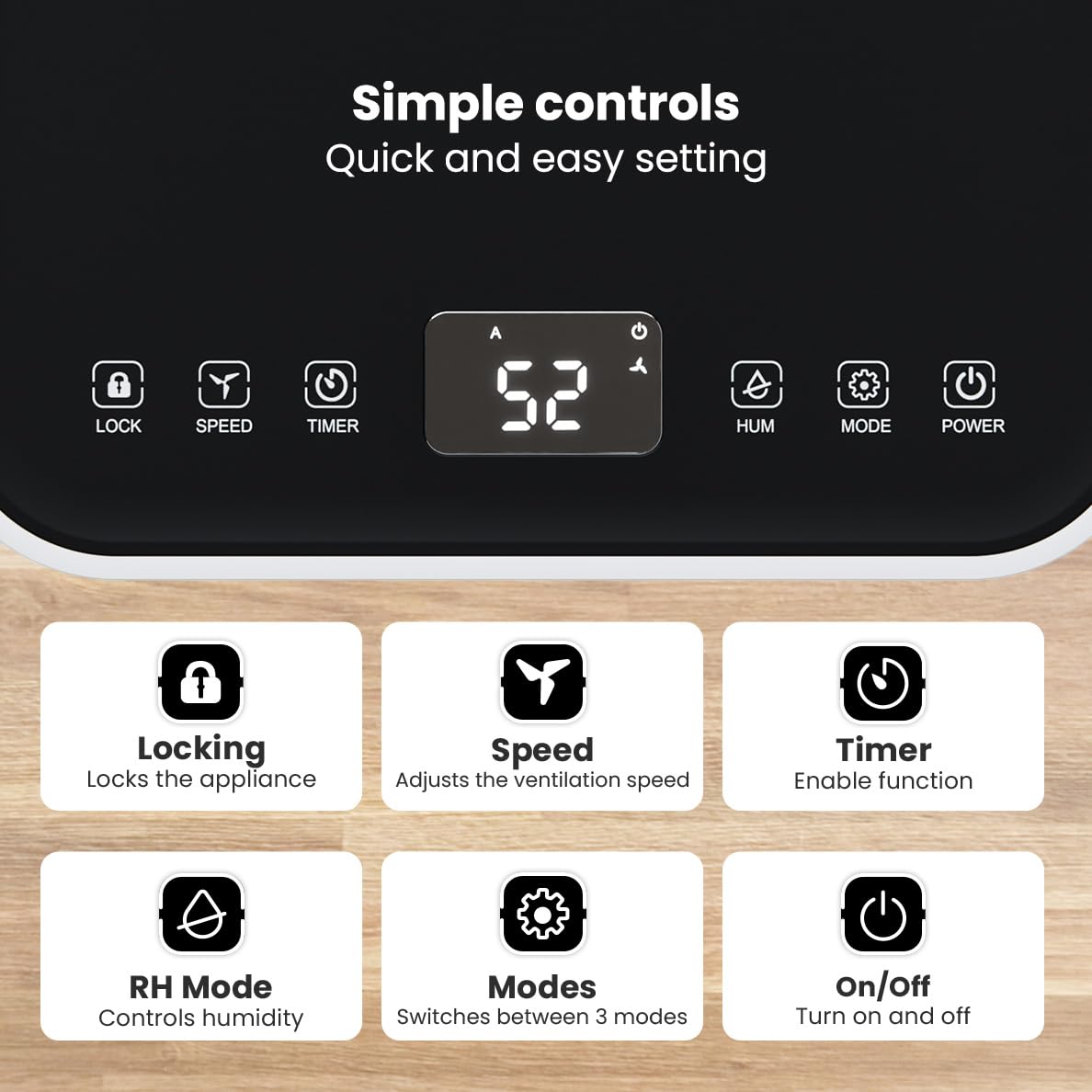
תמונה: מפורט view of the dehumidifier's control panel, highlighting each button's function for easy setting adjustments.
- כפתור הפעלה (⏻): מפעיל או מכבה את המכשיר.
- כפתור מצב (⚙): Switches between the three operating modes: Automatic, Continuous, and Quiet.
- RH Mode Button (💧): Controls the desired relative humidity level. Press to set the target humidity.
- כפתור טיימר (⏱): Enables the timer function for scheduled operation.
- כפתור מהירות (⇋): Adjusts the ventilation speed (fan speed).
- כפתור נעילה (🔒): נועל את לוח הבקרה כדי למנוע שינויים מקריים.
מצבי הפעלה של 4.2
לחץ על כפתור מצב (Mode) כדי לעבור בין מצבי ההפעלה הזמינים:
- מצב אוטומטי: The device automatically adjusts its operation based on the current room humidity to maintain a comfortable level.
- מצב רציף: אידיאלי עבור אנשים מאוד דamp environments like wet basements. The dehumidifier operates continuously regardless of the humidity level until the water tank is full or continuous drainage is active.
- מצב שקט: Designed for night-time use or in areas where low noise is preferred. The dehumidifier operates at a reduced fan speed, ensuring a peaceful environment with a noise level below 36dB.

Image: A chart comparing the noise level of the Auronic Dehumidifier (42dB) to common sounds like breathing, whispering, and loud conversation, highlighting its quiet operation.
4.3 Humidity Sensor and Display
The integrated humidity sensor monitors the room's humidity level, which is displayed on the digital screen. The color of the display indicates the current humidity status:
- כְּחוֹל: Humidity level is below 45%.
- יָרוֹק: Humidity level is between 45% and 64%.
- אָדוֹם: Humidity level is above 65%.
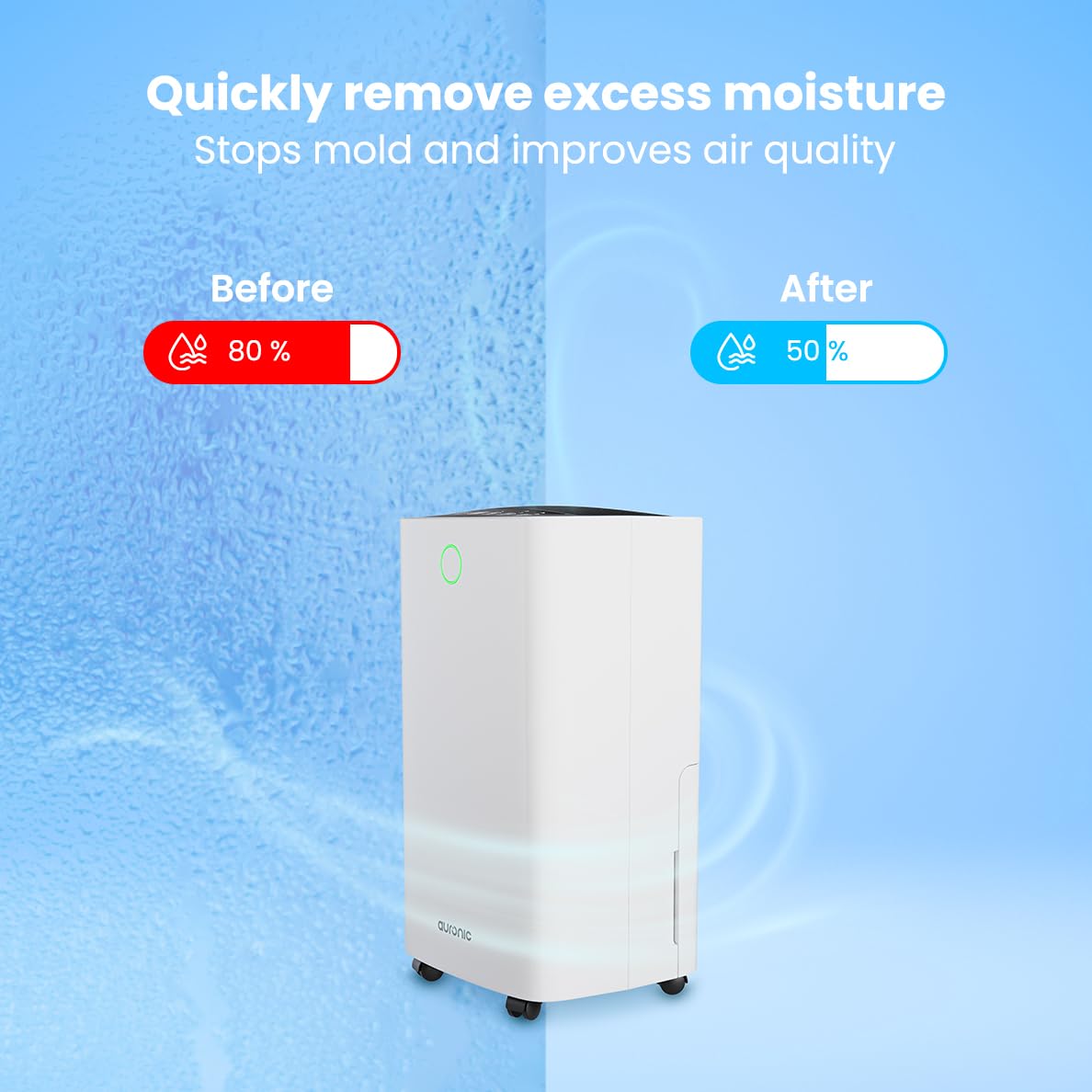
Image: A visual representation demonstrating the dehumidifier's effectiveness, showing a reduction in humidity from 80% to 50% in a room.
4.4 פונקציית ייבוש כביסה
The Auronic dehumidifier includes a laundry drying function to assist in reducing the drying time of clothes, sheets, and towels. Place the appliance in your laundry room or near drying clothes to utilize this feature, which helps to remove moisture from the air and accelerate the drying process.

Image: The dehumidifier in a bathroom setting, demonstrating its ability to extract up to 10 liters of moisture and its suitability for rooms up to 15 square meters, alongside its intelligent humidity meter, wash-dry function, and silent operation.
5. תחזוקה
תחזוקה שוטפת מבטיחה את אורך החיים והפעולה היעילה של מסיר הלחות שלכם.
5.1 ריקון מיכל המים
When the water tank is full, the dehumidifier will stop operating, and an indicator light will turn on. Carefully pull out the water tank from the unit, empty the collected water, and then reinsert the tank firmly until it clicks into place. Ensure the tank is properly seated to resume operation.
5.2 ניקוי מסנן האוויר
The air filter should be cleaned regularly (e.g., every two weeks or as needed) to maintain optimal performance. A dirty filter can reduce efficiency and increase energy consumption.
- נתקו את מסיר הלחות משקע החשמל.
- אתר והסר את מסנן האוויר (בדרך כלל בגב או בצד היחידה).
- Clean the filter using a vacuum cleaner to remove dust and debris. For heavily soiled filters, wash gently with lukewarm water and a mild detergent.
- Allow the filter to air dry completely before reinserting it into the dehumidifier.
5.3 ניקוי כללי ואחסון
נגב את החלק החיצוני של מסיר הלחות בחומר רך, דamp cloth. Do not use abrasive cleaners or solvents. For long-term storage, ensure the water tank is empty and clean, the filter is clean and dry, and the unit is unplugged. Store the dehumidifier in a cool, dry place, preferably in its original packaging.
6. פתרון תקלות
אם נתקלתם בבעיות עם מסיר הלחות שלכם, עיינו בבעיות הנפוצות ובפתרונות הבאים:
| בְּעָיָה | סיבה אפשרית | פִּתָרוֹן |
|---|---|---|
| מסיר הלחות לא נדלק. | אין ספק כוח; כבל החשמל לא מחובר; כפתור ההפעלה לא לחוץ. | Check power connection; Ensure outlet is functional; Press the Power button. |
| אין איסוף מים או ייבוש לחות נמוך. | Room temperature too low; Humidity level already low; Air filter clogged; Air inlet/outlet blocked; Water tank not properly inserted. | Ensure room temperature is above 5°C; Check current humidity; Clean the air filter; Clear any obstructions; Reinsert water tank correctly. |
| היחידה רועשת. | היחידה אינה על משטח ישר; מסנן אוויר סתום; רכיבים פנימיים רוטטים. | Place on a stable, level surface; Clean the air filter; If noise persists, contact customer support. |
| מחוון מיכל מים מלא דולק, אך המיכל אינו מלא. | Float switch malfunction; Water tank not properly seated. | Remove and reinsert the water tank; Check float switch for obstructions. |
| התצוגה מציגה קוד שגיאה. | שגיאת חיישן פנימית או תקלה. | נתק את המכשיר מהחשמל למשך 5 דקות, ולאחר מכן חבר אותו שוב. אם השגיאה נמשכת, פנה לתמיכת הלקוחות. |
7. מפרטים
Technical specifications for the Auronic Electric Air Dehumidifier AU3270:
| תכונה | פְּרָט |
|---|---|
| מותג | אורוני |
| שם הדגם | AU3270 |
| יְכוֹלֶת | 10 ליטר ליום |
| קיבולת מיכל מים | 2 ליטר |
| כיסוי שטח הרצפה | Up to 15 m² (150000 Square Centimeters) |
| מהtage | 185 וואט |
| מידות המוצר (D x W x H) | 50D x 30.5W x 26.5H סנטימטרים |
| משקל פריט | 10 קילוגרם |
| צֶבַע | לָבָן |
| רמת רעש | Below 36dB (in Quiet Mode) |
8. אחריות ותמיכה
8.1 מידע אחריות
Your Auronic Electric Air Dehumidifier AU3270 comes with a standard manufacturer's warranty. Please refer to the warranty card included in your package for specific terms, conditions, and duration. Keep your proof of purchase for warranty claims.
8.2 תמיכת לקוחות
For any questions, technical assistance, or warranty claims, please contact Auronic customer support. Contact details can typically be found on the product packaging, the official Auronic webהאתר, או כרטיס האחריות.