
מָבוֹא
This manual provides comprehensive instructions for the safe and efficient use of your DALI SUB C-8 D Powered Subwoofer. The SUB C-8 D is designed to integrate seamlessly into various audio setups, enhancing bass performance for both surround sound systems and compact stereo configurations. Please read this manual thoroughly before installation and operation to ensure optimal performance and longevity of your device.
הוראות בטיחות חשובות
- מקור כוח: חברו את הסאב-וופר אך ורק לספק חשמל מהסוג המתואר במדריך זה או המסומן על היחידה.
- אוורור: יש לוודא אוורור נאות. אין לחסום פתחי אוורור. יש להתקין בהתאם להוראות היצרן.
- חוֹם: אין להתקין ליד מקורות חום כלשהם כגון רדיאטורים, אוגרי חום, תנורים או מכשירים אחרים (כולל ampמחצבים) המייצרים חום.
- מים ולחות: אין להשתמש במכשיר זה בקרבת מים ואל תחשוף אותו לטפטופים או להתזות.
- ניקוי: נקה רק עם מטלית יבשה.
- שֵׁרוּת: אל תנסה לתת שירות למוצר זה בעצמך. הפנה את כל השירות לאנשי שירות מוסמכים.
- מיקום: Place the subwoofer on a stable, level surface to prevent tipping. Avoid placing it in direct sunlight or in areas with high humidity.
תוכן החבילה
אנא ודאו שכל הפריטים נמצאים בחבילה:
- DALI SUB C-8 D Powered Subwoofer
- כבל חשמל
- מדריך להתחלה מהירה
הגדרה
1. מיקום
The DALI SUB C-8 D is designed for floor standing placement. Its compact size allows for flexible positioning within your listening environment. For optimal bass response, experiment with different locations in your room. Generally, placing the subwoofer in a corner can enhance bass output, while placing it along a wall can provide a more balanced sound. Ensure the subwoofer is placed on a stable, level surface.
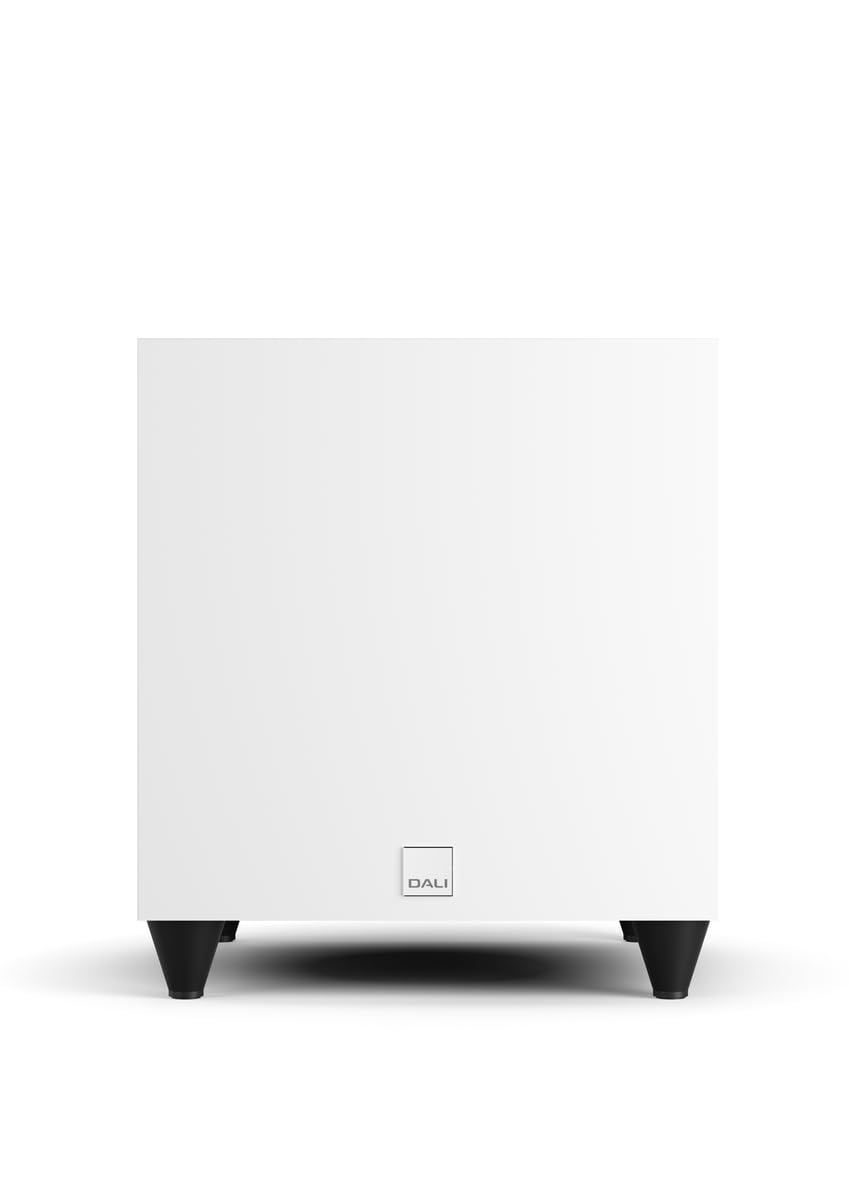
תמונה: חזית view of the DALI SUB C-8 D Powered Subwoofer, showcasing its compact white cabinet and four black feet.
2. חיבורים
Connect the subwoofer to your audio system using the appropriate cables. The SUB C-8 D features RCA connectivity for line input.
- קלט קו (RCA): Connect the RCA output from your amplifier or AV receiver to the "LINE INPUT" (LFE or Stereo) on the subwoofer's rear panel.
- חיבור חשמל: Connect the supplied power cable to the AC inlet on the subwoofer's rear panel, then plug it into a suitable wall outlet.
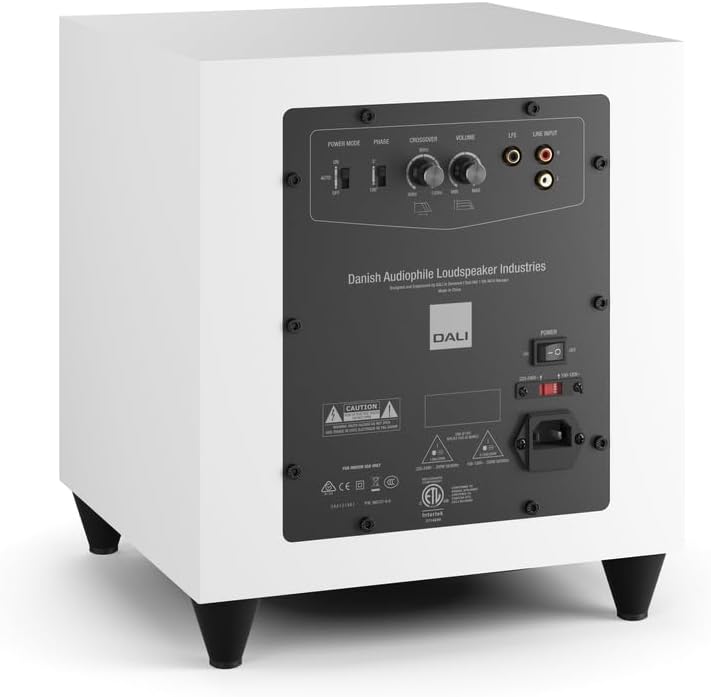
Image: Rear panel of the DALI SUB C-8 D Subwoofer, showing the power switch, AC inlet, RCA line inputs, and control knobs for Power Mode, Phase, Crossover, and Volume.
3. הגדרות ראשוניות
Before powering on, set the initial controls on the rear panel:
- מצב כוח: Set to "AUTO" for automatic power on/off with signal detection, or "ON" for continuous operation.
- שָׁלָב: Start with "0°". Adjust later if bass sounds thin or out of sync with main speakers.
- הצלבה: Set to a starting point based on your main speakers' low-frequency capabilities. A common starting point is 80 Hz.
- כֶּרֶך: Set to a low level (e.g., 1/4 or 1/3 of the way up) to avoid sudden loud bass when first powering on.
מִבצָע
הפעלה/כיבוי
Once connected, flip the main power switch on the rear panel to the "ON" position. If "Power Mode" is set to "AUTO", the subwoofer will power on automatically when an audio signal is detected and enter standby mode when no signal is present for a period.
התאמת הגדרות סאונד
- כֶּרֶך: Adjust the volume knob to balance the subwoofer's output with your main speakers. The bass should be felt, not overtly heard as a separate speaker.
- הצלבה: Fine-tune the crossover frequency. This determines the point at which the subwoofer takes over from your main speakers. If your main speakers are small, a higher crossover frequency (e.g., 100-120 Hz) may be appropriate. For larger speakers, a lower frequency (e.g., 60-80 Hz) might be better.
- שָׁלָב: If the bass sounds weak or hollow, try switching the phase between 0° and 180°. The correct setting will result in the most impactful and coherent bass.
Make small adjustments and listen to various types of audio content to find the optimal settings for your room and preferences.
תַחזוּקָה
To ensure the longevity and optimal performance of your DALI SUB C-8 D subwoofer, follow these simple maintenance guidelines:
- ניקוי: Dust the cabinet regularly with a soft, dry cloth. Avoid using abrasive cleaners, solvents, or chemical sprays, as these can damage the finish.
- אוורור: Ensure that the ventilation openings on the subwoofer are not obstructed by dust or other objects.
- סְבִיבָה: Keep the subwoofer away from direct sunlight, excessive heat, and high humidity.
- כבלים: בדקו מעת לעת את כל חיבורי הכבלים כדי לוודא שהם מאובטחים וללא נזק.
פתרון בעיות
If you experience issues with your DALI SUB C-8 D, refer to the following common problems and solutions:
- אין צליל:
- Ensure the subwoofer is plugged in and the main power switch is "ON".
- Check if the "Power Mode" is set correctly (e.g., "AUTO" and an audio signal is present).
- Verify that the RCA audio cables are securely connected to both the subwoofer and your ampמקלט/מקלט.
- Increase the volume level on the subwoofer and your ampמקלט/מקלט.
- בס מעוות או לא ברור:
- Reduce the volume level on the subwoofer.
- Adjust the "Crossover" frequency. It might be set too high or too low for your main speakers.
- Experiment with the "Phase" switch (0° or 180°) to ensure proper integration with your main speakers.
- בדוק אם יש חיבורים רופפים או כבלים פגומים.
- Subwoofer Not Powering On Automatically (in AUTO mode):
- Ensure an audio signal is being sent to the subwoofer.
- Check the sensitivity of your amplifier's output or try increasing the volume slightly.
- If the issue persists, switch the "Power Mode" to "ON" for continuous operation.
If these steps do not resolve the issue, please contact DALI customer support or your authorized dealer.
מפרטים
| מותג | DALI |
| מספר דגם | SUB C-8 D |
| סוג רמקול | סאב וופר |
| גודל רמקול | 8 אינץ' |
| קוטר וופר | 20 סנטימטרים |
| רמקול כוח פלט מרבי | 220 וואט |
| טכנולוגיית קישוריות | RCA |
| מצב פלט שמע | לְהַקִיף |
| סוג הרכבה | קומה עומדת |
| שיטת בקרה | Touch (knobs/switches) |
| שימושים ספציפיים למוצר | Home entertainment systems |
| מספר ערוצי אודיו | 5.1 |
| מכשירים תואמים | Desktop, Gaming Console, Home Theater, Laptop, Projector, Television |
| מידות פריט (D x W x H) | 13" D x 12" W x 11" H |
| משקל פריט | 21.8 פאונד |
| מקור כוח | חשמלי עם כבלים |
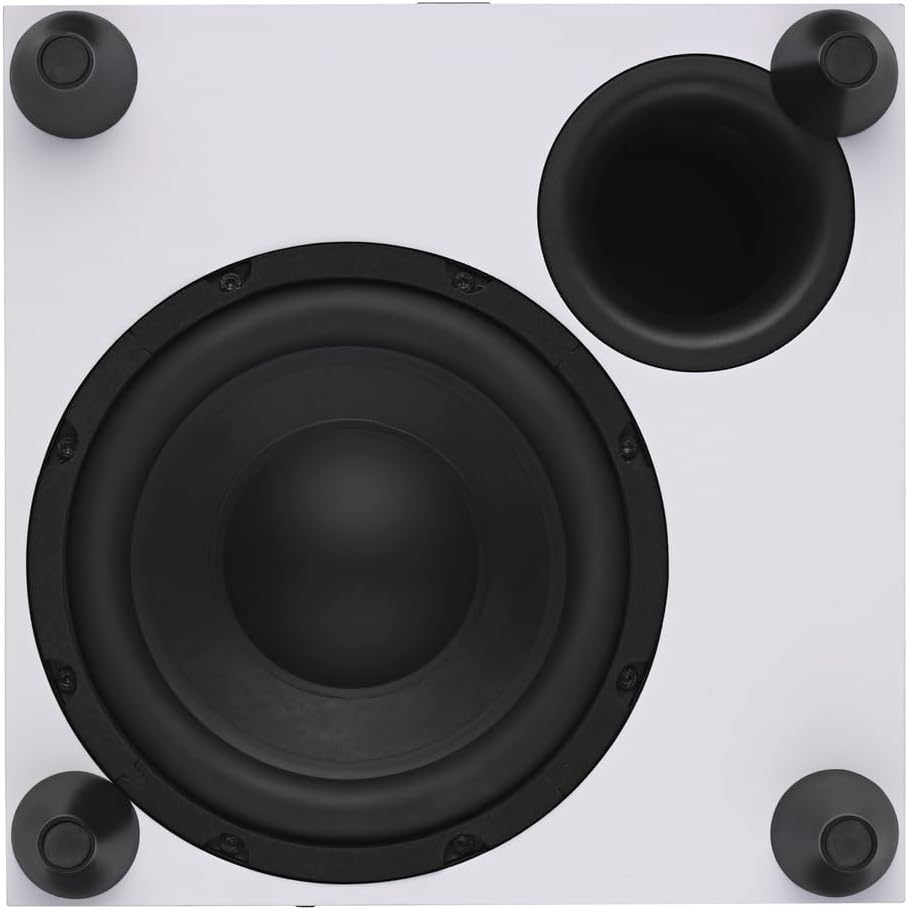
תמונה: מלמעלה למטה view of the DALI SUB C-8 D Subwoofer, showing the 8-inch woofer and bass port.
מידע על אחריות
The DALI SUB C-8 D Powered Subwoofer comes with a אחריות מוגבלת ל-1 שנים from the date of purchase. This warranty covers manufacturing defects in materials and workmanship under normal use. It does not cover damage caused by misuse, accident, unauthorized modifications, or improper installation.
For detailed warranty terms and conditions, please refer to the documentation included with your product or visit the official DALI webאֲתַר.
תְמִיכָה
For technical assistance, troubleshooting beyond this manual, or warranty claims, please contact DALI customer support or your authorized DALI dealer.
You can find more information and contact details on the official DALI webאֲתַר: www.dali-speakers.com