
1. הקדמה
Thank you for choosing the Holyton Drone Strobe Light. This anti-collision lamp is designed to enhance the visibility of your drone during night flights and in various other scenarios. It features multiple colors and modes, ensuring compliance with aviation regulations and improving safety. Please read this manual thoroughly before use to ensure proper operation and maintenance.
2. מידע בטיחות
- Always ensure the strobe light is securely attached to your drone or other object before operation.
- Adhere to all local aviation authority regulations regarding drone lighting, especially for night flying. This light meets FAA requirements for anti-collision lighting.
- אין לחשוף את המכשיר לטמפרטורות קיצוניות, לאור שמש ישיר למשך תקופות ממושכות או לחות.
- הרחק מהישג ידם של ילדים.
- Do not attempt to disassemble or modify the light, as this will void the warranty and may cause damage.
3. תכולת החבילה
- Holyton Drone Strobe Light (1 unit)
- כבל טעינה USB
- Mounting Accessories (e.g., adhesive pads, rubber bands)
- מדריך למשתמש
4. תכונות מוצר
- נראות גבוהה: 120 lumens brightness with 360° coverage.
- Multiple Colors & Modes: 7 switchable colors and 7 adjustable flashing modes.
- סוללה נטענת: Provides extended use time after a quick charge.
- קל משקל וקומפקטי: Weighs only 6.5g, ideal for various drones and other applications.
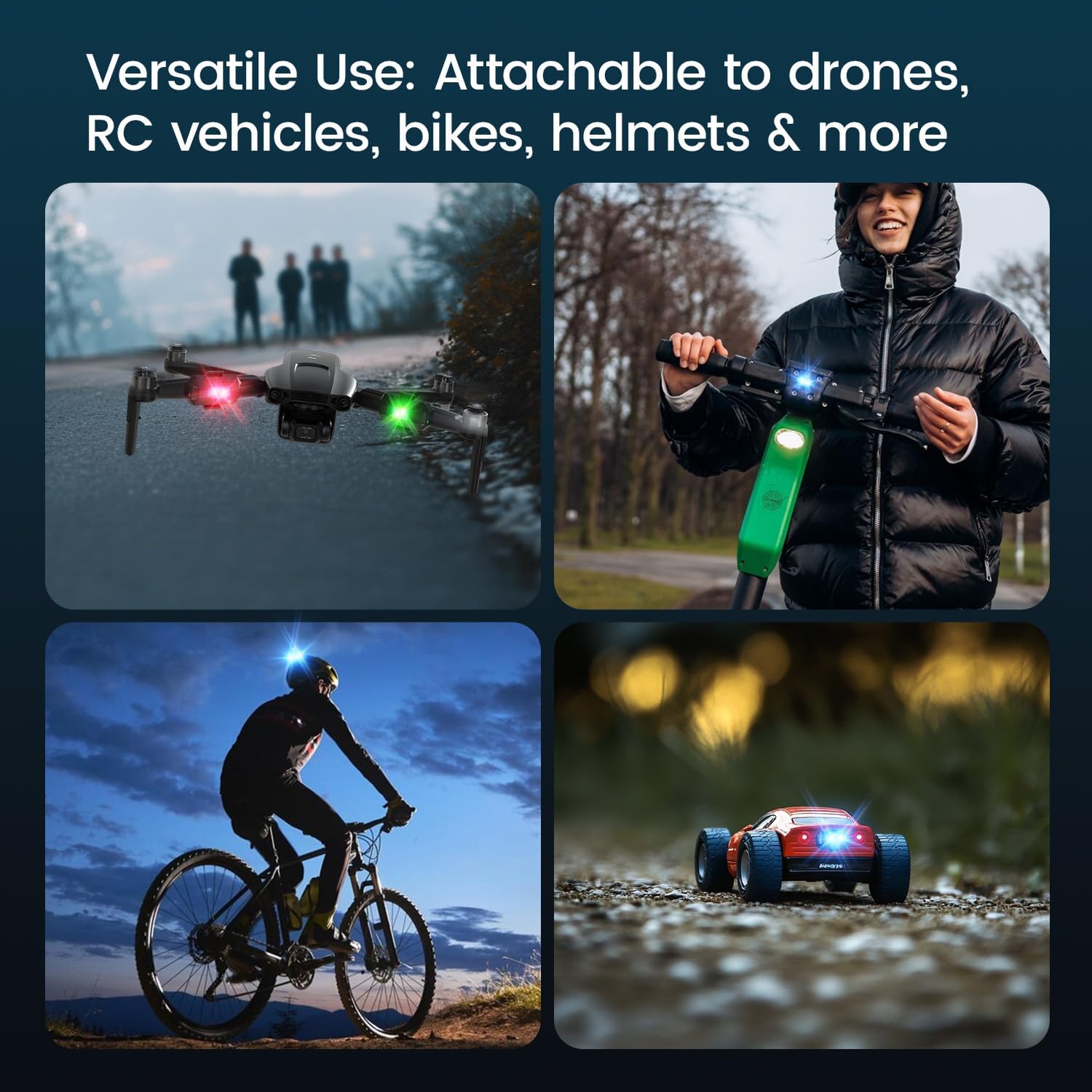
- יישום רב תכליתי: Suitable for drones, RC vehicles, bicycles, motorcycles, helmets, and more.
- FAA Compliant: Meets requirements for anti-collision lighting during night flights.
5. התקנה והתקנה
5.1 חיוב ראשוני
Before first use, fully charge the strobe light. Refer to Section 6 for charging instructions.
5.2 Mounting the Strobe Light
The Holyton Drone Strobe Light can be attached to various objects using the provided mounting accessories. For drones, ensure the light does not interfere with propellers, sensors, or flight stability.
- משטח נקי: Ensure the mounting surface on your drone or object is clean and dry.
- החל דבק: Peel the backing from an adhesive pad and firmly press it onto the designated area on the strobe light.
- Attach to Drone: Peel the remaining backing from the adhesive pad and attach the strobe light to your drone. Apply firm pressure for a few seconds to ensure a secure bond. Alternatively, use rubber bands or other suitable fasteners for temporary attachment.

6. הוראות הפעלה
6.1 הפעלה/כיבוי
- הפעלה: Press and hold the power button for approximately 2 seconds until the light illuminates.
- כיבוי: Press and hold the power button for approximately 2 seconds until the light turns off.
6.2 Changing Colors and Modes
The strobe light offers 7 different colors and 7 distinct flashing modes.
- שנה צבע: While the light is on, short press the power button to cycle through the available colors (e.g., white, red, green, blue, yellow, pink, ice blue).
- שנה מצב: Double-press the power button quickly to cycle through the different flashing modes (e.g., constant, slow flash, fast flash, alternating colors).

7. טעינה
The Holyton Drone Strobe Light is equipped with a rechargeable Lithium Ion battery.
- יציאת טעינה: מיקרו USB
- זמן טעינה: כ-12 דקות לטעינה מלאה.
- זמן שימוש: Up to 5 hours on a full charge, depending on the selected mode and color.
To charge, connect the provided USB charging cable to the Micro USB port on the strobe light and plug the other end into a standard USB power source (e.g., computer, wall adapter).

8. תחזוקה
- ניקוי: Use a soft, dry cloth to clean the light. Do not use harsh chemicals or abrasive materials.
- אִחסוּן: Store the strobe light in a cool, dry place away from direct sunlight when not in use.
- טיפול בסוללה: For optimal battery life, avoid fully discharging the battery frequently. Charge the device regularly, even if not in use, to maintain battery health.
9. פתרון תקלות
| בְּעָיָה | סיבה אפשרית | פִּתָרוֹן |
|---|---|---|
| האור לא נדלק. | הסוללה התרוקנה. | Charge the strobe light fully. |
| האור אינו נטען. | Charging cable or power source is faulty. | Try a different USB cable or power adapter. Ensure the Micro USB connector is inserted correctly. |
| האור אינו בהיר מספיק. | סוללה חלשה או מצב לא נכון. | Charge the device. Ensure a bright mode is selected (e.g., constant white light). |
| Light falls off during use. | Improper mounting or worn adhesive. | Ensure the mounting surface is clean and dry. Use new adhesive pads or more secure fastening methods. |
10. מפרטים
| תכונה | פְּרָט |
|---|---|
| מספר דגם | US03A76731000HT70402 |
| מותג | הוליטון |
| צֶבַע | שָׁחוֹר |
| צוּרָה | מַלבֵּנִי |
| סוג גימור | צָבוּעַ |
| סוג מקור אור | דיודה פולטת אור (LED) |
| חומר הצללה | פּלָסטִי |
| משקל פריט | 0.352 אונקיות (בערך 10 גרם) |
| מספר סוללות | 1 ליתיום יון (כלול) |
| סִגְנוֹן | קוֹמפָּקטִי |
| בְּהִירוּת | 120 לומן (תפוקת אור מקסימלית) |
| סוג הרכבה | Drone Mount (Adhesive/Strap) |
| תכונות נורות | Strobe, Flashing, Anti-Collision, Search and Rescue |
| מידות המוצר | 1"L x 1"W x 1"H (approximately) |

11. אחריות ותמיכה
Holyton products are designed for reliability and performance. This product comes with a standard manufacturer's warranty against defects in materials and workmanship. Please refer to the product packaging or our official webבאתר לקבלת תנאי האחריות הספציפיים.
לתמיכה טכנית, סיוע בפתרון בעיות או תביעות אחריות, אנא צרו קשר עם צוות שירות הלקוחות שלנו:
- אֶלֶקטרוֹנִי: holyton@foxmail.com
- טֵלֵפוֹן: +1 (866) 514-8669
Our support team is available to assist you within 24 hours.