
ABIR VC205 Cordless Vacuum Cleaner User Manual
דגם: VC205
1. הקדמה
This manual provides essential instructions for the safe and efficient use of your ABIR VC205 Cordless Vacuum Cleaner. Please read this manual thoroughly before operating the appliance and retain it for future reference. Proper use and maintenance will ensure optimal performance and extend the lifespan of your vacuum cleaner.
2. המוצר נגמרview
2.1 רכיבים
The ABIR VC205 Cordless Vacuum Cleaner comes with the following components:

תמונה: פיצוץ view of the ABIR VC205 Cordless Vacuum Cleaner showing its main body, extension wand, floor brush, and various accessories.
- יחידת שואב ראשית (עם מיכל אשפה ומנוע)
- LED Floor Brush
- שרביט הארכה
- Mite Removal Brush
- זרבובית חריץ
- 2-in-1 Soft Brush
- מתאם טעינה
- מדריך למשתמש (מסמך זה)
2.2 תכונות עיקריות
- Precision Cleaning: Infra-red dust sensing technology automatically adjusts motor speed based on dust detection.
- Intelligent Efficiency: Built-in processor optimizes power usage for extended service life.
- יניקה עוצמתית: Provides a maximum of 27,000Pa suction power.
- בקרת מגע חכמה: Ultra-large touch screen for mode switching, speed monitoring, and battery level display.
- Visual Cleaning Feedback: LED display ring light transitions from red (dust detected) to blue (clean).
- ניהול סוללה: Digital battery energy display assists in effective charging management.
- סינון מתקדם: Cyclonic technology and multi-stage E13-grade HEPA filter capture 99.97% of tiny dust particles. The HEPA filter is washable.
- Versatile and Lightweight: Weighs 1.1 kg, with a detachable wind tube for portable cleaning of car seats and sofas.
- נראות משופרת: LED floor brush illuminates dark areas to reveal hidden dirt.
- עיצוב ארגונומי: Slim handle and balanced weight distribution for comfortable handling.
- פעולת רעש נמוך: New cyclone design minimizes windflow noise to below 70dB.
3. התקנה
3.1 הרכבה
- חבר את מוט ההארכה: הכנס את מוט ההארכה ליחידת שואב האבק הראשית עד שייכנס למקומו בנקישה.
- חבר את מברשת הרצפה: Connect the LED floor brush to the other end of the extension wand, ensuring it locks firmly.
- התקן אביזרים: For specific cleaning tasks, detach the extension wand and directly attach the mite removal brush, crevice nozzle, or 2-in-1 soft brush to the main vacuum unit.
3.2 טעינה ראשונית
Before first use, fully charge the vacuum cleaner. Connect the charging adapter to the charging port on the main vacuum unit and plug it into a power outlet. The digital display will indicate the charging status. A full charge typically takes approximately 4-5 hours.
4. הוראות הפעלה
4.1 הפעלה/כיבוי
לחץ על כפתור ההפעלה שעל הידית כדי להפעיל או לכבות את שואב האבק.
4.2 Smart Touch Screen Control
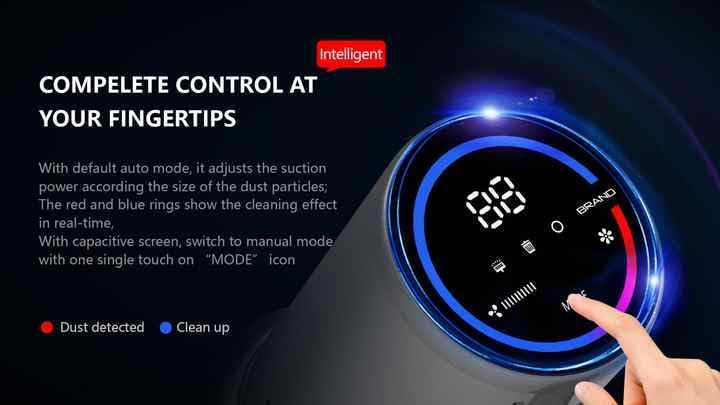
Image: The vacuum's digital touch screen displaying battery level, suction mode, and dust detection feedback.
The ultra-large smart touch screen allows you to:
- החלפת מצבים: Tap the 'MODE' icon to cycle through different suction modes (e.g., Auto, Manual).
- צג רמת סוללה: התצוגה הדיגיטלית מציגה את אחוזי הסוללה שנותרוtage.
- View מהירות יניקה: Observe the current suction power setting.
- Visual Cleaning Feedback: The LED ring light around the screen indicates cleaning progress. A red light signifies dust detection, while a blue light indicates the area is clean.
4.3 Dust Sensing Technology
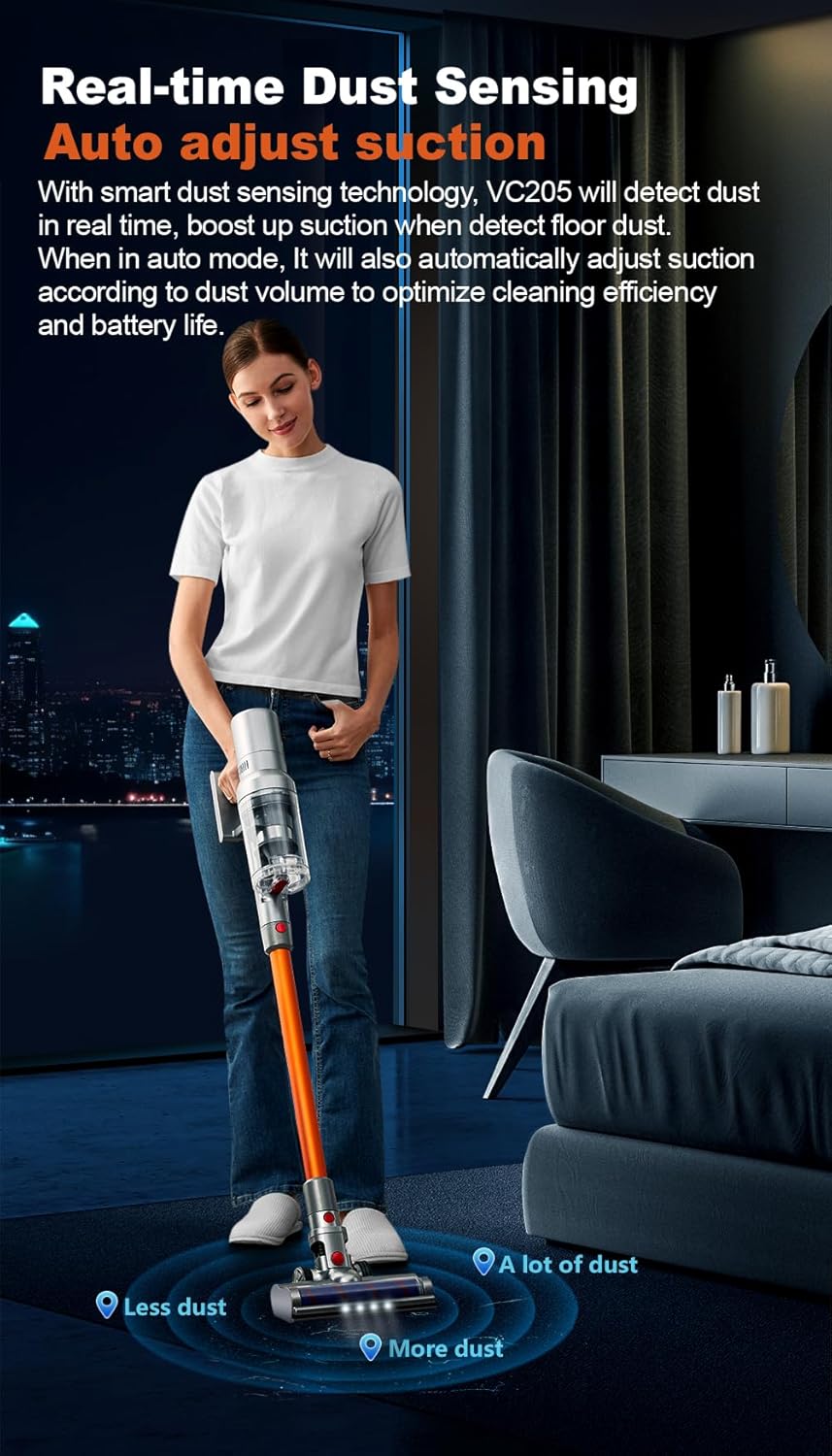
Image: Illustration of the vacuum's real-time dust sensing capability, adjusting suction based on dust volume.
In Auto mode, the vacuum cleaner utilizes infra-red dust sensing technology to detect dust particles. It automatically boosts motor speed when higher dust concentrations are detected, ensuring thorough cleaning and optimizing power consumption.
4.4 Using the LED Floor Brush

Image: The LED floor brush lights up the area in front of the vacuum, making dirt visible in dark spaces.
The integrated LED lights on the floor brush illuminate dark areas under furniture or in dimly lit rooms, making hidden dirt and debris visible for comprehensive cleaning.
4.5 שימוש בקבצים מצורפים

Image: Demonstrates the versatility of the vacuum with different attachments for whole-house cleaning.
- מברשת להסרת קרדית: Ideal for cleaning mattresses, upholstery, and pet beds to remove dust mites and allergens.
- זרבובית סדק: Perfect for reaching narrow gaps, corners, and tight spaces in your home or car.
- 2-in-1 Soft Brush: Suitable for delicate surfaces, curtains, keyboards, and other areas requiring gentle cleaning.
- שימוש נייד: Detach the extension wand to use the main unit with attachments for handheld cleaning.
5. תחזוקה
5.1 ריקון פח האשפה
Regularly empty the 0.8-liter dustbin to maintain optimal suction power. Press the dustbin release button and empty the contents into a waste bin. Close the dustbin securely after emptying.
5.2 ניקוי מסננים
The ABIR VC205 features a multi-stage filtration system with an E13-grade HEPA filter. For best performance, clean the filters regularly:
- Remove the dustbin and locate the filters.
- Separate the HEPA filter and other filter components.
- הקישו לכלוך רופף מהמסננים.
- Rinse the HEPA filter and other washable components under cold running water until the water runs clear.
- יש לאפשר לכל רכיבי המסנן להתייבש לחלוטין באוויר למשך 24 שעות לפחות לפני הרכבה מחדש. אין להשתמש במייבש או בחום ישיר.
- Reassemble the filters and dustbin into the main unit.
5.3 ניקוי גליל המברשת
The LED floor brush features an anti-hair wrap design, but occasional cleaning of the brush roll may be necessary, especially after vacuuming pet hair.
- כבו את שואב האבק ונתק אותו מכל מקור חשמל.
- Detach the floor brush from the extension wand.
- Locate the brush roll access cover (refer to the product diagram if needed).
- Remove any tangled hair or debris from the brush roll using scissors or a cleaning tool.
- Reinstall the brush roll and secure the access cover.
6. פתרון תקלות
If you encounter issues with your ABIR VC205, please refer to the following common problems and solutions:
| בְּעָיָה | סיבה אפשרית | פִּתָרוֹן |
|---|---|---|
| שואב האבק לא נדלק. | הסוללה התרוקנה. | טען את שואב האבק במלואו. |
| עוצמת יניקה נמוכה. | Dustbin is full; Filters are clogged; Brush roll is obstructed. | Empty the dustbin; Clean or replace filters; Remove obstructions from the brush roll. |
| זמן ריצה קצר. | Battery not fully charged; Operating in high power mode. | Ensure battery is fully charged; Use Auto or lower power modes for longer runtime. |
| LED floor brush not lighting up. | Connection issue; LED malfunction. | Ensure the floor brush is securely attached; Contact customer support if issue persists. |
7. מפרטים
| תכונה | מִפרָט |
|---|---|
| מותג | ABIR |
| דֶגֶם | VC205 |
| צֶבַע | אָפוֹר |
| מידות המוצר | 24 x 13 x 67 ס"מ |
| משקל פריט | 2 קילוגרם |
| קיבולת פח אשפה | 0.8 ליטר |
| כוח / וואטtage | 250 וואט |
| כרך ידtage | 240V |
| רמת רעש | 50 דציבלים |
| זמן ריצה | עד 40 דקות |
| תכונות מיוחדות | Anti Hair Wrap, Cordless, Flexible, LED Lights, Lightweight, Smart Touch Screen, Dust Sensing |
| סוג מסנן | Cyclone, E13-grade HEPA (washable) |
| המלצת משטח | Carpet, Car, Hard Floor, Soft Floor, Wooden Floor, Pet Hair Pickup |
| מקור כוח | מופעל על סוללה |
8. אחריות ותמיכה
Your ABIR VC205 Cordless Vacuum Cleaner is covered by a manufacturer's warranty. For specific warranty details, please refer to the warranty card included in your product packaging or contact ABIR customer support. If you require assistance with troubleshooting, parts, or general inquiries, please reach out to our customer service team through the contact information provided on the official ABIR webהאתר או מסמכי הרכישה שלך.