
מָבוֹא
This manual provides comprehensive instructions for the EarFun Air Life Wireless Earbuds. Please read thoroughly to ensure proper use, maintenance, and optimal performance of your device.
מה יש בקופסה?
- EarFun Air Life Wireless Earbuds
- נרתיק טעינה
- קצות אוזניים S/M/L
- מדריך למשתמש

This video provides an unboxing experience for the EarFun Air Life Wireless Earbuds, showing all included components.
הגדרה
1. הגדרה ראשונית
- Before first use, remove the insulating films from the charging contacts on both earbuds. This ensures proper charging and connection.
- Place both earbuds back into the charging case and close the lid. This will activate them and prepare for pairing.
2. ענידת האוזניות
- Choose the suitable ear tip size (S, M, or L) for the best sound quality and a secure fit. Experiment with different sizes to find the most comfortable and effective seal.
- בחר את האוזניה השמאלית או הימנית והכנס אותה לאוזן המתאימה.
- Rotate the earbud back and forth gently to ensure the ear tip creates a comfortable and secure seal within your ear canal.
Watch this video segment for detailed instructions on getting a better wearing experience with your EarFun Air Life earbuds.
3. זיווג בפעם הראשונה
- פתחו את מארז הטעינה והוציאו את שתי האוזניות. הן ייכנסו אוטומטית למצב צימוד.
- Activate Bluetooth on your Bluetooth-enabled device (e.g., smartphone, tablet).
- From the list of available Bluetooth devices, select "EarFun Air Life" to connect. A voice prompt will confirm successful pairing.
This video segment provides detailed instructions on connecting your EarFun Air Life earbuds to a device for the first time.
הוראות הפעלה
1. Connecting to a New Device (Option A: Unpairing from Old Device)
- On the previously connected device, go to its Bluetooth settings and unpair or "forget" "EarFun Air Life".
- פתחו את מארז הטעינה והוציאו את שתי האוזניות. הן ייכנסו אוטומטית למצב צימוד.
- On your new device, activate Bluetooth and select "EarFun Air Life" from the available devices to connect.
This video segment demonstrates how to connect your EarFun Air Life earbuds to a new device by first unpairing from an old one.
2. Connecting to a New Device (Option B: Manual Pairing)
- Power on and put on both earbuds.
- Simultaneously press and hold both earbuds for 3 seconds until the indicator lights flash rapidly, indicating pairing mode.
- On your new device, activate Bluetooth and select "EarFun Air Life" from the available devices to connect.
This video segment illustrates the manual pairing process for connecting your EarFun Air Life earbuds to a new device.
3. Using the EarFun Audio App
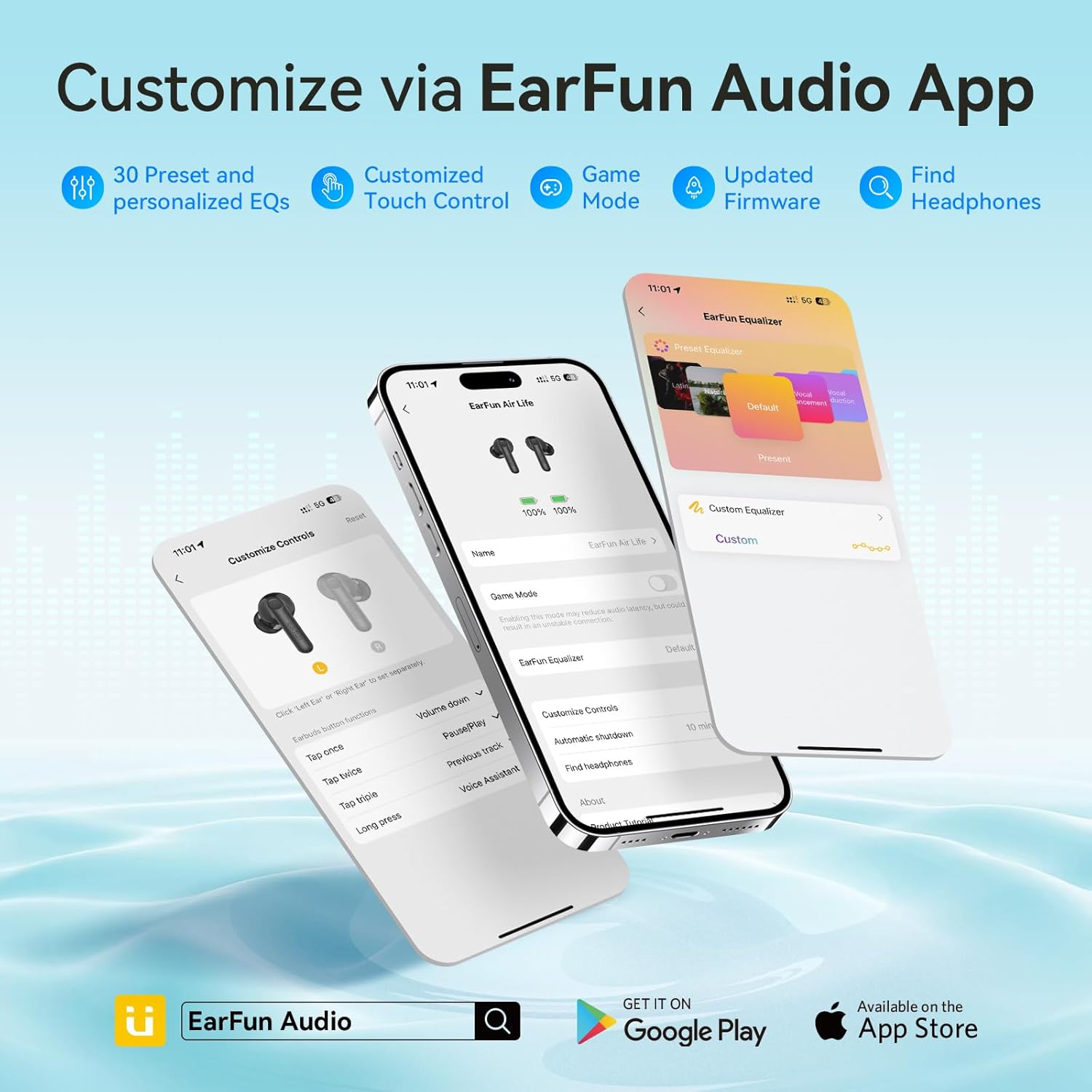
Enhance your listening experience by customizing settings via the EarFun Audio App.
- Ensure your EarFun Air Life earbuds are successfully paired to your Bluetooth-enabled device.
- Download and open the EarFun Audio App from your device's app store.
- Follow the in-app instructions to connect your earbuds. Once connected, you can access features such as:
- 30 Preset EQs and Custom EQ
- Customized Touch Control
- Game Mode (for reduced audio latency)
- קושחה מעודכנת
- Find Headphones function

This video segment guides you through connecting your EarFun Air Life earbuds to the EarFun Audio App.
4. גע בפקדים
The EarFun Air Life earbuds feature intuitive touch controls for managing music playback, calls, and voice assistant.
| פוּנקצִיָה | פְּעוּלָה | Earbud (R/L) |
|---|---|---|
| הגברת עוצמת הקול | הקש פעם אחת | ימין (R) |
| הורדת עוצמת הקול | הקש פעם אחת | שמאל (L) |
| הפעל/השהה | הקש פעמיים | ימין (R) או שמאל (L) |
| המסלול הבא | Tap triple | ימין (R) |
| המסלול הקודם | Tap triple | שמאל (L) |
| ענה/סיום שיחה | הקש פעמיים | ימין (R) או שמאל (L) |
| דחה שיחה | הקש והחזק למשך 2 שניות | ימין (R) או שמאל (L) |
| ענה והעביר שתי שיחות | Tap triple | ימין (R) או שמאל (L) |
| עוזר קולי | הקש והחזק למשך 2 שניות | ימין (R) או שמאל (L) |
This video segment demonstrates how to control music, phone calls, and game mode using the EarFun Air Life earbuds.
תַחזוּקָה
1. Cleaning the Earbuds and Charging Case
Regular cleaning helps maintain optimal performance and longevity of your EarFun Air Life earbuds.
- The charging contacts on both earbuds and within the charging case may accumulate sweat or dust, which can affect charging or connection. Use a dry cotton swab to gently clean these contacts.
- The protective grille of both earbuds may accumulate earwax and dust, resulting in muffled volume. Use a clean, dry cotton swab to carefully clean the grille.
- For personal hygiene and earbud longevity, it is recommended to clean your ears regularly.
This video segment provides instructions on how to properly clean your EarFun Air Life earbuds and charging case.
פתרון בעיות
1. איפוס האוזניות
If you experience pairing issues, sound problems, or other malfunctions, resetting the earbuds can often resolve the issue.
- הכניסו את שתי האוזניות לנרתיק הטעינה וודאו שהן נטענות.
- On your Bluetooth device, delete the previous "EarFun Air Life" connection from your Bluetooth settings.
- With the earbuds in the charging case and the lid open, simultaneously press and hold the touch control areas on both earbuds for 8 seconds until the indicator lights flash rapidly, then turn off. This indicates a successful reset.
- Close the charging case lid, then open it again. The earbuds will re-enter pairing mode.
- Reactivate Bluetooth on your device and search for "EarFun Air Life" to reconnect.
This video segment demonstrates the steps to reset your EarFun Air Life earbuds.
2. בעיות נפוצות ופתרונות
- אין צליל מאוזניה אחת: Ensure both earbuds are charged. Try placing them back in the case, closing the lid, and reopening. If the issue persists, perform a reset.
- אוזניות לא נטענות: Clean the charging contacts on both earbuds and inside the case with a dry cotton swab. Ensure the charging cable is securely connected and the power source is active.
- ניתוק חיבור לעתים קרובות: Ensure you are within the Bluetooth range (typically 10 meters/33 feet) of your device. Avoid obstacles that may interfere with the signal. Try resetting the earbuds and re-pairing.
- Muffled Sound or Low Volume: Ensure ear tips are properly sealed in your ear canal. Clean the protective grilles of the earbuds to remove any earwax or debris. Adjust EQ settings in the EarFun Audio App.
מפרטים
| תכונה | פְּרָט |
|---|---|
| שם הדגם | EarFun Air Life |
| גרסת בלוטות' | 5.4 |
| גודל דרייבר | 12mm Composite Dynamic Driver |
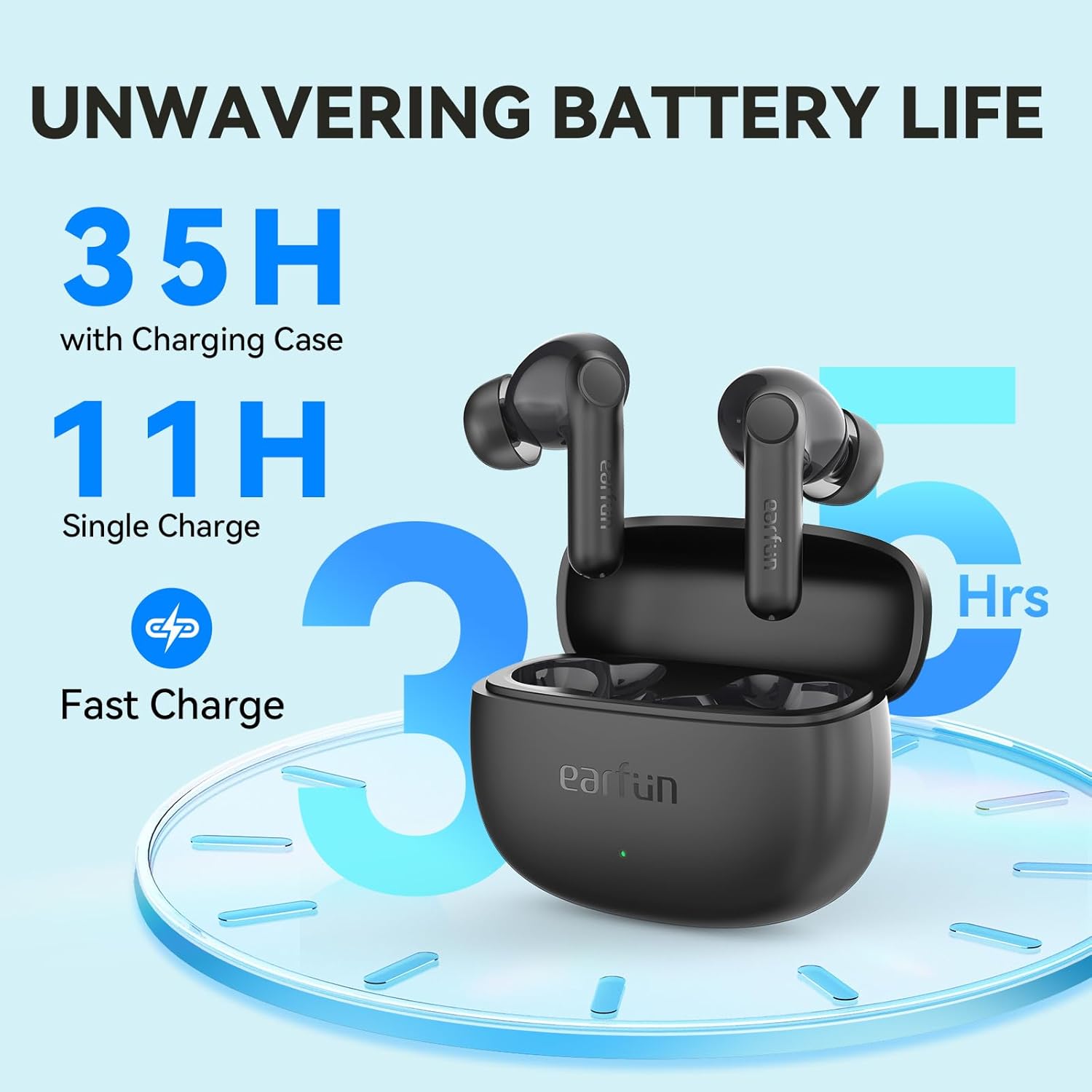
| זמן משחק (טעינה אחת) | עד 11 שעות |
| זמן משחק (עם נרתיק טעינה) | עד 35 שעות |
| טעינה מהירה | 10 דקות טעינה ל-150 דקות נגינה |
| מיקרופונים | 4 Mics with AI ENC Call Technology |
| עמידות במים | IPX5 (עמיד בפני זיעה ומים) |
| שיטת בקרה | אפליקציה, מגע |
| תגובת תדר | 20Hz - 20,000Hz |
| עַכָּבָּה | 32 אוהם |
| משקל פריט | 38 גרם (1.34 אונקיות) |
| מידות המוצר | 2.4 x 0.98 x 1.81 אינץ' |



אחריות ותמיכה
EarFun products typically come with a standard manufacturer's warranty. For specific warranty details, technical support, or further assistance, please refer to the official EarFun webלאתר או לפנות לשירות הלקוחות שלהם.