
1. הקדמה
Thank you for choosing the Intenso Buds Plus TWS T313AE Wireless Earbuds. These earbuds are designed to provide a superior audio experience with advanced features such as Active Noise Cancellation (ANC), Environmental Noise Cancellation (ENC), and Bluetooth 5.4 connectivity. This manual provides essential information for setting up, operating, and maintaining your earbuds.
2. תכולת החבילה
אנא בדקו את החבילה עבור הפריטים הבאים:
- Intenso Buds Plus TWS Earbuds (Left and Right)
- נרתיק טעינה
- כבל טעינה USB
- גדלים מרובים של קצוות אוזניים
- מדריך למשתמש
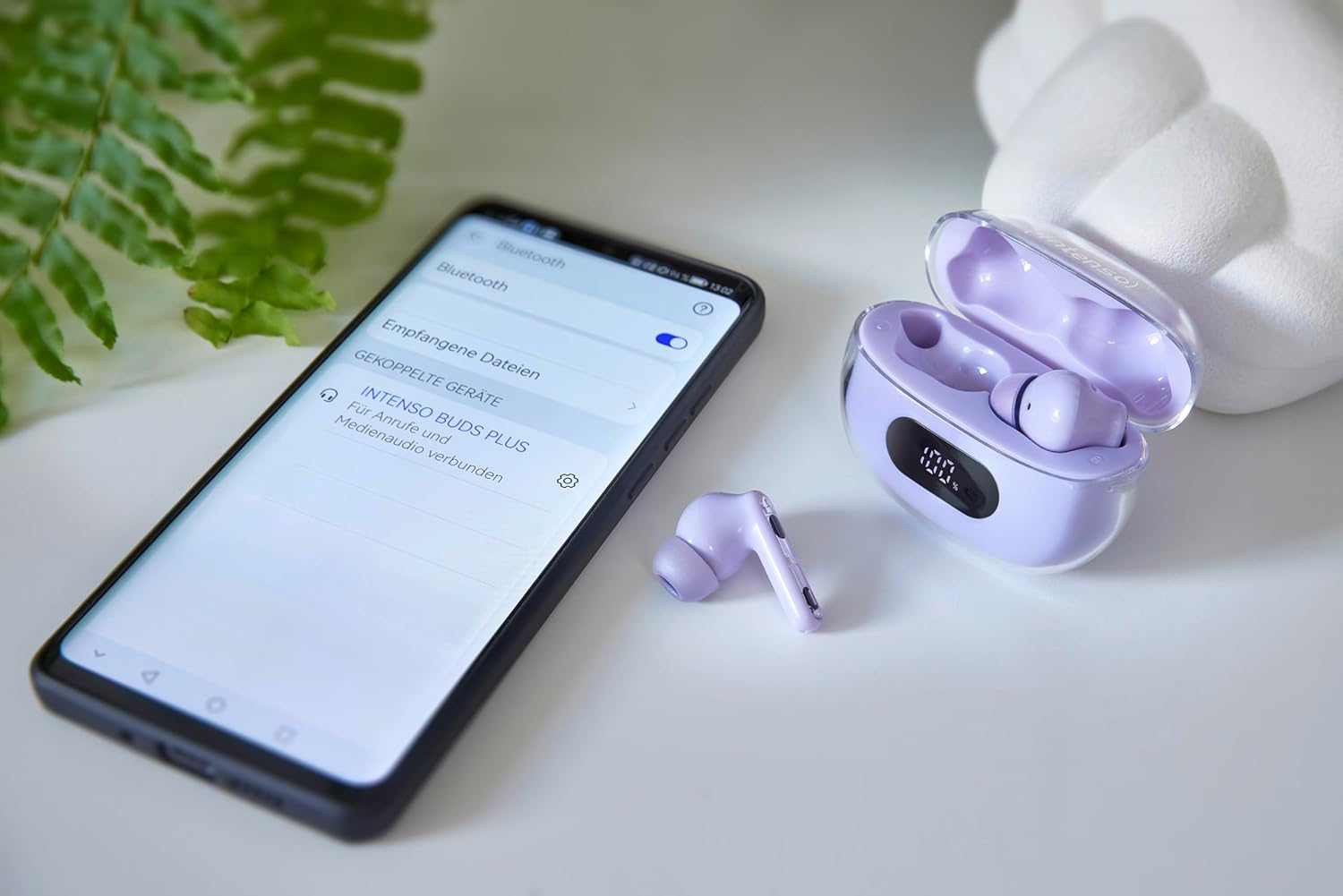
Image: Intenso Buds Plus TWS earbuds, charging case, and a smartphone displaying Bluetooth pairing settings.
3. המוצר נגמרview
The Intenso Buds Plus TWS earbuds feature a compact design with a transparent charging case. The earbuds are equipped with touch controls and integrated microphones for clear communication.

Image: Earbuds in open charging case with digital display.

Image: Features highlighted: ANC, ENC, and LED display.

Image: Charging case with 100% battery display.

Image: Close-up of individual earbuds.
4. התקנה
4.1 טעינת האוזניות והנרתיק
Before first use, fully charge the earbuds and the charging case. The charging case features an LED display to indicate the battery level.
- הנח את האוזניות במארז הטעינה.
- חבר את מארז הטעינה למקור מתח USB באמצעות כבל ה-USB המצורף.
- תצוגת ה-LED שעל המארז תציג את מצב הטעינה.
- A full charge typically takes approximately 1.5 to 2 hours for the case and earbuds.

Image: LED status display on the charging case.
4.2 זיווג בלוטות '
The Intenso Buds Plus earbuds utilize Bluetooth 5.4 for a stable and fast connection.
- ודאו שהאוזניות טעונות ונמצאות בתוך מארז הטעינה.
- פתחו את מארז הטעינה. האוזניות ייכנסו אוטומטית למצב צימוד.
- במכשיר שלך (סמארטפון, טאבלט, מחשב נייד), עבור אל הגדרות Bluetooth.
- חפש available devices and select "Intenso Buds Plus" from the list.
- לאחר החיבור, תשמעו צליל אישור, והאוזניות יהיו מוכנות לשימוש.

Image: Earbuds and case next to a smartphone.
5. הוראות הפעלה
5.1 פקדי מגע
The earbuds feature intuitive touch controls for managing audio playback, calls, and noise cancellation modes.
- הפעל/השהה: הקשה אחת על אחת האוזניות.
- הרצועה הבאה: הקש פעמיים על האוזניה הימנית.
- רצועה קודמת: הקש פעמיים על האוזניה השמאלית.
- מענה/סיום שיחה: הקשה אחת על אחת האוזניות.
- דחה שיחה: לחץ והחזק את אחת האוזניות למשך 2 שניות.
- הגבר קול: הקש שלוש פעמים על האוזניה הימנית.
- להנמיך קול: הקש שלוש פעמים על האוזניה השמאלית.
- הפעל את Assistant Voice: לחץ והחזק את כל אחת מהאוזניות למשך 3 שניות (כאשר אינך בשיחה).
5.2 Noise Cancellation Modes (ANC, ENC, Transparency)
The earbuds offer various modes to control your listening environment:
- ביטול רעשים פעיל (ANC): מפחית רעשי סביבה, ומאפשר לך להתמקד באודיו שלך.
- ביטול רעש סביבתי (ENC): Enhances voice clarity during calls by filtering out background noise.
- מצב שקיפות: מאפשר לך לשמוע את הסביבה שלך ועדיין ליהנות מהשמע, שימושי למודעות בסביבות סואנות.
To switch between ANC, Transparency, and Normal modes, press and hold the touch area on the left earbud for 2 seconds. ENC is automatically active during calls.
5.3 חיי סוללה
The earbuds provide up to 7 hours of playback on a single charge. The charging case extends the total playtime to approximately 25 hours, allowing for multiple recharges on the go.

Image: Illustration of battery life with and without charging case.
6. תחזוקה
To ensure the longevity and optimal performance of your Intenso Buds Plus earbuds, follow these maintenance guidelines:
- ניקוי: יש לנקות באופן קבוע את האוזניות ואת מארז הטעינה בעזרת מטלית רכה, יבשה וללא סיבים. אין להשתמש בחומרי ניקוי שוחקים או ממסים.
- עצות אוזניים: הסירו את קצוות האוזניים מעת לעת ונקו אותם במים וסבון עדין. ודאו שהם יבשים לחלוטין לפני חיבורם מחדש.
- טעינת אנשי קשר: Keep the charging contacts on both the earbuds and inside the case clean and free of debris to ensure proper charging.
- אִחסוּן: כאשר אינן בשימוש, אחסנו את האוזניות בנרתיק הטעינה שלהן כדי להגן עליהן מפני אבק ונזק.
- עמידות במים: The earbuds are water-resistant. Avoid submerging them in water or exposing them to excessive moisture. Dry them thoroughly if they get wet.
7. פתרון תקלות
אם אתם נתקלים בבעיות כלשהן עם האוזניות שלכם, עיינו בפתרונות הנפוצים הבאים:
| בְּעָיָה | סיבה אפשרית | פִּתָרוֹן |
|---|---|---|
| אוזניות לא מתאימות | Low battery; Bluetooth off; Earbuds not in pairing mode; Device already connected to another Bluetooth device. | Charge earbuds and case; Ensure Bluetooth is enabled on your device; Place earbuds in case, close, then open to re-enter pairing mode; Disconnect from other devices. |
| אין קול | Volume too low; Earbuds not connected; Audio source paused. | Increase volume on earbuds and device; Reconnect earbuds; Check audio playback on your device. |
| איכות סאונד ירודה | Ear tips not properly sealed; Earbuds dirty; Interference. | Try different size ear tips for a better fit; Clean earbuds and ear tips; Move closer to your device or away from sources of interference. |
| אוזניות לא נטענות | Charging cable faulty; Charging contacts dirty; Power source issue. | Try a different USB cable; Clean charging contacts; Use a different USB port or power adapter. |
8. מפרטים
| שם הדגם | ניצנים פלוס |
| מספר דגם | 3720313 |
| מותג | אינטנסו |
| טכנולוגיית קישוריות | אלחוטי (בלוטות' 5.4) |
| מיקום אוזניים | בתוך האוזן |
| גורם צורה | בתוך האוזן |
| ביטול רעשים | ביטול רעשים אקטיבי (ANC), ביטול רעשי סביבה (ENC) |
| סוג בקרה | בקרת מגע |
| תכונות מיוחדות | Noise Cancellation, Volume Control, Touch Control, Noise Isolation, Lightweight |
| הרכב סוללה | ליתיום-פולימר |
| סוללה נטענת | כֵּן |
| זמן משחק (אוזניות) | עד 7 שעות |
| זמן משחק כולל (עם נרתיק) | עד 25 שעות |
| רמת עמידות במים | עמיד במים |
| חוֹמֶר | פּלָסטִי |
| מכשירים תואמים | Mobile phone, Tablet, Laptop, Game console, Car audio system |
9. אחריות ותמיכה
Intenso products are designed for reliability and performance. For warranty information, technical support, or customer service inquiries, please refer to the contact details provided on the Intenso official webהאתר או מסמכי הרכישה שלך.
אנא שמור את הוכחת הרכישה שלך לכל תביעת אחריות.