
1. המוצר נגמרview
The Vieta Pro VM-BS1000WH is a portable, battery-powered Bluetooth speaker designed for high-quality audio playback. Its elegant design allows it to integrate seamlessly into various environments, while its robust features make it suitable for both indoor and outdoor use.
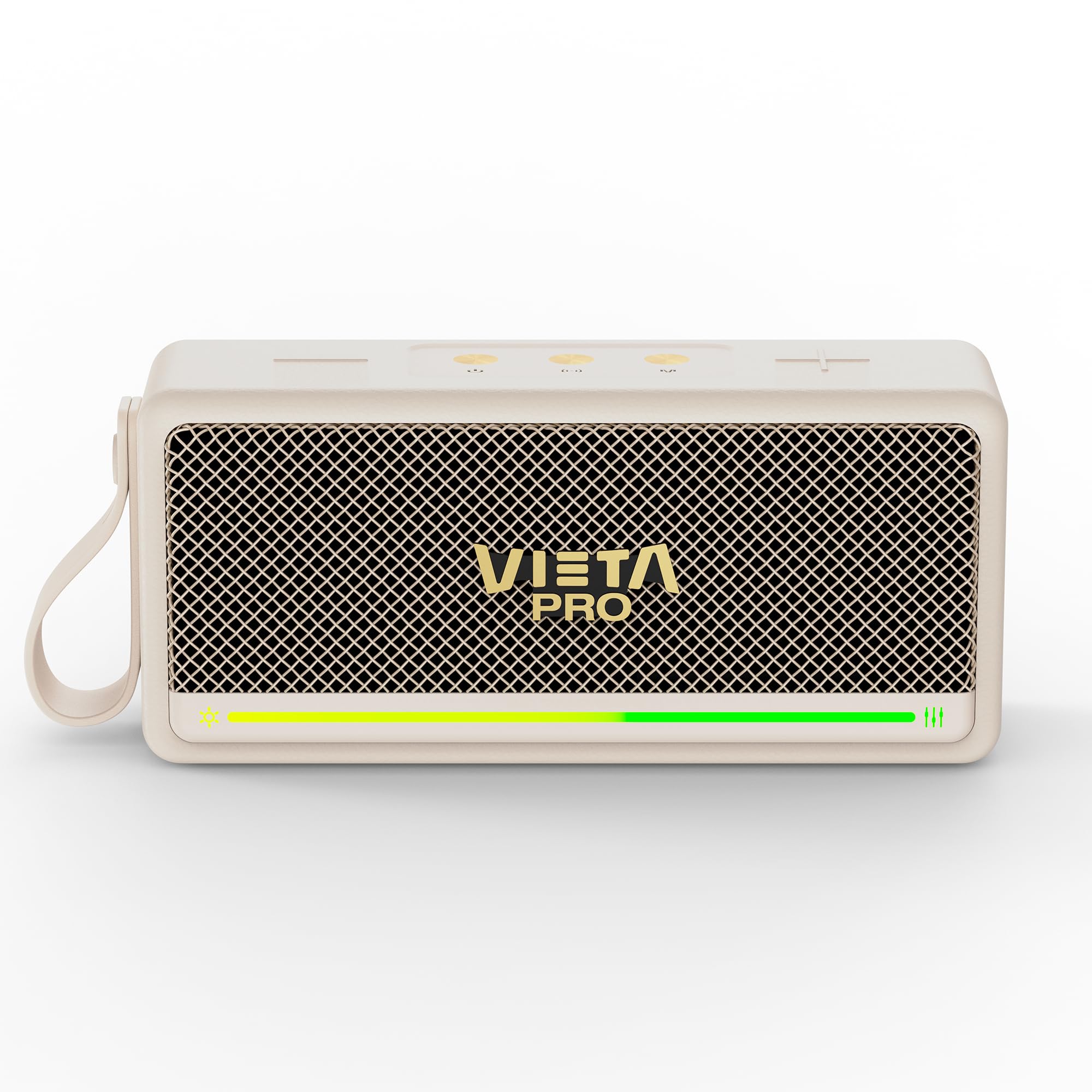
איור 1: חזית view of the Vieta Pro VM-BS1000WH Portable Bluetooth Speaker.
2. תכונות עיקריות
- Bluetooth 5.3: Advanced wireless technology for fast and stable connections.
- מצב TWS (True Wireless Stereo): Enables a true wireless stereo sound experience for immersive listening.
- עמידות במים IPX7: Certified to withstand splashes and brief immersion in water.
- נגן USB: Allows direct music playback from a USB drive.
- חיי סוללה של 10 שעות: Provides extended use without frequent recharging.
- Shock-resistant design: Enhanced durability for active lifestyles.
- בקרת מגע: Intuitive control method for ease of use.
3. מדריך התקנה
3.1. טעינת הרמקול
Before initial use, fully charge the speaker. Connect the provided USB charging cable to the speaker's charging port and a compatible USB power adapter (not included). The charging indicator light will illuminate during charging and turn off when fully charged. A full charge provides up to 10 hours of playback.
3.2. הפעלה / כיבוי
To power on the speaker, press and hold the power button located on the control panel until you hear an audible prompt and the indicator light turns on. To power off, press and hold the power button again until the indicator light turns off.

איור 2: צד view of the speaker, highlighting the control panel and ports.
4. הוראות הפעלה
4.1. זיווג Bluetooth
- ודא שהרמקול דולק ונמצא במצב צימוד Bluetooth (מסומן על ידי נורית LED מהבהבת).
- במכשיר שלך (סמארטפון, טאבלט, מחשב נייד), הפעל את Bluetooth וחפש מכשירים זמינים.
- Select "Vieta Pro VM-BS1000WH" from the list of devices.
- לאחר הצימוד, הרמקול ישמיע צליל אישור, ונורית ה-LED תאיר אור קבוע.
4.2. מצב TWS (סטריאו אלחוטי אמיתי)
To achieve a true wireless stereo experience, you can pair two VM-BS1000WH speakers together:
- ודא ששני הרמקולים דולקים ואינם מחוברים לשום מכשיר Bluetooth אחר.
- On one speaker, press and hold the TWS button (refer to the control panel diagram) until you hear a pairing tone.
- The two speakers will automatically connect to each other. Once connected, one speaker will act as the master and the other as the slave.
- Now, connect your device to the master speaker via Bluetooth as described in section 4.1. Audio will play in stereo through both speakers.
4.3. השמעת USB
הכנס כונן USB המכיל קובץ שמע MP3 files into the USB port on the speaker. The speaker will automatically detect the USB drive and begin playing music. Use the playback controls to navigate tracks.
4.4. Volume and Playback Control
The speaker features touch controls for volume adjustment and music playback:
- הגבר קול: הקש על כפתור '+'.
- להנמיך קול: הקש על כפתור '-'.
- הפעל/השהה: הקש על כפתור ההפעלה/השהיה.
- הרצועה הבאה: לחץ והחזק את כפתור '+'.
- רצועה קודמת: לחץ והחזק את כפתור '-'.
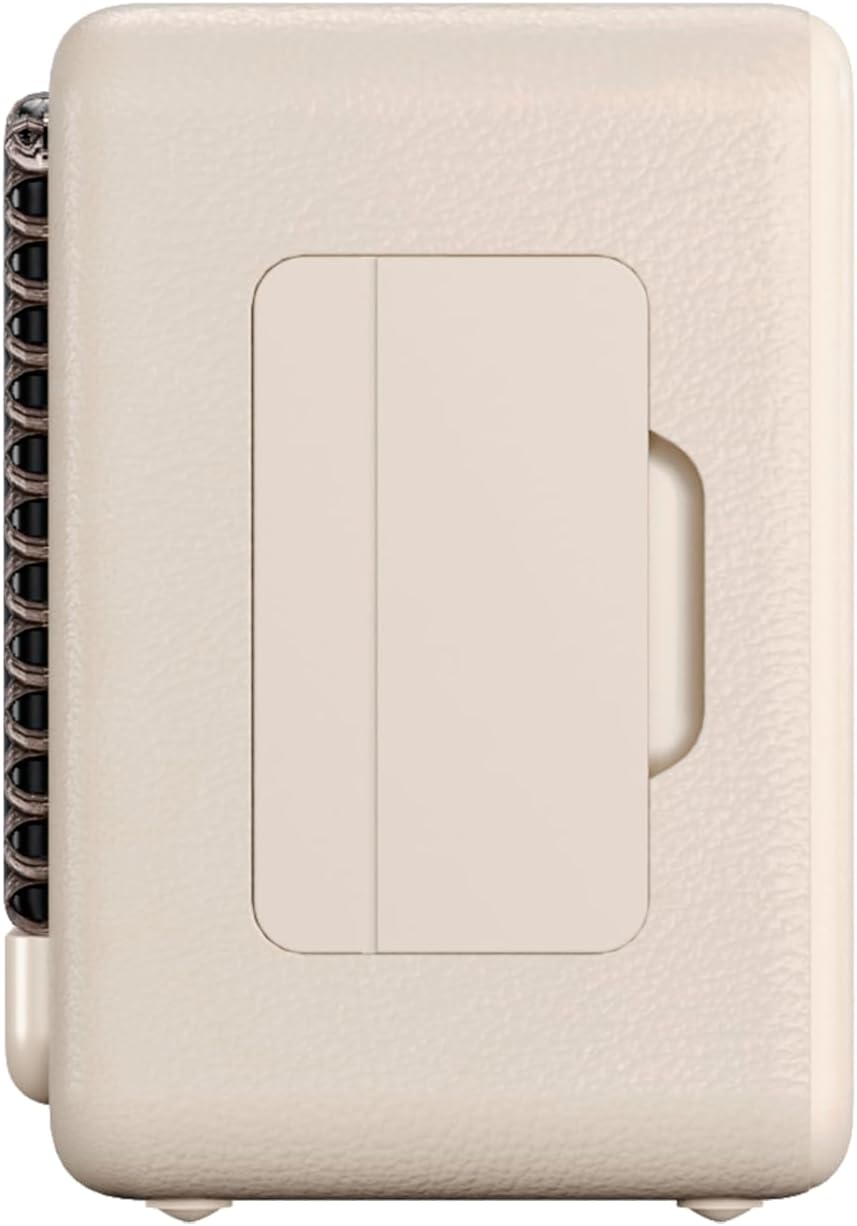
איור 3: צד פרוfile of the speaker, illustrating its compact design.
5. תחזוקה
5.1. ניקיון
Wipe the speaker with a soft, dry cloth. Do not use abrasive cleaners, alcohol, or chemical solvents, as these may damage the surface. Ensure all ports are dry before charging or connecting other devices.
5.2. עמידות למים (IPX7)
The VM-BS1000WH speaker is IPX7 water-resistant, meaning it can be immersed in water up to 1 meter for up to 30 minutes. However, it is not designed for continuous underwater use. Always ensure the charging port cover is securely closed before exposing the speaker to water. After exposure to water, dry the speaker thoroughly before charging.
6. פתרון תקלות
- אין כוח: ודא שהרמקול טעון. חבר אותו לחשמל ונסה שוב.
- לא ניתן לזווג בלוטות': Make sure the speaker is in pairing mode and within range of your device. Disconnect from any previously paired devices. Try restarting both the speaker and your device.
- אין צליל: בדוק את עוצמת הקול הן ברמקול והן במכשיר המחובר. ודא שהרמקול מחובר כראוי.
- איכות סאונד ירודה: קרב את הרמקול למכשיר ה-Bluetooth שלך כדי להפחית הפרעות. ודא שאין חסימות בין הרמקול למכשיר.
- ניגון USB לא עובד: Ensure the USB drive is formatted correctly (FAT32) and contains compatible audio files (MP3). Try a different USB drive.
7. מפרט טכני
| תכונה | מִפרָט |
|---|---|
| שם מותג | Vieta Pro |
| שם הדגם | VM-BS1000WH |
| סוג רמקול | רמקול Bluetooth נייד |
| עוצמת פלט מקסימלית של הרמקול | 25 וואט |
| טכנולוגיית קישוריות | בלוטות' |
| גרסת בלוטות' | 5.3 |
| מצב פלט שמע | סטריאו |
| רמת עמידות במים | IPX7 (עמיד במים) |
| חיי סוללה | עד 10 שעות |
| מקור כוח | מופעל על ידי סוללה (סוללת C אחת כלולה) |
| שיטת בקרה | לָגַעַת |
| גודל רמקול | 7.5 ס"מ |
| מידות המוצר (D x W x H) | 7.7 x 5.6 x 17.1 ס"מ |
| מכשירים תואמים | Smartphone, Tablet, Laptop, MP3 Player |
| תכונות מיוחדות | Shock-resistant, Wireless speakers, USB port |
8. אחריות ותמיכה
8.1. אחריות מוגבלת
This Vieta Pro VM-BS1000WH speaker comes with a Limited Warranty. Please refer to the warranty card included in the product packaging for detailed terms and conditions, including coverage period and limitations. Keep your proof of purchase for warranty claims.
8.2. תמיכת לקוחות
For technical assistance, troubleshooting, or warranty inquiries, please contact FRAMASON AUDIO S.A., the manufacturer. Contact information can typically be found on the product packaging or the official Vieta Pro website. Please have your model number (VM-BS1000WH) and proof of purchase ready when contacting support.