
מָבוֹא
Welcome to the Redmi Pad Pro 5G user manual. This document provides essential information to help you set up, operate, and maintain your new tablet. The Redmi Pad Pro 5G features a 12.1-inch display, Snapdragon 7s Gen 2 processor, 10000mAh battery, and runs on HyperOS, offering a powerful and versatile user experience.
מה יש בקופסה
Upon unboxing your Redmi Pad Pro 5G, verify that all the following items are included:
- מחשב טאבלט
- מַתאֵם
- כבל USB מסוג C
- מדריך להתחלה מהירה
- כלי מפלט סים
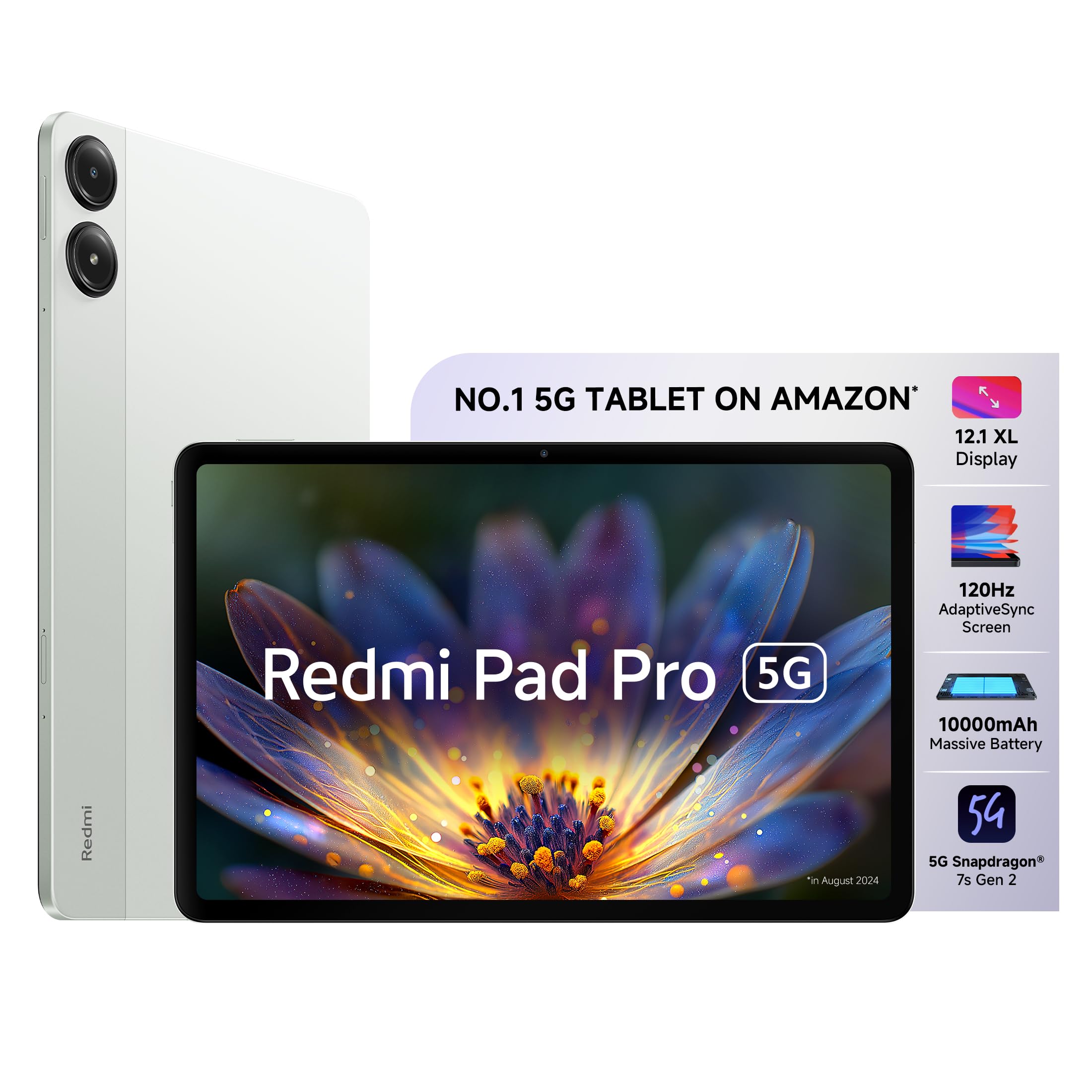
Image: The Redmi Pad Pro 5G tablet with its included accessories, including the adapter, USB-C cable, and SIM ejector tool.
הגדרה
1. טעינה ראשונית
Before first use, fully charge your Redmi Pad Pro 5G using the provided adapter and USB Type-C cable. Connect the USB Type-C cable to the tablet's charging port and the adapter to a power outlet. The tablet supports 33W fast charging.
2. הפעלה/כיבוי
- כדי להפעיל: לחץ והחזק את כפתור ההפעלה עד להופעת הלוגו של Redmi.
- כדי לכבות: לחץ והחזק את לחצן ההפעלה, ולאחר מכן בחר "כיבוי" מהאפשרויות שעל המסך.
- לאתחל: לחץ והחזק את לחצן ההפעלה, ולאחר מכן בחר "הפעלה מחדש" מהאפשרויות.
3. SIM Card Installation (for 5G models)
For 5G connectivity, insert a nano-SIM card into the SIM card tray. Use the provided SIM ejector tool to open the tray. Ensure the SIM card is correctly oriented before reinserting the tray.

תמונה: צד view of the Redmi Pad Pro 5G, illustrating the location of the SIM tray and other external components.
4. תצורה ראשונית
פעל לפי ההנחיות שעל המסך כדי להשלים את ההגדרה הראשונית, כולל בחירת שפה, חיבור Wi-Fi, כניסה לחשבון Google והגדרות אבטחה.
הוראות הפעלה
תכונות תצוגה
The Redmi Pad Pro 5G features a 12.1-inch XL display with a 2.5K resolution (2560x1600 pixels) and a 120Hz AdaptiveSync refresh rate. This adaptive refresh rate adjusts automatically to optimize battery efficiency based on content. The display also includes triple eye-care technology for reduced eye strain.

Image: The 12.1-inch XL display of the Redmi Pad Pro 5G, highlighting its large viewאזור ing.

Image: Visual representation of the 120Hz AdaptiveSync screen technology on the Redmi Pad Pro 5G.
תכונות אודיו
Experience immersive sound with the tablet's quad speakers and Dolby Atmos support. Adjust volume using the physical volume buttons located on the side of the device.

Image: Diagram showing the quad speaker placement and Dolby Atmos branding on the Redmi Pad Pro 5G.
ניהול סוללות
The Redmi Pad Pro 5G is equipped with a 10000mAh (typical) battery, providing extended usage times. For optimal battery life, use the included 33W fast charger. Avoid extreme temperatures and fully discharging the battery frequently.

Image: Illustration of the 10000mAh battery inside the Redmi Pad Pro 5G, emphasizing its large capacity.
HyperOS Interconnectivity
HyperOS enables seamless interaction between your Redmi Pad Pro 5G and compatible Xiaomi smartphones.
- Network Sync: Connect to your phone's hotspot with a single click when Wi-Fi signals are unavailable.
- Home Screen+: Receive messages, answer calls, and access phone apps directly on the tablet.
- Shared Clipboard: Copy and paste text and images between devices.
- Cross-device Notes: Access your smartphone camera from the Notes app on the tablet to take photos and insert them.

תמונה: מעלview of Xiaomi HyperOS features, including Network Sync and Home Screen+.

Image: A visual demonstrating the Network Sync feature, allowing the tablet to connect to a phone's hotspot.
אביזרים (נמכר בנפרד)
Enhance your Redmi Pad Pro 5G experience with optional accessories:
- עט חכם של רדמי: For handwritten notes, drawing, and painting. Features handwriting recognition.
- Redmi Pad Pro Keyboard: Transforms your tablet into a productivity device for typing and presentations.

Image: A user taking notes on the Redmi Pad Pro 5G with the Redmi Smart Pen.

Image: The Redmi Pad Pro 5G attached to its dedicated keyboard, illustrating its use for productivity tasks.
תַחזוּקָה
- ניקוי: השתמשו במטלית רכה ונטולת סיבים לניקוי המסך והגוף. הימנעו מחומרים שוחקים או כימיקלים חזקים.
- הֲגָנָה: שקול להשתמש בכיסוי מגן ומגן מסך כדי למנוע שריטות ונזקים.
- תנאים סביבתיים: הימנע מחשיפת הטאבלט לטמפרטורות קיצוניות, לאור שמש ישיר או לחות גבוהה.
- עדכוני תוכנה: בדוק והתקן באופן קבוע עדכוני מערכת כדי להבטיח ביצועים ואבטחה מיטביים.

תמונה: אחורי view of the Redmi Pad Pro 5G, showing its camera module and sleek design.
פתרון בעיות
בעיות נפוצות ופתרונות
- טאבלט לא נדלק: Ensure the battery is charged. Connect the charger and wait a few minutes before attempting to power on again. If unresponsive, perform a force restart by holding the power button for approximately 10-15 seconds.
- המסך לא מגיב: Try restarting the tablet. If the issue persists, ensure the screen is clean and free of debris.
- בעיות חיבור Wi-Fi: בדוק אם ה-Wi-Fi מופעל בהגדרות. הפעל מחדש את הנתב ואת הטאבלט. שכח את הרשת והתחבר מחדש.
- ביצועים איטיים: סגור יישומים מיותרים ברקע. נקה את המטמון והאפליקציות הזמניות files. Ensure sufficient storage space is available. Consider a factory reset as a last resort (back up data first).
- הסוללה מתרוקנת במהירות: Reduce screen brightness. Disable unused features like GPS, Bluetooth, and Wi-Fi when not needed. Limit background app refresh. Check for apps consuming excessive power in battery settings.
מפרטים
| תכונה | פְּרָט |
|---|---|
| מותג | רדמי |
| שם הדגם | רדמי פאד פרו 5G |
| קיבולת אחסון זיכרון | 256 ג'יגה-בייט |
| גודל מסך | 12.1 אינץ' (30.7 ס"מ) |
| רזולוציית תצוגה מקסימלית | 2560x1600 (2.5K) |
| סוג תצוגה | OLED |
| הצג קצב רענון | 120 Hz AdaptiveSync |
| זיכרון RAM מותקן | 8 ג'יגה-בייט |
| מעבד | סנאפדרגון 7s דור 2 |
| מַעֲרֶכֶת הַפעָלָה | היפר-OS |
| טכנולוגיה סלולרית | 5G |
| סוג טכנולוגיה אלחוטית | Wi-Fi 6 (802.11ax) |
| קיבולת סוללה | 10000 מיליאמפר/שעה |
| טעינה מהירה | 33W |
| רזולוציית מצלמה אחורית | 8 מגה פיקסל |
| רזולוציית מצלמה קדמית | 8 מגה פיקסל |
| מידות פריט (L x B x עובי) | 18.2L x 28W x 0.8Th Centimeters |
| Human Interface Types | מסך מגע עם תמיכה בסטיילוס |
אחריות ותמיכה
For detailed warranty information, please refer to the warranty card included in your product packaging or visit the official Redmi/Xiaomi webאֲתַר.
If you encounter issues not covered in this manual or require further assistance, please contact Redmi customer support. Support contact details can typically be found on the manufacturer's webבאתר או במדריך להתחלה מהירה.
משאבים מקוונים: