
מָבוֹא
תודה על הרכישהasing the Greadio GB-W18 Portable CD Player Boombox. This device offers multiple audio playback options including CD, cassette, FM radio, Bluetooth, USB, AUX, and TF/SD card. Please read this manual carefully before using the product to ensure proper operation and to maximize your listening experience. Keep this manual for future reference.
מידע בטיחות
- אין לחשוף את המכשיר לגשם או לחות כדי למנוע שריפה או התחשמלות.
- אל תפתח את ה-casinז. הפנה את כל הטיפולים לצוות מוסמך.
- הימנע מהצבת היחידה ליד מקורות חום או באור שמש ישיר.
- ודא אוורור נאות סביב היחידה.
- Use only the specified power adapter (if applicable) or charge with a compatible 5V/2A Type-C charger.
- הרחק מהישג ידם של ילדים.
תוכן החבילה
אנא ודאו שכל הפריטים נמצאים:
- Greadio GB-W18 Portable CD Player Boombox
- שלט רחוק (1)
- מדריך למשתמש (מסמך זה)
- כבל טעינה USB (סוג C)
המוצר נגמרview
Familiarize yourself with the various parts and controls of your Greadio GB-W18 boombox.
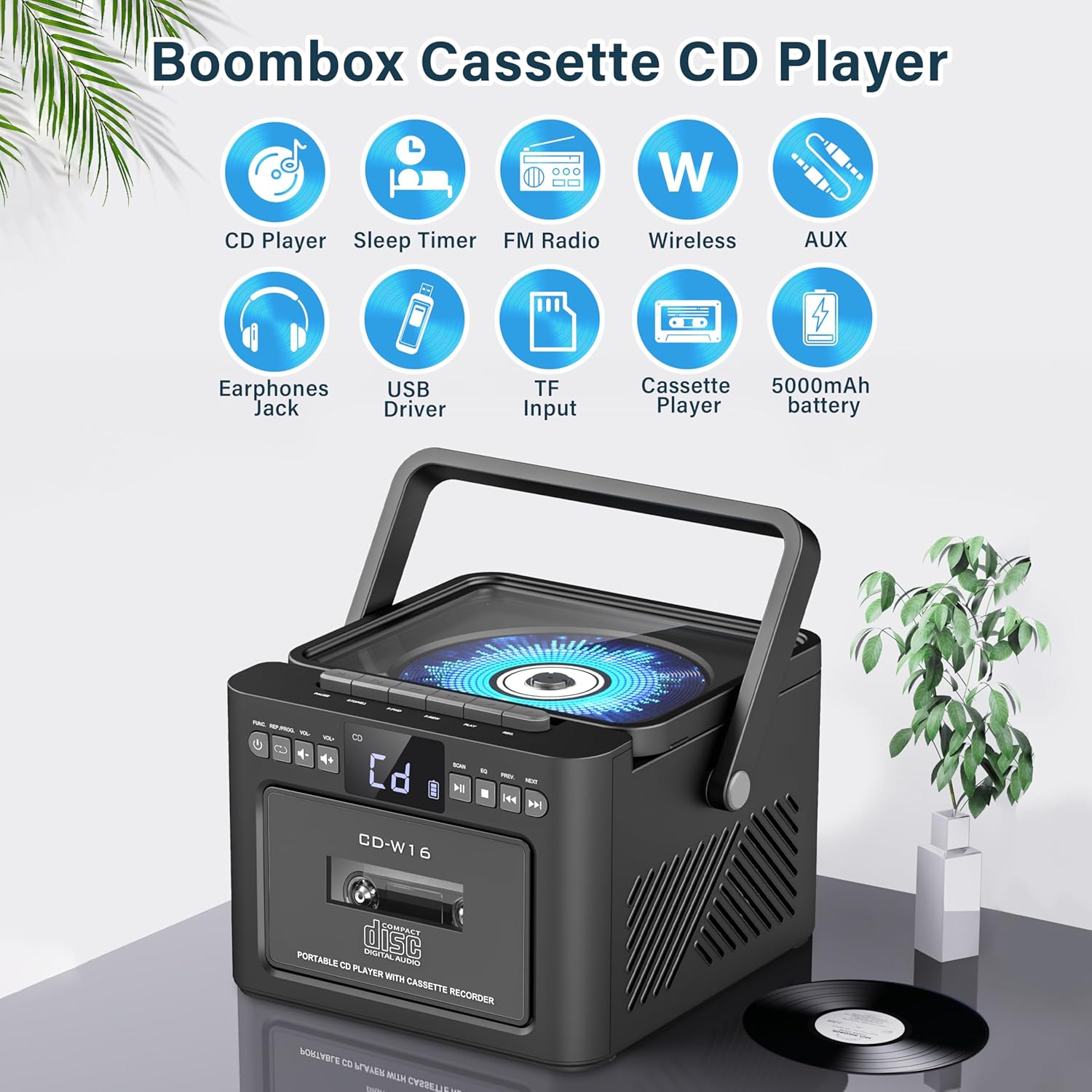
תְמוּנָה: מֵעַלview of the Greadio GB-W18 Portable CD Player Boombox, highlighting its multi-functional capabilities including CD, cassette, FM radio, Bluetooth, USB, TF/SD card, AUX, and a built-in 5000mAh rechargeable battery.
פקדי לוח קדמי
- תצוגת לד: מציג את המצב הנוכחי, מספר הרצועה, התדר וכו'.
- לחצן הפעלה: מפעיל/מכבה את היחידה.
- לחצן מצב: Switches between CD, Cassette, FM, Bluetooth, USB, AUX, TF/SD modes.
- בקרת עוצמת הקול: מכוונן את רמת פלט השמע.
- לחצן הפעלה/השהה: Controls playback for CD, USB, TF/SD, Bluetooth.
- לחצן עצור: מפסיק את ההשמעה.
- כפתורי דילוג/חיפוש: Skips tracks or searches radio frequencies.
- לחצן הקלטה: Initiates cassette recording.
Side/Rear Panel Ports
- תא תקליטורים: נגן תקליטורים עם טעינה עליונה.
- סיפון קלטות: Front-loading cassette player/recorder.
- יציאת USB: להשמעת כונן USB.
- חריץ לכרטיס TF/SD: For TF/SD card playback.
- כניסת AUX: שקע 3.5 מ"מ עבור התקני שמע חיצוניים.
- שקע אוזניות: שקע 3.5 מ"מ להאזנה פרטית.
- DC 5V Input (Type-C): לטעינת הסוללה הפנימית.
- אנטנת FM: Telescopic antenna for radio reception.
הגדרה
הפעלת היחידה
The Greadio GB-W18 can be powered by its built-in rechargeable battery or via a Type-C USB power source.
- טעינת הסוללה: Connect the provided USB Type-C cable to the DC 5V input port on the unit and the other end to a compatible USB power adapter (e.g., car charger, power bank, computer USB port). The LED display will indicate charging status. A full charge provides extended portable use.

תְמוּנָה: The Greadio GB-W18 boombox with its USB and TF/SD card slots highlighted, along with illustrations of various 5V Type-C charging methods: car charger, power bank, and computer.
הפעלה ראשונית
הקש על כּוֹחַ button to turn on the unit. The LED display will light up, and the unit will typically default to the last used mode or CD mode.
הוראות הפעלה
השתמש ב- מצב button to switch between different playback sources.
השמעת תקליטור
- הקש על מצב button until 'CD' appears on the display.
- פתח את מכסה תא התקליטורים.
- Place a CD (CD, CD-R, CD-RW) with the label side facing up onto the spindle.
- Close the CD compartment lid. The CD will begin to play automatically.
- השתמש ב- הפעל/השהה, לְהַפְסִיק, ו דלג/חפש לחצנים לשליטה בהפעלה.

תְמוּנָה: A user operating the Greadio GB-W18 boombox, demonstrating CD playback and the use of the remote control for convenient operation.
השמעה והקלטה של קלטות
- הקש על מצב button until 'TAPE' appears on the display.
- פתחו את דלת קלטת השמע.
- הכנס קלטת כאשר הקצה הפתוח פונה כלפי מעלה.
- סגור את דלת קלטת הקסטה.
- הקש על לְשַׂחֵק button on the cassette deck controls to start playback.
- אֶל רְשׁוּמָה: Ensure a blank or recordable cassette is inserted. Select your desired input source (e.g., FM radio, AUX, Bluetooth). Press the רְשׁוּמָה button on the unit. Press לְהַפְסִיק כדי לסיים את ההקלטה.

תְמוּנָה: The Greadio GB-W18 boombox in a social setting, illustrating the cassette player function with a hand inserting a tape.
תפעול רדיו FM
- Extend the telescopic FM antenna for optimal reception.
- הקש על מצב button until 'FM' appears on the display.
- לחץ והחזק את דלג/חפש buttons to automatically scan for available stations. The unit can preset up to 30 stations.
- הקש על דלג/חפש buttons briefly to manually tune or cycle through preset stations.
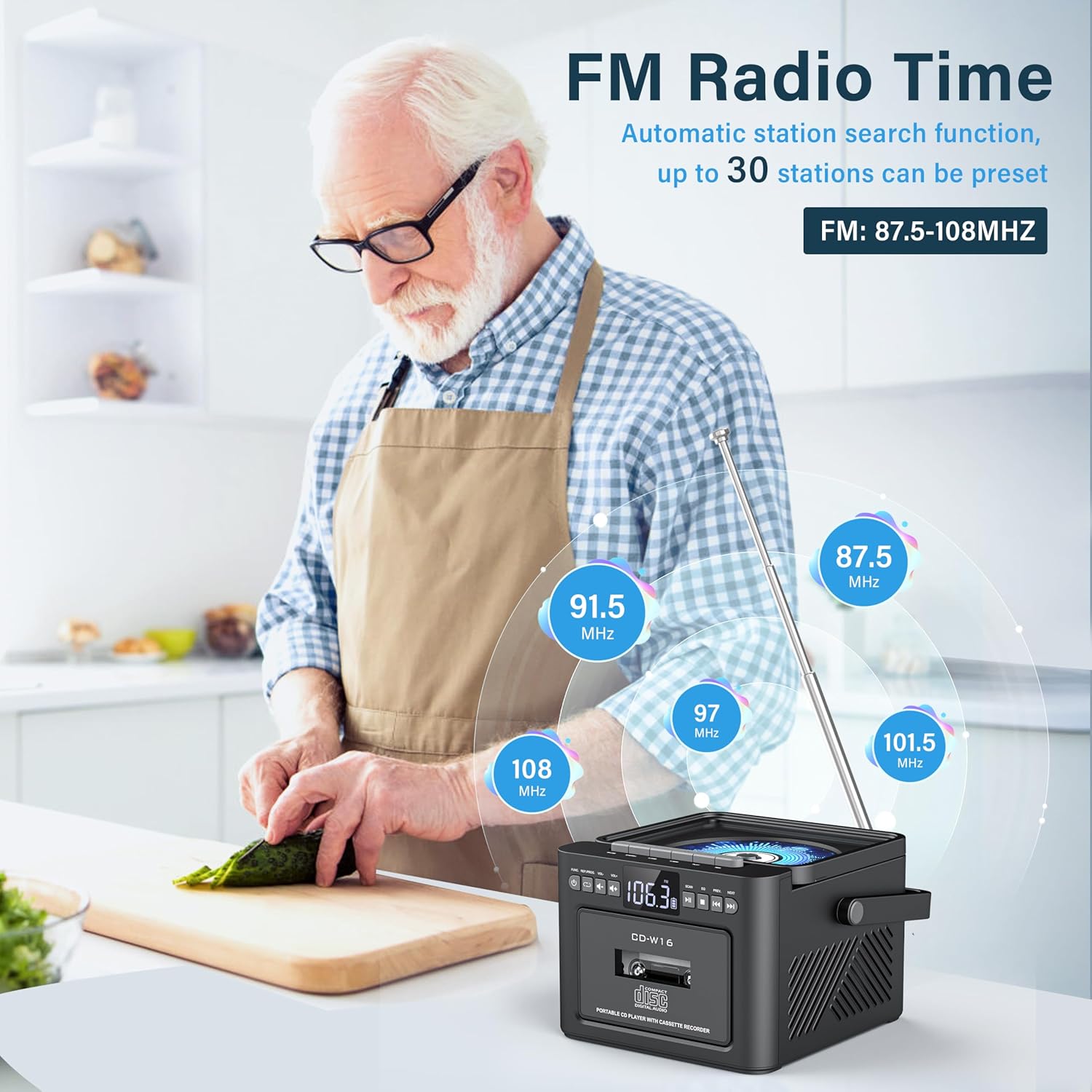
תְמוּנָה: A user in a kitchen setting with the Greadio GB-W18 boombox, demonstrating its FM radio capabilities and the range of frequencies it can receive.
Bluetooth (Wireless Receiver)
- הקש על מצב button until 'BLUE' or 'BT' appears on the display. The unit will enter pairing mode, indicated by a flashing Bluetooth icon.
- במכשיר הנייד שלך (סמארטפון, טאבלט וכו'), הפעל את Bluetooth וחפש מכשירים זמינים.
- Select 'Greadio GB-W18' (or similar name) from the list to pair.
- Once paired, you can play audio from your device through the boombox.
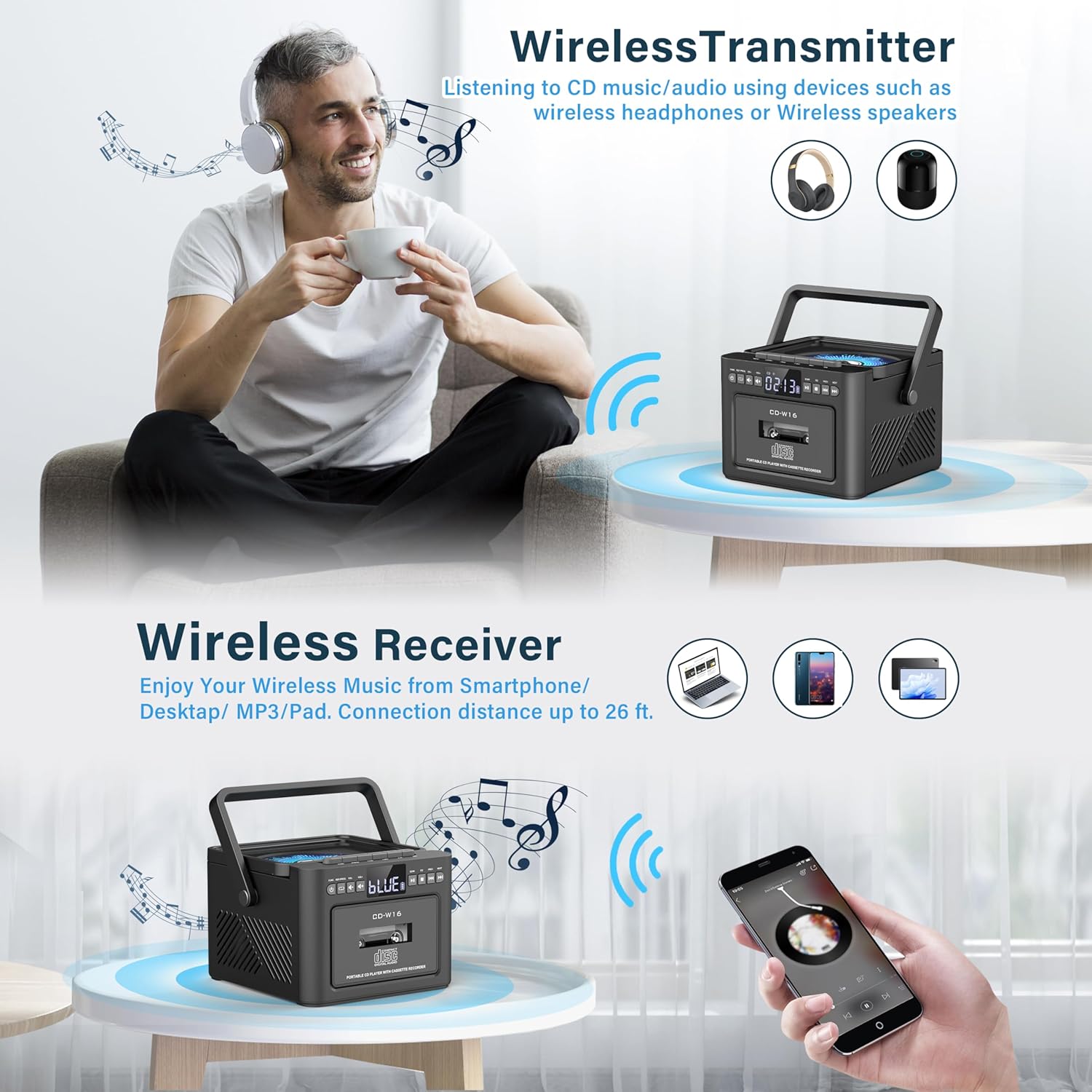
תְמוּנָה: The Greadio GB-W18 boombox demonstrating its wireless capabilities, functioning as both a wireless transmitter (for headphones/speakers) and a wireless receiver (for streaming from smartphones/tablets).
USB Drive & TF/SD Card Playback
- Insert a USB drive into the USB port or a TF/SD card into the TF/SD card slot.
- הקש על מצב button until 'USB' or 'TF' appears on the display.
- The unit will automatically detect and play MP3 files מהתקן האחסון.
- השתמש ב- הפעל/השהה, לְהַפְסִיק, ו דלג/חפש לחצנים לשליטה בהפעלה.
כניסת AUX
- Connect an external audio device (e.g., MP3 player, smartphone) to the AUX input jack using a 3.5mm audio cable (not included).
- הקש על מצב לחצו על הכפתור עד להופעת 'AUX' על הצג.
- הפעל אודיו מהמכשיר החיצוני שלך. הצליל יופק דרך הרמקולים של בום בוקס.
שְׁלַט רָחוֹק
The included remote control allows for convenient operation of most functions from a distance. Point the remote control directly at the front panel of the boombox. Functions include power on/off, mode selection, volume adjustment, playback controls (play, pause, stop, skip), and radio tuning.
טיימר שינה
The unit features a sleep timer function. Refer to the remote control or specific button on the unit (if available) to set a timer for automatic power-off. This feature is useful for falling asleep to music.
תַחזוּקָה
- ניקוי: השתמשו במטלית רכה ויבשה לניקוי החלק החיצוני של היחידה. אין להשתמש בחומרי ניקוי שוחקים או ממסים.
- טיפול בעדשת CD: If CD playback issues occur, use a specialized CD lens cleaner disc.
- ניקוי ראש הקסטה: Regularly clean the cassette heads with a cotton swab lightly dampמצופים באלכוהול איזופרופילי כדי להבטיח איכות צליל אופטימלית ולמנוע נזק לקלטת.
- טיפול בסוללה: להשגת חיי סוללה אופטימליים, הימנעו מפריקה מלאה של הסוללה לעתים קרובות. טען את המכשיר באופן קבוע, גם אם אינו בשימוש למשך תקופות ממושכות.
- אִחסוּן: When not in use for a long time, store the unit in a cool, dry place away from direct sunlight and extreme temperatures.
פתרון בעיות
| בְּעָיָה | סיבה אפשרית | פִּתָרוֹן |
|---|---|---|
| היחידה לא נדלקת. | הסוללה התרוקנה. | Connect the unit to a power source using the Type-C USB cable and allow it to charge. |
| אין קול מהרמקולים. | Volume is too low or muted. Incorrect mode selected. Headphones connected. | הגברת עוצמת הקול. לחץ על מצב button to select the correct source. Disconnect headphones. |
| התקליטור מדלג או לא מתנגן. | CD is dirty, scratched, or inserted incorrectly. CD lens is dirty. | Clean the CD. Reinsert the CD correctly. Use a CD lens cleaner. |
| קליטת רדיו FM גרועה. | האנטנה לא מורחבת. אות חלש. | Fully extend the FM antenna. Reposition the unit for better reception. |
| לא ניתן לבצע התאמה בין מכשירי בלוטות'. | Boombox not in pairing mode. Device too far. | Ensure boombox is in Bluetooth mode and flashing. Move device closer (within 26 ft). |
| Cassette playback distorted. | Cassette heads are dirty. Tape is old or damaged. | Clean cassette heads. Try a different tape. |
מפרטים
- מספר דגם: GB-W18
- מידות המוצר: 7.56 x 7.56 x 5.16 אינץ'
- משקל פריט: 2.99 פאונד
- טכנולוגיית קישוריות: בלוטות' 5.0
- סוג רמקול: רמקול סטריאו כפול
- סוֹלְלָה: Built-in 5000mAh Rechargeable Lithium Ion Battery
- קלט כוח: DC 5V (Type-C)
- מדיה נתמכת: CD, CD-R, CD-RW, Cassette Tape, USB Drive (MP3 format, up to 32GB), TF/SD Card (MP3 format, up to 32GB), AUX Input
- תדר רדיו FM: 87.5-108 מגה-הרץ
אחריות ותמיכה
Greadio products are designed for reliability and performance. For any questions, technical support, or warranty inquiries, please refer to the contact information provided with your purchase or visit the official Greadio webאתר. אנא שמור את הוכחת הרכישה שלך לצורך תביעות אחריות.