
1. הקדמה
This manual provides detailed instructions for the installation, operation, and maintenance of your Garosa Battery Voltage Meter. This device is designed to accurately monitor battery capacity and voltage, featuring a clear LED digital display for various battery types including Lithium and Lead-Acid batteries.
2. מידע בטיחות
- Always ensure the power supply is disconnected before installation or maintenance to prevent electrical shock.
- אל תחרוג מנפח הכניסה המרביtage של 120V DC.
- טפלו במכשיר בזהירות כדי למנוע נזק פיזי.
- Keep the device away from moisture, extreme temperatures, and corrosive environments.
- Ensure proper wiring connections as indicated in the setup section to prevent damage to the meter or battery.
3. תכולת החבילה
החבילה כוללת:
- 1 x Garosa Battery Voltagמד מטר
4. המוצר נגמרview
The Garosa Battery Voltage Meter is a compact and stable device designed for accurate battery monitoring. It features a high-definition LED screen for clear display of voltage and battery capacity percentage.
תכונות עיקריות:
- High-definition LED Screen: Provides a clear and bright display from all viewזוויות.
- Accurate Remaining Capacity: Directly displays battery capacity sign and percentage.
- Battery Capacity Monitor: Tracks battery capacity and voltage.
- תאימות רחבה: Suitable for various applications including cars, motorcycles, scooters, bikes, power banks, and test equipment.
- קומפקטי ונייד: Designed for ease of use and high measurement accuracy.
זיהוי רכיב:

איור 4.1: חזית view of the Garosa Battery Voltage Meter displaying voltage (למשל, 51.3V).

איור 4.2: חזית view of the Garosa Battery Voltage Meter displaying battery percentagה (למשל, 86%).

איור 4.3: אחורי view of the meter, showing the wiring terminals and battery type selection switches.
5. התקנה והתקנה
Follow these steps for proper installation of the battery voltagמטר e:
- הַרכָּבָה: The meter has a size of approximately 47x27x16mm (1.9x1.1x0.6in) and a mounting hole size of approximately 45.5x26.5mm (1.8x1.0in). Ensure you have an appropriate cutout for flush mounting.
- תִיוּל:
- חבר את חוט אדום to the positive (+) terminal of the battery or power source.
- חבר את חוט שחור to the negative (-) terminal of the battery or power source.
- Ensure connections are secure and insulated to prevent short circuits.
- בחירת סוג סוללה: Refer to the labels on the back of the meter (Figure 4.3) to select the correct battery type and voltage range using the internal switches. Options typically include 12V, 24V, 48V, 60V, 72V, 96V for Lithium or Lead-Acid batteries. Incorrect selection may lead to inaccurate readings.
- הפעלה: Once wired correctly, the meter will power on and display the current voltage and battery capacity.

איור 5.1: פנימי view of the meter, showing the circuit board and components. This view is for reference and not for user modification.
6. הוראות הפעלה
The Garosa Battery Voltage Meter operates automatically once connected to a power source within its specified voltagטווח e.
- מצבי תצוגה: The meter typically cycles between displaying the current voltage (V) and the battery capacity percentage (%). Some models may have a button on the side (refer to Figure 6.1) to manually switch between these display modes or to adjust settings.
- קריאת התצוגה:
- The large digital numbers indicate the voltage או אחוזtage.
- The battery icon graphically represents the charge level, with green segments indicating remaining capacity and red indicating depleted capacity.
- ניטור: Continuously monitor the display to keep track of your battery's charge status and voltage. This helps in preventing over-discharge or over-charge, extending battery life.
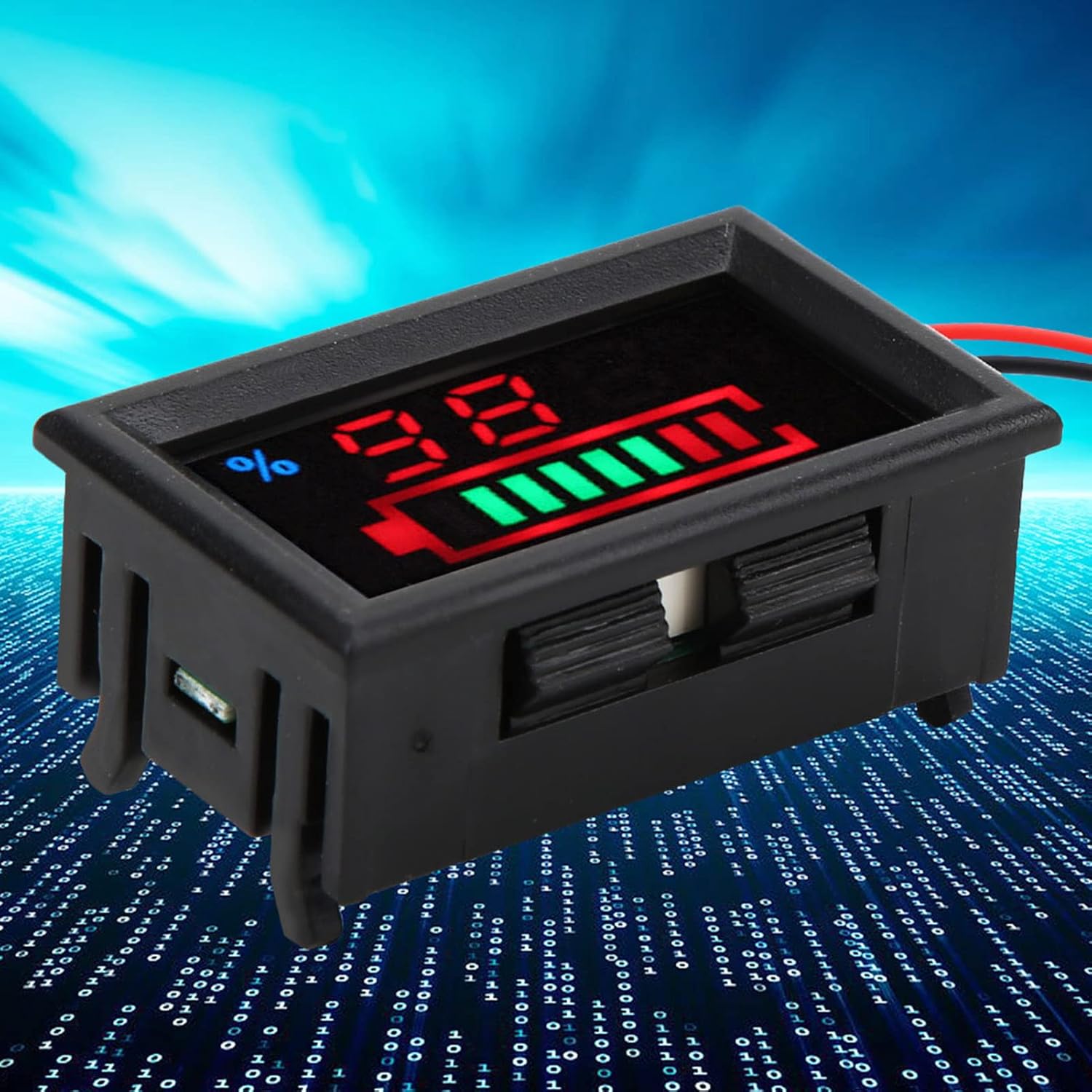
איור 6.1: צד view of the meter, potentially showing a button for display mode selection or calibration.
7. תחזוקה
To ensure the longevity and accurate performance of your Garosa Battery Voltage Meter, follow these maintenance guidelines:
- ניקוי: השתמשו במטלית רכה ויבשה כדי לנקות את הצג ואתasinז. אין להשתמש בחומרי ניקוי שוחקים או ממסים.
- תנאים סביבתיים: Operate and store the meter within the specified working temperature of -10℃ to +65℃ and avoid high humidity (no condensation).
- בדיקת חיבור: יש לבדוק מעת לעת את חיבורי החיווט כדי לוודא שהם יציבים היטב וחופשיים מקורוזיה.
- הימנע מהשפעה: Protect the device from drops or strong impacts.
8. פתרון תקלות
| בְּעָיָה | סיבה אפשרית | פִּתָרוֹן |
|---|---|---|
| No display or meter does not power on. | Incorrect wiring, no power supply, or voltagמחוץ לטווח הפעולה. |
|
| כרך לא מדויקtage or capacity reading. | Incorrect battery type selection, faulty wiring, or meter malfunction. |
|
| התצוגה עמומה או מהבהבת. | נפח קלט נמוךtage or unstable power supply. |
|
9. מפרטים
| פָּרָמֶטֶר | עֵרֶך |
|---|---|
| סוג פריט | צג סוללה |
| Battery Type (Optional) | Lithium Battery, Lead-Acid Battery |
| כרך ידtagה (אופציונלי) | 12V, 24V, 48V, 60V, 72V, 96V |
| חוֹמֶר | ABS |
| צֶבַע | כפי שמוצג בתמונות |
| גוֹדֶל | כ-47x27x16 מ"מ / 1.9x1.1x0.6 אינץ' |
| חור הרכבה | כ-45.5x26.5 מ"מ / 1.8x1.0 אינץ' |
| מִשׁקָל | כ. 15 גרם / 0.5 oz |
| כרך ידtagה טווח מדידה | DC 8~120 V (wide range) |
| קלט מקסימלי כרךtage | 120 וולט |
| Minimum Resolution Below 100 V | 0.1 וולט |
| Minimum Resolution of 100 V | 1 וולט |
| Energy Resolution | 1% |
| זרם עובד | < 15mA |
| תצוגת מסך | LED |
| קצב מדידה | > 500 mS / time |
| כרך ידtagה דיוק המדידה | 1% |
| אורך חוט | > 150mm / 5.91in |
| אספקה מינימלית כרךtage | + 8 וולט |
| אספקה מקסימלית כרךtage | + 120 וולט |
| טמפרטורת עבודה | -10℃ ~ +65℃ |
| לחות עבודה | (ללא עיבוי) |
10. מידע על אחריות
Garosa products are manufactured to high-quality standards. This product is covered by a standard limited warranty against defects in materials and workmanship from the date of purchase. Please retain your proof of purchase for warranty claims. The warranty does not cover damage caused by improper installation, misuse, unauthorized modifications, or natural disasters.
11. תמיכה
For technical assistance, troubleshooting, or warranty inquiries, please contact Garosa customer support through your retailer or the official Garosa website. Please have your product model number (Garosa7q5fcr94ae-15) and purchase details ready when contacting support.